
1. Úvod
The ZapperBox M2 Single Tuner is a 4K over-the-air tuner, DVR, and gateway designed to provide high-resolution standard TV programming without a monthly subscription. It allows users to watch and record broadcasts from standard channels like ABC, NBC, FOX, CBS, The WB, and PBS. This manual provides essential information for setting up, operating, and maintaining your ZapperBox M2 device.
2. Co je v krabici
Upon unboxing your ZapperBox M2, please ensure all the following items are present:
- IR dálkové ovládání
- Napájecí adaptér 5V/2A
- 4K HDMI kabel
- Ethernetový kabel
- Průvodce rychlým startem
3. Klíčové vlastnosti
The ZapperBox M2 offers a robust set of features to enhance your TV viewzkušenosti:
- DVR Functionality: Record, pause, fast-forward, and rewind live TV.
- Whole Home Gateway: Distribute TV signals wirelessly throughout your home.
- Video ve vysokém rozlišení: Supports 4K video and HDR formats (HDR10, HLG).
- Dual ATSC Support: Compatible with both ATSC 1.0 and the newer ATSC 3.0 signals.
- Konektivita: Built-in Wi-Fi (802.11 b/g/n AC 2.4G 5.8G) and Ethernet (10/100 Mbps) for network access.
- Interactive Guide: Features a grid guide for easy program browsing.
- Automatické aktualizace: Ensures your device always has the latest software.
- Pokročilý zvuk: Supports Dolby AC-4 Audio, Dolby Atmos, and Dolby AC-3 Pass-through up to 7.1.4 channels AAC.
- Rozšiřitelnost: Includes USB 2.0 (one port) and a microSD slot for additional storage.
4. Průvodce nastavením
Follow these steps to set up your ZapperBox M2:
- Připojte anténu: Screw your TV antenna's coaxial cable into the "ANT IN" port on the back of the ZapperBox M2.
- Připojení k televizi: Use the provided 4K HDMI cable to connect the "HDMI" port on the ZapperBox M2 to an available HDMI input on your television.
- Připojení k napájení: Plug the power adapter into the "DC 5V/2A" port on the ZapperBox M2 and then into a wall outlet. The device will power on automatically.
- Síťové připojení (volitelné Ethernet): If you prefer a wired connection, plug one end of the Ethernet cable into the "LAN" port on the ZapperBox M2 and the other end into your router or network switch. For Wi-Fi setup, proceed to the next step.
- Počáteční nastavení přes mobilní aplikaci:
- Download the ZapperBox app on your smartphone or tablet.
- Follow the on-screen instructions in the app to connect your ZapperBox M2 to your home Wi-Fi network (if not using Ethernet).
- The app will guide you through a firmware update and a channel scan to find available over-the-air channels.
- Once the channel scan is complete, the app will download the program guide data.
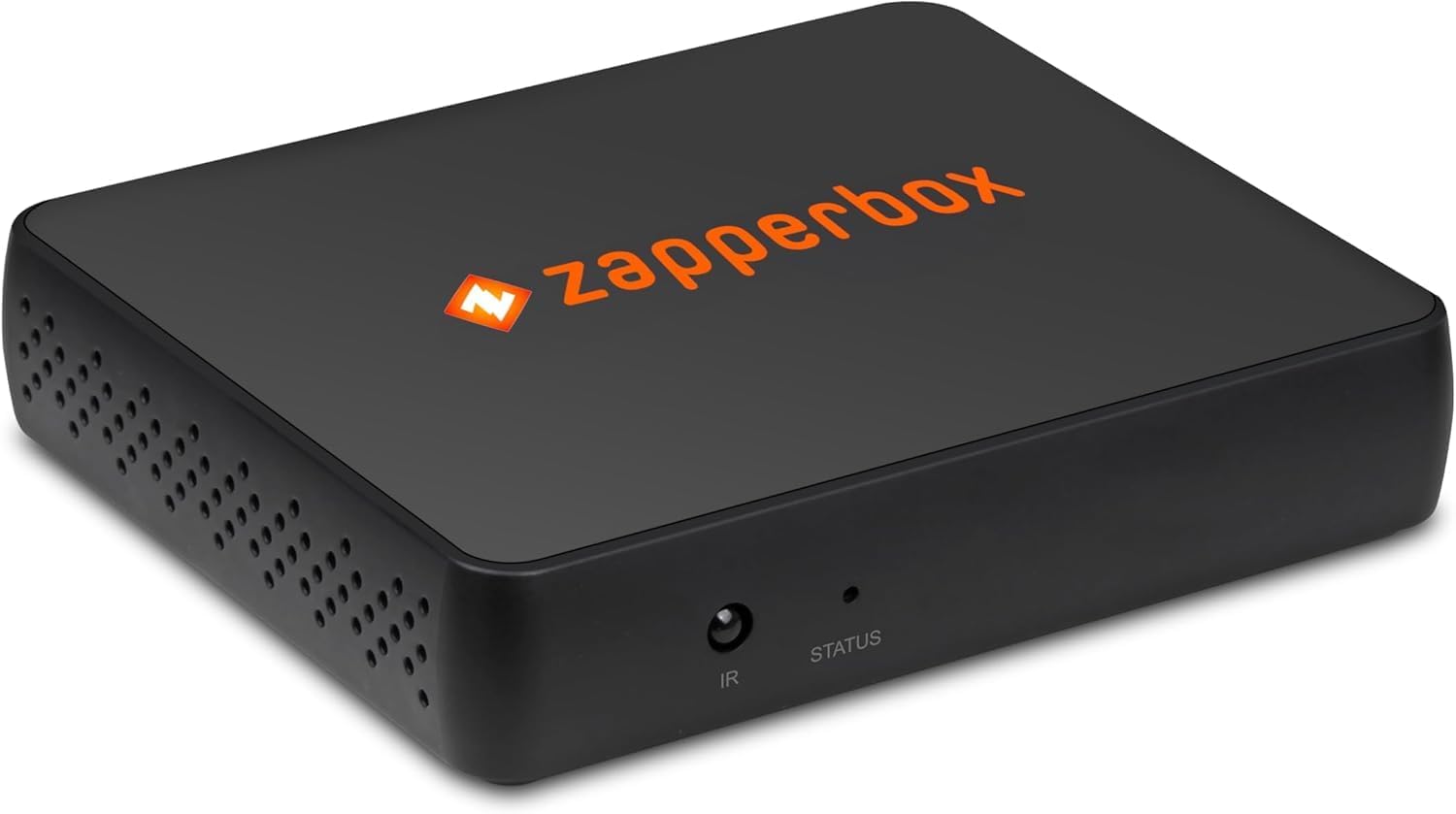
Obrázek 1: Zadní view of ZapperBox M2 showing antenna, HDMI, LAN, USB, and power ports.

Obrázek 2: Strana view of ZapperBox M2 showing the MicroSD card slot.
5. Návod k obsluze
Once set up, you can control your ZapperBox M2 using the provided IR remote control or the mobile app.
5.1 Live TV and Channel Guide
- Navigate the interactive grid guide to browse available channels and upcoming programs.
- Select a program to watch live.
- The ZapperBox M2 delivers raw, uncompressed MPEG-2 video from the off-air signal directly to your TV for optimal picture quality.
5.2 DVR Functionality
- Record Programs: Select a program from the guide and choose to record a single episode or schedule a series recording (all episodes or new episodes only).
- Pause/Rewind Live TV: Use the remote control to pause, fast-forward, or rewind live broadcasts.
- Přístup k nahrávkám: View your recorded content through the dedicated DVR or Library section in the app or on your connected TV.
5.3 Whole Home Gateway
The ZapperBox M2 acts as a gateway, allowing you to stream live and recorded TV wirelessly to multiple devices in your home, such as smart TVs, streaming sticks (Roku, Fire TV), smartphones, and tablets.
5.4 Vzdálený přístup
Currently, the ZapperBox M2 does not support remote access to recordings and live TV outside of your home network. The manufacturer is exploring options to reintroduce this feature in the future, but there is no estimated time of arrival.
6. DVR Storage
The ZapperBox M2 requires external storage for DVR functionality. It supports various storage options:
- microSD Cards: Minimum 128GB capacity required.
- SSDs (Solid State Drives): Supported via the USB 2.0 port.
- HDDs (Hard Disk Drives): Supported via the USB 2.0 port. Note that HDDs may require a separate powered hub or a powered HDD for sufficient power.
There is no maximum drive size restriction for external storage.
7. Specifikace
| Funkce | Detail |
|---|---|
| Číslo modelu | M2 |
| Typ tuneru | ATSC 1.0 & ATSC 3.0 Single Tuner |
| Video výstup | HDMI 2.1/HDMI 1.4/HDMI 1.3a (HDCP 2.2/1.4/1.3) |
| Rozlišení videa | 4K @ 60/30/24 fps, 1080p @ 60/30/24 fps, 720p @ 60 fps |
| Formáty HDR | HDR10, HLG |
| Zvukový výstup | Dolby Atmos, Dolby AC-4, Dolby AC-3 Pass-through (up to 7.1.4 channels AAC) |
| vytváření sítí | Ethernet: 10/100 Mbps, Wi-Fi: 802.11 b/g/n AC 2.4G 5.8G |
| Rozšiřitelnost | Bluetooth 4.2, USB 2.0 (one port), microSD slot |
| Rozměry | 4.0 in x 3.2 in x 7/8 in (111mm x 85mm x 21cm) |
| Hmotnost položky | 3.5 unce |
| Speciální funkce | 4K upscaling |
8. Řešení problémů
If you encounter issues with your ZapperBox M2, consider the following:
- Weak Signal/Pixelation: Use the Antenna Setup and Diagnostics features in the ZapperBox app to check signal strength and quality. Adjust your antenna's position for optimal reception. Environmental factors like wind can affect signal stability.
- Buffering/Disconnections: Ensure your Wi-Fi signal is strong and stable, especially if streaming to devices far from your router. A wired Ethernet connection can provide more reliable performance.
- Vzdálený přístup: As noted, remote access to live TV and recordings outside your home network is not currently supported.
- DVR Recording Issues: Verify that your external storage (microSD, SSD, or HDD) meets the minimum 128GB requirement and is properly formatted. Ensure powered HDDs have an adequate power supply.
- Aktualizace softwaru: Ensure your ZapperBox M2 is running the latest software version. Automatic updates are typically handled by the device.
9. Záruka
ZapperBox offers a 1letá omezená záruka to repair or replace any defective material or component. This warranty does ne cover issues due to:
- Úder blesku
- Výboje proudu
- Customer-caused damage
- Loss/theft