
AINAVIGO 10.2'' TouchScreen 2+32G
AINAVIGO 10.2-inch TouchScreen Car Radio Stereo Upgrade User Manual
Model: 10.2'' TouchScreen 2+32G
1. Úvod
This manual provides detailed instructions for the installation, operation, and maintenance of your AINAVIGO 10.2-inch TouchScreen Car Radio Stereo Upgrade. This advanced system features Android 12, Wireless CarPlay, Android Auto, GPS Navigation, and support for a backup camera, designed to enhance your driving experience with modern connectivity and entertainment options.
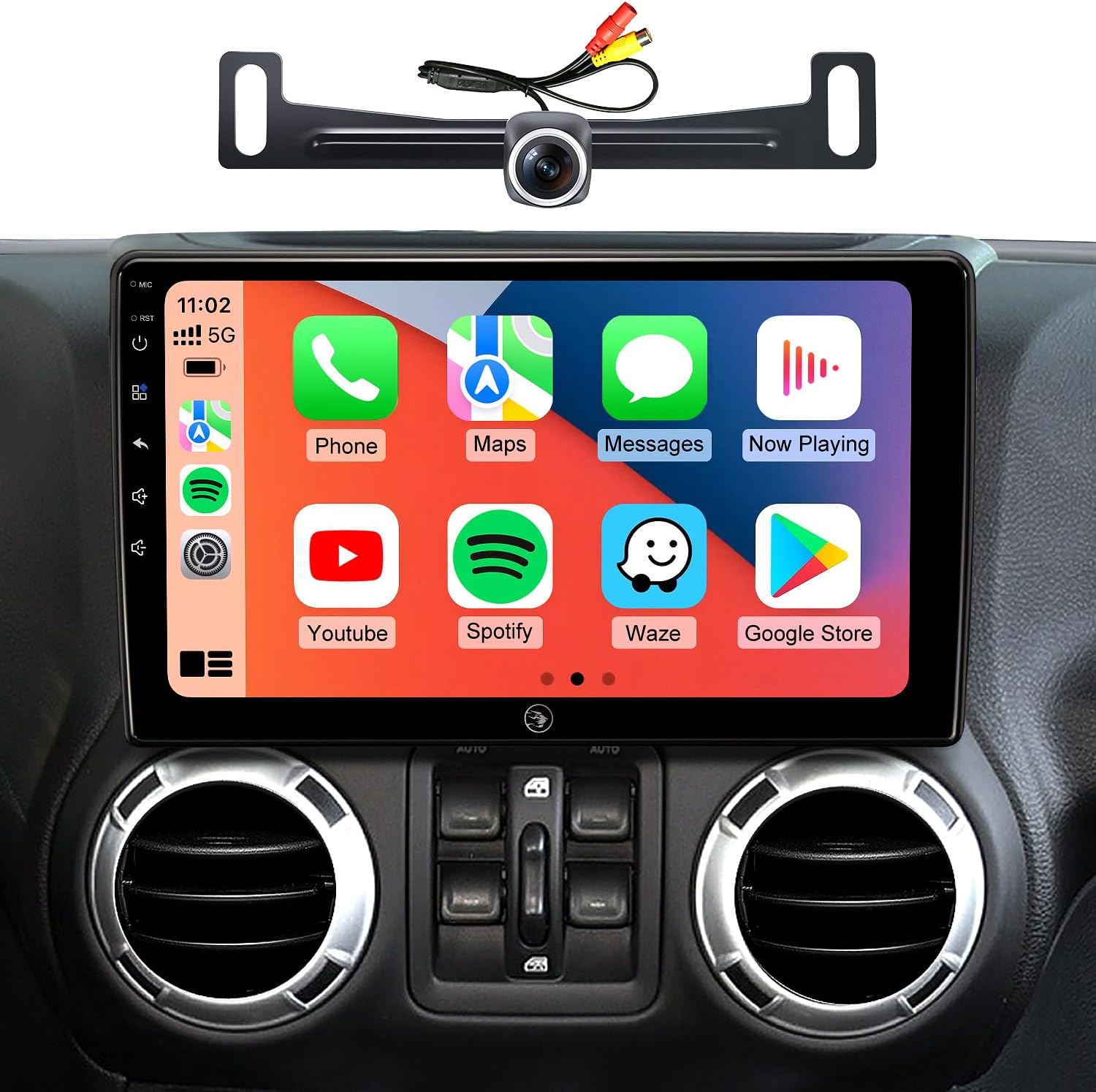
Image 1.1: AINAVIGO 10.2-inch TouchScreen Car Radio Stereo with CarPlay interface.
2. Kompatibilita s vozidly
This car radio stereo upgrade is compatible with the following vehicle models:
- Jeep Wrangler JK/Unlimited: 2007-2018
- Jeep Compass: 2009-2016
- Jeep Patriot: 2009-2016
- Jeep Grand Cherokee: 2011-2013
- Jeep Liberty: 2008-2011
- Jeep Commander: 2008-2011
- Chrysler Sebring: 2007-2010
- Chrysler Town & Country: 2007-2010
- Dodge Grand Caravan: 2011-2014
- Dodge Charger: 2008-2010
- Dodge Ram Pickup 1500/2500/3500: 2009-2012

Image 2.1: Before and After installation comparison, demonstrating the 1:1 replica fit.
3. Co je zahrnuto
Balení obsahuje všechny potřebné komponenty pro instalaci a provoz:
- 1x AINAVIGO Car Radio Stereo GPS Navigation Head Unit
- 1x RCA kabel
- 1x napájecí kabel
- 1x Car Microphone
- 1x Zadní View Kamera 1080p
- 1x Reversing Control Cable (approximately 16.40 ft)
- 1x GPS anténa
- 1x Frame Removal Tool
- 2x USB kabel
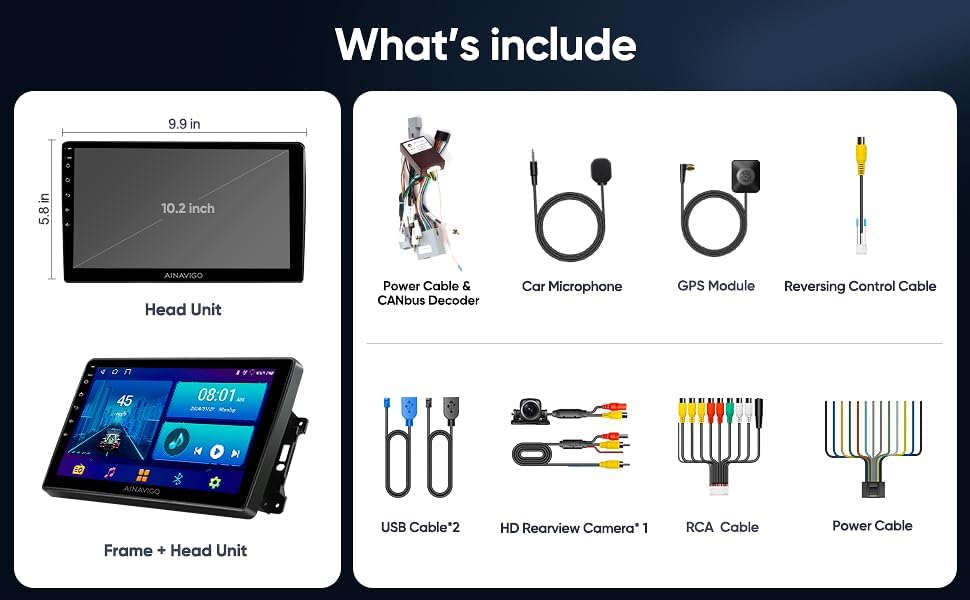
Obrázek 3.1: Konecview of included accessories and the head unit dimensions.
4. Nastavení a instalace
Installation of the AINAVIGO car radio requires basic automotive electrical knowledge. It is recommended to consult a professional installer if you are unfamiliar with car stereo installations.
4.1 Kontrolní seznam před instalací
- Před zahájením instalace se ujistěte, že je baterie vozidla odpojena.
- Verify all included components are present as listed in Section 3.
- Identify the existing car radio and dashboard panel for removal.
4.2 kroky instalace
- Odebrat existující jednotku: Use the provided frame removal tool to carefully pry open and remove the original car radio and dashboard trim. Disconnect all wiring harnesses.
- Připojení kabeláže: Connect the new power cable, RCA cable, USB cables, GPS antenna, and microphone to the corresponding ports on the AINAVIGO head unit. Ensure all connections are secure.
- Backup Camera Installation (Optional): If installing the backup camera, route the reversing control cable from the rear of the vehicle to the head unit. Connect the camera to the designated input.
- Montáž hlavní jednotky: Secure the AINAVIGO head unit into the dashboard opening. Ensure a snug and stable fit.
- Znovu připojte baterii: Znovu připojte baterii vozidla.
- Počáteční zapnutí: Turn on the vehicle's ignition and power on the head unit. Follow any on-screen prompts for initial setup.
For detailed wiring diagrams specific to your vehicle model, please refer to your vehicle's service manual or consult with a professional installer.
5. Návod k obsluze
5.1 Překročení systémuview
The AINAVIGO unit runs on Android 12, providing a familiar and customizable interface. It features a 10.2palcový HD displej s 2 GB RAM a 32GB úložiště, allowing for smooth operation and app installation from the Google Play Store.

Image 5.1: Key features of the AINAVIGO Car Radio.
5.2 Wired/Wireless CarPlay & Android Auto
Seamlessly integrate your smartphone with the car's infotainment system using CarPlay or Android Auto. This allows access to navigation, music, messages, and calls directly from the unit's display.
- Spojení: Connect your smartphone via USB for wired connection or pair via Bluetooth and Wi-Fi for wireless functionality.
- Hlasové ovládání: Activate Siri or Google Assistant for hands-free operation, including making calls, sending messages, getting directions, and controlling music.
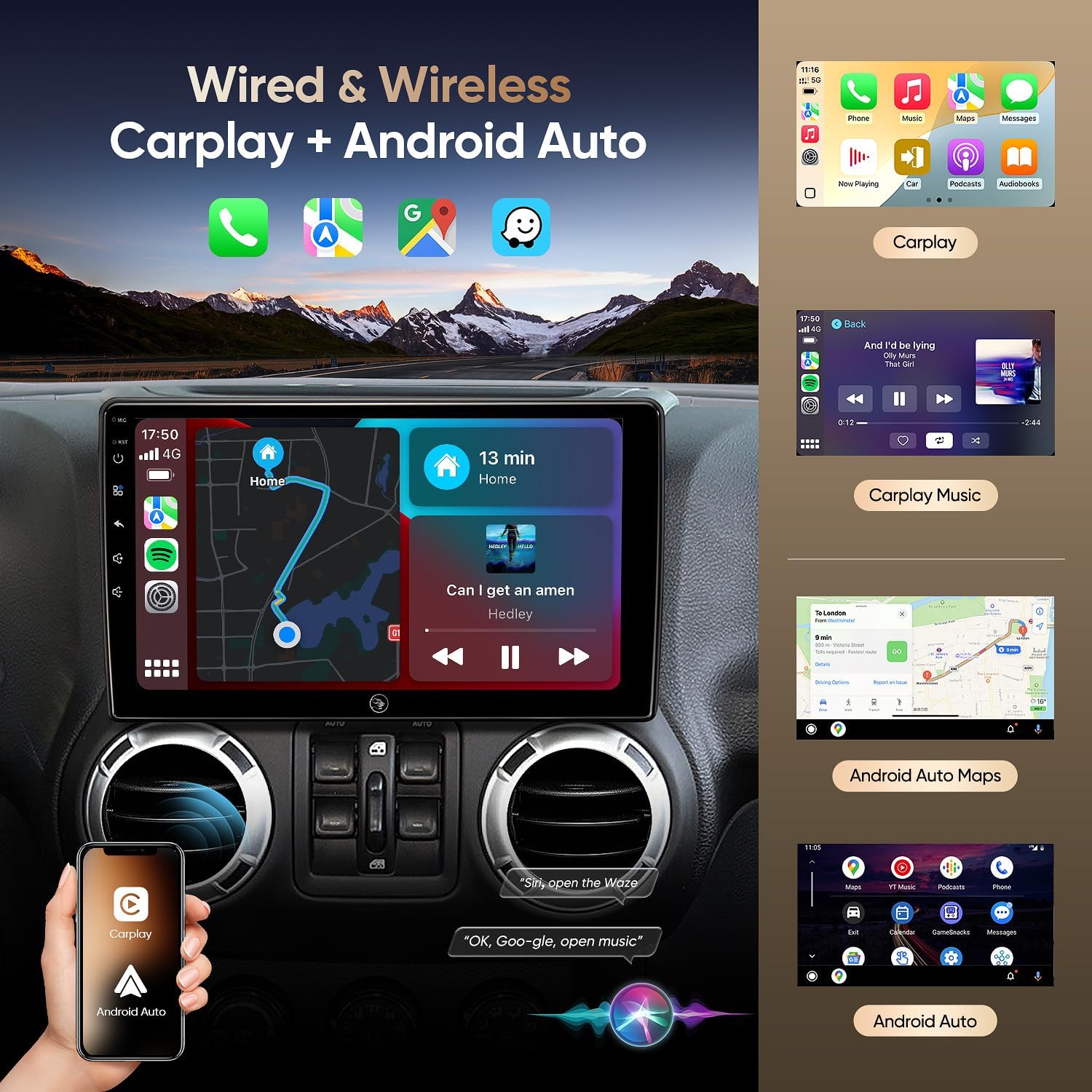
Image 5.2: Wired & Wireless CarPlay and Android Auto functionality.
5.3 GPS navigace
The unit comes pre-loaded with North American maps and supports various online navigation apps. The included GPS antenna ensures accurate positioning.
- Online navigace: Connect to Wi-Fi to use apps like Google Maps, Waze, or other preferred navigation services.
- Offline navigace: Download maps for offline use to navigate without an internet connection.

Image 5.3: Online and Offline GPS Navigation capabilities.
5.4 Bluetooth 5.0
Connect your smartphone via Bluetooth 5.0 for faster data transfer speeds and stable connections.
- Hands-free volání: Make and receive calls using the built-in and external microphones for clear audio.
- Streamování zvuku: Play music from your phone directly through the car's speakers.
- Contact Sync: Download your phone's contact book to the unit.
5.5 FM rádio
Tune into FM radio stations to stay updated with real-time traffic, news broadcasts, and weather forecasts.
5.6 Vestavěný DSP (digitální zvukový procesor)
Adjust audio settings precisely to your preference with the built-in DSP, enhancing the acoustics of your vehicle for an immersive sound experience.

Image 5.4: Built-in DSP interface for sound customization.
5.7 AHD 1080P Rear Camera
The included AHD 1080P waterproof backup camera provides a 170° viewing angle. When reversing, the unit automatically displays a clear image on the screen, aiding in safer parking.

Image 5.5: AHD 1080P Rear View Displej fotoaparátu.
5.8 Připojení k Wi-Fi
Utilize the built-in Wi-Fi hotspot feature to connect to the internet, browse, and download online navigation apps or social media platforms from the Play Store.
5.9 Funkce rozdělené obrazovky
Multitask efficiently by using the split-screen function, allowing you to run two applications simultaneously, such as navigation and music playback.
5.10 Hlasové ovládání
Enhance driving safety and convenience with voice control features. Use commands to play music, check the weather, or navigate to destinations without taking your hands off the wheel.

Obrázek 5.6: Konecview of 5G WiFi, Split Screen, FM Radio, and Voice Control.
6. Údržba
6.1 Čištění obrazovky
Dotykovou obrazovku jemně otřete měkkým hadříkem, který nepouští vlákna. V případě odolných šmouh lehceampOtřete hadřík vodou nebo čisticím prostředkem vhodným pro obrazovky. Vyhněte se agresivním chemikáliím nebo abrazivním materiálům.
6.2 Aktualizace softwaru
Periodically check for software updates through the system settings to ensure optimal performance and access to the latest features and security patches. Connect to a stable Wi-Fi network for updates.
6.3 Obecná péče
Avoid exposing the unit to extreme temperatures, direct sunlight for prolonged periods, or excessive moisture. Ensure all cables are securely connected and not pinched.
7. Řešení problémů
If you encounter issues with your AINAVIGO car radio, refer to the following common solutions:
- Bez napájení: Check all power connections and ensure the vehicle's battery is properly connected. Verify fuses are intact.
- Žádný zvuk: Zkontrolujte připojení reproduktorů, úrovně hlasitosti a nastavení zvuku (včetně DSP). Ujistěte se, že je vybrán správný zdroj zvuku.
- Dotyková obrazovka nereaguje: Try restarting the unit. If the issue persists, perform a system reset (refer to the system settings for this option).
- Odpojení CarPlay/Android Auto: Ensure your phone's Bluetooth and Wi-Fi are enabled and properly paired. Check for any software updates on your phone or the head unit. Try reconnecting the USB cable if using a wired connection.
- Ztráta signálu GPS: Ujistěte se, že je GPS anténa správně nainstalována a má volný view oblohy. Zkontrolujte, zda nejsou žádné překážky.
- Nezobrazuje se couvací kamera: Verify the camera's power and video connections. Ensure the reversing control cable is correctly wired to trigger the display when in reverse gear.
- Unit Shuts Down Randomly: This could indicate a power supply issue. Check wiring for loose connections or insufficient power. In some cases, a hard reset (disconnecting and reconnecting power) may be necessary.
If these steps do not resolve the issue, please contact technical support.
8. Specifikace
| Funkce | Specifikace |
|---|---|
| Název modelu | HC-JEEP |
| Operační systém | Android 12 |
| BERAN | 2 GB |
| Skladování | 32 GB |
| Velikost obrazovky | 10.2 palce |
| Rozlišení displeje | 1280 * 720 IPS |
| Technologie připojení | Bluetooth 5.0, Wi-Fi, Wired/Wireless CarPlay & Android Auto |
| Speciální funkce | HD Backup Camera Support, Touchscreen, Built-in DSP, GPS Navigation |
| Typ mapy | Severní Amerika |
| Režim zvukového výstupu | Stereo |
| Typ montáže | Držák na palubní desku |
| Hmotnost položky | 4.29 libry |
| Rozměry balení | 13.78 x 9.76 x 5.28 palce |
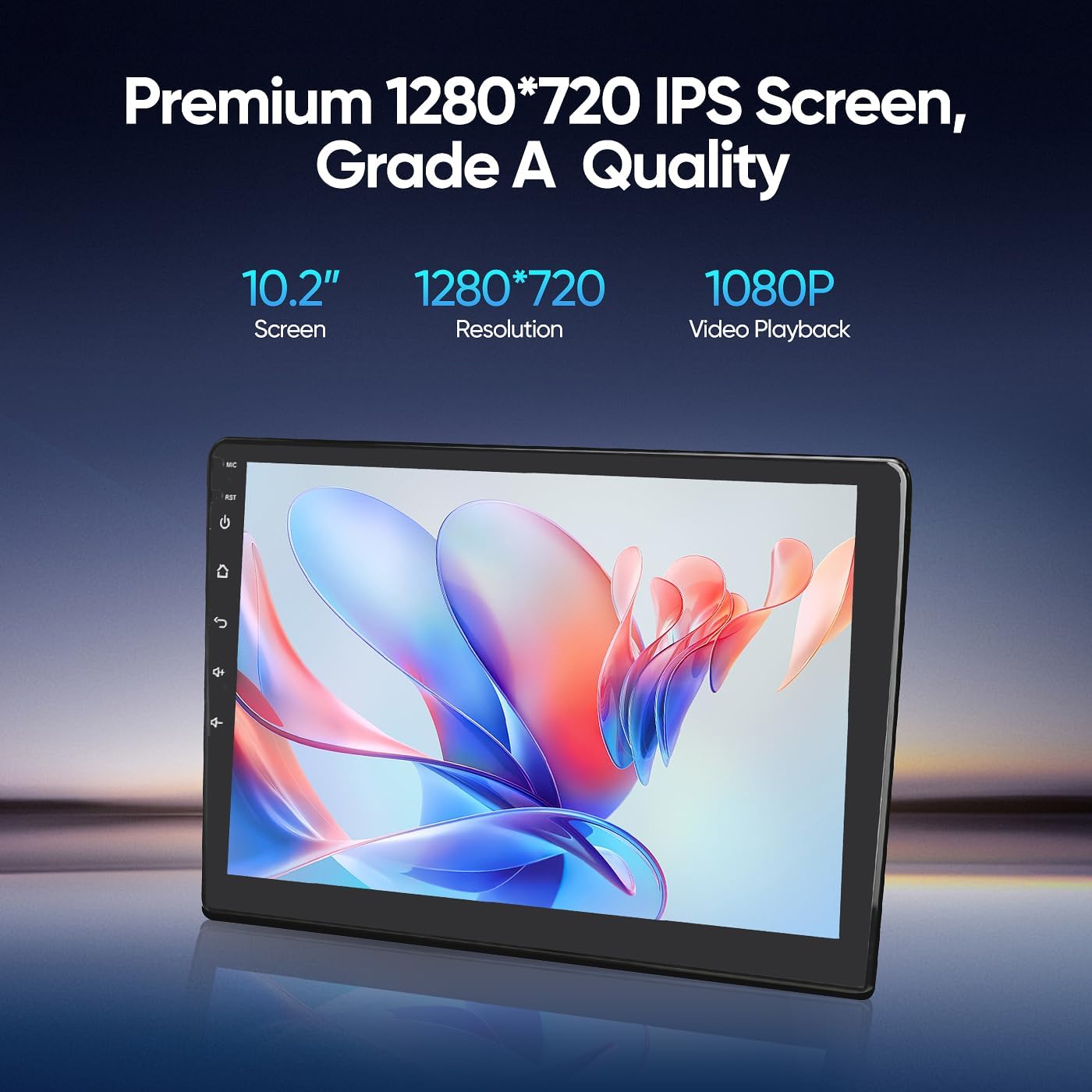
Image 8.1: Premium 1280*720 IPS Screen details.

Image 8.2: G+G Full Fit Ultra Clear Screen technology.
9. Informace o záruce
The AINAVIGO 10.2-inch TouchScreen Car Radio Stereo Upgrade comes with a Záruka 12 měsíců od data nákupu. Tato záruka se vztahuje na výrobní vady a poruchy při běžném používání. Nevztahuje se na škody způsobené nesprávnou instalací, zneužitím, nehodami nebo neoprávněnými úpravami.
Uschovejte si prosím doklad o koupi pro uplatnění záruky.
10. Technická podpora
For any installation assistance or technical inquiries, our professional technical support team is available to help. Please follow these steps to contact us:
- Visit the AINAVIGO Store page on Amazon.
- Locate and click the "Ask a question" button to send your inquiry.
We aim to respond to all queries as soon as possible.

Image 10.1: Steps to contact technical support.
Ask a question about this manual
Ask about setup, troubleshooting, compatibility, parts, safety, or missing instructions. Manuals+ will review the question and use this page’s manual context to help answer it.