
Zavedení
This manual provides comprehensive instructions for the safe and efficient use of your JUNJIEUNVO SY-BT1632 Wireless Bluetooth Headset. Please read this manual thoroughly before operating the device and retain it for future reference.
Konec produktuview
The SY-BT1632 is a wireless Bluetooth headset designed for audio playback, gaming, and sports activities. It features HiFi audio capabilities, an ultra-long standby time, hands-free calling with a built-in microphone, and support for TF card and AUX input.

Figure 1: SY-BT1632 Wireless Bluetooth Headset, front view.
Klíčové vlastnosti:
- Bezdrátové připojení Bluetooth pro streamování audia.
- Integrated microphone for hands-free communication.
- Support for TF (MicroSD) card for direct music playback.
- AUX input for wired connection to audio devices.
- Over-ear design for extended wear comfort.
- Adjustable headband for various head sizes.
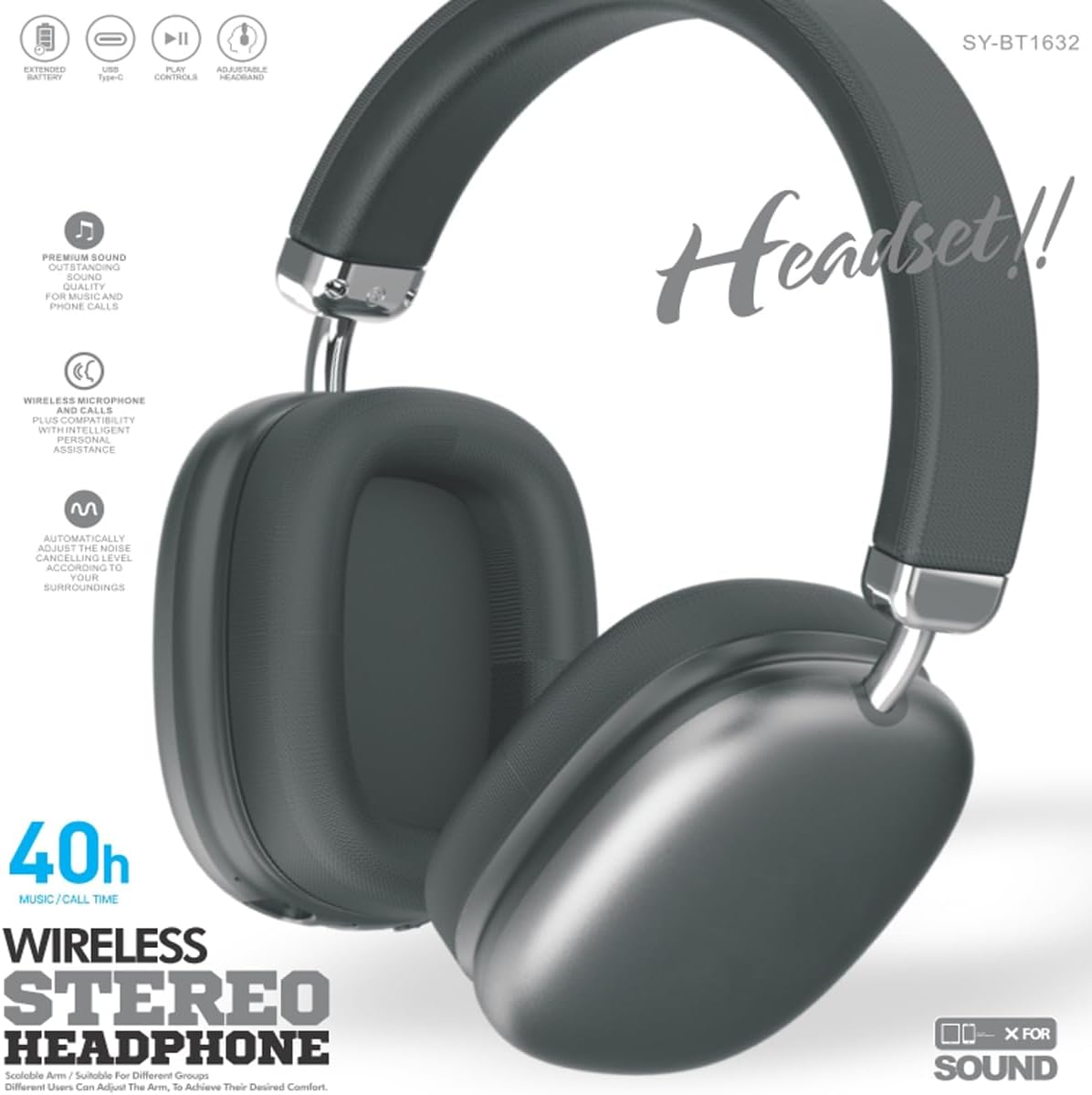
Figure 2: SY-BT1632 Wireless Bluetooth Headset being worn during activity.

Figure 3: Headband adjustment mechanism for the SY-BT1632 headset.

Figure 4: Diagram showing the 40mm dynamic speaker unit of the SY-BT1632 headset.

Figure 5: Close-up of the high-grade leather earpads for comfort.

Figure 6: Illustration of the Bluetooth 5.1 technology for stable connection and low power consumption.
Nastavení
1. Nabíjení náhlavní soupravy
Before first use, fully charge the headset. Connect the provided USB Type-C charging cable to the headset's charging port and the other end to a compatible USB power source (e.g., computer, wall adapter). The charging indicator light will show the charging status. A full charge typically takes approximately 1.2 hours.
2. Zapnutí/vypnutí
- Zapnutí: Press and hold the Power button for a few seconds until the indicator light flashes.
- Vypnout: Stiskněte a několik sekund podržte tlačítko napájení, dokud kontrolka nezhasne.
3. Párování Bluetooth
- Zkontrolujte, zda je náhlavní souprava vypnutá.
- Stiskněte a podržte tlačítko napájení, dokud kontrolka nezačne střídavě blikat červeně a modře, což signalizuje režim párování.
- Na svém zařízení (chytrý telefon, tablet, počítač) povolte Bluetooth a vyhledejte dostupná zařízení.
- Select "SY-BT1632" from the list of found devices.
- Po spárování bude kontrolka svítit nepřerušovaně modře nebo pomalu modře blikat.
Note: The headset will automatically attempt to reconnect to the last paired device when powered on.
Návod k obsluze
Přehrávání hudby
- Přehrát/pozastavit: Stiskněte jednou multifunkční tlačítko.
- Další skladba: Stiskněte a podržte tlačítko pro zvýšení hlasitosti.
- Předchozí skladba: Stiskněte a podržte tlačítko snížení hlasitosti.
- Zvýšit hlasitost: Krátce stiskněte tlačítko pro zvýšení hlasitosti.
- Snížit hlasitost: Krátce stiskněte tlačítko pro snížení hlasitosti.
Telefonní hovory
- Přijmout hovor: Stiskněte jednou multifunkční tlačítko.
- Ukončit hovor: Během hovoru stiskněte jednou multifunkční tlačítko.
- Odmítnout hovor: Stiskněte a podržte multifunkční tlačítko po dobu 2 sekund.
- Znovu vytočit poslední číslo: Dvakrát stiskněte multifunkční tlačítko.
Režim karty TF
Vložte kartu TF (MicroSD) s audio formátem MP3 files into the designated slot. The headset will automatically switch to TF card playback mode. Use the music playback controls as described above.
Režim AUX
Connect an audio cable (3.5mm jack) from your audio device to the AUX port on the headset. The headset will automatically switch to AUX mode. Controls on the headset may be limited in this mode; use your audio device for playback control.
Video 1: Konecview of the SY-BT1632 Wireless Bluetooth Headset, showcasinjeho design a vlastnosti.
Údržba
- Čištění: K čištění sluchátek s mikrofonem používejte měkký, suchý hadřík. Nepoužívejte abrazivní čisticí prostředky ani rozpouštědla.
- Skladování: Sluchátka skladujte na chladném a suchém místě mimo dosah přímého slunečního záření a extrémních teplot.
- Péče o baterie: Chcete-li prodloužit životnost baterie, vyvarujte se častého úplného vybíjení. Pravidelně nabíjejte sluchátka, i když je delší dobu nepoužíváte.
- Vystavení vodě: Tato sluchátka nejsou vodotěsná. Zabraňte vystavení vodě nebo nadměrné vlhkosti.
Odstraňování problémů
| Problém | Možná příčina | Řešení |
|---|---|---|
| Sluchátka se nezapínají. | Slabá baterie. | Plně nabijte sluchátka. |
| Nelze spárovat se zařízením. | Sluchátka nejsou v režimu párování; Bluetooth na zařízení vypnutý; zařízení je příliš daleko. | Ensure headset is in pairing mode (flashing red/blue). Turn on Bluetooth on your device. Move device closer to headset (within 10 meters). |
| Během přehrávání není slyšet žádný zvuk. | Příliš nízká hlasitost; nesprávný zdroj zvuku; sluchátka nejsou připojena. | Increase volume on headset and device. Check if headset is correctly paired or AUX/TF card is properly inserted. |
| Mikrofon nefunguje. | Mikrofon ztlumený; v počítači vybráno nesprávné vstupní zařízení. | Ensure microphone is not muted. On a computer, check audio settings to confirm SY-BT1632 is selected as the input device. |
Specifikace
| Funkce | Detail |
|---|---|
| Číslo modelu | SY-BT1632 |
| Technologie připojení | Bezdrátové (Bluetooth) |
| Verze Bluetooth | 5.1 |
| Dosah Bluetooth | 15 metrů |
| Umístění uší | Přes ucho |
| Speaker Unit Diameter | 40 mm |
| Jmenovitá impedance | 32 ohmů ± 15% |
| Frekvenční rozsah | 20Hz - 20,000Hz |
| Citlivost mikrofonu | -42 dB ± 3 dB |
| Baterie Voltage | 3.7-4.2V |
| Doba nabíjení baterie | Přibl. 1.2 hodin |
| Průměrná životnost baterie | Až 32 hodin |
| Podporovaná média | TF karta, AUX |
| Kompatibilní zařízení | Car Audio Systems, Cellphones, Desktops, Gaming Consoles, Laptops, Smart Speaker, Tablets, Telephones, Television |
| Materiál | Kov, Plast |
Záruka a podpora
Informace o záruce
The JUNJIEUNVO SY-BT1632 Wireless Bluetooth Headset comes with a 1-letá záruka od data nákupu. Tato záruka se vztahuje na výrobní vady a vady materiálu při běžném používání. Nevztahuje se na škody způsobené nesprávným použitím, nehodami, neoprávněnými úpravami nebo běžným opotřebením.
Zákaznická podpora
For technical assistance, warranty claims, or any questions regarding your SY-BT1632 headset, please contact the seller or JUNJIEUNVO customer service through the platform where the product was purchased. Please have your purchase receipt and product model number available when contacting support.