
1. Úvod
This manual provides detailed instructions for the installation, operation, and maintenance of your NICREW NavaReef 135 Reef LED Light. Please read this manual thoroughly before use to ensure proper function and longevity of your product. This lighting system is designed to provide optimal light spectrum for LPS/SPS corals and saltwater fish tanks.
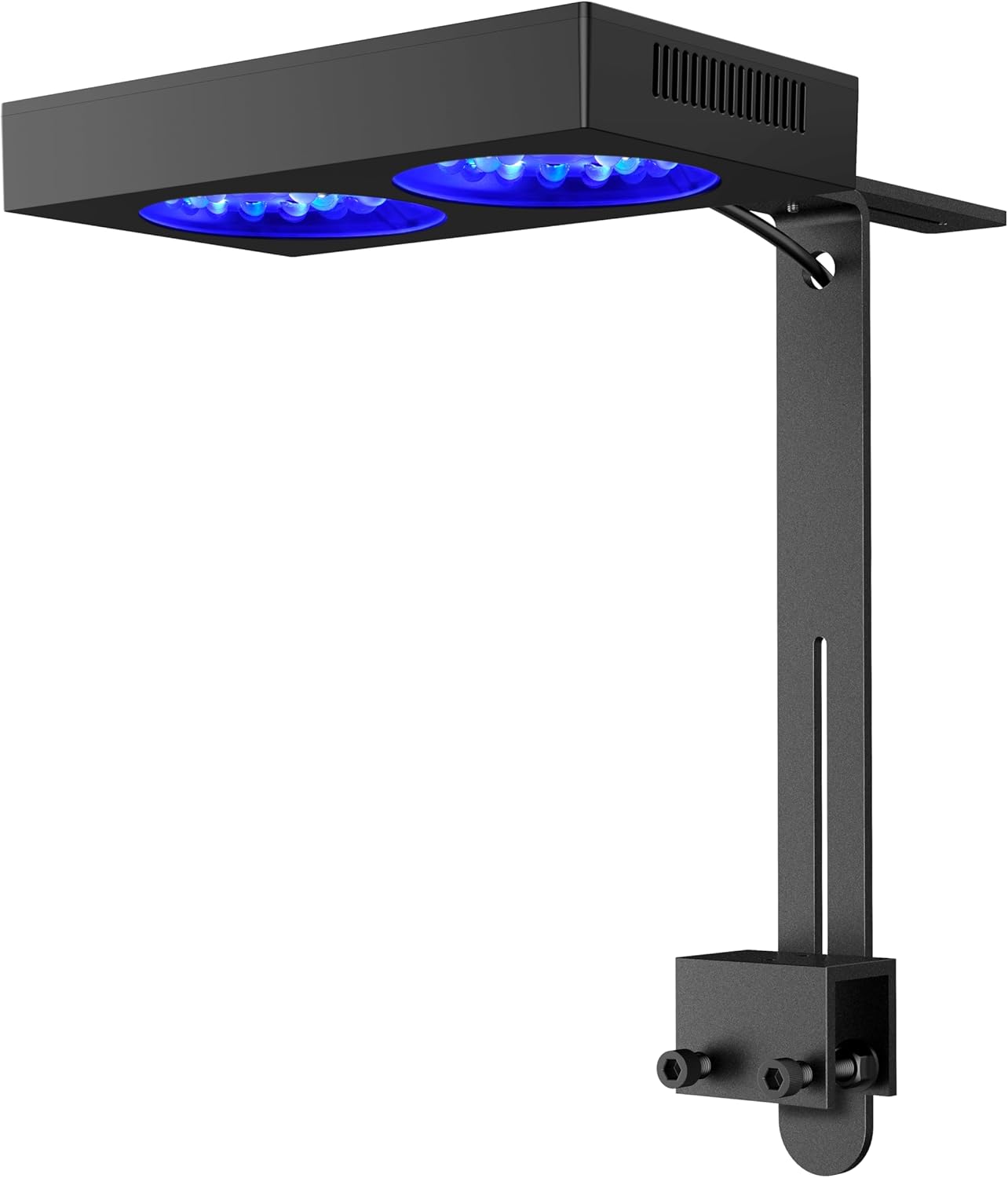
Image 1: NICREW NavaReef 135 Reef LED Light, showcasing its sleek design and mounting bracket.
Video 1: Overview of the NICREW NavaReef 135 Reef LED Light, highlighting its features and vibrant coral illumination.
2. Vlastnosti produktu
- Blue-Focused Spectrum: Concentrates most power at 440-480nm wavelengths to enhance coral fluorescence and boost growth with minimal energy waste.
- Optimalizovaná optika: Custom 90° beam-angle lens optics deliver concentrated PAR output while ensuring optimal coverage in deeper aquariums.
- Tichý chladicí systém: Features a removable dust-resistant mesh, operating near-silently while maintaining exceptional heat dissipation efficiency.
- Flexibilní ovládání: Effortlessly control the NavaReef through the built-in timer setting or external controller connectivity (controller sold separately).
- Všestranná montáž: Compatible with the included standard Tank Mount for rimmed/rimless tanks, and an optional Hanging Kit (sold separately) for open-top installations.

Image 2: Key features of the NavaReef 135, highlighting its performance and design elements.
3. Co je v krabici
The NICREW NavaReef 135 Reef LED Light package includes the following components:
- NavaReef 135 LED Light Fixture
- Napájecí adaptér
- Standard Tank Mount Bracket
- Mounting Screws and Allen Key
- Uživatelská příručka

Image 3: All components included in the NavaReef 135 light kit.
4. Nastavení a instalace
Follow these steps to properly install your NavaReef 135 LED Light using the included tank mount.
- Sestavte držák: Attach the two sliding rail pieces to the clamp using the provided screws and Allen key. Adjust the height as needed.
- Veďte kabel: Pass the power cable through the designated hole in the sliding rail.
- Attach Light to Mount: Secure the LED light fixture to the assembled mount using the screws on the top of the light.
- Mount to Tank: Umístěte třamp onto the rim of your aquarium (suitable for rimmed or rimless tanks up to 1 3/16 inches thick). Tighten the screws on the clamp to secure the light firmly.
- Připojte napájení: Plug the power adapter into the light and then into a power outlet.
Video 2: Detailed instructions for installing the NICREW NavaReef Tank Mount.
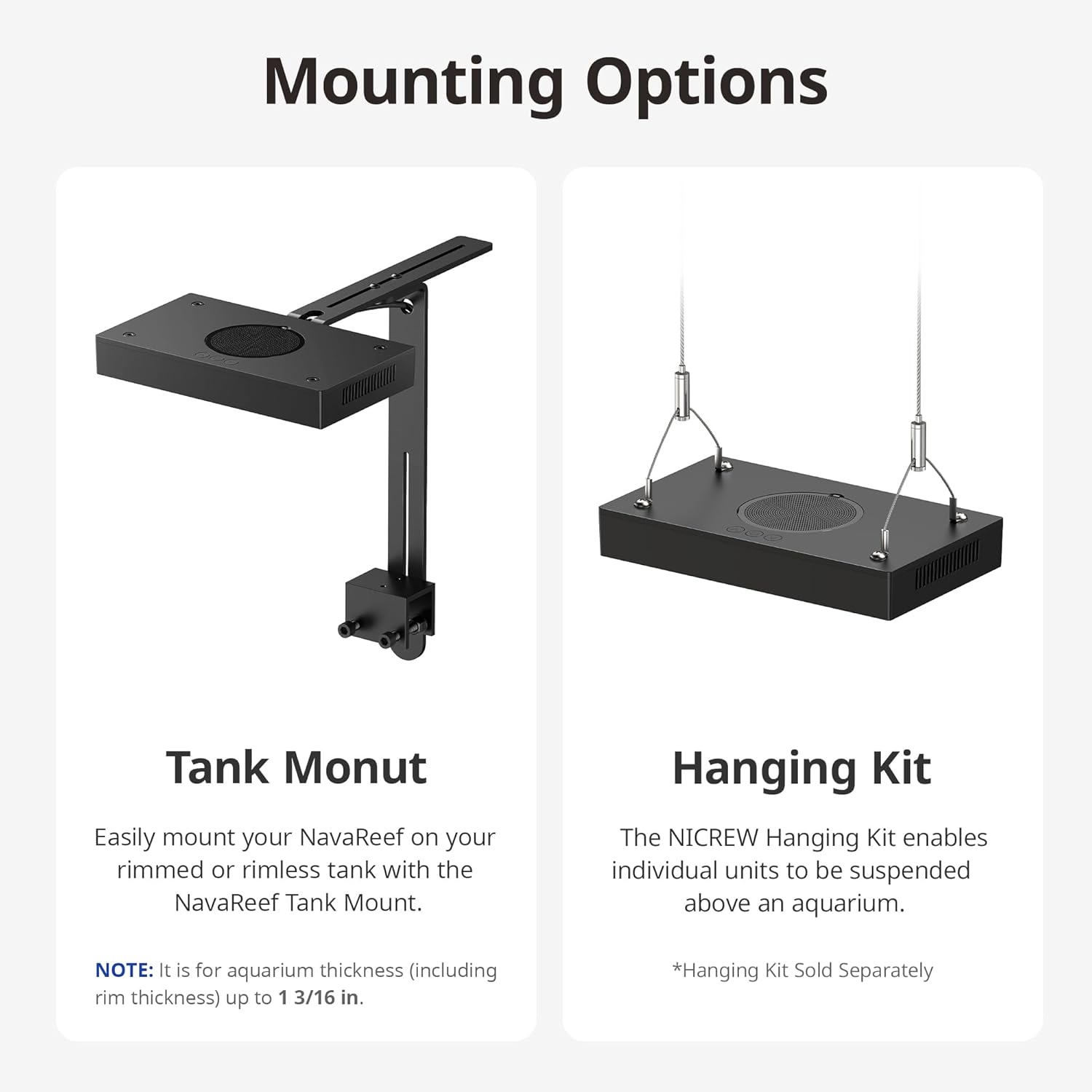
Image 4: Illustration of the Tank Mount and optional Hanging Kit installation.
5. Návod k obsluze
The NavaReef 135 features intuitive button controls for managing light settings and the built-in timer.
Basic Control Functions:
- Tlačítko napájení (U):
- Press: Turn on the NavaReef or cycle through 7 preset color settings.
- Hold: Turn off the NavaReef.
- Up Arrow (^) Button:
- Press: Increase light intensity by 5%.
- Hold: Increase light intensity rapidly.
- Down Arrow (v) Button:
- Press: Decrease light intensity by 5%.
- Hold: Decrease light intensity rapidly.
- Obnovení továrního nastavení: Hold Power (U) + Up Arrow (^) + Down Arrow (v) simultaneously.
Funkce časovače:
The NavaReef 135 includes a built-in timer with 4 modes (6H, 8H, 10H, 12H) and a 30-minute sunrise/sunset ramp-up/dim-down period.
- Enter Timer Function: Hold Up Arrow (^) + Down Arrow (v) simultaneously.
- Scroll Timer Modes: Press Up Arrow (^) or Down Arrow (v) to cycle through available timer modes (6H, 8H, 10H, 12H).
- Uložit a ukončit: Press the Power (U) button or wait 20 seconds without any key press to save and exit the settings.
Poznámka: When in timer mode, preset color settings can be switched and intensities adjusted. However, there will be no Dim-down period that day, and the normal timer cycle will resume the following day.
Video 3: Demonstration of the NavaReef button controls and timer function.

Image 5: Built-in timer features and control buttons.
6. Údržba
Regular maintenance ensures optimal performance and longevity of your NavaReef 135 LED Light.
- Čištění svítidla: Gently wipe the exterior of the light with a soft, damp tkanina. Vyhněte se použití abrazivních čisticích prostředků nebo rozpouštědel.
- Dust Protection Mesh: The light features a removable dust-resistant mesh. Periodically remove and clean this mesh to maintain efficient cooling and prevent dust buildup.
- Čištění objektivu: Ensure the lenses are free from salt creep or debris. Use a soft cloth and distilled water to clean the lenses if necessary.

Image 6: Removable dust protection for easy cleaning.

Image 7: The efficient cooling system with micro-fins for heat dissipation.
7. Řešení problémů
This section addresses common issues you might encounter with your NavaReef 135 LED Light.
| Problém | Možná příčina | Řešení |
|---|---|---|
| Světlo se nerozsvítí. | Žádné napájení, uvolněné připojení, vadný adaptér. | Check power outlet, ensure all connections are secure, try a different power outlet. |
| Intenzita světla je příliš nízká/vysoká. | Nesprávné nastavení intenzity. | Adjust intensity using the Up/Down arrow buttons. |
| Funkce časovače nefunguje podle očekávání. | Incorrect timer setting, temporary override. | Re-enter timer function (Hold ^+v) and verify settings. Note that manual adjustments override the dim-down period for that day. |
| Nadměrný hluk z jednotky. | Dust buildup in fan/mesh. | Clean the dust protection mesh and ensure fan is clear of obstructions. |
8. Specifikace
| Funkce | Detail |
|---|---|
| Model | NavaReef 135 (Item model number: 86013) |
| Materiál | Hliník |
| Spotřeba energie | 135W při plném výkonu |
| Rozměry produktu (D x Š x V) | 15.8 cm x 11.5 cm x 3.8 cm |
| Hmotnost položky | 5.19 libry |
| Počet světelných zdrojů | 1 |
| Maximum Coverage (SPS dominant) | 24 x 24 palce |
| Maximum Coverage (Mixed reef) | 30 x 30 palce |
| LED Colors & Quantity | Cool White (4), Royal Blue (16), Blue (14), Violet (6), UV (4), Green (2), Red (2) |
| Built-in Timer Modes | 6H, 8H, 10H, 12H (with 30-min ramp-up/dim-down) |

Image 8: Detailed specifications and LED configuration of the NavaReef 135.

Image 9: Combined spectrum of the NavaReef 135 at 100% output.
9. Záruka a podpora
For warranty information and customer support, please refer to the official NICREW webnebo se obraťte přímo na jejich zákaznický servis. Uschovejte si doklad o koupi pro případ reklamace.
Oficiální Webmísto: www.nicrew.com