
MechMaxx Farming HD Backup 1080P Camera System
MechMaxx Farming HD Backup 1080P Camera System User Manual
Model: Farming HD Backup 1080P Camera System
Značka: MechMaxx
1. Úvod
This manual provides detailed instructions for the installation, operation, and maintenance of your MechMaxx Farming HD Backup 1080P Camera System. This system is designed to enhance visibility and safety for agricultural and heavy-duty commercial vehicles, offering a high-resolution 1080P camera and a 7-inch LCD monitor. Please read this manual thoroughly before using the product to ensure proper function and longevity.
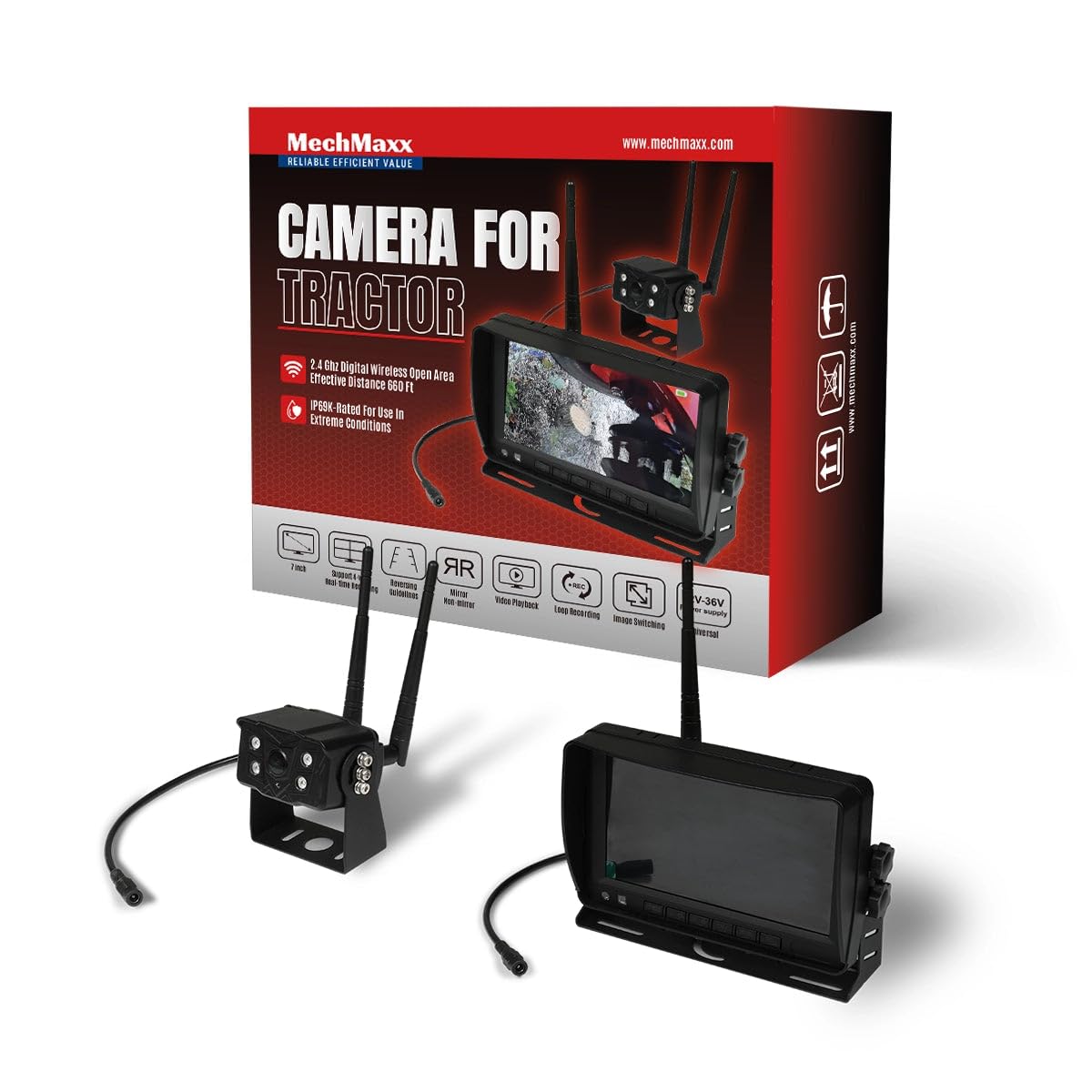
Figure 1: MechMaxx Farming HD Backup 1080P Camera System
2. Obsah balení
Ověřte, zda jsou v balení obsaženy všechny níže uvedené položky:
- 7palcový HD LCD monitor
- 1080P HD Camera Unit with IR Lights
- Power Cable for Monitor (Cigarette Lighter Adapter)
- Power Cable for Camera (Direct Battery Connection)
- Antennas for Wireless Transmission
- Montážní držák pro monitor
- Mounting Hardware (Screws, wrench)
- Dálkové ovládání
- Uživatelská příručka

Obrázek 2: Obsah balení
3. Nastavení a instalace
The MechMaxx camera system is designed for straightforward installation. Follow these steps for optimal performance.
3.1 Camera Unit Installation
- Montáž: Securely attach the camera unit to the rear or desired location on your vehicle using the provided mounting hardware. Ensure a clear line of sight for the camera.
- Připojení antény: Screw the antennas firmly onto the designated ports on the camera unit.
- Připojení napájení: Connect the camera's power cable to a 12-36V DC power source. This can be directly to the vehicle's battery or an ignition-switched power source.
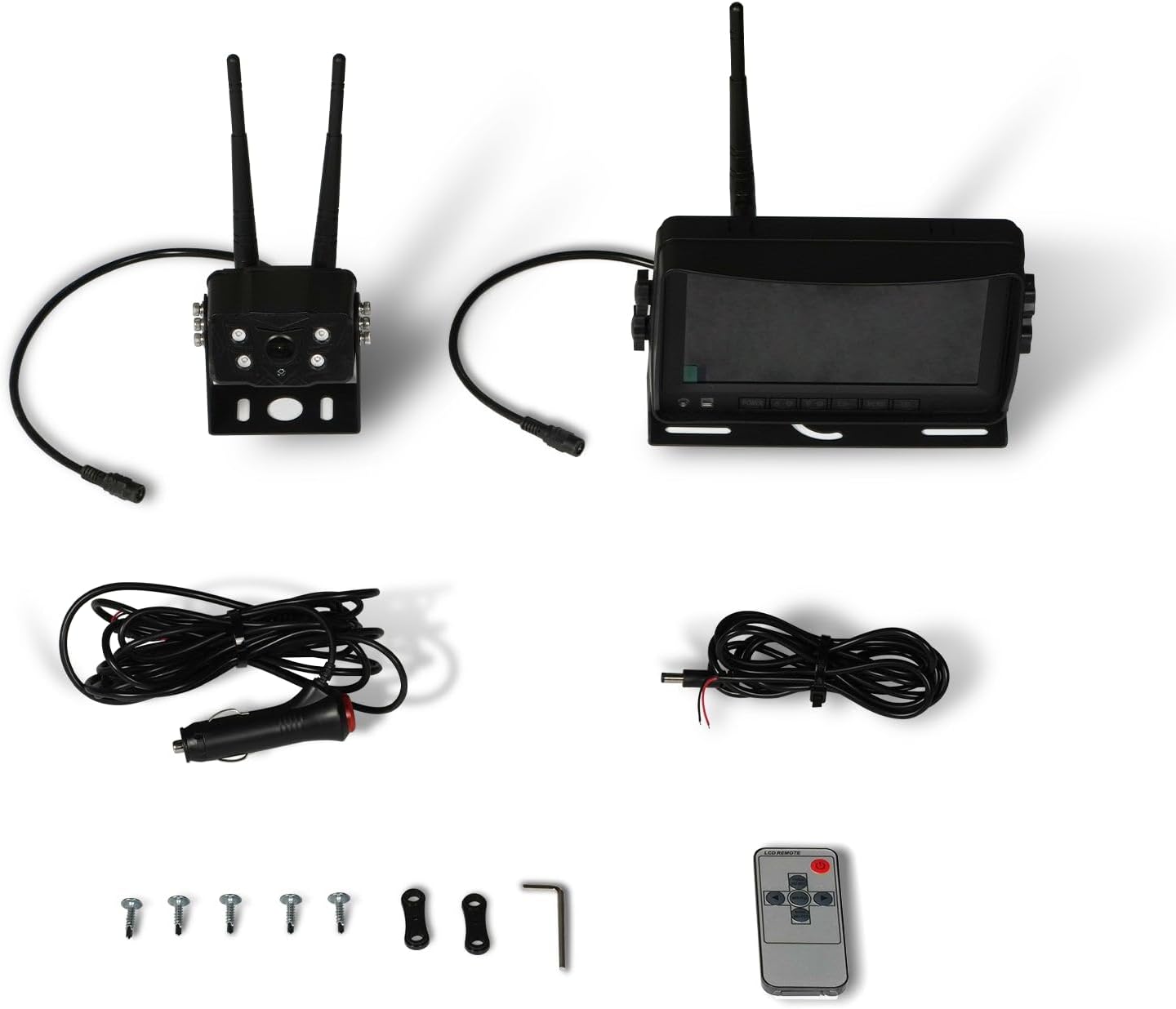
Figure 3: Camera Unit with Antennas

Figure 4: Camera Unit Detail
3.2 Instalace monitoru
- Montáž: Attach the 7-inch LCD monitor to your dashboard or windshield using the provided suction cup or surface mount bracket. Adjust the angle for optimal viewIng.
- Připojení napájení: Connect the monitor's power cable to your vehicle's cigarette lighter socket. The monitor will power on/off with the vehicle's ignition.

Figure 5: 7-inch LCD Monitor
3.3 Schéma zapojení
The system offers a simple 1-step installation for power. The monitor can be powered via a cigarette lighter, and the camera can be wired directly to the vehicle's battery or an ignition-controlled fuse.

Figure 6: Simplified Wiring Diagram
4. Návod k obsluze
Once installed, the system is ready for use. The monitor will automatically display the camera feed when powered on.
4.1 Základní obsluha
- Zapnutí/vypnutí: The system powers on automatically with the vehicle's ignition. You can also use the power button on the monitor or remote control.
- Viewing režimy: The 7-inch LCD provides a clear, full-color display. The camera offers a wide 120-degree field of view.
- Noční vidění: The camera features strong IR lights for enhanced visibility in low-light conditions.
4.2 Ovládací prvky monitoru
The monitor includes buttons for various settings and adjustments. Refer to the on-screen menu for detailed options.
- Menu (M): Přístup k nastavení systému.
- OK: Potvrďte výběr.
- CH (kanál): Switch between multiple cameras if additional units are connected (not included in standard package).
- , Adjust brightness, contrast, or navigate menu options.
5. Údržba
To ensure the longevity and optimal performance of your camera system, follow these maintenance guidelines:
- Čištění: Pravidelně čistěte objektiv fotoaparátu a obrazovku monitoru měkkým hadříkemamp cloth. Avoid abrasive cleaners that may scratch surfaces.
- Kontrola kabelů: Periodically check all cables and connections for wear, damage, or loose fittings. Secure any loose connections.
- Ochrana životního prostředí: While the camera is heavy-duty and designed for outdoor use, extreme weather conditions may affect performance. Ensure proper mounting to prevent vibration damage.
6. Řešení problémů
If you encounter issues with your MechMaxx camera system, refer to the following common problems and solutions:
| Problém | Možná příčina | Řešení |
|---|---|---|
| Žádný obraz na monitoru | Loose power connection; Camera/monitor not powered; Interference | Check all power connections; Ensure vehicle ignition is on; Reduce distance between camera and monitor or check for obstructions. |
| Špatná kvalita obrazu | Dirty lens; Low light conditions; Signal interference | Clean camera lens; Ensure IR lights are active in low light; Check for strong signal interference sources. |
| Monitor se nezapíná | No power from cigarette lighter; Faulty power cable | Check vehicle's cigarette lighter fuse; Test power cable with another device if possible. |
If the problem persists after attempting these solutions, please contact MechMaxx customer support.
7. Specifikace
Key technical specifications for the MechMaxx Farming HD Backup 1080P Camera System:
| Funkce | Detail |
|---|---|
| Velikost obrazovky | 7 palce |
| Technologie displeje | LCD |
| Technologie optických senzorů | CMOS |
| Typ objektivu | Široký úhel |
| Pole View | 120 stupňů |
| Typ konektoru | AHD |
| Typ instalace | Povrchová montáž |
| Kompatibilní zařízení | Monitor |
| Hmotnost položky | 12 libry |
| Barva | Černý |

Figure 7: Additional Specifications
8. Záruka a podpora
For warranty information, technical support, or service inquiries, please refer to the contact details provided with your product packaging or visit the official MechMaxx webUschovejte si účtenku jako doklad o koupi pro případ reklamace.