
ABLFY_DUD_20501
5.8GHZ 48Channel RD40 Raceband Dual Diversity Receiver User Manual
Model: ABLFY_DUD_20501
1. Úvod
This user manual provides detailed instructions for the operation and maintenance of the 5.8GHZ 48Channel RD40 Raceband Dual Diversity Receiver. Please read this manual thoroughly before using the device to ensure proper function and safety.
2. Obsah balení
Po otevření balíku se prosím ujistěte, že jsou všechny níže uvedené položky přítomny a v dobrém stavu:
- 1 x RD40 Receiver
- Kabel 1 x AV
- 1 x napájecí kabel
- 2 x Anténa
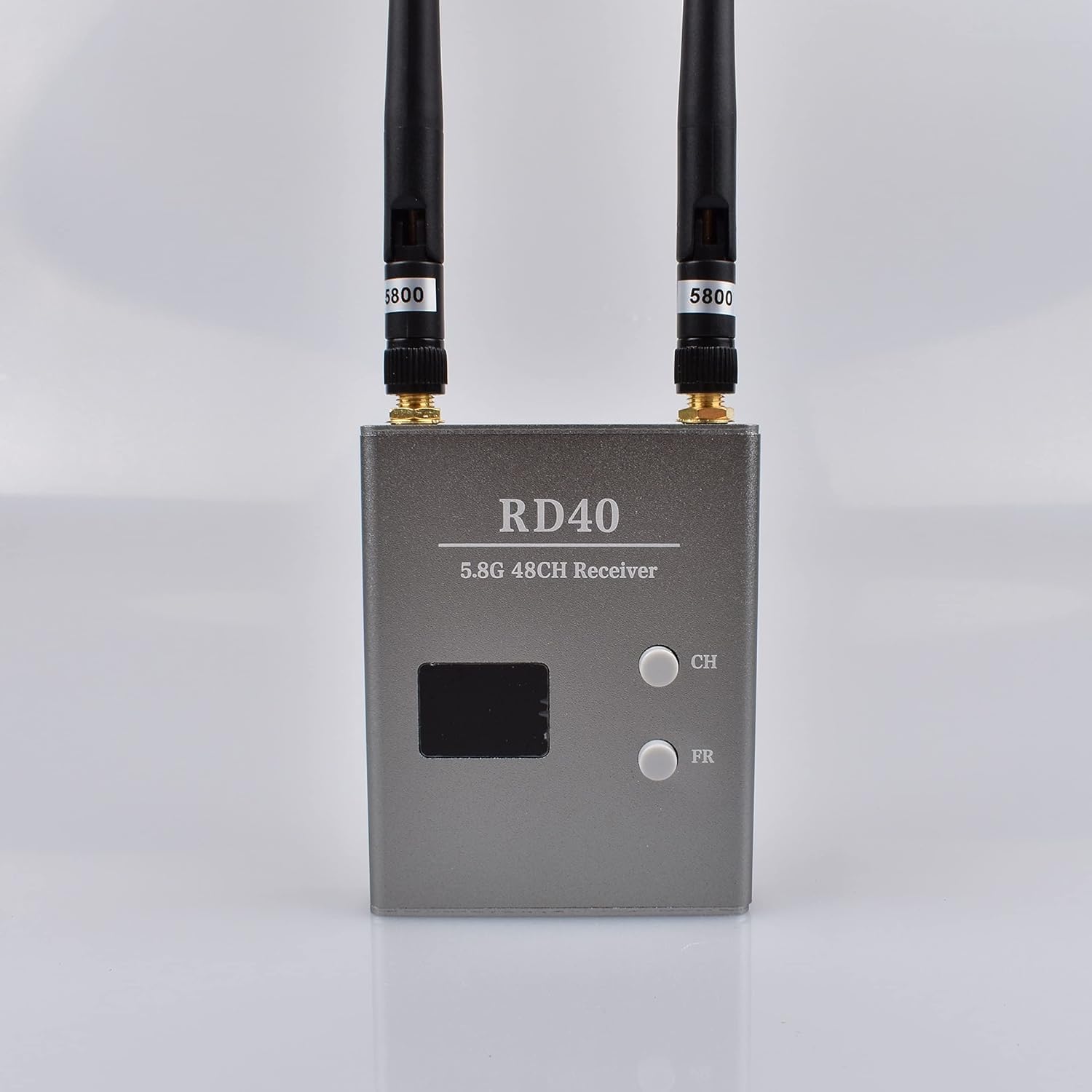
Obrázek 2.1: The RD40 Receiver with its two antennas, AV cable, and power cable.
3. Vlastnosti
The RD40 Diversity Receiver offers a range of advanced features for reliable performance:
- 40 channels across 5 frequency bands for versatile wireless receiving.
- Individual buttons for channel (CH) and band (FR) selection.
- Dual number display to clearly indicate the current receiving frequency and band.
- Memory function to recall the last used channel and frequency upon power-on.
- Two-way video and audio signal output (Video: PAL, NTSC, CECAM; Audio: 6.5MHz).
- Wide dynamic power supply compatibility (7-24V).
- Two high-sensitivity receivers, making signals more stable.
- Specific indicator lights to show the current working state.

Obrázek 3.1: The top panel of the RD40 receiver, highlighting the display and CH/FR control buttons.
4. Specifikace
| Parametr | Hodnota |
|---|---|
| Název položky | RD40 Diversity Receiver |
| Frekvence | ISM 5.8GHz 40CH |
| Typ konektoru | RP-SMA |
| Citlivost | -90 dBm |
| Napájecí zdroj Voltage | DC 7-24V |
| Proud | 280 mA |
| RF Input Matching | 50 ohmů |
| Úroveň výstupu videa | 1.0Vp_p 75Ω |
| Úroveň zvukového výstupu | 1.0Vp_p 10KΩ |
| Dimenze | Rozměr 80 x 65 x 15 mm |
| Hmotnost | 100 g |
Frekvenční pásma:
| Kapela | Frekvence (MHz) |
|---|---|
| FR1 (or "A") | 5865, 5845, 5825, 5805, 5785, 5765, 5745, 5725 |
| FR2 (or "B") | 5733, 5752, 5771, 5790, 5809, 5828, 5847, 5866 |
| FR3 (or "E") | 5705, 5685, 5665, 5645, 5885, 5905, 5925, 5945 |
| FR4 (or "F") | 5740, 5760, 5780, 5800, 5820, 5840, 5860, 5880 |
| FR5 (or "R") | 5658, 5695, 5732, 5769, 5806, 5843, 5880, 5917 |
5. Nastavení
Follow these steps to set up your RD40 Diversity Receiver:
- Připojit antény: Carefully screw the two included antennas onto the RP-SMA connectors on the top of the receiver. Ensure they are finger-tight.
- Připojte napájení: Connect the power cable to the "DC 7-24V" input port on the side of the receiver. Connect the other end to a compatible power source (e.g., a 7-24V DC battery or power adapter).
- Connect A/V Output: Use the provided AV cable to connect the receiver's "AV OUT1" or "AV OUT2" port to your display device (e.g., FPV goggles, monitor, or DVR). Ensure the yellow connector goes to video input, and white/red to audio inputs if applicable.

Obrázek 5.1: The side panel of the RD40 receiver, showing the AV output ports and the DC power input.

Obrázek 5.2: A connection diagram illustrating how to connect the RD40 receiver to a monitoring display and a battery power source.
6. Návod k obsluze
Once the receiver is powered on, the display will show the last used channel and frequency. Use the CH and FR buttons to adjust settings.
6.1. Channel Control (CH Button)
Stiskněte tlačítko CH button to cycle through the 8 available channels (1-8) within the currently selected frequency band. The channel number will be displayed on the CH-LED display. Both RX1 and RX2 receivers will switch channels simultaneously.
6.2. Frequency Band Control (FR Button)
Stiskněte tlačítko FR button to cycle through the 5 available frequency bands (1-5). The selected band number will be displayed on the FR-LED display. Both RX1 and RX2 receivers will switch frequency bands simultaneously.
Refer to the "Frequency Bands" table in the Specifications section for the exact frequencies corresponding to each band.
7. Údržba
To ensure the longevity and optimal performance of your RD40 Diversity Receiver, follow these maintenance guidelines:
- Čištění: Use a soft, dry cloth to wipe the exterior of the receiver. Do not use liquid cleaners or solvents, as they may damage the casing nebo vnitřních součástí.
- Skladování: Store the receiver in a cool, dry place away from direct sunlight and extreme temperatures. When not in use for extended periods, disconnect it from the power source.
- Péče o anténu: Handle the antennas carefully. Avoid bending or stressing them excessively, as this can damage the connectors or internal wiring.
- Kontrola konektoru: Periodically inspect all cable connectors (power, AV, antenna) for signs of wear, corrosion, or damage. Ensure they are securely connected during use.
8. Řešení problémů
This section addresses common issues you might encounter with the RD40 Diversity Receiver.
| Problém | Možná příčina | Řešení |
|---|---|---|
| No power/Receiver not turning on |
|
|
| No video signal on display |
|
|
| Poor video quality/Static |
|
|
9. Záruka a podpora
Pro informace o záruce nebo technickou podporu se prosím obraťte na výrobce nebo na místo nákupu. Uschovejte si účtenku jako doklad o koupi.
Výrobce: Obecný
Číslo modelu: ABLFY_DUD_20501
Ask a question about this manual
Ask about setup, troubleshooting, compatibility, parts, safety, or missing instructions. Manuals+ will review the question and use this page’s manual context to help answer it.