
1. Úvod
This manual provides detailed instructions for the installation, operation, and maintenance of your BrosTrend AX900 USB WiFi 6 Adapter. The AX900 is designed to upgrade your desktop PC or laptop with high-speed, dual-band WiFi 6 connectivity, offering enhanced performance and reliability.
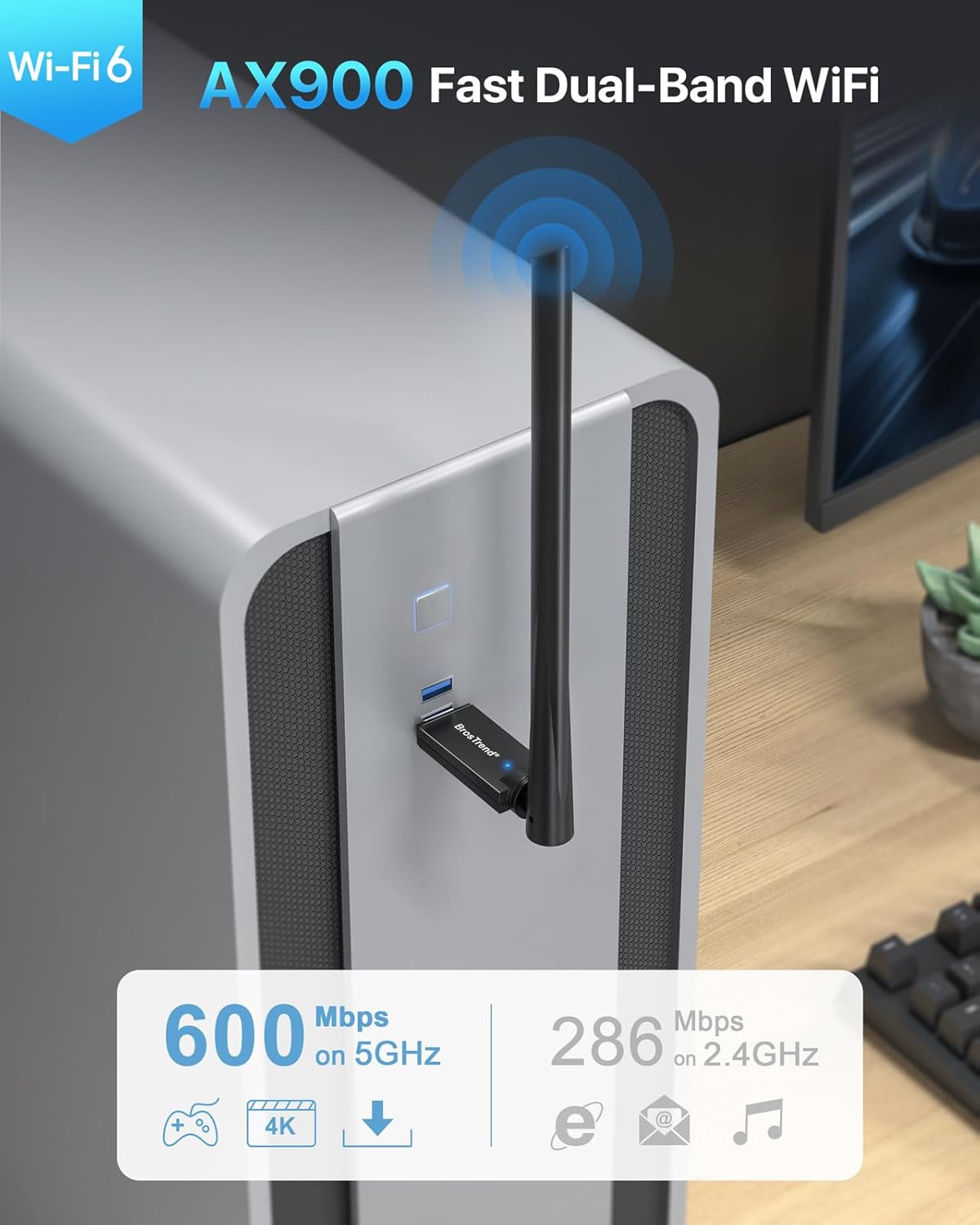
Figure 1: BrosTrend AX900 USB WiFi 6 Adapter
Klíčové vlastnosti:
- Dual-band WiFi 6: Supports 5GHz (up to 600Mbps) and 2.4GHz (up to 286Mbps) for flexible and fast connections.
- Anténa s vysokým ziskem 6 dBi: Enhances signal reception and extends wireless range.
- Pokročilé technologie: Incorporates OFDMA, MU-MIMO, and 1024-QAM for efficient and lag-free performance.
- Bezproblémové nastavení: Pre-loaded drivers for Windows 11/10/7, eliminating the need for CD installation or downloads.
- Zabezpečené připojení: Supports WPA2 encryption for enhanced network security.
2. Obsah balení
Ověřte, zda váš balíček obsahuje následující položky:
- 1 x BrosTrend AX900 USB WiFi 6 Adapter
- 1 x Průvodce rychlou instalací
3. Průvodce nastavením
Follow these steps to install and configure your BrosTrend AX900 USB WiFi 6 Adapter.
3.1. Připojte adaptér
Insert the BrosTrend AX900 USB WiFi 6 adapter into an available USB port on your computer. For optimal performance, use a USB 3.0 port if available, although it is compatible with USB 2.0.

Figure 2: Connecting the USB WiFi 6 Adapter
3.2. Install the Driver
The driver software for Windows 11, Windows 10, and Windows 7 is pre-loaded in the USB WiFi 6 adapter. A CD-ROM reader is not needed. The latest driver is also available for download from the BrosTrend webmísto.
- After plugging in the adapter, an auto-play window may appear. If not, open 'This PC' or 'My Computer' and locate the 'WiFi 6 USB' drive.
- Double-click the 'Setup.exe' file to run the driver installation.
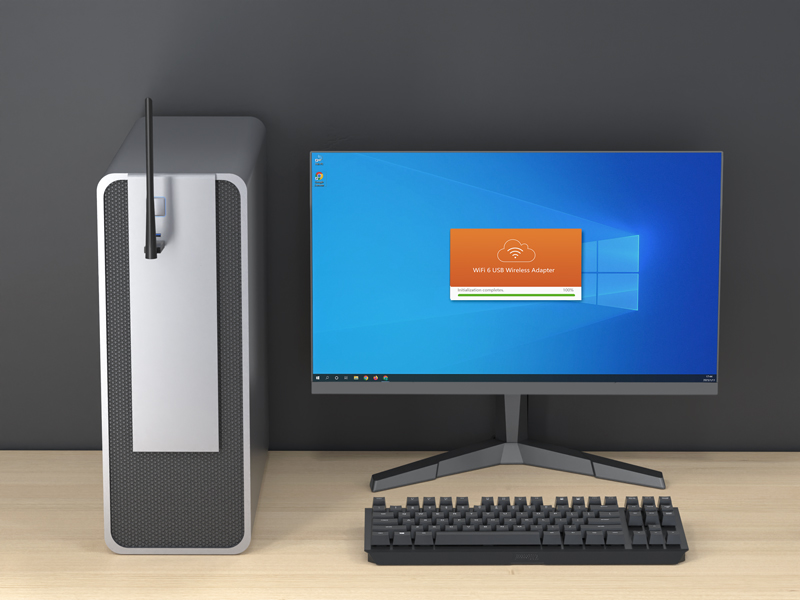
Figure 3: Running the Driver Setup
- Dokončete instalaci podle pokynů na obrazovce.
- Once the driver is installed successfully, please restart your computer.
3.3. Join Your WiFi Network
After restarting your computer, it will be able to join a WiFi network using the BrosTrend AX900 adapter.
- Click the network icon on the taskbar (usually in the bottom-right corner).
- Select the WiFi network you want to join from the list and click Připojit.
- Enter the WiFi password when prompted and click Další.
- After a short while, the network status will change to Připojeno.
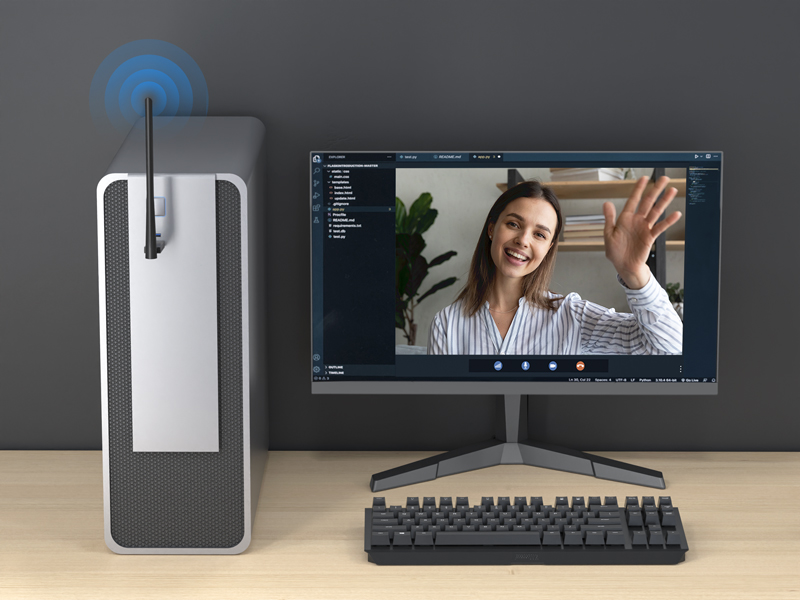
Figure 4: Successfully Connected to WiFi
3.4. Nastavení antény
The 6dBi high-gain antenna can be adjusted to optimize signal reception. You can swivel it 180 degrees horizontally and 90 degrees vertically. Position the antenna towards your WiFi router for the best signal strength.
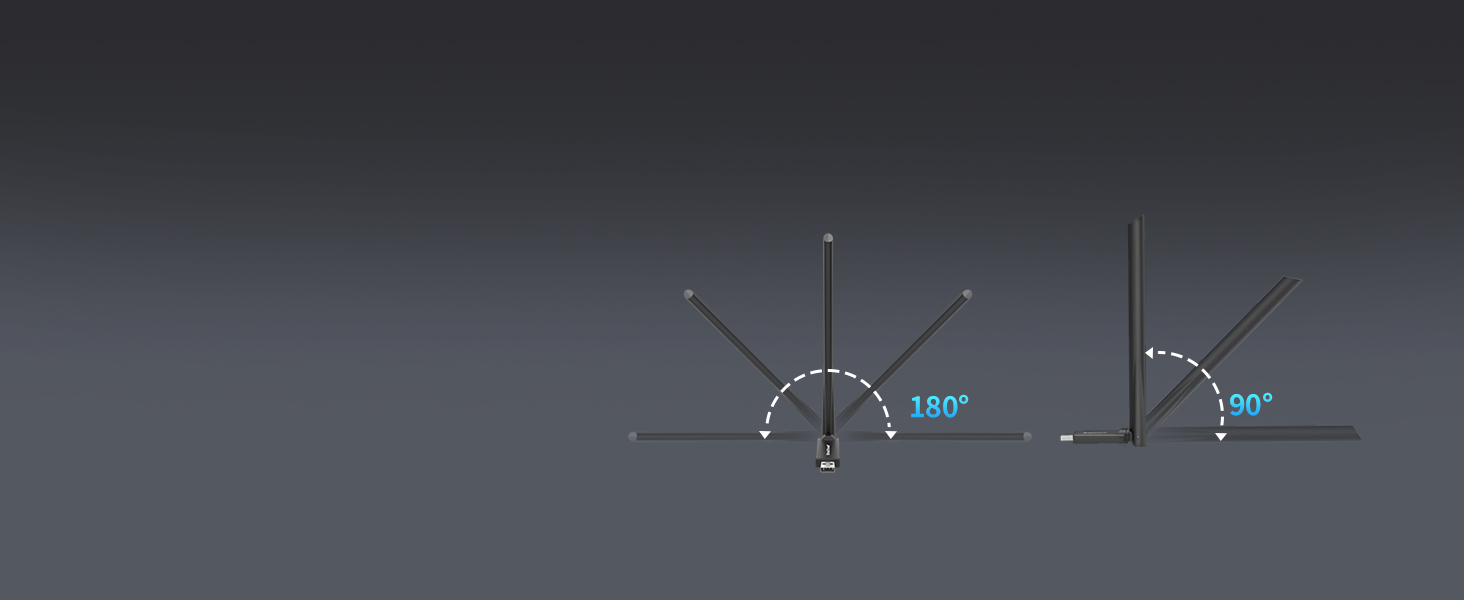
Figure 5: Adjustable Antenna for Enhanced Signal
3.5. Nastavení videí
Video 1: Introducing AX900 WiFi 6 USB Adapter. This video provides an overview of the product's features and benefits.
Video 2: AX900 WiFi 6 USB Adapter Setup Guide. This video demonstrates the step-by-step installation process.
4. Návod k obsluze
The BrosTrend AX900 adapter provides a seamless wireless experience with its advanced features.
4.1. Dual-Band Flexibility
The adapter operates on both 5GHz and 2.4GHz bands. The 5GHz band offers higher speeds (up to 600Mbps) and is ideal for bandwidth-intensive tasks like streaming 4K video and online gaming. The 2.4GHz band provides a wider range and is suitable for general internet browsing and everyday tasks (up to 286Mbps).

Obrázek 6: Rychlostní možnosti ve dvou pásmech
4.2. Enhanced Performance with WiFi 6 Technologies
The AX900 utilizes advanced WiFi 6 (802.11ax) technologies to deliver a superior wireless experience:
- OFDMA (ortogonální frekvenčně dělený vícenásobný přístup): Allows multiple devices to share a single channel, improving efficiency and reducing latency in busy networks.
- MU-MIMO (více uživatelů, více vstupů, více výstupů): Umožňuje routeru komunikovat s více zařízeními současně, čímž se zvyšuje...asing network capacity and speed.
- 1024-QAM (kvadraturní Amplitude Modulation): Packs more data into each signal, leading to higher theoretical speeds.
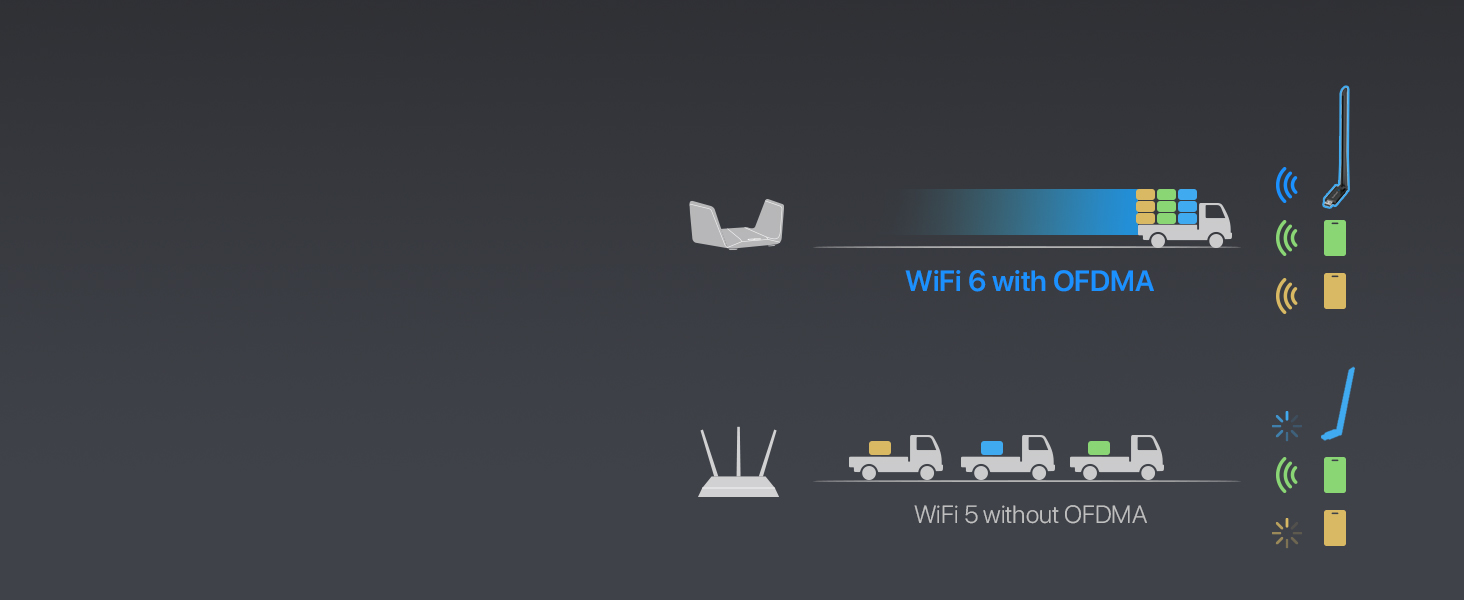
Figure 7: OFDMA for Simultaneous Data Transfer
4.3. Secure WiFi Connection
The adapter supports WPA2 encryption, ensuring your wireless connection is secure and protected from unauthorized access.

Figure 8: WPA2 Encryption Support
5. Údržba
To ensure the longevity and optimal performance of your BrosTrend AX900 USB WiFi 6 Adapter, consider the following maintenance tips:
- Udržujte ovladače aktualizované: Pravidelně kontrolujte oficiální stránky BrosTrend webweb s nejnovějšími aktualizacemi ovladačů, které zajišťují kompatibilitu a vylepšení výkonu.
- Správné umístění: Avoid placing the adapter in enclosed spaces or near obstructions that could block the signal or cause overheating.
- Jemně čistěte: If necessary, gently clean the adapter with a soft, dry cloth. Avoid using liquid cleaners or abrasive materials.
- Chraňte před poškozením: Handle the adapter with care to prevent physical damage to the USB connector or antenna.
6. Řešení problémů
If you encounter issues with your BrosTrend AX900 adapter, refer to the following common problems and solutions:
- Bez WiFi připojení:
- Ujistěte se, že je adaptér bezpečně zapojený do portu USB.
- Verify that the driver was installed correctly and your computer was restarted.
- Check if your WiFi network is visible and you are entering the correct password.
- Pomalé rychlosti připojení:
- Ensure your router supports WiFi 6 (802.11ax) for peak performance.
- Adjust the adapter's antenna towards your router to improve signal strength.
- Minimize interference from other electronic devices or physical obstructions.
- Try connecting to the 5GHz band for higher speeds if your router supports it.
- Přerušované připojení:
- Check for potential sources of interference (e.g., microwaves, cordless phones).
- Ensure the adapter's drivers are up to date.
- Zkuste jiný port USB na počítači.
7. Specifikace
| Funkce | Popis |
|---|---|
| Značka | BrosTrend |
| Číslo modelu | AX900 (3312821011) |
| Hardwarové rozhraní | USB 2.0 (kompatibilní s USB 3.0) |
| Barva | Černý |
| Kompatibilní zařízení | PC, Computer, Desktop, Laptop |
| Rozměry produktu (D x Š x V) | 2.99 cm x 0.83 cm x 8.15 cm |
| Data Link Protocol | IEEE802.11ax/ac/n/a 5 GHz, IEEE802.11ax/b/g/n 2.4GHz |
| Rychlost přenosu dat | Až 900 megabitů za sekundu (600 Mb/s na 5 GHz, 286 Mb/s na 2.4 GHz) |
| Hmotnost položky | 25.7 gramů |
| Kompatibilní rodina operačních systémů | Windows (10. 11. 7) |
8. Informace o záruce
BrosTrend offers a one-time replacement for accidental damage within one year of purchase for your AX900 WiFi 6 USB adapter. You can also register for a 2-Year Warranty to extend your coverage.
For more details on warranty terms and registration, please visit the official BrosTrend webmísto.
9. Zákaznická podpora
If you require any assistance or have questions regarding your BrosTrend AX900 USB WiFi 6 Adapter, please do not hesitate to contact our support team.
E-mailová podpora: Please send an email to our support email address (not provided in data). We aim to reply to all inquiries within 24 hours.
For additional resources and FAQs, visit the official BrosTrend webmísto.