
Two trees TTS 10
Uživatelská příručka k laserovému gravírovacímu stroji Two Trees TTS-10 Pro
Model: TTS 10
1. Úvod
Thank you for choosing the Two trees TTS-10 Pro Laser Engraver. This device utilizes advanced laser technology for precise engraving and cutting on a variety of materials. This manual provides essential information for safe operation, setup, maintenance, and troubleshooting to ensure optimal performance and longevity of your engraver.

Figure 1.1: Assembled Two trees TTS-10 Pro Laser Engraver.
2. Bezpečnostní informace
Operating a laser engraver involves inherent risks. Adhere to the following safety guidelines to prevent injury and damage to the equipment:
- Ochrana očí: Always wear certified laser safety goggles when the laser is active. The TTS-10 Pro includes a red circular laser shield, but additional eye protection is mandatory.
- Větrání: Ensure adequate ventilation in the work area. Laser engraving and cutting can produce fumes and particles that may be harmful if inhaled.
- Nebezpečí požáru: Laser processing can ignite flammable materials. Never leave the engraver unattended during operation. Keep a fire extinguisher nearby.
- Materiálová kompatibilita: Only engrave or cut materials specified as safe for laser processing. Avoid materials that produce toxic fumes or are highly reflective.
- Děti a domácí mazlíčci: Udržujte děti a domácí zvířata mimo provozní oblast.
- Elektrická bezpečnost: Ensure the power supply is stable and correctly grounded. Do not operate with wet hands or in damp prostředí.
- Nouzové zastavení: Familiarize yourself with the location of the emergency stop button (if present) or the power switch to quickly shut down the machine in an emergency.
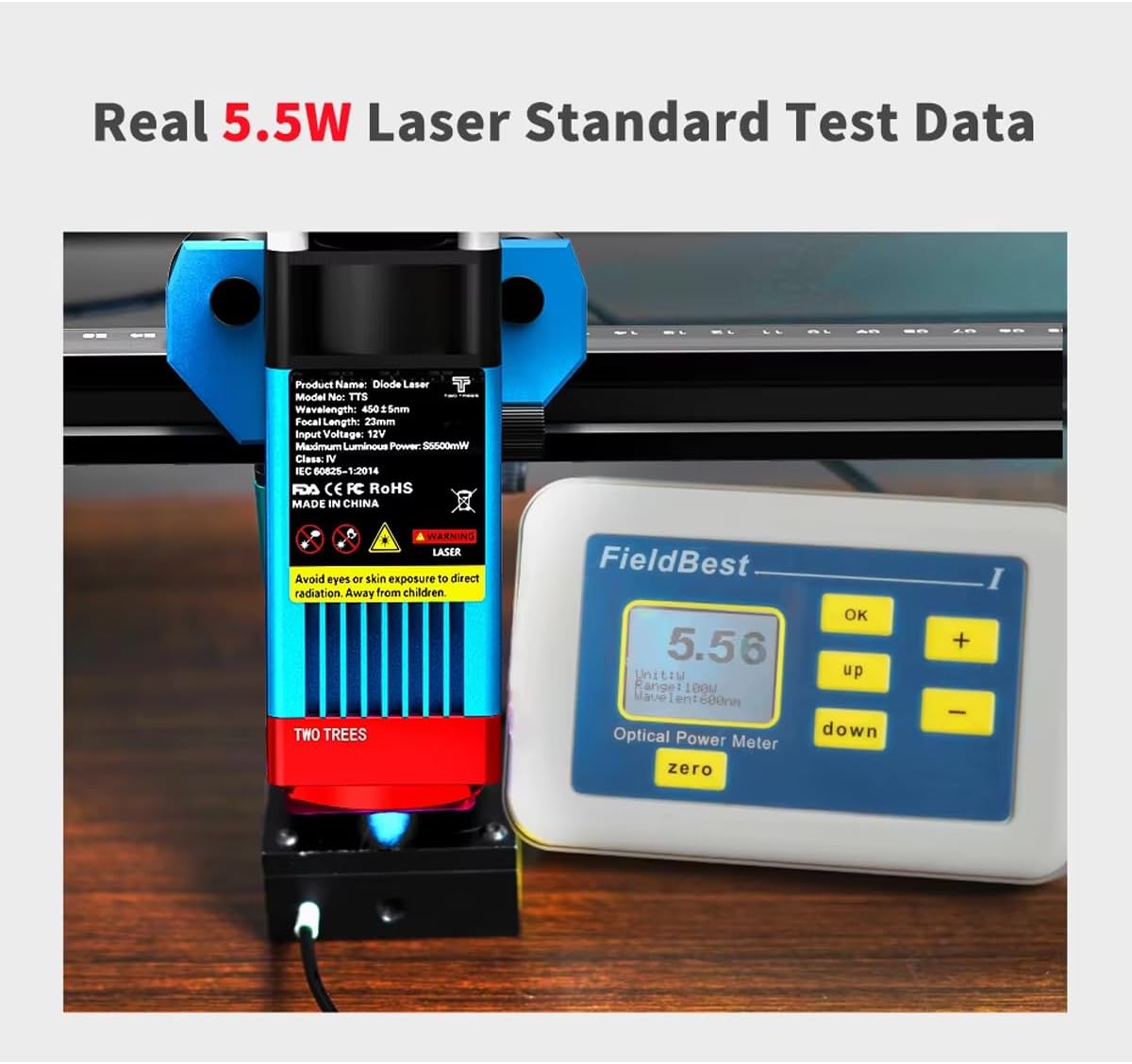
Figure 2.1: Laser module with safety warnings and a power meter indicating 5.5W optical output.
3. Vlastnosti produktu
The TTS-10 Pro Laser Engraver is designed with advanced features for high-precision engraving and efficient cutting:
- Advanced Laser Technology: Utilizes LD+FAC+C-Lens compression spot technology for a fine laser spot as small as 0.08mm, enabling delicate and high-precision engraving.
- Fixed Focus Laser Module: The laser module has a fixed focal length of 23mm, providing superior engraving and cutting capabilities compared to long-focus lasers.
- Silný výkon: Features an 80W machine power with a 5.5W optical output laser module, capable of cutting materials up to 5mm thick.
- Široká kompatibilita materiálů: Capable of engraving and cutting various materials including wood, plastic, paper, leather, bamboo, sponge paper, alumina, stainless steel, Chevron board, and acrylic.
- Tryska pro pomocný vzduch: Includes a metal air assist nozzle for improved cutting performance and cleaner edges.
- Circular Laser Shield: Equipped with a red circular laser shield for enhanced safety during operation.
- Více možností připojení: Supports WiFi, USB, and mobile app (MKSLaser) connections for flexible control. Offline use is also supported.
- Kompatibilita softwaru: Compatible with popular engraving software such as LaserGRBL (Windows), Lightburn (Windows, Mac), and MKSLaser (Android/iOS app).
- Odolná konstrukce: Features an all-aluminum alloy body for stability and longevity.
- 32-bit Motherboard: Ensures fast and efficient processing of engraving tasks.
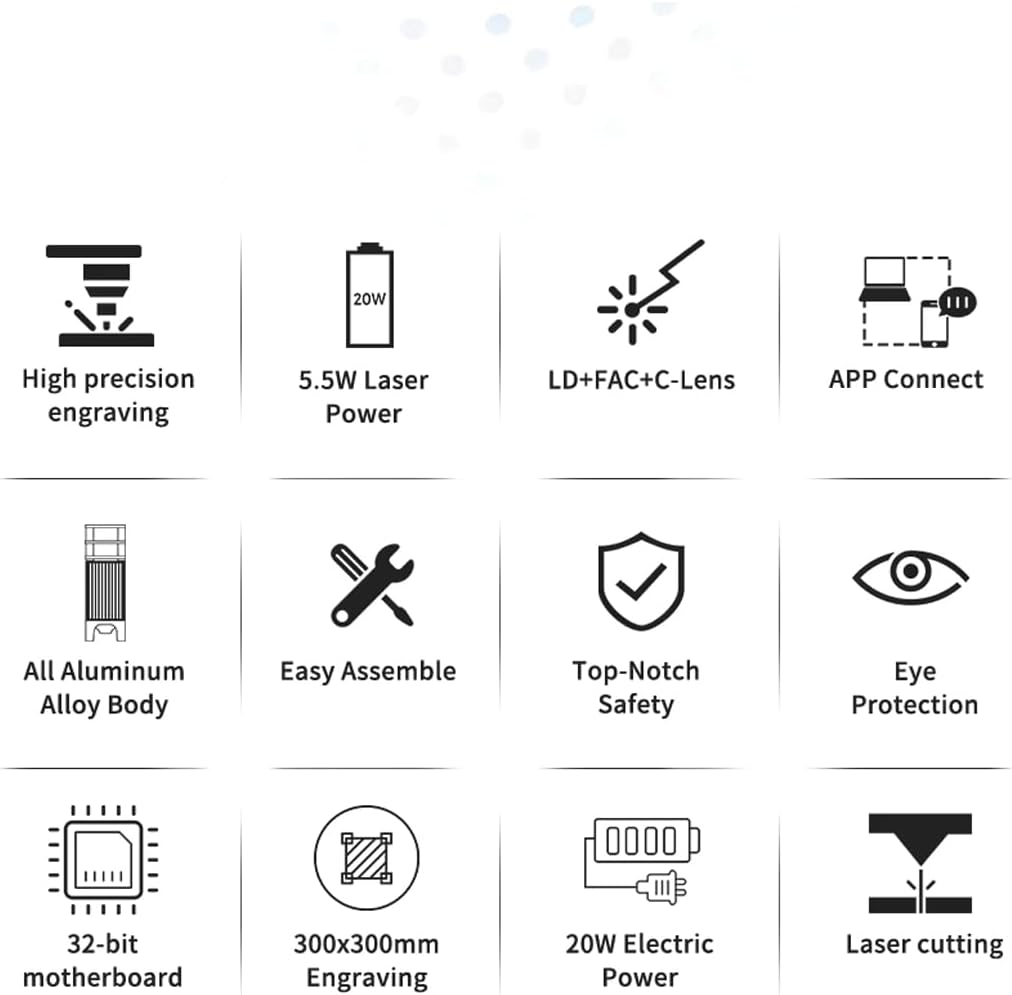
Obrázek 3.1: Vizuální znázornění klíčových vlastností produktu.
4. Obsah balení
Upon unboxing, verify that all components are present. The package typically includes:
- TTS-10 Pro Laser Engraver Frame Assembly
- Laser Module (TTS-55 Pro Diode Laser Module)
- Napájecí adaptér a kabel
- USB kabel
- Ochranné brýle
- Air Assist Nozzle and Tubing
- Small Tool Kit for Assembly
- Uživatelská příručka (tento dokument)
- Test Materials (e.g., small wood piece)
Note: The product description states "NO INCLUYE LA PLACA BASE" (DOES NOT INCLUDE THE BASE PLATE). This refers to an optional base plate for the working area, not the machine's motherboard.
5. Průvodce nastavením
5.1 Montáž
The TTS-10 Pro is designed for easy assembly. Follow the included quick start guide or assembly video (if provided) for detailed steps. Ensure all screws are tightened securely for stability.
5.2 Instalace softwaru
Choose your preferred software for operating the engraver:
- LaserGRBL: Free software for Windows. Download from the official LaserGRBL webmísto.
- Lightburn: Paid software compatible with Windows and Mac. Download from the official Lightburn webmísto.
- MKSLaser App: Mobile application for Android and iOS devices. Hledat "MKSLaser" in your device's app store.
Install the necessary drivers if prompted by the software or operating system.
5.3 Konektivita
The engraver offers multiple connection methods:
- USB připojení: Připojte gravírku k počítači pomocí dodaného kabelu USB.
- WiFi připojení: Follow the software's instructions to connect the engraver to your local WiFi network. This allows for wireless control.
- Ovládání aplikace: Use the MKSLaser app on your mobile device to connect and control the engraver via Bluetooth or WiFi.
- Použití offline: The engraver supports offline operation, allowing you to load designs via an SD card (if applicable) and run jobs without a continuous computer connection.

Figure 5.1: Various connectivity options for the TTS-10 Pro.
5.4 Zaostření laseru
The TTS-10 Pro features a fixed-focus laser module with a focal length of 23mm. To adjust the laser height for optimal focus:
- Place your material on the working surface.
- Use the spiral button on the laser module to raise or lower the module until the bottom of the laser module is approximately 23mm from the surface of your material.
- Some models may include a focus gauge or a multi-scale positioning column to assist with precise height adjustment.

Figure 5.2: Spiral button for convenient height adjustment and multi-scale positioning column.
5.5 Air Assist Setup
For enhanced cutting performance and to reduce charring, connect the air assist tubing to the metal nozzle on the laser module and to an external air pump (not included, unless specified in package contents). Ensure the air flow is directed at the laser's focal point.
6. Návod k obsluze
6.1 Příprava návrhu
Create or import your design using your chosen software (LaserGRBL, Lightburn, or MKSLaser). Adjust parameters such as power, speed, and number of passes according to the material and desired effect. Refer to the software's documentation for detailed instructions on design preparation.

Obrázek 6.1: Přamples of creative displays and materials suitable for engraving and cutting.
6.2 Nakládání materiálu
Place the material securely on the working surface. Ensure it is flat and does not obstruct the laser's path or the movement of the gantry.
6.3 Zahájení procesu gravírování/řezání
- Ensure all safety precautions are in place, including wearing safety goggles and ensuring proper ventilation.
- Power on the engraver.
- In your software, home the laser (if applicable) and set the origin point for your job.
- Spusťte proces gravírování nebo řezání ze softwaru.
- Monitor the process closely for any issues, such as material ignition or unexpected behavior.
6.4 High-Precision Engraving
The TTS-10 Pro's laser source, guided by LD+FAC+C-Lens technology, produces a spot as small as 0.08mm. This allows for highly detailed and delicate engraving works, capturing intricate designs with precision.
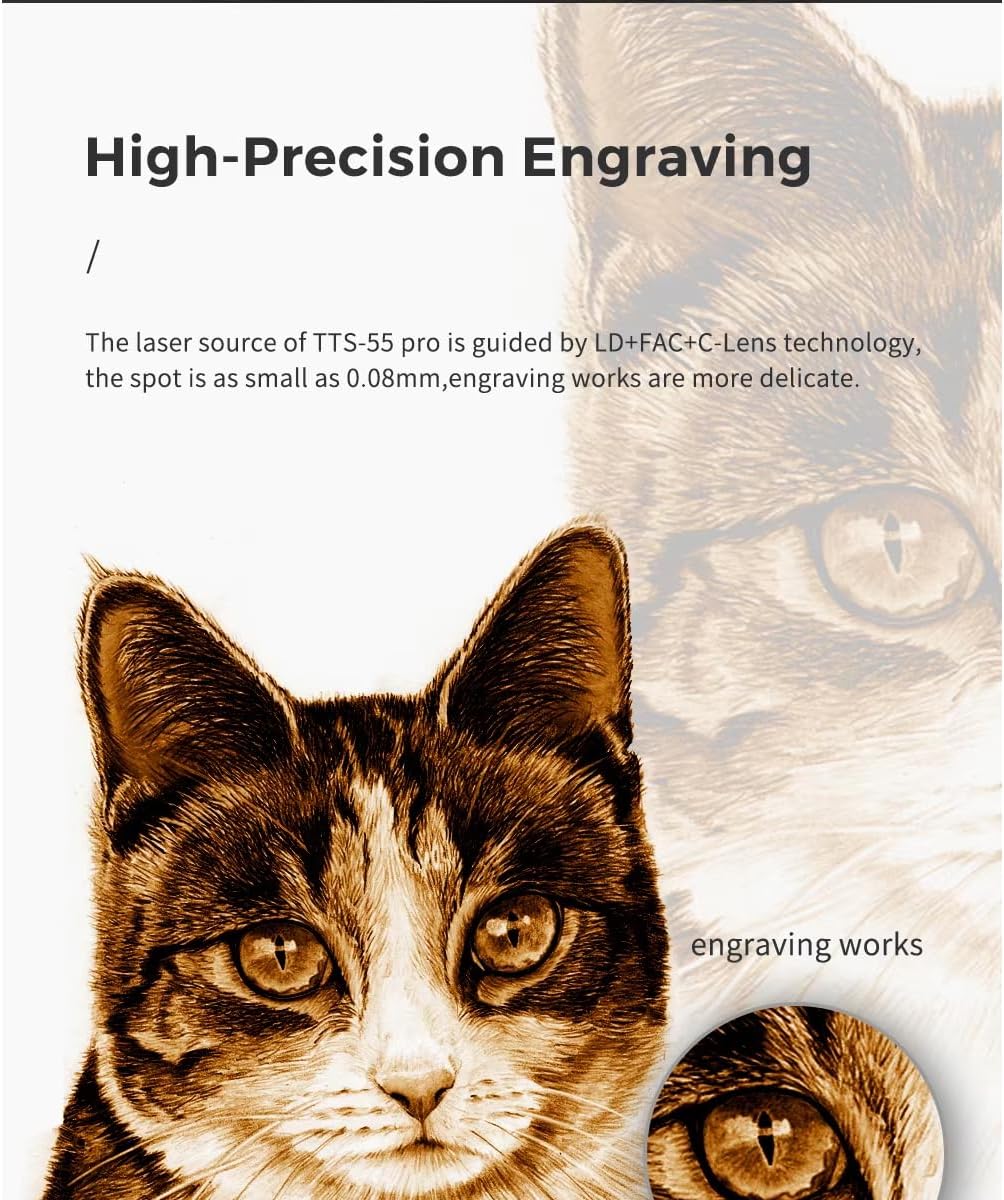
Obrázek 6.2: Přample of high-precision engraving detail.
7. Údržba
Pravidelná údržba zajišťuje dlouhou životnost a optimální výkon vašeho laserového gravírovacího stroje:
- Čištění laserové čočky: Periodically clean the laser lens with a lint-free cloth and lens cleaning solution to maintain laser beam quality.
- Vyčistěte pracovní prostor: Remove debris and dust from the working surface and around the machine after each use.
- Inspect Belts and Rails: Check the tension of the timing belts and ensure the linear rails are clean and free of obstructions. Lubricate rails if recommended by the manufacturer.
- Aktualizace firmwaru: Zkontrolujte výrobce website for any available firmware updates for the engraver's motherboard.
8. Řešení problémů
Tato část se zabývá běžnými problémy, se kterými se můžete setkat:
| Problém | Možná příčina | Řešení |
|---|---|---|
| Laser nefunguje nebo má slabý výkon. | Nesprávné zaostření, znečištěný objektiv, nízké nastavení výkonu, uvolněné spojení. | Adjust focus, clean lens, increase power setting in software, check all cables. |
| Engraving/cutting quality is poor. | Incorrect speed/power, material not flat, loose belts, dirty lens. | Adjust speed/power settings, ensure material is flat, check belt tension, clean lens. |
| Machine not connecting to computer/app. | Incorrect port selected, driver issues, WiFi/Bluetooth off, firewall blocking. | Verify port in software, reinstall drivers, check network settings, disable firewall temporarily. |
| Stroj vydává neobvyklé zvuky. | Loose components, debris on rails, motor issues. | Inspect for loose parts, clean rails, contact support if motor noise persists. |
9. Specifikace
| Funkce | Detail |
|---|---|
| Číslo modelu | TTS 10 |
| Výrobce | Two trees |
| Výkon stroje | 80W |
| Optical Laser Output Power | 5.5W |
| Laserová technologie | LD+FAC+C-Lens Compression Spot |
| Velikost laserového bodu | 0.08 mm |
| Ohnisková vzdálenost | 23 mm (pevné zaostření) |
| Oblast gravírování | Přibližně 300 mm x 300 mm (11.8 palce x 11.8 palce) |
| Celkové rozměry | Přibližně 570 mm x 510 mm (22.4 palce x 20.1 palce) |
| Zdroj napájení | Elektrický |
| Konektivita | USB, WiFi, Mobile App (MKSLaser) |
| Podporovaný software | LaserGRBL (Windows), Lightburn (Windows, Mac), MKSLaser (Android/iOS) |
| Maximální tloušťka řezu | 5mm Plywood, 3mm Acrylic, 3mm Cardboard, 0.7mm Leather |
| Materiál rámu | All Aluminum Alloy |

Obrázek 9.1: Rozměry produktu.
10. Záruka a podpora
Informace o záruce a technickou podporu naleznete v dokumentaci dodané s vaším nákupem nebo se obraťte přímo na prodejce. Uschovejte si účtenku jako doklad o koupi.
For general inquiries or further assistance, you may also visit the official Two trees website or relevant online communities for laser engravers.
Ask a question about this manual
Ask about setup, troubleshooting, compatibility, parts, safety, or missing instructions. Manuals+ will review the question and use this page’s manual context to help answer it.