
Zavedení
The BACKBONE Pro Mobile Gaming Controller transforms your smartphone into a portable gaming console, offering precision controls and broad compatibility. This manual provides essential information for setup, operation, maintenance, and troubleshooting to ensure an optimal gaming experience.
Obsah balení
- BACKBONE Pro Mobile Gaming Controller
- Magnetic Adapters (for case support)
- Stručný průvodce (není součástí této digitální příručky)
Nastavení
1. Kompatibilita zařízení
The BACKBONE Pro is compatible with:
- iPhone 15, 16, 17 (and newer models with USB-C)
- Android phones with USB-C port
- Other devices via Bluetooth: iPads, Steam Deck, Smart TVs, PCs, and VR headsets.

Image: The Backbone Pro controller highlighting its compatibility with iPhone (15 and above), Android, USB-C, and Bluetooth devices.
2. Connecting Your Smartphone (Handheld Mode)
- Gently pull apart the two halves of the Backbone Pro controller.
- Insert your USB-C smartphone into the USB-C connector on the right side of the controller.
- Carefully release the controller halves, allowing them to securely grip your phone.
- If your phone has a case, use the included magnetic adapters to ensure a secure fit.

Image: A smartphone connected to the Backbone Pro controller, ready for gaming.
3. Initial App Download and Setup
- Download the official Backbone App from your device's app store (Apple App Store or Google Play Store).
- Spusťte aplikaci a postupujte podle pokynů na obrazovce k vytvoření účtu nebo přihlášení.
- The app will guide you through any necessary firmware updates for your controller.
4. Párování Bluetooth (bezdrátový režim)
To use the Backbone Pro wirelessly with other compatible devices:
- Ensure the Backbone Pro is charged.
- Activate Bluetooth pairing mode on the Backbone Pro (refer to the device's specific button combination, usually holding down a specific button).
- On your target device (iPad, PC, etc.), go to Bluetooth settings and select "Backbone Pro" from the list of available devices.
- Potvrďte párování.
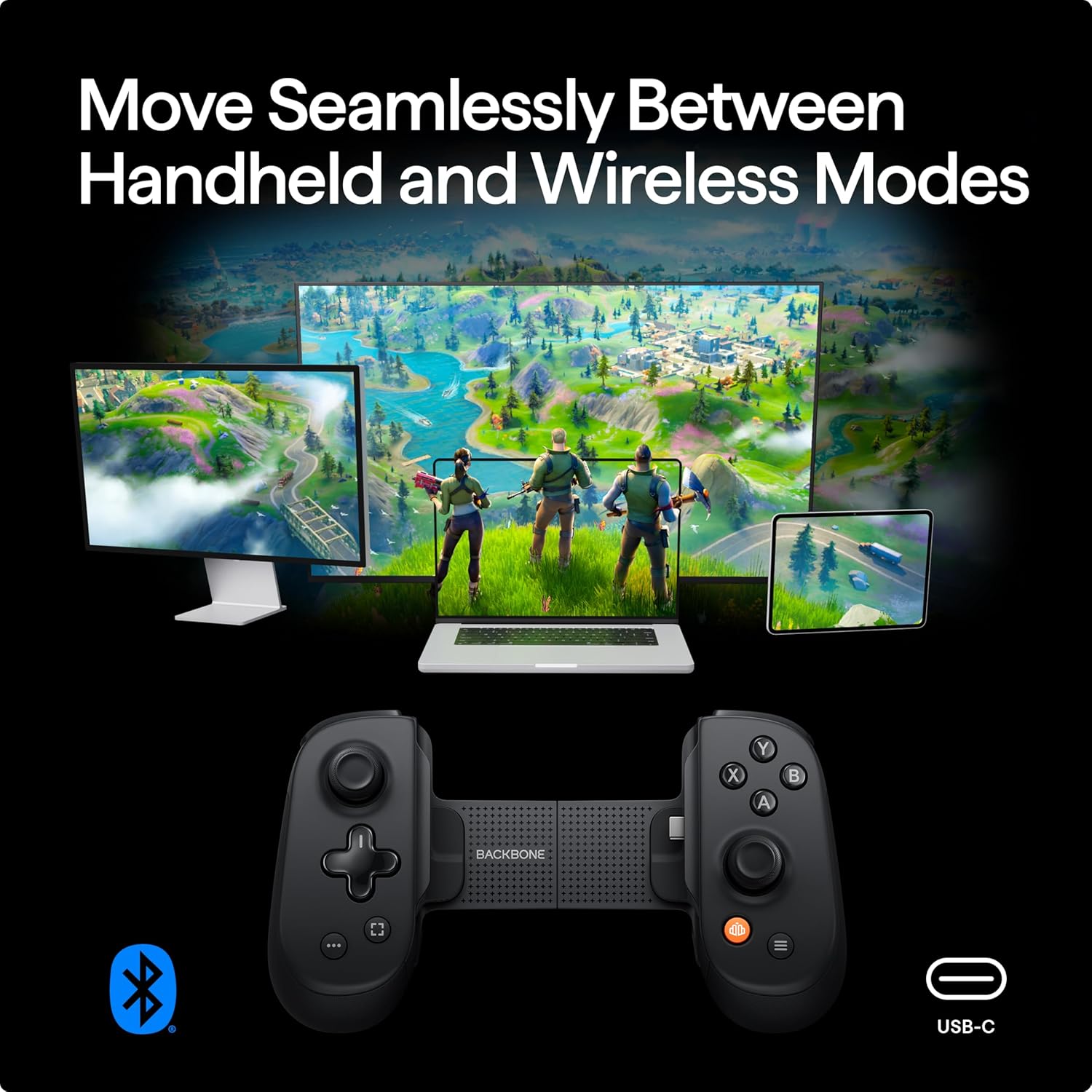
Image: The Backbone Pro demonstrating seamless switching between handheld and wireless modes across various devices.
Návod k obsluze
1. Controller Layout and Functions
The Backbone Pro features a standard controller layout with enhanced precision components:
- Full-size ALPS Analog Joysticks: Pro přesný pohyb a ovládání kamery.
- Precision D-pad: Pro směrový vstup.
- Tactile Face Buttons (A, B, X, Y): Responzivní tlačítka pro akce ve hře.
- Ramenní tlačítka a spouště: L1/R1 (digital), L2/R2 (analog) for various game inputs.
- Remappable Rear Buttons: Two customizable buttons on the back for advanced control.
- Ergonomické rukojeti: Designed for comfortable extended play sessions.

Obrázek: Podrobný view of the Backbone Pro's full-size thumbsticks and customizable rear buttons, emphasizing precision.

Obrázek: Podrobný view of the Backbone Pro's ergonomic design, grip texture, and textured triggers for enhanced comfort.
2. Using the Backbone App
The Backbone App serves as your central hub for mobile gaming:
- Game Discovery: Browse and launch compatible games from various platforms (App Store, Xbox Game Pass, PlayStation Remote Play, etc.).
- Social Features: Chat with friends and share gameplay moments.
- Gameplay Recording: Capture and share your gaming highlights.
- Přepínání zařízení: Seamlessly transition your gaming experience between different compatible devices.
- Emulator Support (iOS only): For iOS users (version 18.4 or higher), the app supports in-app emulators for playing classic titles with imported ROMs. Android version is under development. A Backbone+ subscription is required for this feature.

Image: The Backbone Pro controller enabling play across PlayStation, Xbox, and mobile app store games via the Backbone App.
3. Pass-Through Charging and Audio
The Backbone Pro includes a USB-C port for pass-through charging, allowing you to charge your phone while playing. It also features a 3.5mm headphone jack for wired audio connectivity.
Údržba
- Čištění: K čištění ovladače používejte měkký, suchý hadřík. Nepoužívejte abrazivní čisticí prostředky ani rozpouštědla.
- Skladování: Store the controller in a cool, dry place away from direct sunlight when not in use. Consider a protective case for travel.
- Péče o baterie: To prolong battery life, avoid fully discharging the controller frequently. Charge it regularly, especially if storing for extended periods.
Odstraňování problémů
- Ovladač nereaguje:
- Ensure your phone is securely connected to the USB-C port.
- Verify the controller has sufficient battery charge if using wirelessly.
- Restart the Backbone App and/or your smartphone.
- Problémy s připojením Bluetooth:
- Ujistěte se, že je na vašem zařízení povoleno Bluetooth.
- Unpair and re-pair the Backbone Pro in your device's Bluetooth settings.
- Ujistěte se, že žádná jiná zařízení neruší signál Bluetooth.
- App Not Recognizing Controller:
- Ensure the Backbone App is updated to the latest version.
- Check for any available firmware updates for the controller within the app.
- Try reinstalling the Backbone App.
- Fyzické poškození: Avoid dropping or applying excessive force to the controller. Physical damage is typically not covered under warranty.
For further assistance, please visit the official BACKBONE support webmísto.
Specifikace
| Číslo modelu | BB-02-P-BR |
| Konektivita | USB-C (direct connection), Bluetooth (wireless) |
| Kompatibilita | iPhone (USB-C models), Android (USB-C models), iPad, Steam Deck, Smart TVs, PCs, VR headsets |
| Ovládací prvky | Full-size ALPS analog joysticks, precision D-pad, tactile face buttons, remappable rear buttons, L1/R1, L2/R2 |
| Životnost baterie | Up to 40 hours (internal testing, actual results may vary) |
| Hmotnost | Přibližně 1.14 libry (0.52 kg) |
| Rozměry | 8.35 x 4.92 x 2.6 palce (21.2 x 12.5 x 6.6 cm) |
| Výrobce | Páteř |
| UPC | 0850041963174 |

Image: Product packaging displaying the model number and UPC for the Backbone Pro.
Záruka a podpora
For detailed warranty information and to access customer support, please visit the official Backbone website. Warranty terms and conditions may vary and are subject to the manufacturer's policy. Some features, such as the in-app emulator and potential lifetime warranty, may require a Backbone+ subscription.
Oficiální Webmísto: playbackbone.com