
1. Úvod
This manual provides essential information for the safe and efficient operation of your ZDSSY HY320MAX Mini Projector. Please read it thoroughly before using the device and retain it for future reference. The ZDSSY HY320MAX is a 1080P native mini projector featuring Android 13, built-in licensed applications, WiFi 6, Bluetooth 5.4, and automatic keystone correction, designed for versatile indoor and outdoor entertainment.
2. Bezpečnostní informace
- Napájení: Používejte pouze dodaný napájecí adaptér. Ujistěte se, že hlasitosttage odpovídá místnímu napájení.
- Větrání: Neblokujte větrací otvory. Zajistěte dostatečné proudění vzduchu kolem projektoru, abyste zabránili přehřátí.
- Expozice tekutin: Chraňte projektor před vodou nebo jinými kapalinami. Nepoužívejte jej vamp prostředí.
- Zdroje tepla: Avoid placing the projector near heat sources such as radiators, heat registers, stoves, or other heat-producing appliances.
- Ochrana očí: Nedívejte se přímo do objektivu projektoru, když je zapnutýamp je zapnutý, protože jasné světlo může způsobit namáhání očí nebo jejich poškození.
- Čištění: Před čištěním odpojte napájení. K čištění vnějšího povrchu použijte měkký, suchý hadřík. Na objektiv použijte speciální hadřík na čištění objektivů.
- Servis: Nepokoušejte se tento výrobek opravit sami. Veškerý servis svěřte kvalifikovanému servisnímu personálu.
3. Obsah balení
Po vybalení prosím zkontrolujte, zda jsou všechny položky přítomny a v dobrém stavu:
- ZDSSY HY320MAX Mini Projector
- Napájecí adaptér
- Bluetooth hlasové dálkové ovládání
- Uživatelská příručka
- HDMI kabel (Odvozeno)
4. Konec produktuview
4.1 Součásti projektoru
The ZDSSY HY320MAX Mini Projector features a compact design with essential components for ease of use.
- Projekční čočka: Vysílá obraz na obrazovku nebo povrch.
- Ventilační mřížky: Located on the sides or rear to dissipate heat.
- Příkon: Pro připojení napájecího adaptéru.
- Port HDMI: For connecting external devices like gaming consoles or laptops.
- USB port: Pro připojení paměťových zařízení USB.
- IR přijímač: Pro příjem signálů z dálkového ovladače.
- Nastavitelný stojan: Allows for 180° flexible rotation for various projection angles.
4.2 Dálkové ovládání
The included Bluetooth voice remote control allows for easy navigation and voice commands.
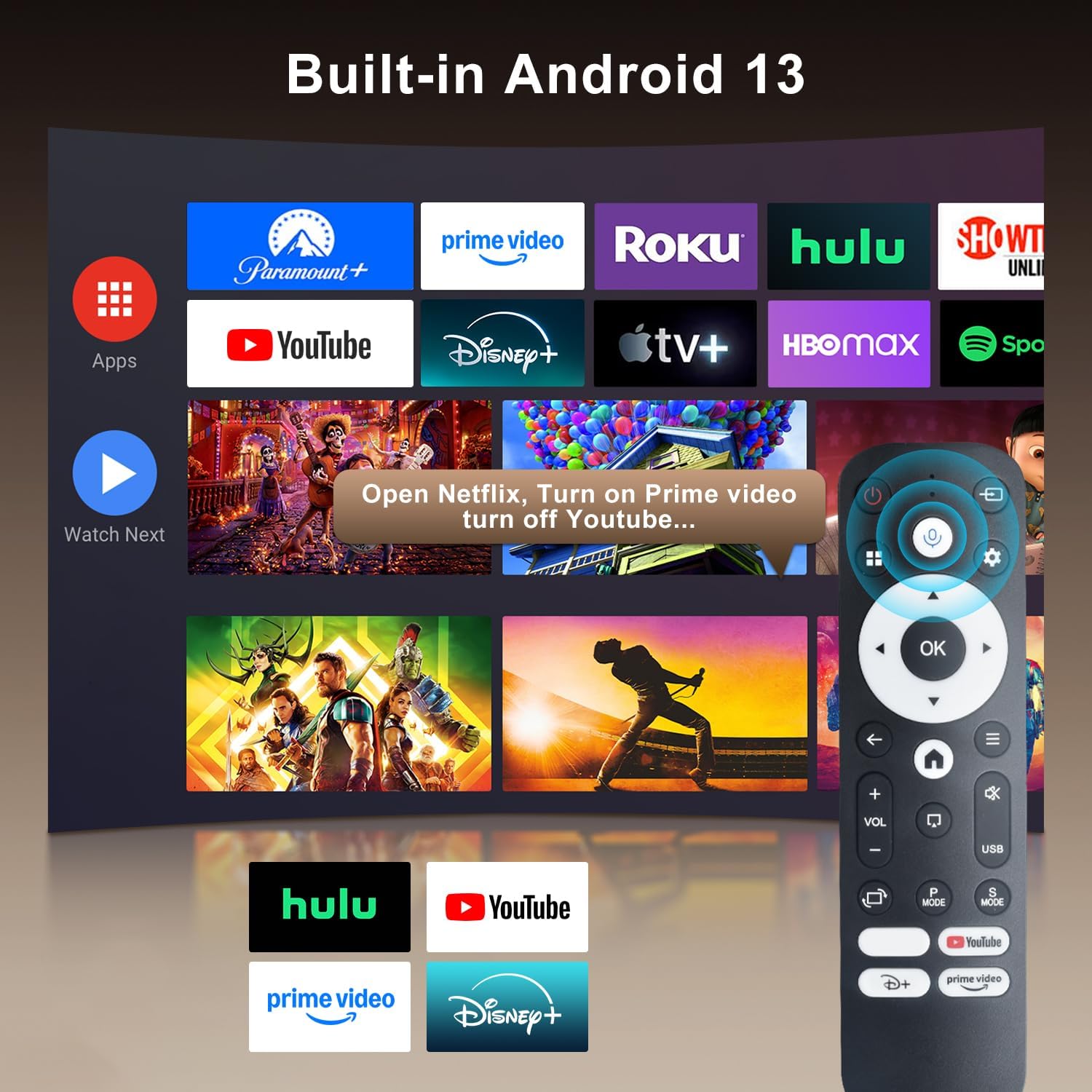
Image: The projector's interface showing built-in Android 13 apps and the Bluetooth voice remote control.
5. Nastavení
5.1 Umístění
Position the projector on a stable, flat surface. The 180° flexible rotation allows projection onto walls, ceilings, or floors. Ensure the projector is within the recommended throw distance of 1 to 6 meters for an optimal image size between 30 and 300 inches.

Image: The ZDSSY HY320MAX Mini Projector set up for an outdoor movie night, demonstrating its portability and flexible placement.
5.2 Připojení napájení
Připojte napájecí adaptér ke vstupnímu portu projektoru a poté zapojte adaptér do elektrické zásuvky.
5.3 Počáteční zapnutí
Stisknutím tlačítka napájení na projektoru nebo na dálkovém ovladači zapněte zařízení. Projektor se spustí a zobrazí se rozhraní systému Android 13.
5.4 Zaostření a korekce lichoběžníkového zkreslení
The projector features AI Auto Keystone correction, which automatically adjusts the image to be rectangular even if the projector is placed at an angle. You can also use the 50%-100% zoom function to resize the screen without moving the projector.

Image: A visual representation of the projector's automatic keystone correction feature, ensuring a perfectly aligned picture.
5.5 Síťové připojení
Navigate to the settings menu to connect to a Wi-Fi network. The projector supports ultra-fast WiFi 6 for smooth streaming and lag-free gaming.

Image: The projector displaying content wirelessly, highlighting its WiFi 6 and Bluetooth 5.4 capabilities for smoother performance.
5.6 Párování Bluetooth
For enhanced audio, pair Bluetooth 5.4 compatible speakers or headphones with the projector through the settings menu.
6. Návod k obsluze
6.1 Navigace v rozhraní
Use the directional buttons and 'OK' button on the remote control to navigate through the Android 13 interface. The 'Back' button returns to the previous screen, and the 'Home' button returns to the main menu.

Image: The ZDSSY HY320MAX projector's home screen, displaying various pre-installed streaming applications.
6.2 Používání vestavěných aplikací
The projector comes with officially licensed apps such as Netflix, Prime Video, and YouTube pre-installed. Access these directly from the home screen. The built-in APP STORE allows you to download additional applications.
6.3 External Input Sources
Connect external devices via the HDMI or USB ports. Select the appropriate input source from the projector's menu to display content from these devices.
6.4 Zrcadlení obrazovky
The projector supports screen mirroring from compatible smartphones (Android and iOS) over Wi-Fi. Refer to the on-screen instructions for connecting your device.

Image: A user mirroring their smartphone screen to the projector, demonstrating the wireless connectivity feature.
6.5 Hlasové ovládání
Utilize the Bluetooth voice remote for hands-free control. Press and hold the microphone button on the remote, then speak your command (e.g., "Open Netflix," "Hledat filmy“).
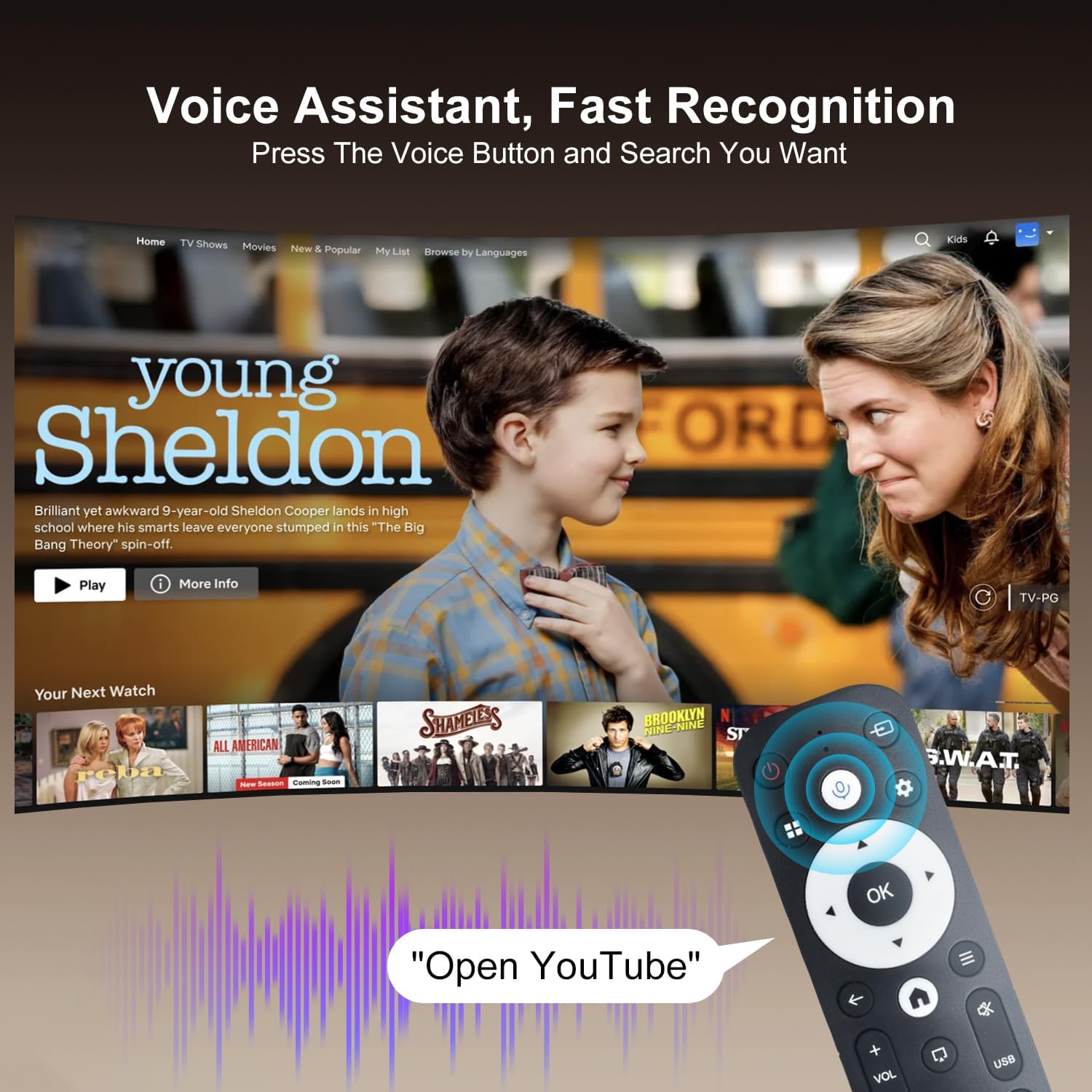
Image: The projector displaying a streaming service interface, with the remote control highlighting the voice assistant button and a voice command example.
7. Údržba
- Čištění objektivu: Gently wipe the projector lens with a soft, lint-free cloth specifically designed for optical lenses. Avoid using abrasive materials or harsh chemicals.
- Čištění exteriéru: Use a soft, dry cloth to clean the projector's exterior. Do not use liquid or aerosol cleaners.
- Větrání: Regularly check that the ventilation grilles are free from dust and obstructions to ensure proper heat dissipation.
- Skladování: Pokud projektor delší dobu nepoužíváte, skladujte jej na chladném a suchém místě, chráněném před prachem a přímým slunečním zářením.
8. Řešení problémů
Pokud se s projektorem setkáte s problémy, podívejte se na následující běžné problémy a jejich řešení:
| Problém | Možná příčina | Řešení |
|---|---|---|
| Žádná síla | Power cable disconnected; Power outlet fault | Ujistěte se, že je napájecí kabel bezpečně připojen; zkuste jinou zásuvku. |
| Žádný obrázek | Input source not selected; Device not connected | Select correct input source (HDMI/USB); Ensure external device is connected and powered on. |
| Rozmazaný obrázek | Mimo zaostření; Nesprávné lichoběžníkové zkreslení | Allow Auto Keystone to adjust; Manually adjust focus if available. |
| Žádný zvuk | Hlasitost je příliš nízká; Externí zvukové zařízení není připojeno | Increase volume; Check Bluetooth connection for external speakers. |
| Dálkové nereaguje | Low battery; Not paired | Replace batteries; Re-pair the Bluetooth remote control. |
| Problémy s připojením Wi-Fi | Incorrect password; Router issues | Verify Wi-Fi password; Restart your router and the projector. |
9. Specifikace
Detailed technical specifications for the ZDSSY HY320MAX Mini Projector:
- Značka: ZDSSY
- Název modelu: HY320MAX
- Číslo modelu: HY320MAX-US
- Rozlišení displeje: Nativní rozlišení 1920 x 1080 pixelů
- Maximální rozlišení displeje: 3840 x 2160 pixelů (podpora 4K)
- Typ displeje: LCD
- Jas: 20000 Lumen (400 ANSI Lumens)
- Kontrastní poměr: 10000:1
- Provozní životnost světelného zdroje: 60000 hodiny
- Technologie připojení: USB, HDMI, Built-In Wi-Fi (WiFi 6), Bluetooth 5.4
- Způsob ovládání: Dálkové ovládání, hlasové ovládání
- Doporučená použití: Vnitřní/venkovní
- Typ montáže: Montáž na strop/na stůl/na zeď
- Minimální vrhací vzdálenost: 1 metrů
- Maximální vrhací vzdálenost: 6 metrů
- Minimum Image Size: 30 palce
- Maximální velikost obrázku: 300 palce
- svtage: 110 voltů
- Wattage: 70 wattů
- Rozměry položky (D x Š x V): 4.09 cm D x 3.98 cm Š x 8.66 cm V

Image: A comparison illustrating the native 1080P resolution and 4K support capabilities of the ZDSSY HY320MAX projector.
10. Záruka a podpora
The ZDSSY HY320MAX Mini Projector comes with a 3-letá záruka. This warranty includes free parts replacement and lifelong technical support. For any warranty claims, technical assistance, or support inquiries, please contact ZDSSY customer service through the retailer where the product was purchased or refer to the contact information provided on the official ZDSSY webmísto.