
1. Úvod
This manual provides essential information for the safe and efficient operation of your ZDSSY E2 Mini Projector. Please read it thoroughly before use and retain it for future reference.
2. Nastavení
2.1 Vybalení a komponenty
Opatrně vybalte všechny položky z krabice. Ujistěte se, že jsou přítomny následující součásti:
- Mini projektor
- Dálkové ovládání
- Napájecí kabel
- Uživatelská příručka (tento dokument)
2.2 Zapnutí
- Připojte napájecí kabel ke vstupnímu portu projektoru.
- Zapojte druhý konec napájecího kabelu do vhodné elektrické zásuvky.
- Stisknutím tlačítka napájení na projektoru nebo na dálkovém ovladači zapněte zařízení.
2.3 Počáteční umístění
Umístěte projektor na stabilní, rovný povrch. Pro optimální viewing, ensure the projection surface (wall or screen) is clean and smooth. The projector supports various mounting options including table placement, tripod mount, and ceiling mount.
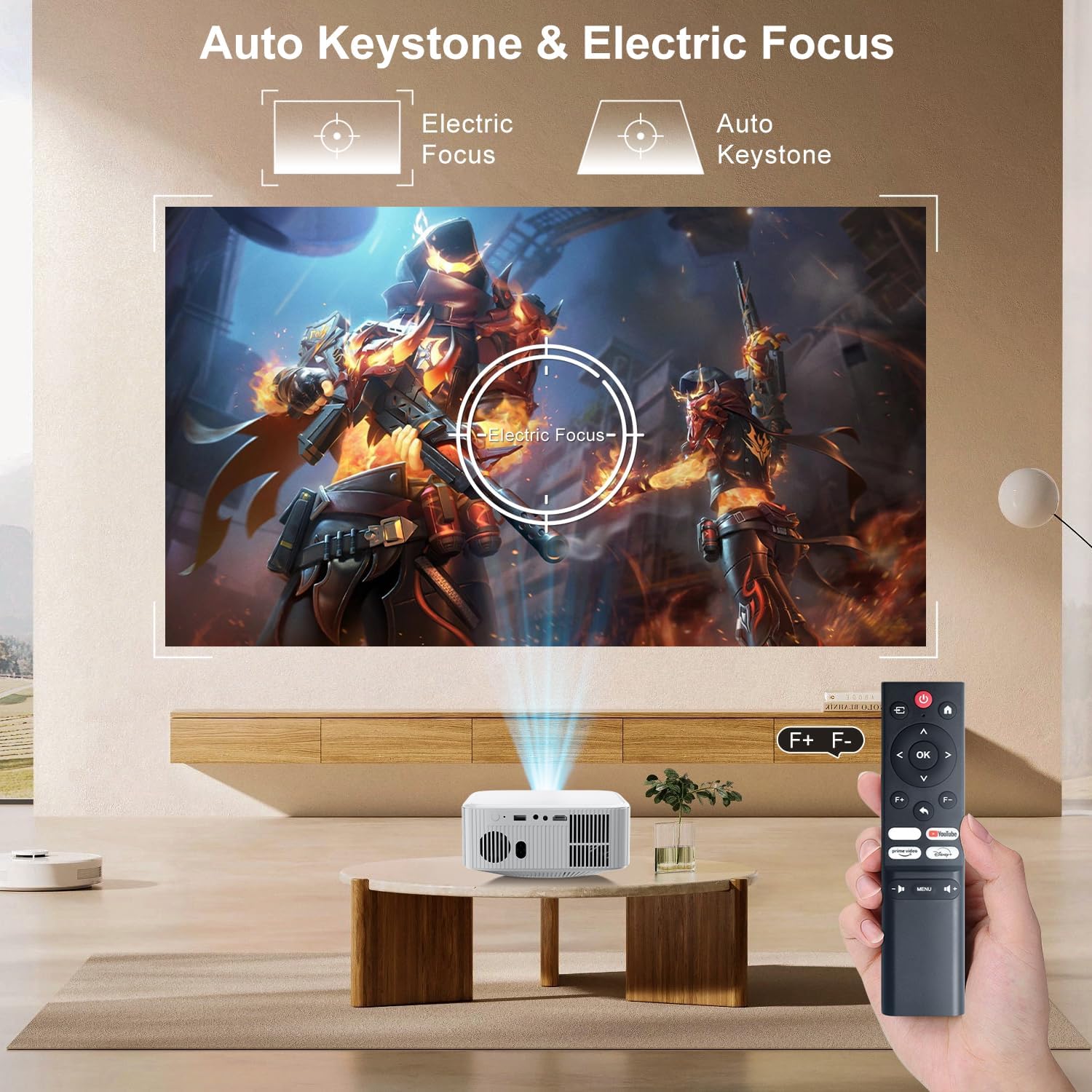
Image: The ZDSSY E2 Mini Projector demonstrating flexible placement options and screen sizes from 40 to 300 inches.
3. Provoz
3.1 Navigation and Remote Control
Use the provided remote control to navigate the projector's interface. The remote allows you to select apps, adjust settings, and control media playback.
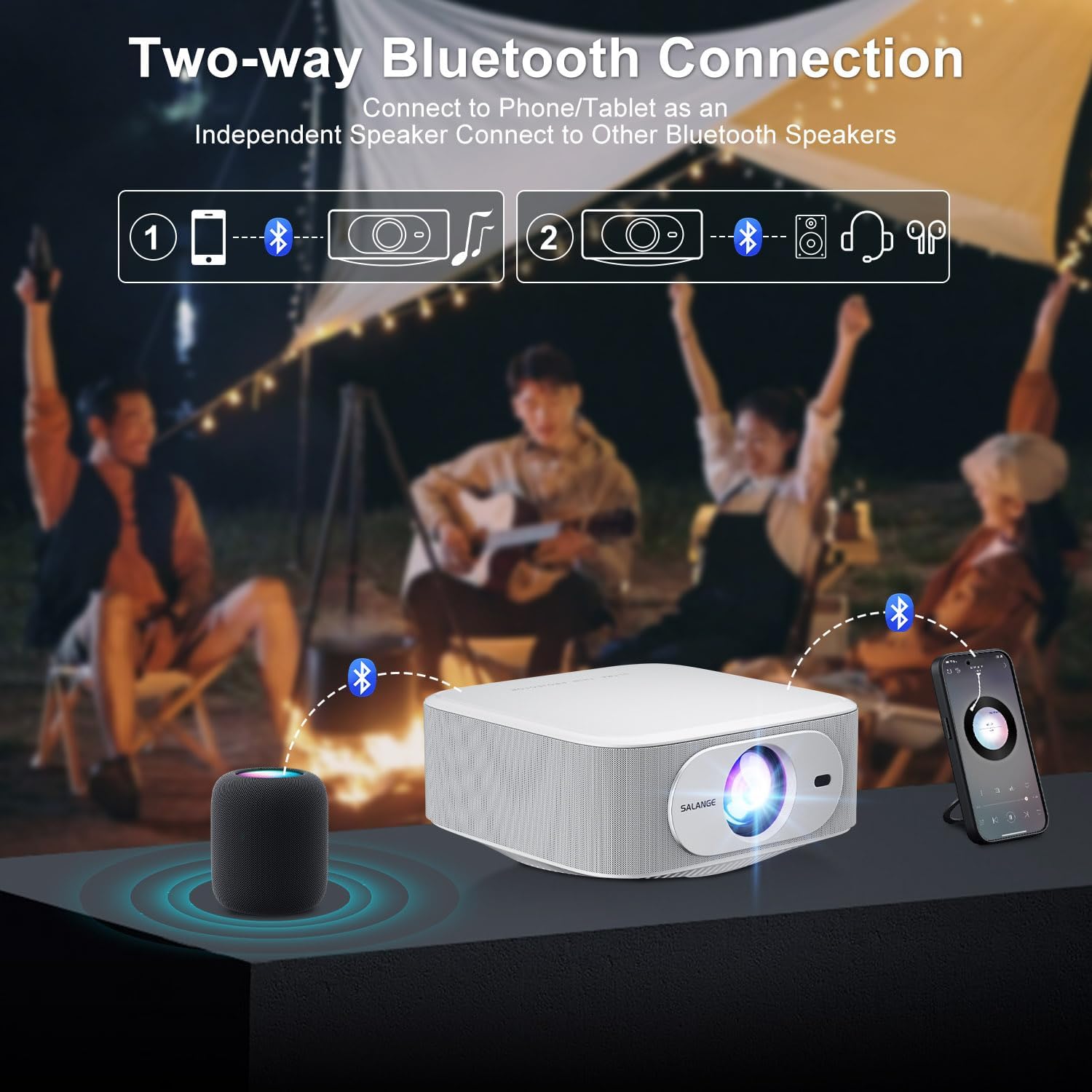
Image: The ZDSSY E2 Mini Projector and its remote control, highlighting the user interface.
3.2 Auto Keystone and Electric Focus
The projector features automatic keystone correction and electric focus for a clear and properly aligned image. These functions adjust the picture automatically upon startup or when the projector is moved.
- Elektrické ostření: Provides instant, crystal-clear images.
- 4bodová korekce lichoběžníkového zkreslení: Smoothly adjusts the screen across a wide ±45° range from any direction.
- Funkce zoom: Upravte velikost promítací plochy od 100 % do 50 % bez nutnosti přemisťování projektoru.

Image: Visual representation of the auto keystone and electric focus features of the ZDSSY E2 Mini Projector.
3.3 Připojení k Wi-Fi
The ZDSSY E2 supports dual-band 5G/2.4G Wi-Fi for fast and stable internet connectivity.
- Přejděte do nabídky „Nastavení“ na projektoru.
- Select 'Network' or 'Wi-Fi settings'.
- Vyberte požadovanou síť Wi-Fi ze seznamu.
- Zadejte heslo, pokud se zobrazí výzva, a připojte se.
3.4 Připojení Bluetooth
The projector features two-way Bluetooth 5.2, allowing it to function as a standalone speaker or connect to external Bluetooth audio devices.
- As a Bluetooth Speaker: Connect your mobile device to the projector via Bluetooth to use the projector's built-in speakers for audio playback.
- Připojení externích reproduktorů: Pair the projector with external Bluetooth speakers, headphones, or soundbars for an enhanced audio experience. (Note: Bluetooth is for audio transmission only and does not support video.)

Image: Illustration of the two-way Bluetooth connectivity of the ZDSSY E2 Mini Projector.
3.5 Používání vestavěných aplikací
The ZDSSY E2 comes with officially licensed apps like Prime Video, YouTube, and more, pre-installed on its Android 13 Whale OS system. Access these apps directly from the home screen for instant entertainment.

Image: The ZDSSY E2 Mini Projector's home screen showing pre-installed streaming applications.
3.6 Připojení externího zařízení
The projector is equipped with multiple ports for connecting external devices:
- Port HDMI: Connect gaming consoles, laptops, Fire Sticks, or other HDMI-enabled devices.
- USB port: Přehrávejte média přímo z USB disků.
- 3.5mm konektor pro sluchátka: Připojte kabelová sluchátka nebo externí reproduktory.

Image: Close-up of the ZDSSY E2 Mini Projector's connectivity ports.
4. Údržba
4.1 Čištění
- Čočka: Používejte měkký hadřík bez žmolků, speciálně určený pro optické čočky. Nepoužívejte abrazivní čisticí prostředky ani hadříky.
- Vnější: Otřete vnější povrch projektoru měkkým, suchým hadříkem. V případě odolných skvrn použijte lehceamp Lze použít hadřík a poté otřít do sucha.
- Větrání: Ujistěte se, že větrací otvory jsou čisté a bez prachu a překážek, abyste zabránili přehřátí.
4.2 Skladování
Pokud projektor delší dobu nepoužíváte, skladujte jej na chladném a suchém místě mimo dosah přímého slunečního záření a extrémních teplot. Používejte originální obal nebo ochranné pouzdro, abyste zabránili hromadění prachu a poškození.
5. Řešení problémů
| Problém | Možná příčina | Řešení |
|---|---|---|
| Žádná síla | Napájecí kabel není připojen; Vadná zásuvka | Ujistěte se, že je napájecí kabel bezpečně připojen; zkuste jinou zásuvku. |
| Rozmazaný obrázek | Focus not adjusted; Projector too far/close to screen | Allow auto-focus to complete or manually adjust focus; Adjust projector distance. |
| Žádný zvuk | Volume too low; External audio device not connected/paired | Increase volume; Check Bluetooth connection or wired audio cable. |
| Problémy s připojením Wi-Fi | Nesprávné heslo; Problémy s routerem; Rušení signálu | Ověřte heslo Wi-Fi; Restartujte router; Přemístěte projektor blíže k routeru. |
| Apps Not Working | No internet connection; App requires update | Check Wi-Fi connection; Update the app from the app store. |
6. Specifikace
| Funkce | Detail |
|---|---|
| Značka | ZDSSY |
| Číslo modelu | E2 |
| Rozlišení displeje | 1920 x 1080 (nativní 1080P, podpora 4K) |
| Jas | 400 ANSI Lumens |
| Operační systém | Smart Android 13.0 NTV (Whale OS) |
| Paměť | RAM 1 GB + ROM 8 GB |
| Konektivita | Wi-Fi 5G/2.4G, Two-way Bluetooth 5.2 |
| Speciální funkce | Electric Focus, Auto Keystone Correction (4D/4P), Zoom (100%-50%), Built-in Apps (Prime Video, YouTube, etc.) |
| Porty | 1 HDMI, 1 USB, 1 3.5mm Headphone Jack |
| Rozměry produktu | 7.67 x 7.67 x 3.54 palce |
| Hmotnost položky | 3.3 libry |
| Doporučené použití | Vnitřní/venkovní |
7. Záruka a podpora
The ZDSSY E2 Mini Projector comes with a standard manufacturer's warranty. For specific warranty details, including coverage and duration, please refer to the warranty card included in your product packaging or contact ZDSSY customer support.
Zákaznická podpora
If you encounter any issues or have questions regarding your projector, please contact ZDSSY customer support through the retailer's platform or the official ZDSSY website. Our support team is available to assist you with troubleshooting, technical inquiries, and service requests.