
Zavedení
This manual provides essential information for setting up, operating, maintaining, and troubleshooting your HP V24 24-inch Full HD LED Backlit LCD Monitor. Designed for productivity and entertainment, this monitor offers a crisp 1920 x 1080 resolution, a 75Hz refresh rate, and AMD FreeSync technology for a smooth visual experience. It also features a Low Blue Light mode to enhance eye comfort during extended use.
Your HP V24 monitor is equipped with both HDMI and VGA ports for versatile connectivity. The anti-glare screen and adjustable tilt feature allow for personalized viewing comfort. This bundle includes two monitors, enabling an expanded multi-screen setup for enhanced workflow.
Nastavení
1. Vybalení a montáž
Carefully remove all components from the packaging. Ensure you have the monitor panel, stand base, stand neck, power cable, and video cables (HDMI/VGA).
Attach the stand neck to the monitor panel, then secure the stand base to the neck. Refer to the diagram below for visual guidance.
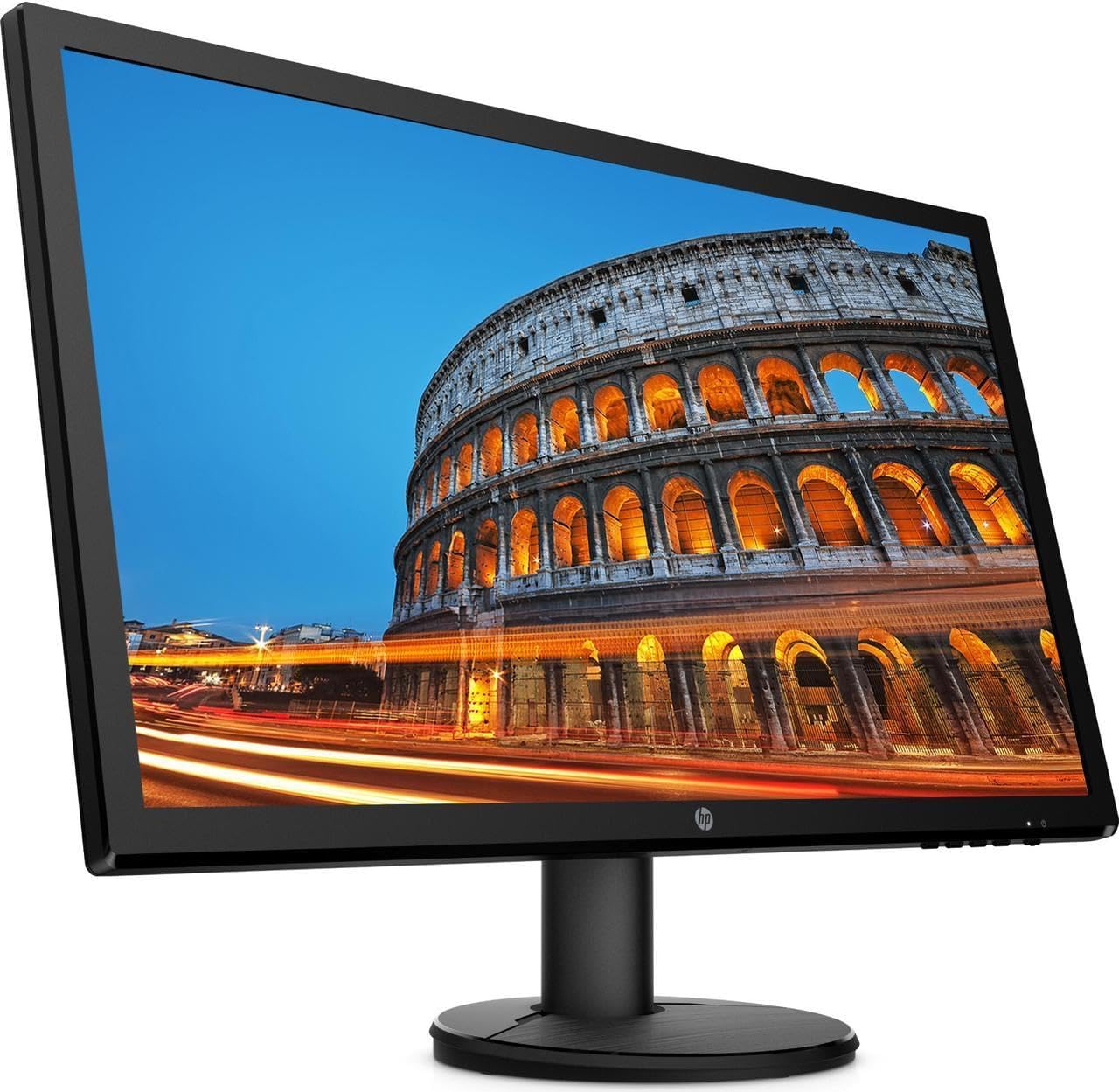
Obrázek: Přední strana view of the HP V24 monitor with its stand fully assembled, ready for connection.
2. Propojovací kabely
Connect the power cable to the monitor's power input and then to a wall outlet. Choose either an HDMI or VGA cable to connect your computer to the monitor. For optimal performance and Full HD resolution, HDMI is recommended.
- Napájecí kabel: Connect to the monitor's power port and a power source.
- Kabel HDMI: Connect one end to the monitor's HDMI port and the other to your computer's HDMI output.
- VGA kabel: Alternatively, connect one end to the monitor's VGA port and the other to your computer's VGA output.

Obrázek: Side profile of the HP V24 monitor, illustrating its slim design and the location of the rear input ports.
3. Počáteční zapnutí
Press the power button on the monitor. Your computer should automatically detect the monitor. If not, you may need to adjust display settings in your operating system.
Návod k obsluze
1. Zapnutí/vypnutí
The power button is located on the bottom right side of the monitor. Press it once to turn the monitor on or off.
2. Ovládací prvky OSD (On-Screen Display)
The OSD menu allows you to adjust various display settings. Buttons for OSD navigation are typically located on the bottom right bezel of the monitor.
- Tlačítko nabídky: Otevře nabídku OSD.
- Navigační tlačítka: Používá se k pohybu mezi možnostmi nabídky.
- Tlačítko Vybrat/OK: Potvrdí výběr.
- Tlačítko Konec: Zavře nabídku OSD nebo se vrátí na předchozí úroveň.
Mezi běžná nastavení OSD patří:
- Jas/kontrast: Upravuje celkový jas a rozdíl mezi světlými a tmavými oblastmi.
- Ovládání barev: Adjusts color temperature, RGB levels, and preset color modes.
- Ovládání vstupu: Manually selects the input source (HDMI or VGA).
- Ovládání obrazu: Adjusts sharpness, aspect ratio, and other image properties.
- Řízení: Accesses power-saving options, OSD timeout, and factory reset.
3. Režim tlumení modrého světla
To reduce eye strain, especially during prolonged use, activate the Low Blue Light mode through the OSD menu. This feature shifts the display's color spectrum to warmer tones, minimizing blue light emissions.
4. AMD FreeSync
The HP V24 monitor supports AMD FreeSync technology, which synchronizes the monitor's refresh rate with your AMD graphics card's frame rate. This helps eliminate screen tearing and stuttering for a smoother gaming and video experience. Ensure FreeSync is enabled in your graphics card settings and on the monitor (if an option is available in the OSD).
5. Nastavení náklonu monitoru
You can adjust the tilt angle of the monitor to find your most comfortable viewing position. Gently hold the top and bottom edges of the monitor panel and tilt it forwards or backwards. Do not apply excessive force.

Obrázek: Přední strana view of the HP V24 monitor displaying a vibrant image, highlighting its visual clarity.
Údržba
Čištění monitoru
To clean the monitor screen, first turn off the monitor and unplug the power cord. Use a soft, lint-free cloth lightly dampened with water or a non-abrasive screen cleaner. Do not spray cleaner directly onto the screen. For the monitor casing, použijte měkký, suchý hadřík.
- Vyhněte se používání agresivních chemikálií, abrazivních čisticích prostředků nebo rozpouštědel.
- Do not apply pressure to the screen while cleaning.
- Před opětovným zapojením a zapnutím monitoru se ujistěte, že je zcela suchý.
Odstraňování problémů
If you encounter issues with your HP V24 monitor, refer to the following common problems and solutions:
- Žádný obraz na obrazovce:
- Ujistěte se, že je napájecí kabel bezpečně připojen k monitoru i k elektrické zásuvce.
- Verify that the video cable (HDMI/VGA) is firmly connected to both the monitor and your computer.
- Zkontrolujte, zda je monitor zapnutý (kontrolka napájení by měla svítit).
- Press the Input Control button on the OSD to ensure the correct input source is selected.
- Restartujte počítač.
- Obraz bliká nebo je nestabilní:
- Check the video cable connections. Try a different cable if possible.
- Ujistěte se, že máte aktuální ovladače grafické karty.
- Adjust the refresh rate in your computer's display settings to 75Hz.
- Dočasně vypněte AMD FreeSync a zjistěte, zda problém přetrvává.
- Barvy se zobrazují nesprávně:
- Adjust color settings in the OSD menu (Color Control).
- Proveďte obnovení továrního nastavení pomocí nabídky OSD.
- Ensure the Low Blue Light mode is not causing unintended color shifts if you prefer standard colors.
- OSD Menu Does Not Appear:
- Ujistěte se, že je monitor zapnutý.
- Press the Menu button firmly.
If these steps do not resolve the issue, please contact HP customer support.
Specifikace
| Funkce | Detail |
|---|---|
| Číslo modelu | CustomASIHL4516 |
| Velikost obrazovky | 24 inches (23.8-inch diagonal) |
| Typ panelu | TN (Twisted Nematic) |
| Rezoluce | 1920 x 1080 (Full HD) |
| Poměr stran | 16:9 |
| Obnovovací frekvence | 75 Hz |
| Doba odezvy | 1 ms (typické) |
| Kontrastní poměr | 1000: 1 (obvykle) |
| Konektivita | 1x HDMI, 1x VGA |
| Funkce displeje | Anti-glare, Low Blue Light Mode, LED Backlights, Tilt Adjustment, On-screen Controls |
| Vstup napájení | 100 - 240 VAC, 50/60 Hz |
| Rozměry výrobku (Š x H x V) | 22.38 x 13.4 x 19 palce (se stojanem) |
| Výrobce | HP |
Záruka a podpora
Informace o záruce
Your HP V24 monitor is covered by HP's standard limited warranty. Please refer to the warranty card included with your product or visit the official HP webPodrobné obchodní podmínky naleznete na webových stránkách. Uschovejte si doklad o koupi pro případ reklamace.
The return policy allows for returns within 30 days of purchase for refund or replacement, subject to seller terms.
Zákaznická podpora
For technical assistance, troubleshooting beyond this manual, or warranty service, please contact HP customer support. You can find contact information and additional resources on the official HP support webmísto: