
Zavedení
This manual provides comprehensive instructions for the OSALO Scientific Calculator OS-82ES-2. Designed for secondary students, this calculator features 252 functions, a 2-line written display, and dual power sources for reliable performance.

Obrázek: Přední strana view of the OSALO Scientific Calculator OS-82ES-2.
Nastavení
Napájení
The OSALO OS-82ES-2 calculator operates on dual power: solar and battery.
- Solární energie: The solar panel located at the top of the calculator provides power in well-lit environments.
- Napájení baterie: For low-light conditions or when solar power is insufficient, the calculator uses a single LR44 battery (included).

Image: Illustration showing the dual power supply (solar and battery) of the calculator.
První použití
Before first use, ensure the protective slide cover is removed. The calculator is ready for use once powered on.

Obrázek: Podrobný view of the calculator's components, including the solar panel, display, and various keys.
Návod k obsluze
Základní operace
The calculator features a 2-line written display that mimics textbook expressions, showing both input and calculation results.
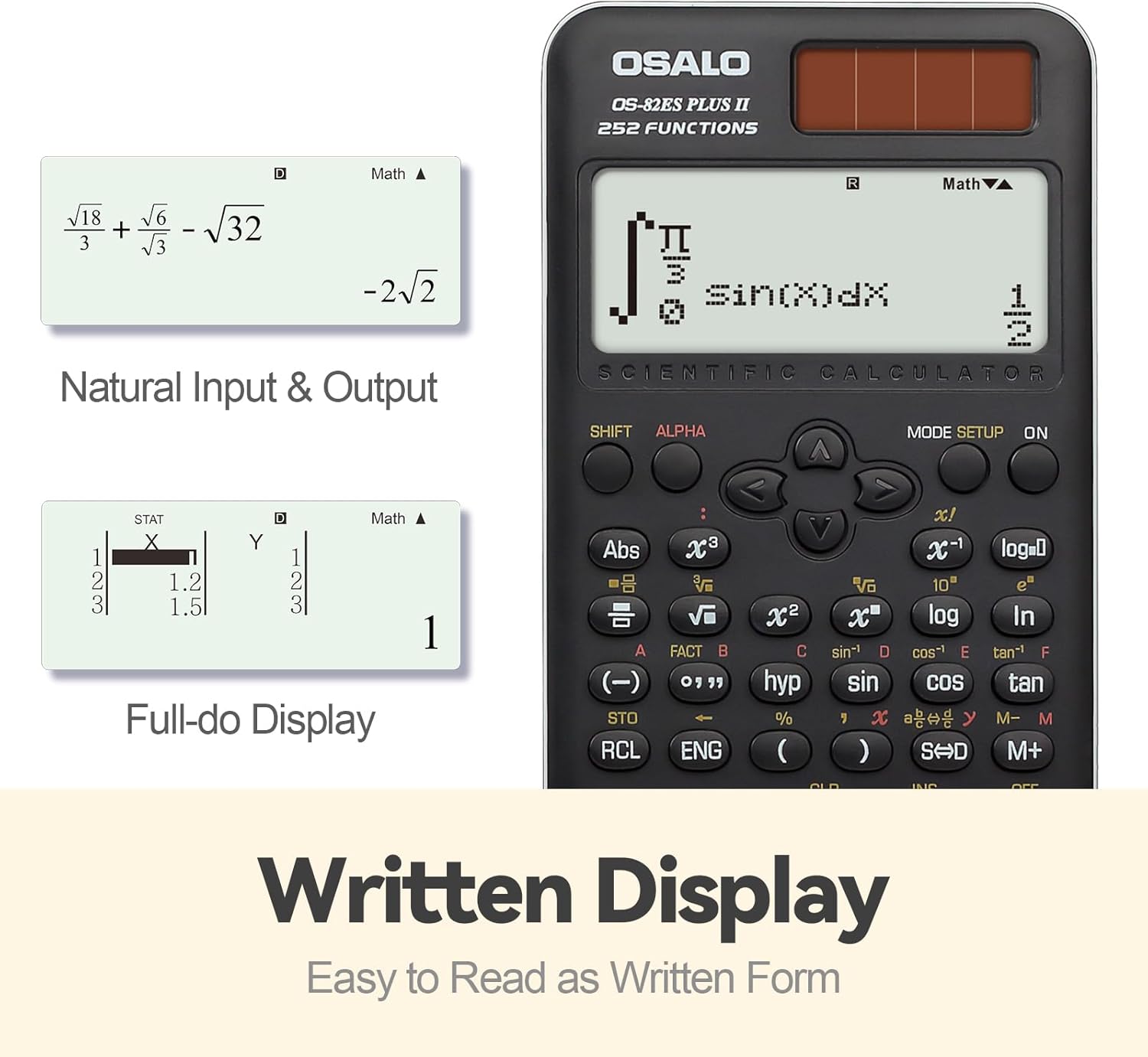
Obrázek: Přample of the calculator's natural input and output display, showing mathematical expressions as they appear in textbooks.
Funkce skončilaview
The OS-82ES-2 offers 252 functions, covering a wide range of scientific calculations.
- Základní výpočty
- Variable statistics
- Prime factorization
- Differentiation calculation
- Integration calculation
- Funkce vícenásobného přehrávání
- Combination and Permutation
- Výpočet zlomku
- 9 variable memories
- Fraction-decimal conversion (using SD keys)

Image: Visual representation highlighting the 252 functions of the scientific calculator, including statistical and fractional capabilities.
Smart History and Recall
Utilize the smart history feature to quickly retrieve, reuse, or edit previous formulas. This streamlines complex calculations and reduces repetitive input.
Nastavení kontrastu displeje
To adjust the display contrast for optimal readability:
- Stiskněte tlačítko NASTAVENÍ REŽIMU tlačítko.
- Přejděte na CONTRAST (usually option 5).
- Use the arrow keys to adjust between SVĚTLO a TMAVÁ nastavení.
- Stiskněte AC pro ukončení nastavení.

Image: Comparison of the calculator's display in dark and bright contrast settings, demonstrating the brightness adjustment function.
Oficiální video produktu
Video: An official product video demonstrating the features and usage of the OSALO Scientific Calculator, including its 252 functions, 2-line display, and dual power capabilities. Duration: 34 seconds.
Údržba
Čištění
To clean the calculator, wipe it gently with a soft, dry cloth. Do not use abrasive cleaners or solvents, as these may damage the surface or internal components.
Skladování
When not in use, store the calculator in a cool, dry place, away from direct sunlight and extreme temperatures. The included slide-on hard case provides protection against dust and physical damage.
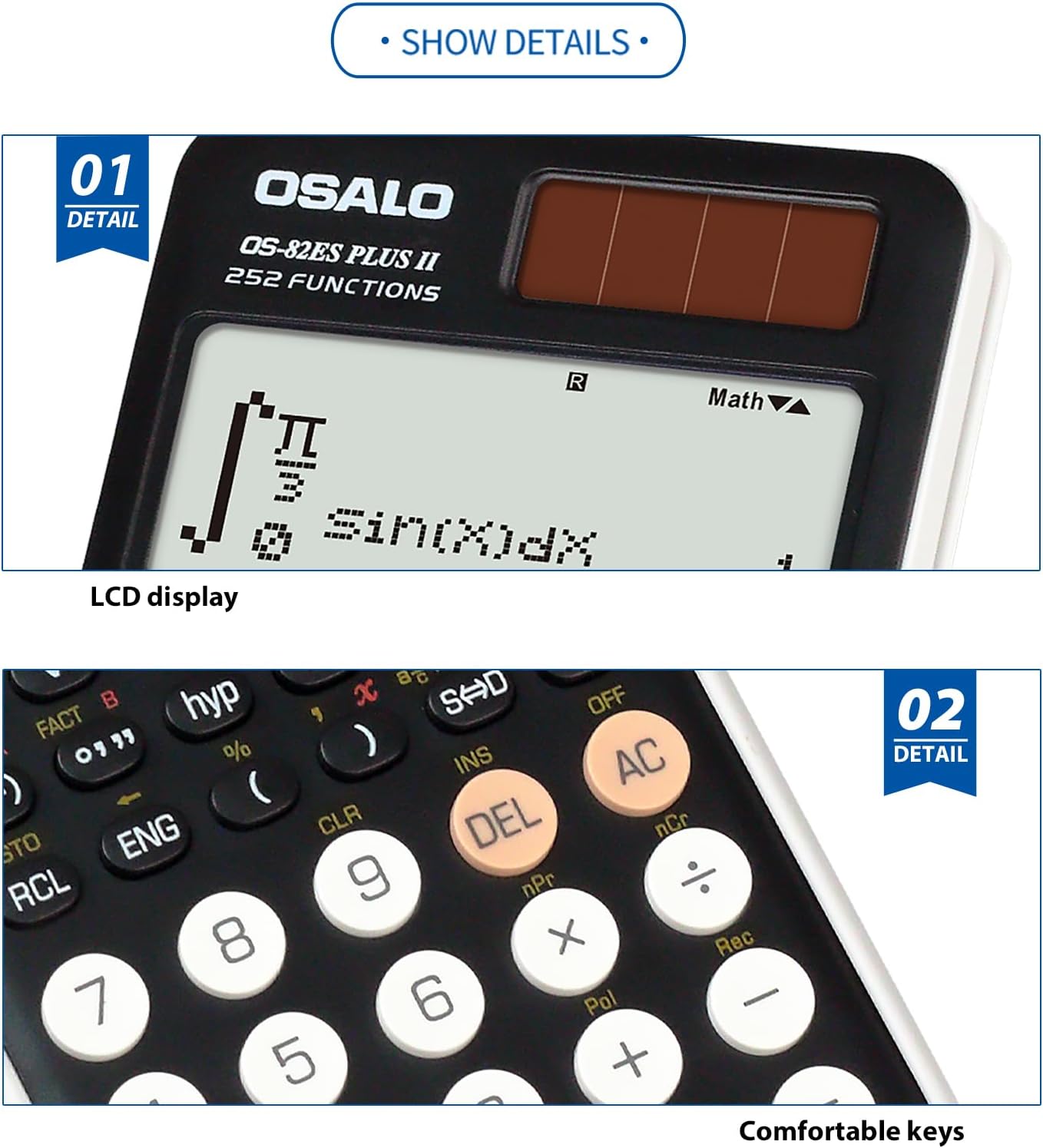
Obrázek: Detail view highlighting the clear LCD display and the comfortable, responsive keys of the calculator.
Odstraňování problémů
Displej je prázdný nebo tmavý
- Ensure the calculator is in a well-lit area to activate solar power.
- Check the battery. If the display remains dim or blank, the LR44 battery may need replacement.
- Adjust the display contrast using the NASTAVENÍ REŽIMU function as described in the Operating Instructions.
Calculator does not respond
- Stiskněte tlačítko ON tlačítko.
- If unresponsive, try pressing the RESETOVAT button (if available, usually a small recessed button requiring a thin object like a paperclip).
- Ensure sufficient power from either solar or battery sources.
Specifikace
| Funkce | Detail |
|---|---|
| Číslo modelu | OS-82ES-2 |
| Funkce | 252 |
| Typ zobrazení | 2-line Written Display |
| Zdroj napájení | Battery (1 LR44 included) & Solar |
| Rozměry (D x Š x V) | 6.46 x 3.15 x 0.1 inches (164 x 80 x 2.5 mm approx) |
| Hmotnost | 4.9 ounces (140g approx) |
| Barva | Černý |
| Typ kalkulačky | Inženýrské/vědecké |
| Velikost obrazovky | 2.4 palce |

Image: Visual representation of the calculator's thin profile and lightweight design, along with its precise dimensions.
Záruka a podpora
For warranty information and customer support, please refer to the official OSALO webnebo se obraťte na prodejce. Uschovejte si účtenku jako doklad o koupi.
Poznámka: Konkrétní záruční podmínky se mohou lišit v závislosti na regionu a prodejci.