
Zavedení
Thank you for choosing the CREATE Speaker Retro. This portable Bluetooth speaker combines a classic retro design with modern audio technology, offering versatile connectivity and powerful sound. This manual will guide you through the setup, operation, and maintenance of your new speaker to ensure optimal performance and longevity.

Image: The CREATE Speaker Retro, highlighting its elegant retro aesthetic and compact form factor.
Důležité bezpečnostní pokyny
- Před použitím produktu si pečlivě přečtěte všechny pokyny.
- Uschovejte tento návod pro budoucí použití.
- Do not expose the speaker to water or excessive moisture. This product is není vodotěsný.
- Neumisťujte do blízkosti zdrojů tepla, jako jsou radiátory, topná tělesa, kamna nebo jiná zařízení (včetně amplifikátory), které produkují teplo.
- Používejte pouze nástavce/příslušenství specifikované výrobcem.
- Odpojte tento přístroj během bouřky s blesky nebo pokud jej nebudete delší dobu používat.
- Veškeré opravy svěřte kvalifikovanému servisnímu personálu.
Obsah balení
The CREATE Speaker Retro package includes:
- CREATE Speaker Retro Portable Bluetooth Speaker (1 unit)
- Nabíjecí kabel USB-C
- Uživatelská příručka (tento dokument)
Controls and Ports Overview
Seznamte se s ovládacími prvky a připojovacími porty reproduktoru:

Obrázek: Podrobný view of the speaker's top control panel.
- Knoflík hlasitosti: Upravuje celkovou hlasitost zvuku.
- Basový knoflík: Nastavuje úroveň basů.
- Knoflík výšek: Nastavuje úroveň výšek.
- Přepínač pro výběr vstupu: Toggles between AUX, Bluetooth (BT), and USB input modes.
- Vypínač: Zapíná/vypíná reproduktor.
- AUX vstup (3.5 mm): Pro připojení externích audio zařízení pomocí audio kabelu.
- USB port: Pro přehrávání z USB disku.
- DC-IN 5V Port: Pro nabíjení reproduktoru.
- Kontrolka: Zobrazuje stav napájení, stav nabíjení a stav párování Bluetooth.
Nastavení
1. Nabíjení reproduktoru
Before first use, fully charge the speaker. Connect the provided USB-C charging cable to the DC-IN 5V port on the speaker and the other end to a compatible USB power adapter (not included) or a computer's USB port. The indicator light will show the charging status. A full charge takes approximately 4-5 hours.
- Nabíjení: Indicator light glows (color may vary).
- Plně nabito: Indicator light turns off or changes color.
2. Zapnutí/vypnutí
To power on the speaker, flip the Vypínač napájení to the "ON" position. To power off, flip the switch to the "OFF" position.
Návod k obsluze
1. Režim Bluetooth
The speaker features Bluetooth 5.2 for wireless audio streaming with a range of up to 10 meters.
- Zapněte reproduktor.
- Nastavte Přepínač pro výběr vstupu to "BT/AUX" and then ensure it's in Bluetooth mode (indicator light will blink, indicating pairing mode).
- Na smartphonu, tabletu nebo jiném zařízení s podporou Bluetooth povolte Bluetooth a vyhledejte dostupná zařízení.
- Select "CREATE Speaker Retro" from the list.
- Once paired, the indicator light will stop blinking and remain solid. You can now play music wirelessly.
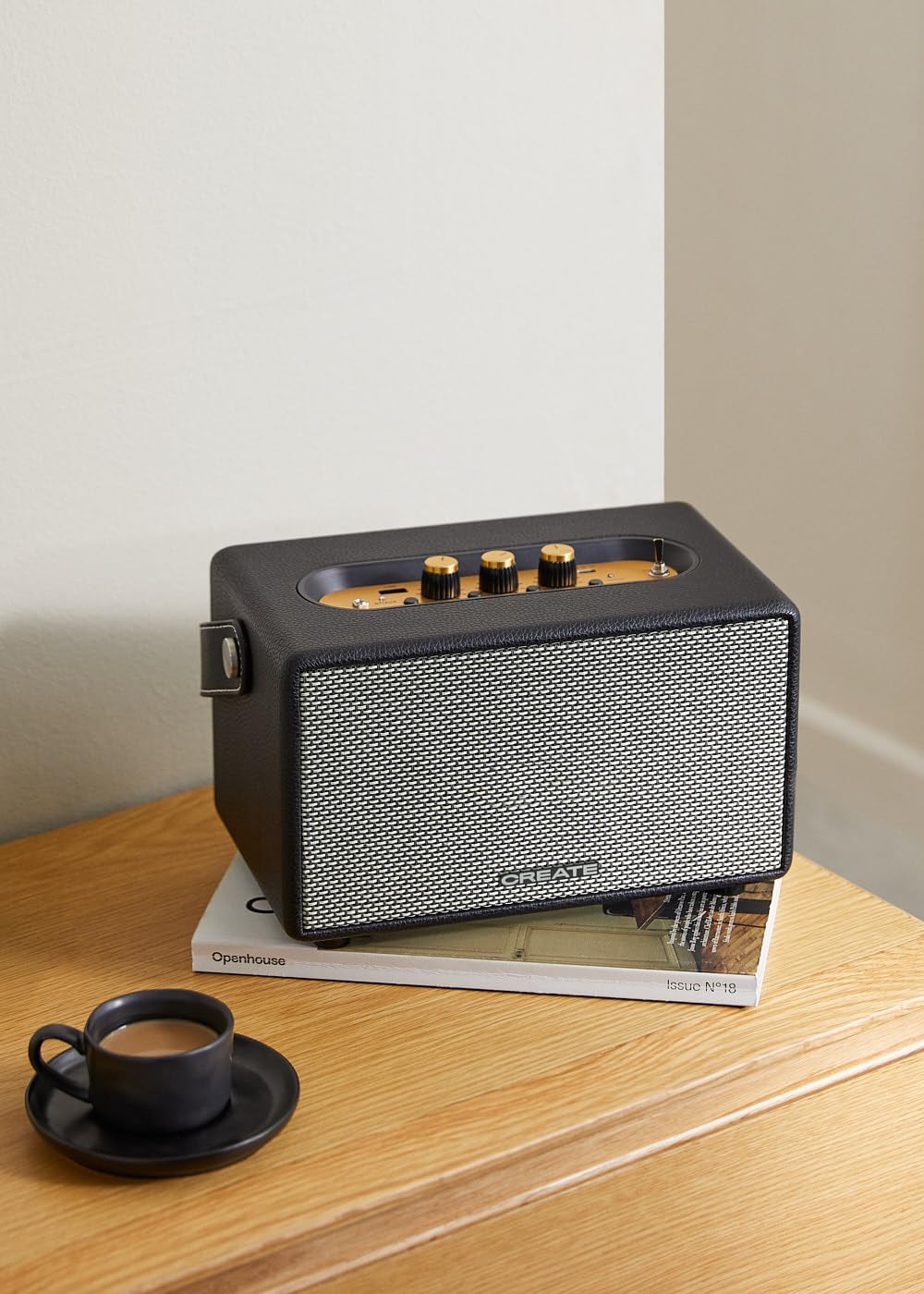
Image: Connecting to the speaker via Bluetooth from a mobile device.
2. USB Playback Mode
Přehrát zvuk filepřímo z USB flash disku.
- Zapněte reproduktor.
- Vložte USB flash disk obsahující zvuk fileje do USB port.
- Nastavte Přepínač pro výběr vstupu to "USB". The speaker will automatically begin playing music from the USB drive.

Image: Inserting a USB drive for direct audio playback.
3. Režim AUX vstupu
Připojte externí zvuková zařízení pomocí 3.5mm audio kabelu.
- Zapněte reproduktor.
- Připojte jeden konec 3.5mm audio kabelu (není součástí balení) k Vstup AUX port na reproduktoru.
- Connect the other end of the cable to the headphone jack or audio output of your external device (e.g., MP3 player, laptop).
- Nastavte Přepínač pro výběr vstupu to "AUX". The speaker will now play audio from your connected device.
4. Adjusting Sound
Use the dedicated knobs on the control panel to fine-tune your audio experience:
- Otočte Ovladač hlasitosti to increase or decrease the overall sound level.
- Otočte Basový knoflík to adjust the low-frequency sounds.
- Otočte Výškový knoflík to adjust the high-frequency sounds.
Údržba
Čištění
To clean the speaker, use a soft, dry cloth. Do not use abrasive cleaners, waxes, or solvents as they may damage the finish. Avoid spraying liquids directly onto the speaker.
Skladování
When not in use for extended periods, store the speaker in a cool, dry place away from direct sunlight and extreme temperatures. Ensure the speaker is fully charged before storing to preserve battery health.
Péče o baterie
The speaker is equipped with a built-in rechargeable battery. To maximize battery life:
- Vyhněte se častému úplnému vybíjení baterie.
- Recharge the battery regularly, even if the speaker is not used often.
- Nevystavujte reproduktor teplotám nad 45 °C (113 °F) nebo pod 0 °C (32 °F).
Odstraňování problémů
If you encounter any issues with your CREATE Speaker Retro, please refer to the following common problems and solutions:
| Problém | Možná příčina | Řešení |
|---|---|---|
| Reproduktor se nezapne. | Baterie je vybitá. | Charge the speaker for 4-5 hours using the USB-C cable. |
| Z reproduktoru nevychází žádný zvuk. | Hlasitost je příliš nízká; nesprávný vstupní režim; zařízení není správně připojeno. | Increase volume. Ensure the correct input mode (BT, USB, AUX) is selected. Reconnect Bluetooth device or AUX cable. |
| Párování Bluetooth selhalo. | Reproduktor není v režimu párování; zařízení je mimo dosah; rušení. | Ensure speaker is in Bluetooth pairing mode (blinking indicator). Move device closer to speaker (within 10m). Turn off other Bluetooth devices. |
| Přehrávání z USB nefunguje. | Incorrect input mode; USB drive not formatted correctly or no compatible files. | Ensure "USB" input mode is selected. Check USB drive for compatible audio files (e.g., MP3). Try a different USB drive. |
| Play/Pause button not responding. | Potenciální hardwarový problém nebo softwarová závada. | Restart the speaker. If the issue persists, contact customer support. (Poznámka: Uživatelská zprávaview mentioned this issue.) |
Specifikace
| Název modelu | SPEAKER RETRO |
| Číslo modelu | 181643_452174 |
| Rozměry (D x Š x V) | 17 x 26 x 15 cm |
| Hmotnost | 2.5 kg |
| Max. výstupní výkon reproduktoru | 40 W |
| Režim zvukového výstupu | Stereo (2.0 kanál) |
| Technologie připojení | Bluetooth 5.2, USB, AUX (3.5mm) |
| Dosah Bluetooth | Až 10 metrů |
| Kapacita baterie | 3000 XNUMX mAh |
| Životnost baterie | Až 5 hodiny (v závislosti na používání) |
| Doba nabíjení | Přibl. 4-5 hodiny |
| Kontrolní metoda | Touch (knobs and switches) |
| Barva | Černý |
| Vodotěsný | Žádný |
Záruka a podpora
Informace o záruce
The CREATE Speaker Retro comes with a standard manufacturer's warranty. Please retain your proof of purchase for warranty claims. The warranty covers defects in materials and workmanship under normal use. It does not cover damage caused by misuse, accidents, unauthorized modifications, or exposure to water.
For specific warranty terms and conditions, please refer to the warranty card included with your product or contact CREATE customer service.
Zákaznická podpora
If you have any questions, require technical assistance, or need to report an issue that cannot be resolved using the troubleshooting guide, please contact CREATE customer support.
You can find more information and contact details on the official CREATE webwebu nebo prostřednictvím jejich značkového obchodu na Amazonu: