
BLACK+DECKER 50-inch A1 Series 4K Ultra HD LED Smart Google TV User Manual
Model: BXTVGU50UD2875ATIN
Zavedení
This manual provides essential information for setting up, operating, and maintaining your BLACK+DECKER 50-inch A1 Series 4K Ultra HD LED Smart Google TV. Please read these instructions carefully before use to ensure proper functionality and longevity of your television.
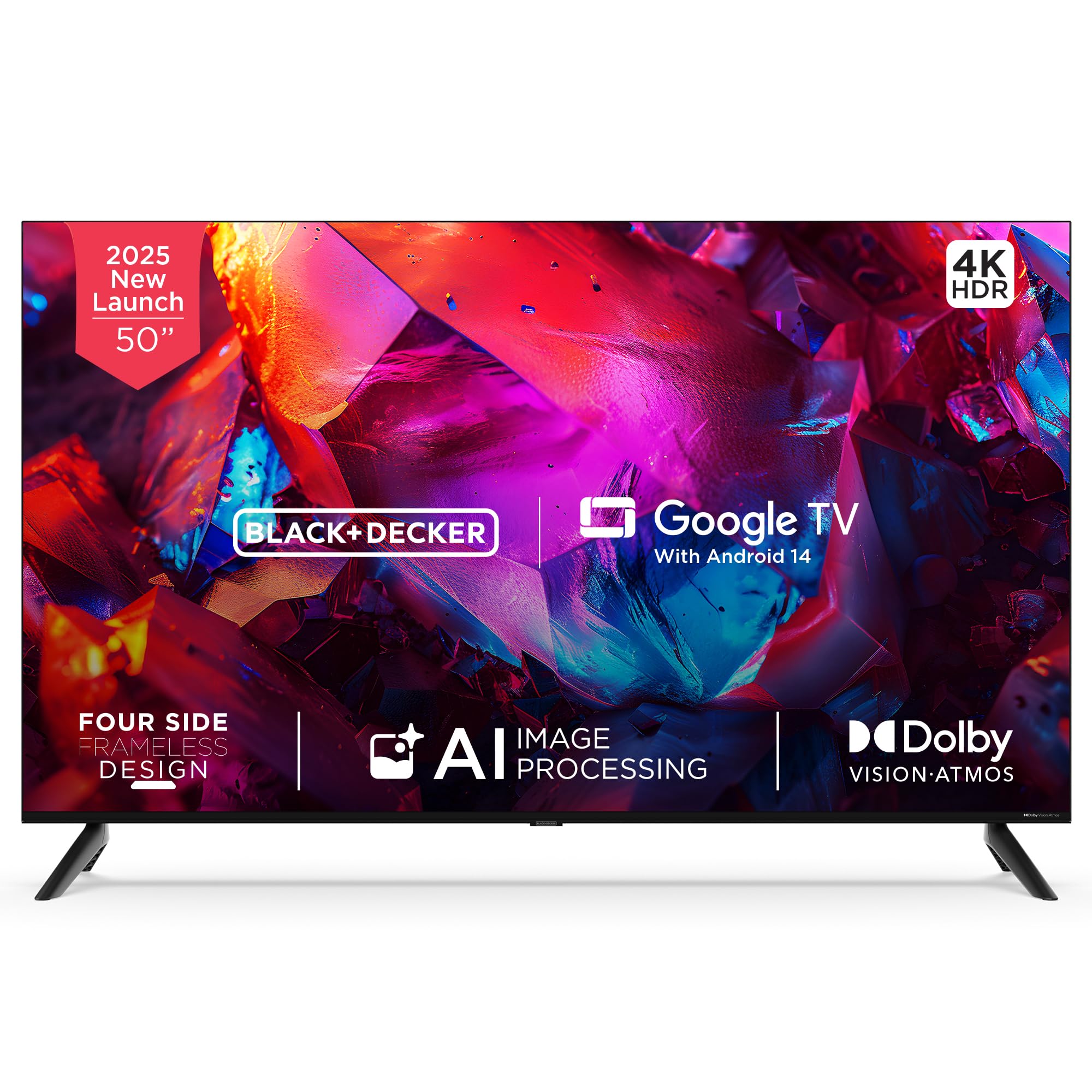
Obrázek: Přední strana view of the BLACK+DECKER 50-inch A1 Series 4K Ultra HD LED Smart Google TV.
Co je v krabici
Ověřte, zda jsou v balení přítomny všechny součásti:
- LED TV 1
- 2 Table Stand Bases
- 1 Uživatelská příručka
- 1 Záruční list
- 1 Dálkové ovládání
- 1 napájecí kabel
- 2 AAA baterie
- 4 Screws (for stand/mounting)
- 1 Mini AV Cable

Image: All included accessories and mounting hardware for the television.
Nastavení
Při nastavení televizoru postupujte takto:
- Rozbalení: Opatrně vyjměte televizor a veškeré příslušenství z obalu.
- Instalace stojanu: Attach the two table stand bases to the bottom of the TV using the provided screws. Ensure they are securely fastened. Alternatively, if wall-mounting, follow the instructions provided with your wall-mount kit (sold separately).
- Připojení napájení: Zapojte napájecí kabel do napájecího vstupu televizoru a poté do zásuvky ve zdi.
- Počáteční zapnutí: Press the power button on the TV or the remote control to turn on the TV. Follow the on-screen instructions for initial setup, including language selection, network connection, and Google TV account login.

Image: Product dimensions illustrating the TV's width, height, and depth.
Návod k obsluze
Familiarize yourself with the remote control and basic TV functions:
- Dálkové ovládání: The included remote control features dedicated buttons for power, volume, channel, navigation, and quick access to popular streaming services like Netflix, Prime Video, YouTube, and Disney+Hotstar.
- Hlasový asistent: Utilize the built-in Google Assistant by pressing the dedicated voice button on your remote. Speak commands to search for content, control smart home devices, or get information.
- Navigace: Use the directional pad and 'OK' button to navigate through menus and select options on the Google TV interface.

Image: The smart remote control, highlighting its intuitive design and voice-enabled interaction.

Image: Illustration of using voice assistance with the remote for a hands-free experience.
Konektivita
Váš televizor nabízí různé možnosti připojení:
- HDMI porty: Three HDMI 2.1 ports (one with eARC support) for connecting devices like gaming consoles, set-top boxes, and laptops.
- USB porty: One USB 2.0 and one USB 3.0 port for connecting hard drives or other USB devices.
- Bezdrátové připojení: Dual-band Wi-Fi for internet access and 2-way Bluetooth 5.2 for connecting wireless accessories.
- Další porty: AV, RF, Ethernet, and headphone output.
- Googlecast: Built-in Chromecast allows you to cast content from your compatible mobile devices directly to the TV.

Obrázek: Boční view of the television displaying the various input and output ports.

Image: Illustration of seamless connectivity with HDMI 2.1, Bluetooth 5.2, dual-band Wi-Fi, and USB.

Image: A user casting content from a smartphone to the TV using built-in Chromecast.
Funkce displeje
Experience superior visual quality with these display technologies:
- 4K Ultra HD: Enjoy stunning clarity with a resolution of 3840 x 2160 pixels.
- Dolby Vision a HDR10: Enhanced contrast, brightness, and color accuracy for a more lifelike viewzkušenosti.
- MEMC (Odhad pohybu, Kompenzace pohybu): Ensures smooth motion in fast-paced scenes.
- 120Hz VRR (Variable Refresh Rate) & ALLM (Auto Low Latency Mode): Optimized for gaming, providing ultra-responsive visuals and reduced input lag.
- AI Picture Optimization: Lifelike clarity and precision brought to every scene.
- Široký barevný gamut: Displays 1.07 billion vibrant colors with stunning depth.
- Super Brightness & Black Level Augmentation: Delivers bright whites and deep blacks.
- Šířka 178 stupňů Viewúhel: Consistent picture quality from various positions.
- 4-Side Frameless Design: Maximalizuje prostor na obrazovce pro pohlcující zážitek viewzkušenosti.

Image: A television screen displaying vibrant colors, illustrating the benefits of Dolby Vision for richer colors and contrast.

Obrázek: Bývalý/áample of 4K upscaling with HDR10+ and HLG, enhancing image realism.

Image: Multiple images displayed on the TV, demonstrating lifelike clarity and precision through AI picture optimization.

Image: Birds in flight on the TV screen, illustrating how MEMC technology makes fast-paced scenes sharper and smoother.
Zvukové funkce
Enjoy rich and immersive sound with your TV's audio capabilities:
- PRO Tuned Speakers: Poskytuje čistý a vyvážený zvuk.
- Výstup 36 wattů: Powerful sound for an engaging experience.
- Dolby Atmos: Provides multidimensional sound that moves around you.
- 5 Preset Smart Equalizer: Customize your audio experience for different content types.

Image: A living room scene with sound waves emanating from the TV, symbolizing immersive Dolby Atmos audio and superior fidelity speakers.
Funkce Smart TV
Your BLACK+DECKER TV comes equipped with advanced smart features:
- Google TV with Android 14: Access a vast library of apps, movies, and shows with a personalized interface.
- DUAL AI Processor Architecture (A75x2 + A55x2): Ensures smooth performance and efficient multitasking.
- 2GB RAM & 16GB Storage: Ample memory and storage for apps and system operations.
- Doporučení obsahu: Personalizované návrhy na základě vašich viewnávyky.
- Personal & Kids Profiles: Create customized profiles for different users, including a safe environment for children.
- Asistent Google: Integrated voice control for easy navigation and smart home integration.

Image: The Google TV interface with Android 14, showcasing tailored content and seamless navigation.

Image: A stylized circuit board representing the dual AI CPU architecture, designed for flawless multitasking and speed.
Odstraňování problémů
Pokud narazíte na problémy s televizorem, podívejte se na následující běžná řešení:
- Bez napájení: Ensure the power cord is securely connected to both the TV and a working power outlet. Check if the outlet is functional by plugging in another device.
- Žádný obraz/zvuk: Verify that the correct input source is selected. Check all cable connections (HDMI, AV) for secure fit.
- Dálkové ovládání nefunguje: Vyměňte baterie AAA v dálkovém ovladači. Ujistěte se, že mezi dálkovým ovladačem a infračerveným senzorem televizoru nejsou žádné překážky.
- Problémy s připojením k síti: Restart your Wi-Fi router. Go to the TV's network settings to reconnect to your Wi-Fi network or try a wired Ethernet connection.
- Problémy s kvalitou obrazu: Adjust picture settings (brightness, contrast, color) in the TV's menu. Ensure the content source is of high quality (e.g., 4K content for 4K display).
- Zkreslení zvuku: Check audio settings and ensure external audio devices (soundbars, home theater systems) are correctly connected and configured.
Pro podrobnější informace o řešení problémů nebo přetrvávající problémy kontaktujte zákaznickou podporu.
Specifikace
| Funkce | Detail |
|---|---|
| Model | BXTVGU50UD2875ATIN |
| Velikost obrazovky | 50 palce (126 cm) |
| Rezoluce | 4K Ultra HD (3840 2160 x XNUMX XNUMX) |
| Obnovovací frekvence | 60 Hz (120Hz VRR) |
| Operační systém | Google TV with Android 14 |
| Procesor | DUAL AI Processor Architecture A75x2 + A55x2 |
| BERAN | 2 GB |
| Skladování | 16 GB |
| Konektivita | Dual-band Wi-Fi, Bluetooth 5.2, HDMI 2.1 x 3 (1 eARC), USB 2.0 x 1, USB 3.0 x 1, AV, RF, Ethernet, Headphone |
| Zvukový výstup | 36 wattů, Dolby Atmos |
| Viewúhel | 178 stupňů |
| Rozměry produktu (D x Š x V) | 8.9H x 112Š x 64.8V centimetrů |
| Hmotnost položky | 8 kg |
Záruka a podpora
Your BLACK+DECKER television comes with a 1-year comprehensive warranty from the date of purchase, covering manufacturing defects. Please refer to the included warranty card for full terms and conditions.
For technical assistance, service requests, or warranty claims, please contact customer support:
- Telefon: 18002034255
- E-mail: bdcare@indkal.com

Image: Warranty details including contact information for support.