
Zavedení
Thank you for choosing the RORSOU B8 Bluetooth Headphones. These over-ear headphones are designed to provide a superior audio experience with deep bass and Hi-Fi stereo sound, powered by a 40mm audio driver and advanced Bluetooth 5.4 technology. Enjoy extended listening with up to 50 hours of playtime and versatile connectivity options. This manual will guide you through the setup, operation, and maintenance of your new headphones.

Figure 1: RORSOU B8 Bluetooth Headphones (Beige White)
The RORSOU B8 headphones feature a sleek beige white finish with gold accents, designed for comfort and portability.
Co je v krabici
- Uživatelská příručka
- Náušníky (předinstalované)
- Protective Case (Drawstring Bag)
- Nabíjecí kabel USB-C
- 3.5mm audio kabel AUX

Figure 2: Included accessories with the RORSOU B8 Headphones.
The box contains the headphones, a user manual, a USB-C charging cable, a 3.5mm AUX cable, and a soft drawstring protective case.
Konec produktuview & Řízení
Familiarize yourself with the buttons and ports on your RORSOU B8 headphones for optimal use.

Obrázek 3: Detailní view ovládání sluchátek a portů.
The right earcup features the main controls including the EQ button, USB-C charging port, 3.5mm audio jack, and power/playback buttons.
- Tlačítko Napájení/Přehrávání/Pozastavení: Long press to power on/off. Short press to play/pause music or answer/end calls.
- Tlačítko pro zvýšení hlasitosti (+): Krátkým stisknutím zvýšíte hlasitost. Dlouhým stisknutím přejdete na další skladbu.
- Tlačítko pro snížení hlasitosti (-): Krátkým stisknutím snížíte hlasitost. Dlouhým stisknutím přejdete na předchozí skladbu.
- Tlačítko EQ: Press to cycle through 6 preset EQ modes (Standard, Classical, Metal, Jazz, Rock, Bass).
- Nabíjecí port USB-C: Pro nabíjení sluchátek.
- 3.5mm audio jack: For wired connection using the AUX cable.
- Mikrofon: Pro hands-free hovory.
Nastavení
Nabíjení sluchátek
- Připojte nabíjecí kabel USB-C k nabíjecímu portu sluchátek.
- Druhý konec kabelu USB připojte ke kompatibilnímu zdroji napájení USB (např. k portu USB počítače, síťovému adaptéru).
- LED indikátor bude zobrazovat stav nabíjení. Plné nabití trvá přibližně 2 hodiny.
- Po plném nabití poskytují sluchátka až 50 hodin přehrávání.
Párování pomocí Bluetooth
- Ujistěte se, že jsou sluchátka vypnutá.
- Long press the Power/Play/Pause button until the LED indicator flashes blue and red alternately. This indicates pairing mode.
- Na svém zařízení (chytrý telefon, tablet, počítač) povolte Bluetooth a vyhledejte dostupná zařízení.
- Select "RORSOU B8" from the list of found devices.
- Po úspěšném spárování bude LED indikátor svítit modře nebo pomalu modře blikat.
- The headphones can be paired with two devices simultaneously and seamlessly switch between them.
Kabelové připojení (AUX)
If your headphones run out of battery or you prefer a wired connection, you can use the included 3.5mm AUX cable.
- Connect one end of the 3.5mm AUX cable to the headphone's 3.5mm audio jack.
- Druhý konec připojte k audio výstupu vašeho zařízení.
- Sluchátka se automaticky přepnou do kabelového režimu.
Návod k obsluze
Zapnutí/vypnutí
- Zapnutí: Long press the Power/Play/Pause button until the LED indicator lights up.
- Vypnout: Long press the Power/Play/Pause button until the LED indicator turns off. The headphones will automatically shut down after 5 minutes if no device is connected.
Ovládání hlasitosti
- Zvýšení hlasitosti: Krátce stiskněte tlačítko pro zvýšení hlasitosti (+).
- Snížit hlasitost: Krátce stiskněte tlačítko pro snížení hlasitosti (-).
Ovládání přehrávání
- Přehrát/pozastavit: Krátce stiskněte tlačítko Napájení/Přehrávání/Pozastavení.
- Další skladba: Dlouze stiskněte tlačítko pro zvýšení hlasitosti (+).
- Předchozí skladba: Dlouze stiskněte tlačítko pro snížení hlasitosti (-).
Správa hovorů
- Přijmout příchozí hovor: Krátce stiskněte tlačítko Napájení/Přehrávání/Pozastavení.
- Ukončit hovor: Během hovoru krátce stiskněte tlačítko Napájení/Přehrát/Pozastavit.
- Odmítnout hovor: Long press the Power/Play/Pause button when a call is incoming.
- Call Back Last Number: Double click the Power/Play/Pause button.
Režimy EQ
The RORSOU B8 headphones offer 6 preset EQ modes to optimize your listening experience for different music genres.
- Standardní režim: Vyvážený zvukový profesionálfile.
- Classical Mode: Enhanced for classical music.
- Metal Mode: Optimized for heavy metal and rock.
- Jazz Mode: Tailored for jazz music.
- Rock Mode: Boosted for rock music.
- Režim basů: Enhanced bass for powerful low-end sound.
To switch between modes, press the EQ button on the right earcup.
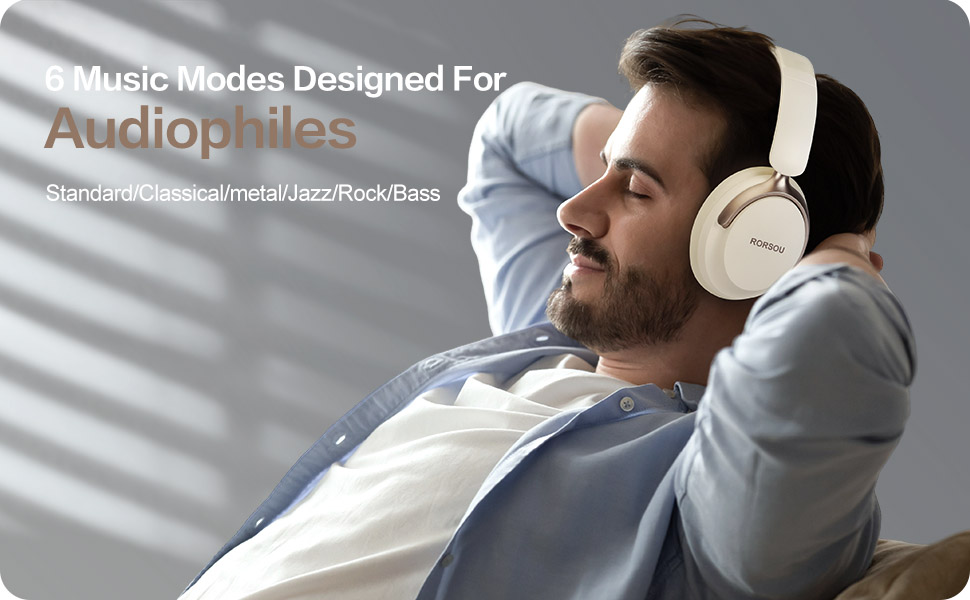
Figure 4: Experience optimized sound with 6 EQ modes.
The EQ modes allow users to customize the audio output to match their preferred music style.

