
1. Úvod
Děkuji za nákupasing the KTC 24-inch WQHD 100Hz IPS Monitor. This manual provides essential information for the safe and efficient use of your new monitor. Please read it thoroughly before use and keep it for future reference.
This monitor features a 24-inch IPS panel with WQHD (2560x1440) resolution, offering stunning visual clarity and vibrant colors with 122% sRGB coverage. A 100Hz refresh rate and FreeSync & G-Sync compatibility ensure smooth, tear-free visuals, ideal for both office work and casual gaming. Advanced eye care technologies, including blue light reduction and flicker-free operation, provide a comfortable viewing experience even during extended use. The monitor also supports HDR10 for enhanced dynamic range and features flexible connectivity options with HDMI and DisplayPort.
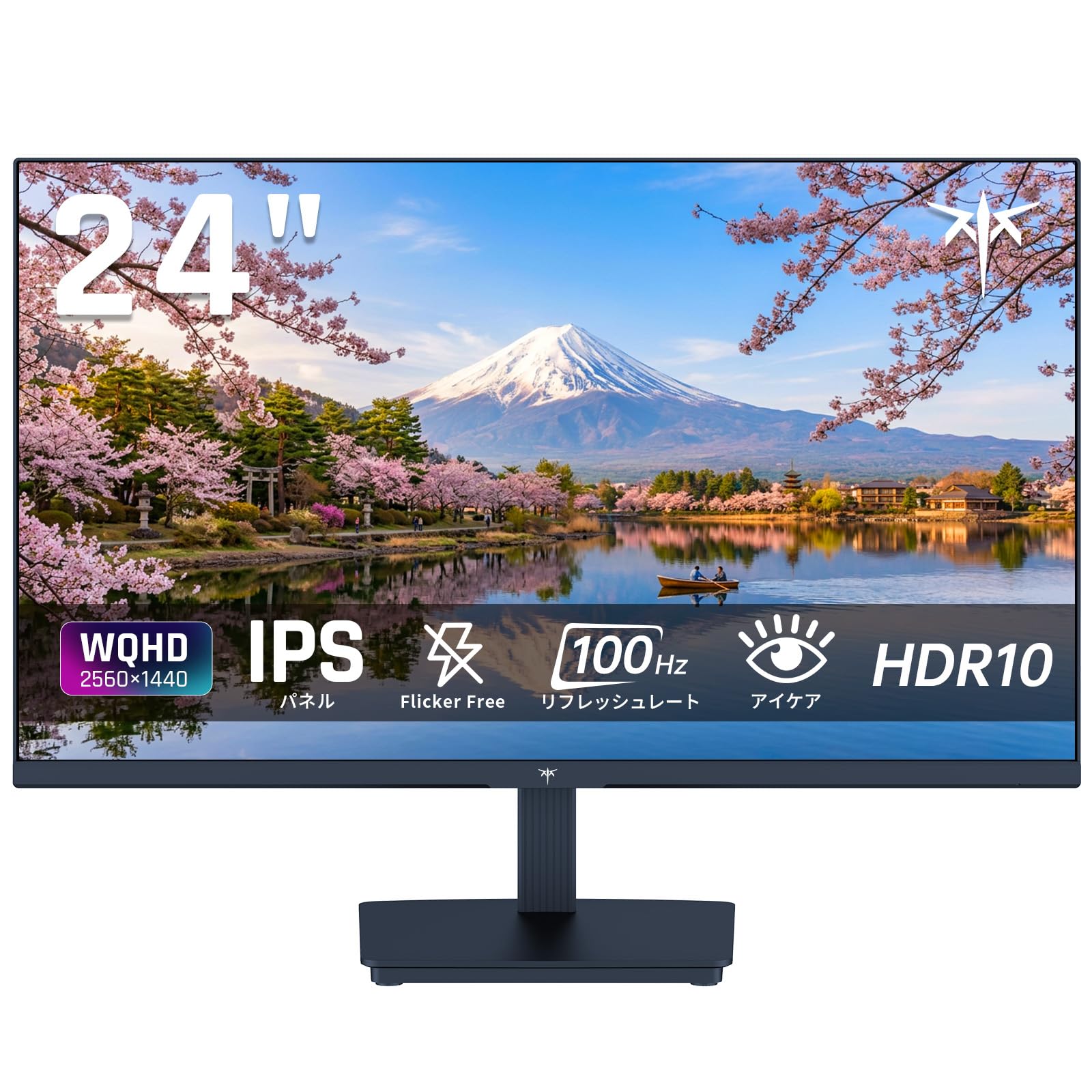
Image: KTC 24-inch WQHD 100Hz IPS Monitor.
2. Bezpečnostní informace
Please observe the following safety precautions to prevent damage to the monitor or injury to yourself or others:
- Nevystavujte monitor dešti, vlhkosti ani extrémním teplotám.
- Zajistěte řádné větrání kolem monitoru, aby nedošlo k přehřátí.
- Používejte pouze napájecí adaptér dodaný s monitorem.
- Nepokládejte těžké předměty na napájecí kabel ani monitor.
- Nepokoušejte se monitor rozebírat ani opravovat sami. Kontaktujte kvalifikovaný servisní personál.
- Chraňte monitor před silnými magnetickými poli.
3. Obsah balení
Ověřte, zda jsou v balení přítomny všechny položky:
- KTC 24-inch WQHD 100Hz IPS Monitor (H24T27)
- Základna monitoru
- HDMI kabel
- Napájecí adaptér
- Uživatelská příručka
4. Nastavení
4.1 Sestavení stojanu
- Opatrně vyjměte monitor a podstavec z obalu.
- Připevněte krk stojanu k panelu monitoru.
- Secure the base to the stand neck using the provided screws.
4.2 Připojení monitoru
Připojte monitor k počítači nebo jiným zařízením pomocí příslušných kabelů.
- Připojení napájení: Connect the power adapter to the monitor's DC input and then plug it into a power outlet.
- Připojení videa: Use the supplied HDMI cable or a DisplayPort cable to connect your computer's video output to the corresponding port on the monitor.
- Zvukový výstup: If desired, connect headphones or external speakers to the 3.5mm audio output jack.

Image: Close-up of the KTC monitor's rear ports, including DC power, HDMI, DisplayPort, and audio out.
5. Návod k obsluze
5.1 Zapnutí/vypnutí
Stisknutím tlačítka napájení umístěného na monitoru jej zapnete nebo vypnete.
5.2 Nabídka na obrazovce (OSD)
The OSD menu allows you to adjust various monitor settings. Use the control buttons (usually located on the back or bottom of the monitor) to navigate the menu and make selections.
5.3 Nastavení zobrazení
- Rezoluce: The monitor supports WQHD (2560x1440) resolution for sharp and detailed images. Ensure your graphics card is set to this resolution for optimal display.
- Obnovovací frekvence: Enjoy smooth visuals with a 100Hz refresh rate. This can be configured in your operating system's display settings.
- Barevný rozsah: The monitor offers 122% sRGB coverage for rich and accurate colors.

Image: KTC monitor highlighting key features like IPS panel, 100Hz, WQHD, 24-inch, Adaptive Sync, and blue light reduction.

Image: Comparison of WQHD (2560x1440) and FHD (1920x1080) resolutions, demonstrating enhanced detail with WQHD.

Image: Comparison of 100Hz and 60Hz refresh rates, showing smoother motion with 100Hz.
5.4 Adaptive Sync (FreeSync & G-Sync)
The monitor supports both FreeSync and G-Sync technologies to eliminate screen tearing and stuttering, providing a fluid gaming experience. Ensure this feature is enabled in your graphics card settings and the monitor's OSD.

Image: Monitor display showing HDR10 content on one side and standard HDR on the other, along with FreeSync & G-Sync comparison (ON/OFF).
5.5 Funkce péče o zrak
The monitor includes Flicker-Free technology and a Blue Light Reduction mode to minimize eye strain during prolonged use. These settings can be adjusted via the OSD menu.

Image: KTC monitor displaying eye care features: Low Blue Light (ON/OFF) and Flicker-Free (ON/OFF).
5.6 Podpora HDR10
This monitor supports HDR10, providing a wider range of colors and contrasts for a more immersive viewing experience. Ensure HDR is enabled in your device's display settings for compatible content.
5.7 Nastavitelný stojan
The monitor stand allows for tilt adjustment from -5° to 15°, enabling you to find the most comfortable viewúhel.

Obrázek: Boční view of the KTC monitor demonstrating the tilt-adjustable stand (-5° to 15°).
5.8 Široký Viewúhel
The IPS panel provides a wide 178-degree viewing angle, ensuring consistent color and image quality from almost any perspective.

Image: KTC monitor showcasing a wide 178-degree viewing angle with consistent color.
6. Údržba
6.1 Čištění monitoru
- Před čištěním monitor vždy odpojte.
- Lehce používejte měkký hadřík, který nepouští vlákna dampvodou nebo jemným, neabrazivním čističem obrazovek.
- Nestříkejte čisticí prostředek přímo na obrazovku.
- Vyhněte se používání agresivních chemikálií nebo abrazivních materiálů.
6.2 Obecná péče
- Uchovávejte monitor v čistém a suchém prostředí.
- Chraňte obrazovku před ostrými předměty.
- When moving the monitor, handle it carefully and avoid putting pressure on the screen.
7. Řešení problémů
Pokud se s monitorem setkáte s problémy, podívejte se na následující běžné problémy a jejich řešení:
| Problém | Možné řešení |
|---|---|
| Na obrazovce není žádný obraz | Check power connections. Ensure video cable is securely connected to both monitor and computer. Select correct input source via OSD. |
| Obraz je rozmazaný nebo zkreslený | Ensure the display resolution is set to 2560x1440. Check video cable for damage. |
| Trhání nebo zasekávání obrazovky | Verify FreeSync/G-Sync is enabled in both monitor OSD and graphics card settings. |
| Žádný zvuk ze sluchátek/reproduktorů | Check audio cable connection. Ensure volume is not muted on monitor or computer. |
| Monitor se nezapíná | Check power outlet and power adapter connection. Try a different power outlet. |
If the problem persists after trying these solutions, please contact KTC customer support.
8. Specifikace
Podrobné technické specifikace monitoru KTC H24T27:
| Funkce | Specifikace |
|---|---|
| Značka | KTC |
| Číslo modelu | H24T27 |
| Velikost obrazovky | 24 palců |
| Rezoluce | WQHD (2560 x 1440 pixelů) |
| Poměr stran | 16:9 |
| Typ panelu | IPS |
| Povrch obrazovky | Neoslňující |
| Obnovovací frekvence | 100 Hz |
| Doba odezvy | 7 ms |
| Kontrastní poměr | 1300:1 |
| Jas | 300 cd/m² |
| Barevný gamut | 122% sRGB |
| Viewúhel | 178 stupňů |
| Technologie HDR | HDR10 |
| Adaptivní synchronizace | FreeSync, G-Sync |
| Konektivita | 1x HDMI, 1x DisplayPort, audio výstup |
| Spotřeba energie | 12 wattů |
| svtage | 100 voltů |
| Rozměry (D x Š x V) | 18.3 x 54 x 40.5 cm |
| Další funkce | Adaptive Sync, Eye Care, Flicker-Free, Blue Light Filter, Tilt Adjustment |
| Kompatibilní zařízení | Herní konzole, notebooky |
| Barva | Černý |
| Tvar | Byt |
| Původ | Čína |
9. Záruka a podpora
9.1 Informace o záruce
Your KTC monitor comes with a 3letá záruka výrobce. In the event of a product defect, a free replacement will be provided. Please note that this warranty does not cover loss or damage caused by customer negligence.

Image: KTC's 3-year free replacement warranty details and contact information.
9.2 Zákaznická podpora
For any inquiries or concerns, please feel free to contact us. We are committed to providing full support to ensure your satisfaction.
Telefon: 050-3606-8990
E-mail: podpora@ktcplay.com
You can also contact support through Amazon:

Image: Step-by-step guide on how to contact customer support via Amazon.
10. Konec produktuview Video
Pro vizuální představu se podívejte na toto videoview of the KTC QHD computer monitor and its features.
Video: This video showcases the KTC QHD computer monitor, highlighting its 2560x1440 (2K) resolution, 100Hz refresh rate, FreeSync and G-Sync compatibility, flicker-free and low blue light features, 8-bit & 116% sRGB color gamut, 3-side frameless design, -5° to 15° tilt adjustable stand, and available sizes (24, 27, 32 inches). It emphasizes its suitability for professional office use.