
Zavedení
This manual provides essential instructions for setting up, operating, maintaining, and troubleshooting your Maxtang Mini PC T0 Series, model MTN-T08845HS. Please read this manual thoroughly before using the device to ensure proper functionality and longevity.
The Maxtang T0-8845HS is a compact mini PC featuring the AMD Ryzen 7 8845HS processor, designed for various computing tasks including business and multimedia applications. It supports high-speed DDR5 memory and NVMe SSD storage, along with extensive connectivity options.
Co je zahrnuto
Upon unboxing, verify that all the following items are present:
- 1x Maxtang Mini PC (MTN-T08845HS)
- 1x HDMI kabel
- 1x napájecí adaptér
- 1x napájecí kabel
- 1x držák VESA
- 4x montážní šrouby
- 1x Manuál k produktu (tento dokument)
Pokyny pro nastavení
1. Připojení periferií
Connect your monitor, keyboard, and mouse to the appropriate ports on the mini PC. Refer to the port diagram below for identification.
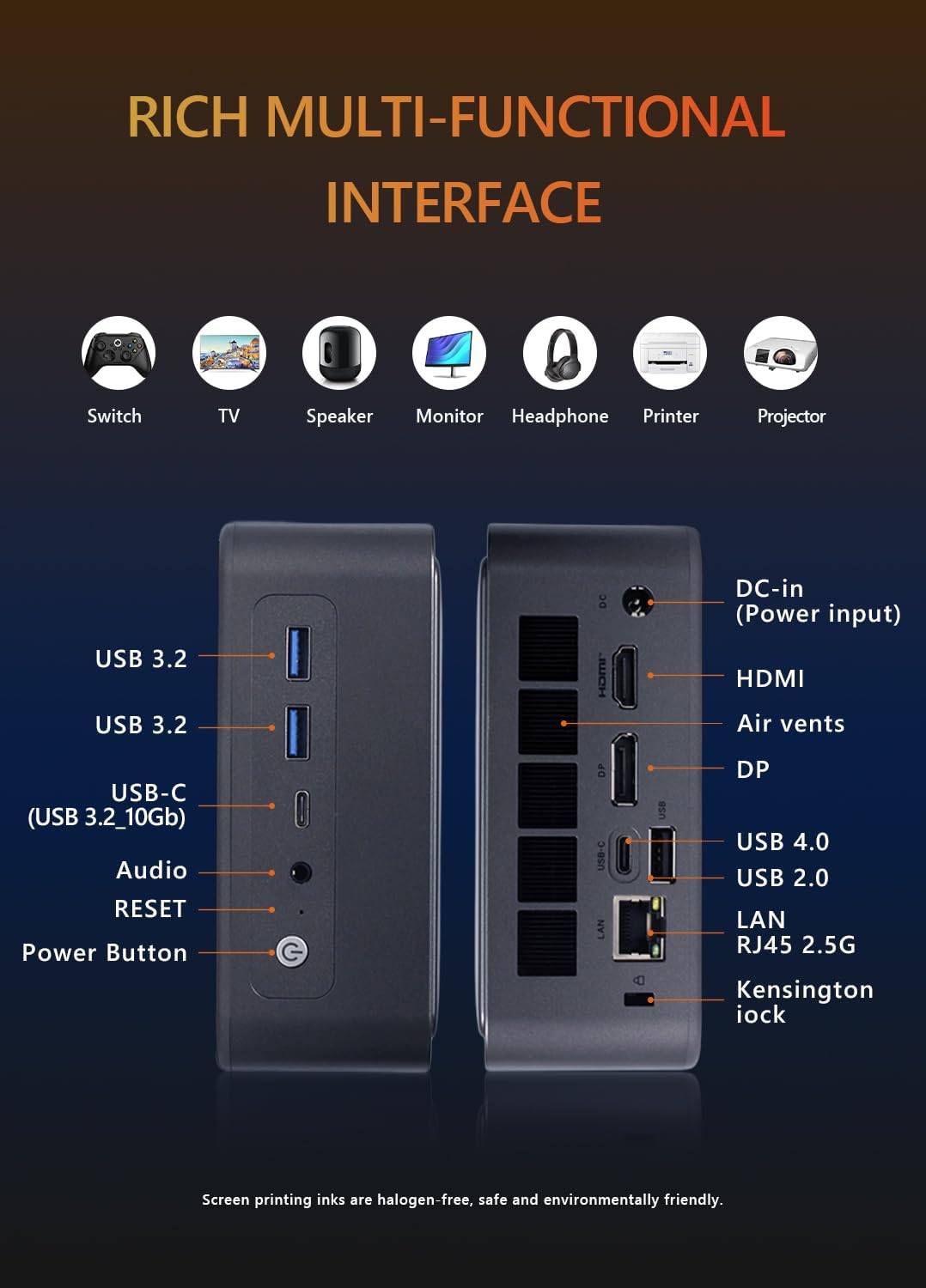
Obraz: Přední a zadní view of the Maxtang Mini PC T0 Series, illustrating all available ports including USB, HDMI, DisplayPort, USB-C, LAN, and audio jack.
- Zobrazit: Connect your monitor using the HDMI, DisplayPort (DP), or USB4 (USB-C) ports. The system supports up to three displays simultaneously.
- Zařízení USB: Connect your keyboard, mouse, and other USB devices to the available USB 3.2, USB 2.0, or USB-C ports.
- Síť: For a wired connection, connect an Ethernet cable to the 2.5GbE LAN port.
- Zvuk: Use the 2-in-1 CTIA audio jack for headphones or speakers.
2. Připojení napájení
Connect the power adapter to the DC-in port on the mini PC, then plug the power cord into an electrical outlet.
3. Zapnutí
Press the power button located on the front of the device. The system will boot up, and the operating system (Windows 11 Pro) will load.
4. Instalace držáku VESA (volitelné)
The included VESA mount allows you to attach the mini PC to the back of a compatible monitor or to a wall mount. Use the provided mounting screws to secure the VESA bracket to your desired location, then slide the mini PC onto the bracket.
Návod k obsluze
1. Initial Operating System Setup
Upon first boot, follow the on-screen instructions to complete the Windows 11 Pro setup, including language selection, network configuration, and user account creation.
2. Konfigurace více monitorů
The Maxtang Mini PC supports up to three independent displays. Connect your monitors to the HDMI, DisplayPort, and USB4 ports. Once connected, Windows will automatically detect the displays. You can configure display settings (e.g., extend, duplicate) via the Display Settings in Windows.
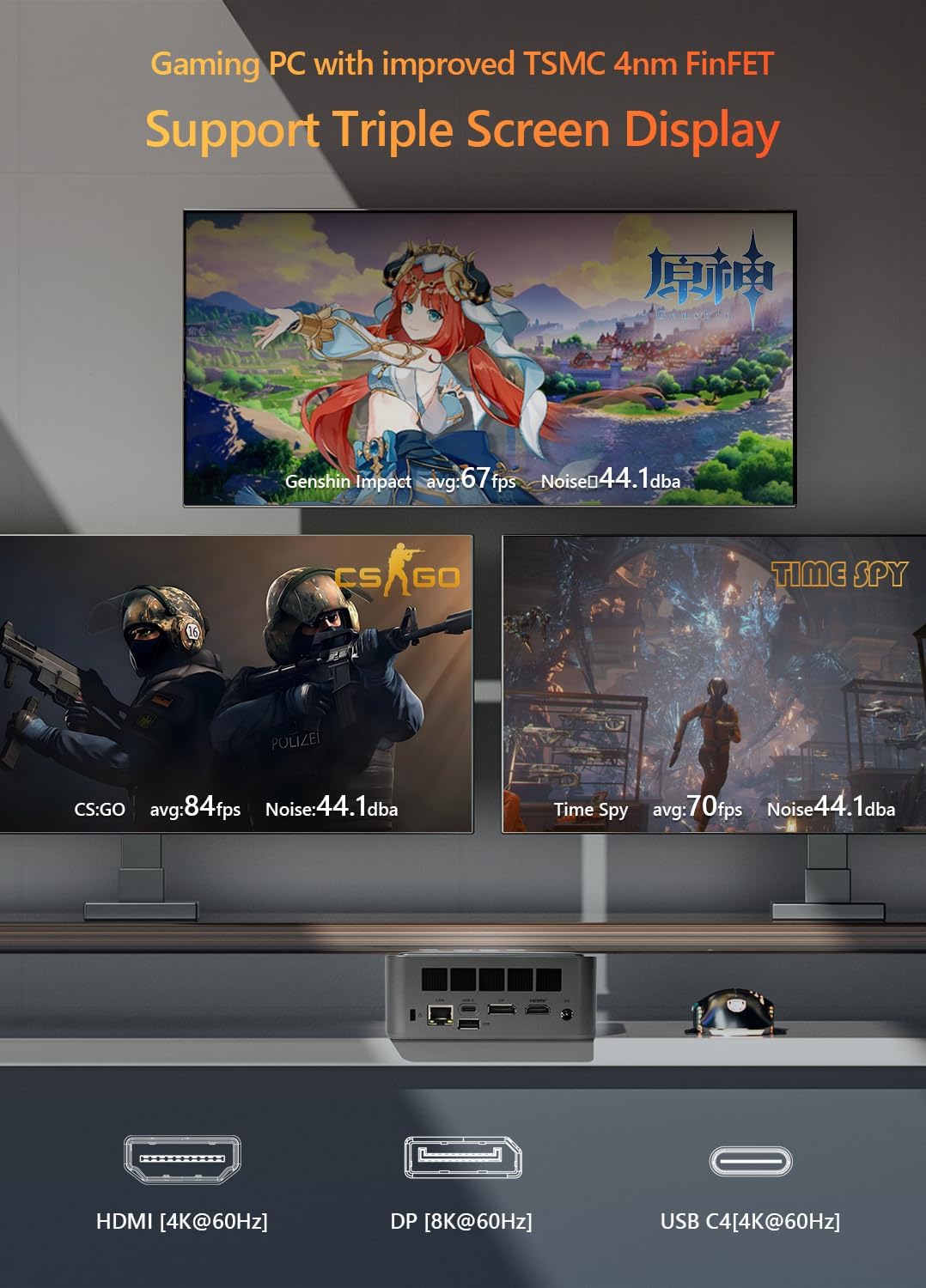
Obraz: The Maxtang Mini PC T0 Series connected to three monitors, demonstrating its triple screen display capability via HDMI, DisplayPort, and USB-C (USB4).
3. Připojení k síti
- Kabelová LAN: Connect an Ethernet cable to the 2.5GbE LAN port for a high-speed wired network connection.
- Wi-Fi: The mini PC supports Wi-Fi 6. To connect to a wireless network, go to Windows Settings > Network & Internet > Wi-Fi, select your network, and enter the password.
- Bluetooth: The device includes Bluetooth 5.2. To pair Bluetooth devices, go to Windows Settings > Bluetooth & devices > Add device.

Obraz: Illustration of the Maxtang Mini PC T0 Series connected to a network via 2.5GbE LAN, highlighting Wi-Fi 6 and Bluetooth 5.2 capabilities.
Údržba
1. Čištění
Regularly clean the exterior of the mini PC with a soft, dry cloth. Use compressed air to clear dust from the air vents to ensure proper airflow and prevent overheating. Do not use liquid cleaners directly on the device.
2. Aktualizace softwaru
Keep your Windows 11 Pro operating system and device drivers updated to ensure optimal performance and security. You can check for updates via Windows Update in Settings.
3. Aktualizace hardwaru
The Maxtang Mini PC T0 Series supports upgrades for RAM and storage.
- BERAN: The device supports up to 96GB of dual-channel SO-DIMM DDR5 memory. Ensure compatible memory modules are used for upgrades.
- Skladování: The mini PC features two M.2 2280 NVMe slots, supporting PCIe Gen4 x4 SSDs.
Pozor: Opening the device for upgrades may void your warranty if not performed correctly. Consult professional assistance if you are unsure.
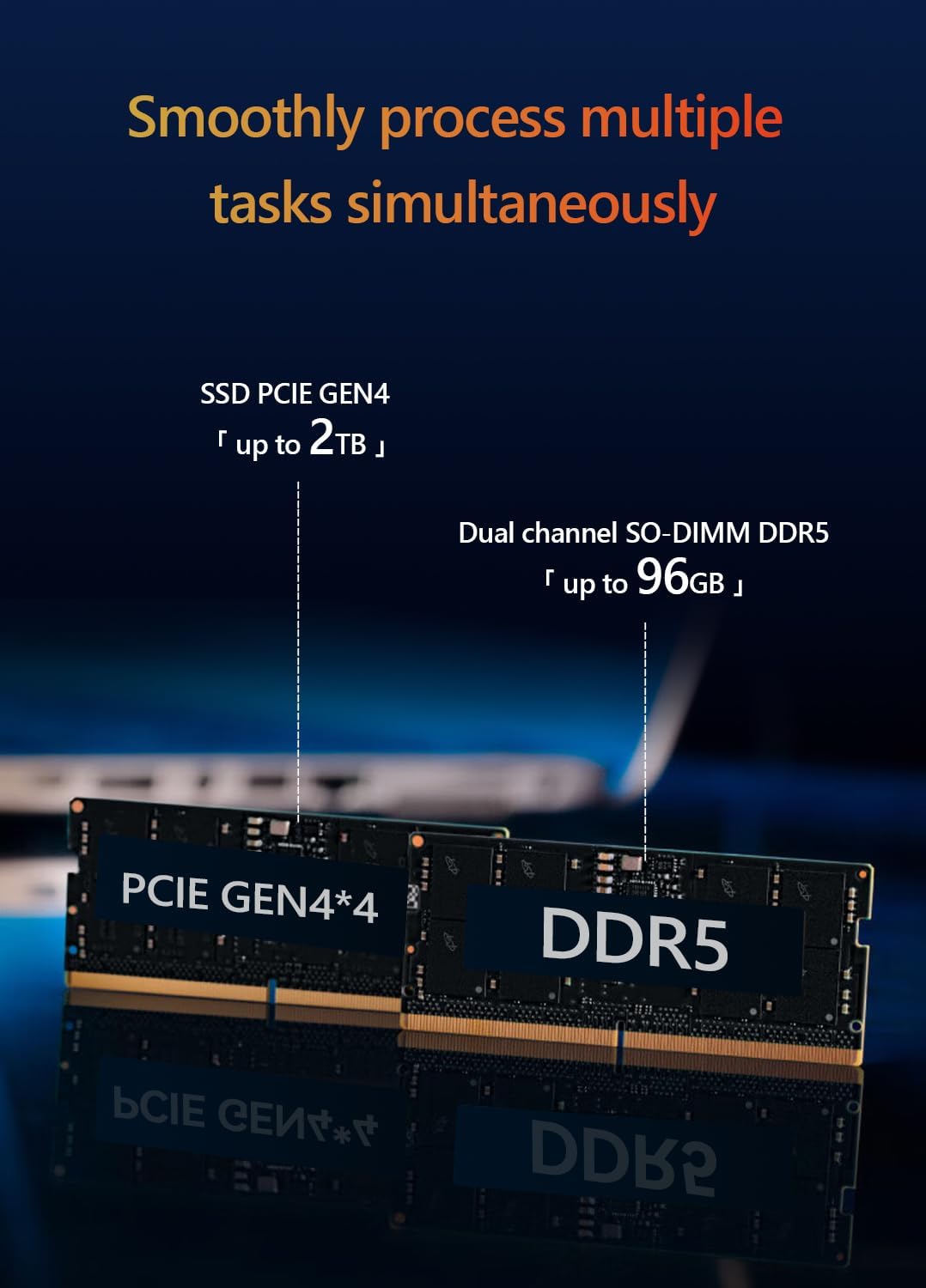
Obraz: Vnitřní view of the Maxtang Mini PC T0 Series, showing the dual-channel DDR5 SO-DIMM slots and M.2 2280 NVMe SSD slots, indicating upgrade potential.
Odstraňování problémů
If you encounter issues with your Maxtang Mini PC, refer to the following common solutions:
- Bez napájení:
- Ensure the power adapter is securely connected to both the mini PC and a working electrical outlet.
- Verify the power cord is properly connected to the power adapter.
- Zkuste jinou zásuvku.
- Bez displeje:
- Zkontrolujte, zda je monitor zapnutý a zda je vybrán správný vstupní zdroj.
- Ensure the HDMI, DisplayPort, or USB4 cable is securely connected to both the mini PC and the monitor.
- Try connecting to a different display port or using a different cable.
- Bez síťového připojení (kabelové):
- Verify the Ethernet cable is securely connected to the LAN port on the mini PC and your router/modem.
- Zkontrolujte, zda váš router/modem funguje správně.
- Restart the mini PC and your network equipment.
- Bez Wi-Fi/Bluetooth:
- Ensure Wi-Fi and Bluetooth are enabled in Windows Settings.
- Check for updated wireless drivers.
- Restartujte minipočítač.
- Systém nereaguje:
- Press and hold the power button for 5-10 seconds to force a shutdown, then restart the PC.
- Vyhledejte RESETOVAT pinhole button (refer to the port diagram) and use a paperclip to press it if the system is completely unresponsive. This will restart the device.
Specifikace
| Model | MTN-T08845HS |
| Procesor | AMD Ryzen™ 7 8845HS (8 Cores/16 Threads, up to 5.1GHz, 16MB L3 Cache) |
| Grafika | AMD Radeon™ 780M (Integrated) |
| Paměť (RAM) | DDR5 SO-DIMM (5600MHz, up to 96GB, 16GB installed) |
| Skladování | M.2 2280 NVMe SSD (PCIe Gen4 x4, 512GB installed, 2 slots available) |
| Operační systém | Windows 11 Pro (64bitový) |
| Video výstup | 1x HDMI [4K@60Hz], 1x DisplayPort [8K@60Hz], 1x USB4 [4K@60Hz] (Triple Display Support) |
| USB porty | 2x USB 3.2, 1x USB 2.0, 1x USB-C (USB 3.2 10Gb), 1x USB-C (USB4 40Gbps) |
| Síť | 1x 2.5GbE RJ45 LAN, Wi-Fi 6, Bluetooth 5.2 |
| Zvuk | 1x 2-in-1 CTIA Audio Jack |
| Zabezpečení | Slot pro zámek Kensington |
| Rozměry | 127 mm x 135 mm x 55 mm (Approximate) |
| Barva | Shell White |

Obraz: Detailní view of the AMD Ryzen 7 8845HS processor, highlighting its specifications like 8 cores/16 threads and 5.1 GHz boost clock.

Obraz: Visual representation of the AMD Radeon 780M integrated graphics, showing its performance metrics and display output capabilities.
Záruka a podpora
Informace o záruce
The Maxtang Mini PC T0 Series comes with a 12měsíční záruka na výrobek od data nákupu. Tato záruka se vztahuje na výrobní vady a zajišťuje, že výrobek splňuje stanovené vlastnosti. Uschovejte si prosím doklad o koupi pro případné reklamace.
Zákaznická podpora
For technical assistance, troubleshooting beyond this manual, or warranty inquiries, please contact Maxtang customer service. Refer to the official Maxtang webAktuální kontaktní údaje naleznete na webových stránkách nebo v dokumentaci k nákupu.