
1. Úvod
Thank you for choosing the EuroFone S3 Plus Motorcycle Intercom with 2K HD Camera. This device is designed to enhance your riding experience by providing seamless communication, high-definition video recording, and entertainment features. Please read this manual carefully to understand the product's functions and ensure safe and optimal use.

Image 1.1: The EuroFone S3 Plus Intercom unit, showcasinjeho kompaktní design a ovládací volič.
2. Obsah balení
Ověřte prosím, zda jsou ve vašem balení obsaženy všechny níže uvedené položky:
- 1 x EuroFone S3 Plus Bluetooth Host Unit
- 1 x nabíjecí kabel typu C
- 2 x Helmet Clips (1 Screw Clip, 1 Velcro Clip)
- 1 x Stereo Headset
- 1 x Návod k použití
- 2 x Microphones (1 Hard Mic for open-face helmets, 1 Soft Mic for full-face helmets)
3. Konec produktuview
Familiarize yourself with the various parts and controls of your S3 Plus intercom unit.

Image 3.1: Detailed diagram of the S3 Plus unit with numbered components.
| Žádný. | Komponent | Funkce |
|---|---|---|
| 1 | Objektiv fotoaparátu | Captures 2K HD video footage. |
| 2 | Tlačítko interkomu | Aktivuje a spravuje interkomovou komunikaci. |
| 3 | Tlačítko nahrávání | Spouští a zastavuje nahrávání videa. |
| 4 | Tlačítko Wi-Fi | Activates Wi-Fi for app connection and file převod. |
| 5 | Otočný volič | Adjusts volume, navigates menus, and controls music playback. |
| 6 | Multifunkční tlačítko | Manages phone calls, voice assistant, and other features. |
| 7 | Tlačítko napájení | Zapíná/vypíná zařízení. |
| 8 | TF Card / Reset Button | Slot for microSD card; press and hold for reset. |
| 9 | Earphone Mic Jack | Connects the stereo headset and microphone. |
| 10 | Charging Port / K-Line Plug | Port typu C pro nabíjení a přenos dat. |
4. Nastavení
4.1. Instalace helmy
The S3 Plus can be mounted on most helmets using either the screw clip or the Velcro clip.
- Choose Clip Type: Select the screw clip for a more permanent attachment or the Velcro clip for easier removal.
- Umístění: Attach the clip to the left side of your helmet, ensuring it is securely fastened and does not obstruct your vision or helmet functionality.
- Montáž jednotky: Slide the S3 Plus host unit onto the installed clip until it clicks into place.
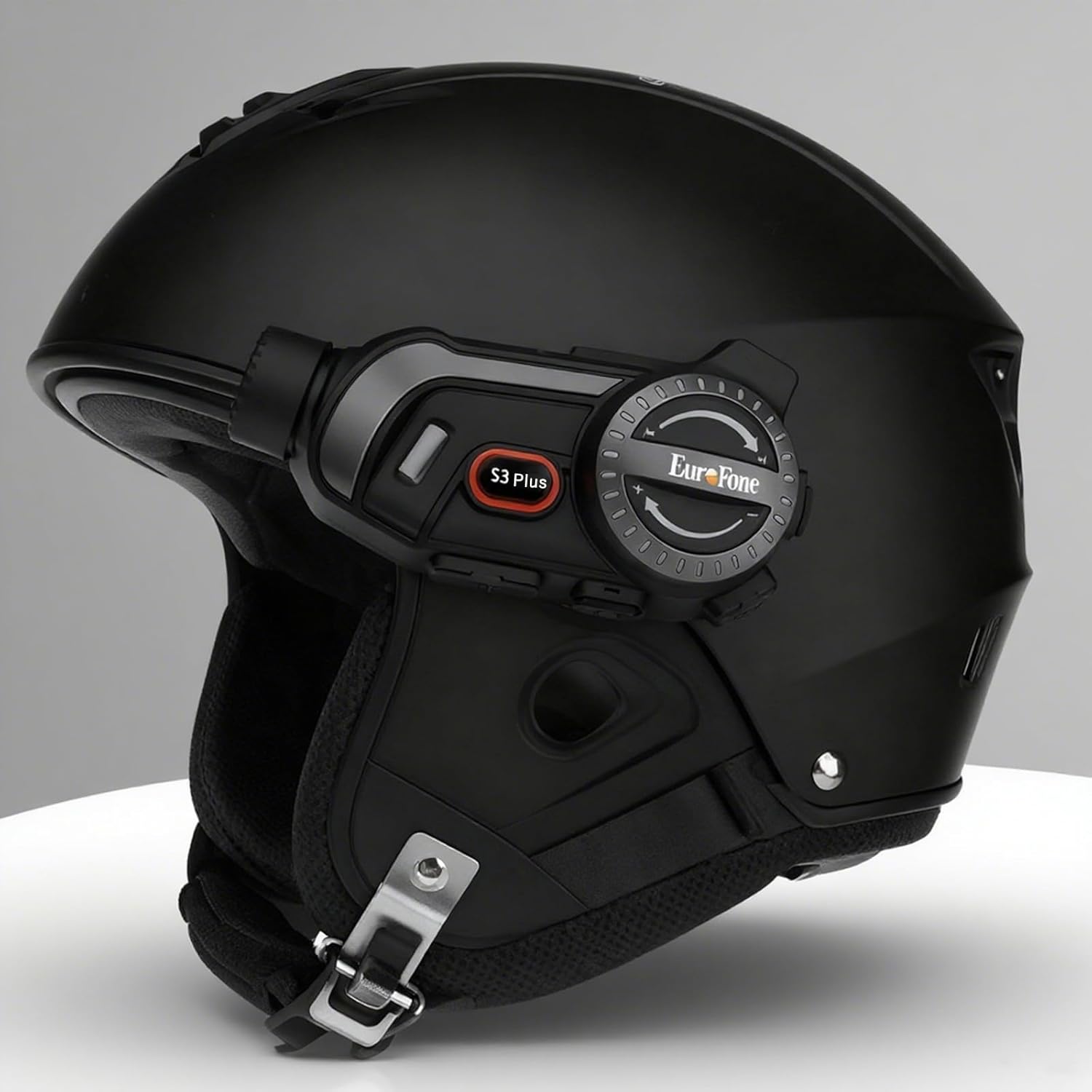
Image 4.1: The S3 Plus intercom unit securely attached to the side of a helmet.
4.2. Headset and Microphone Connection
Connect the stereo headset and microphone to the S3 Plus unit.
- Instalace reproduktorů: Place the headset speakers inside the helmet's ear pockets, ensuring they are aligned with your ears for optimal sound.
- Vyberte mikrofon: Choose the hard mic for open-face helmets or the soft mic for full-face helmets. Attach the microphone to the inside of the helmet near your mouth.
- Připojení k jednotce: Plug the headset and microphone cable into the Earphone Mic Jack (9) on the S3 Plus unit.
4.3. Nabíjení zařízení
Before first use, fully charge the S3 Plus unit.
- Připojovací kabel: Insert the Type-C charging cable into the Charging Port (10) on the S3 Plus unit.
- Zdroj napájení: Druhý konec kabelu připojte k napájecímu adaptéru USB (není součástí balení) nebo k portu USB počítače.
- Indikátor nabíjení: LED indikátor bude zobrazovat stav nabíjení. Plné nabití trvá přibližně 1.5 hodiny.
4.4. Zapnutí/vypnutí
- Zapnutí: Press and hold the Power Button (7) for approximately 3 seconds until the LED indicator lights up and you hear a voice prompt.
- Vypnout: Press and hold the Power Button (7) for approximately 3 seconds until the LED indicator turns off and you hear a voice prompt.
5. Návod k obsluze
5.1. Párování Bluetooth
Pair your S3 Plus with your smartphone or other Bluetooth devices.
- Vstupte do režimu párování: With the S3 Plus powered off, press and hold the Power Button (7) for about 5-7 seconds until the LED indicator flashes red and blue alternately, indicating pairing mode.
- Povolit Bluetooth: Na svém smartphonu nebo zařízení povolte Bluetooth a vyhledejte dostupná zařízení.
- Vyberte zařízení: Select "EuroFone S3 Plus" from the list of found devices. If prompted, enter "0000" as the PIN.
- Potvrzení: Once paired, the LED indicator will flash blue slowly, and you will hear a voice confirmation.

Image 5.1: Illustration of Bluetooth 5.1 connectivity and extended battery performance.
5.2. Funkce interkomu
The S3 Plus supports both two-way and multi-person group intercom communication.
- Obousměrný interkom: To initiate a direct intercom call with another S3 Plus unit, ensure both units are powered on and within range (up to 2000m in open terrain). Briefly press the Intercom Button (2) on one unit. The units will connect automatically.
- Group Intercom (Up to 6 Riders): The S3 Plus supports simultaneous communication for up to 6 riders. Follow the pairing instructions in the manual for multi-unit connection. The system features automatic reconnection, so if a rider goes out of range, they will automatically rejoin the conversation when back in range.

Image 5.2: Visual representation of up to 6 riders engaged in group intercom communication.
5.3. Obsluha kamery
Record your rides in 2K HD quality.
- Vložení TF karty: Ensure a microSD (TF) card (Class 10 or higher, up to 128GB) is inserted into the TF Card slot (8) before recording.
- Spustit/ukončit nahrávání: Briefly press the Record Button (3) to start recording. The LED indicator will change to confirm recording is active. Press again to stop recording.
- Nahrávání ve smyčce: The S3 Plus supports loop recording, automatically overwriting the oldest files, když je paměťová karta plná.
- Připojení k Wi-Fi aplikaci: Press the Wi-Fi Button (4) to activate the unit's Wi-Fi. Connect your smartphone to the S3 Plus Wi-Fi network (details in the dedicated app manual). Use the companion app to view živé footage, přehrávání nahrávek a stahování files.

Image 5.3: Details on 2K video resolution (2560*1440) and the 135° wide-angle lens for comprehensive capture.
5.4. Přehrávání a sdílení hudby
Enjoy music from your paired smartphone and share it with another rider.
- Přehrát/pozastavit: Briefly press the Multi-function Button (6) to play or pause music.
- Nastavení hlasitosti: Rotate the Rotary Dial (5) clockwise to increase volume, counter-clockwise to decrease volume.
- Další / předchozí skladba: Press the Rotary Dial (5) forward or backward to skip tracks.
- Sdílení hudby: While music is playing, activate the music sharing function (refer to the full manual for specific button combinations) to share your audio with a connected intercom unit.

Image 5.4: Two riders enjoying shared music during their journey, illustrating the music sharing feature.
5.5. FM rádio
Tune into FM radio stations for news, weather, and entertainment.
- Aktivace FM rádia: Press and hold the Intercom Button (2) for approximately 2 seconds to turn on the FM radio.
- Skenovací stanice: Briefly press the Rotary Dial (5) forward or backward to scan for the next or previous available station.
- Vypnutí FM rádia: Press and hold the Intercom Button (2) for approximately 2 seconds again to turn off the FM radio.

Image 5.5: A rider listening to FM radio, highlighting the integrated FM radio functionality.
5.6. Hlasový asistent
Access your smartphone's voice assistant (e.g., Siri) hands-free.
- Aktivovat Voice Assistant: Briefly press the Multi-function Button (6) twice to activate your paired smartphone's voice assistant.
- Hlasové výzvy: The S3 Plus supports voice prompts in Japanese, English, and Chinese, which can be switched as needed.

Image 5.6: Visualizing the voice assistant feature, HIFI audio quality, and key device statistics like weight and battery life.
5.7. Telefonní hovory
Manage incoming and outgoing phone calls safely while riding.
- Přijmout hovor: When a call comes in, the S3 Plus will automatically answer after approximately 10 seconds, allowing for hands-free communication.
- Ukončit hovor: Briefly press the Multi-function Button (6) to end an active call.
- Odmítnout hovor: Press and hold the Multi-function Button (6) for 2 seconds to reject an incoming call.
- Znovu vytočit poslední číslo: Briefly press the Multi-function Button (6) twice to redial the last number.
6. Údržba
Proper maintenance ensures the longevity and performance of your S3 Plus intercom.
- Čištění: Použijte měkký, damp hadříkem k čištění vnější strany jednotky. Nepoužívejte agresivní chemikálie ani abrazivní čisticí prostředky.
- Vystavení vodě: The S3 Plus is IP67 waterproof. While it can withstand rain, avoid prolonged submersion in water or exposure to heavy downpours. If wet, wipe dry immediately with a towel.
- Skladování: Pokud zařízení nepoužíváte, skladujte ho na chladném a suchém místě mimo dosah přímého slunečního záření a extrémních teplot.
- Péče o baterie: Pro optimální výdrž baterie se vyvarujte častého úplného vybíjení baterie. Zařízení pravidelně nabíjejte, i když jej delší dobu nepoužíváte.
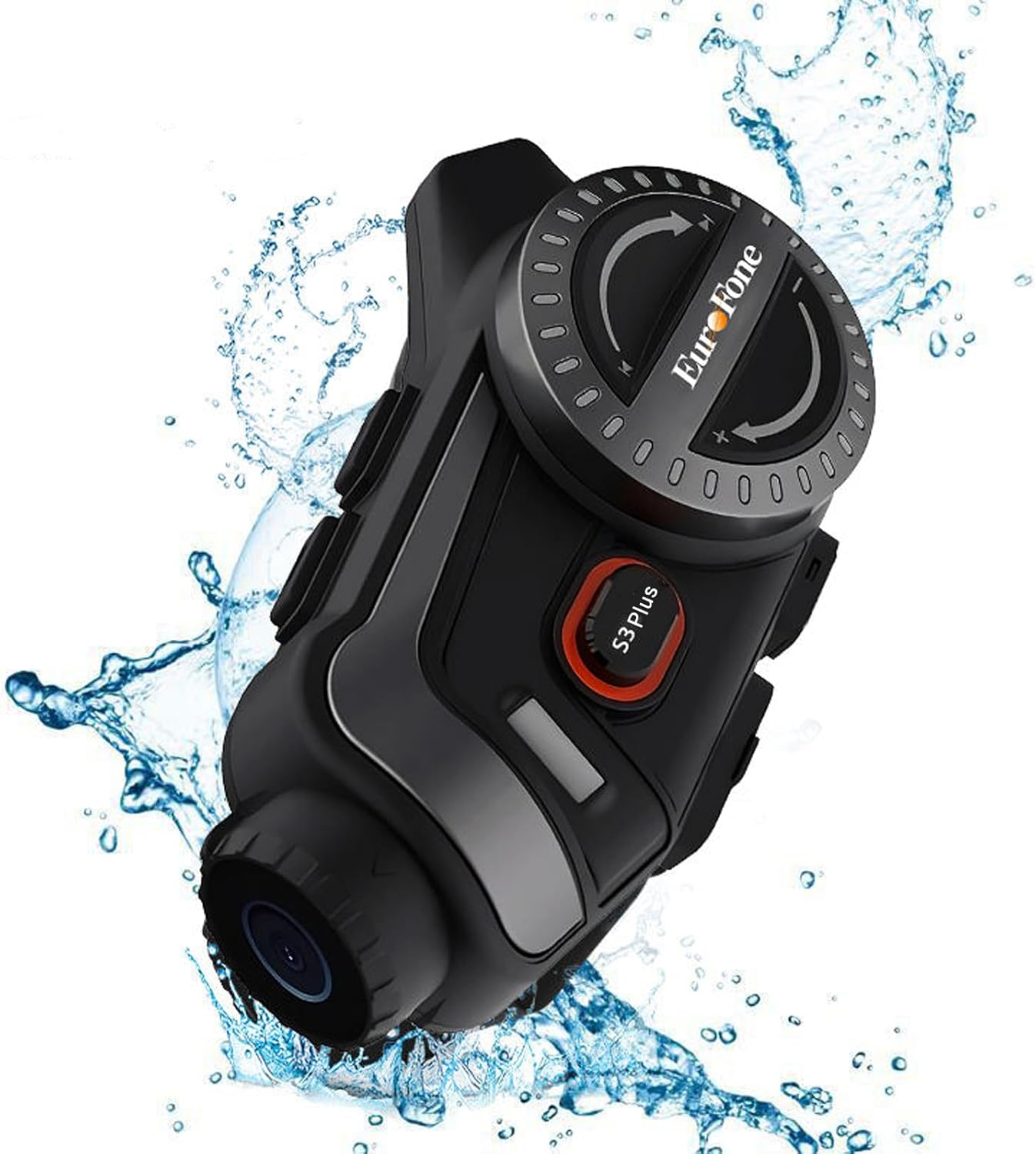
Image 6.1: The S3 Plus unit demonstrating its IP67 waterproof and dustproof capabilities.
7. Řešení problémů
If you encounter issues with your S3 Plus, refer to the following common problems and solutions:
- Zařízení se nezapíná: Ensure the battery is charged. Connect to a charger and try again. If unresponsive, try a factory reset by pressing the Reset Button (8) with a small pin.
- Nelze spárovat se smartphonem: Ensure the S3 Plus is in pairing mode (flashing red and blue). Turn off and on your phone's Bluetooth. Clear previous Bluetooth connections on both devices and try again.
- Problémy s připojením interkomu: Ensure both intercom units are within range and fully charged. Re-initiate the intercom connection. Obstacles can reduce range.
- Poor Audio Quality (Intercom/Music): Check headset and microphone connections. Ensure speakers are correctly positioned in the helmet. The device features CVC8.0 and DSP dual noise cancellation for clear audio, but extreme wind noise can still affect quality.
- Nahrávání nefunguje: Ensure a compatible microSD (TF) card is inserted and has sufficient free space. Format the card if necessary (refer to app instructions or connect to PC).
- Wi-Fi App Connection Failure: Ensure the S3 Plus Wi-Fi is activated. Check your smartphone's Wi-Fi settings to confirm connection to the device's network. Ensure the app is up-to-date.
8. Specifikace
Key technical specifications of the EuroFone S3 Plus intercom:
| Funkce | Specifikace |
|---|---|
| Název modelu | S3 Plus |
| Značka | EuroFone |
| Barva | Černý |
| Technologie připojení | Bezdrátové připojení (Bluetooth 5.1) |
| Verze Bluetooth | 5.1 |
| Rozsah interkomu | Up to 2000 meters (1500-2000m between 2 units) |
| Skupinový interkom | Up to 6 riders simultaneous talk |
| Rozlišení videa | 2K HD (1440p) |
| Objektiv fotoaparátu | 135° Wide Angle, 14mm Sony HD F2.0 |
| Kontinuální nahrávání videa | Až 8 hodin |
| Kapacita baterie | 2000 XNUMX mAh |
| Doba nepřetržitého hovoru | Až 45 hodin |
| Doba přehrávání hudby | Až 80 hodin |
| Pohotovostní doba | Až 1000 hodin |
| Doba nabíjení | Přibližně 1.5 hodiny (typ C) |
| Hodnocení voděodolnosti | IP67 |
| Potlačení hluku | CVC8.0 & DSP Dual Noise Cancellation |
| Speciální funkce | FM Radio, Music Sharing, Voice Assistant (Siri compatible), Auto-Answer Calls, Loop Recording, WiFi App Support, GPS Guidance Compatibility |
| Rozměry produktu | 5.7 x 10.5 x 3.5 cm |
| Hmotnost produktu | 0.45 kg |
9. Záruka a podpora
The EuroFone S3 Plus Motorcycle Intercom comes with a 1-year warranty, affirming its quality and reliability. If you have any questions, concerns, or require technical assistance, please do not hesitate to contact our support team. We aim to respond within 24 hours.
For support, please refer to the contact information provided with your purchase or visit the official EuroFone webmísto.