
1. Úvod
The Tera P150 is a robust Android 12 handheld barcode scanner PDA designed for efficient data collection in various environments such as logistics, warehouses, retail, and construction. It features a high-precision Zebra SE4710 scanning head, a powerful octa-core processor, and advanced wireless connectivity options to streamline operations.
2. Obsah balení
Zkontrolujte prosím, zda jsou všechny níže uvedené položky součástí balení. Pokud některé položky chybí nebo jsou poškozené, kontaktujte prosím zákaznickou podporu.
- 1x Tera P150 Android 12 Handheld Barcode Scanner
- 1x USB kabel
- 1x Chránič obrazovky
- 1x vyhazovač zásobníků SIM
- 1x Šňůrka
- 1x Uživatelská příručka (tento dokument)
- 1x SDK (Software Development Kit)
- 1x Rugged Rubber Boot
- 1x Poutko na ruku

Image: Tera P150 Android Barcode Scanner and its included accessories, such as the USB cable, screen protector, hand strap, and rugged rubber boot.
3. Konec produktuview
The Tera P150 is designed for ergonomic handling and durability. It features a 5.5-inch full touch screen, a rear-mounted barcode scanner, and various ports and buttons for operation.
Klíčové komponenty:
- 5.5palcový displej: High-resolution touch screen, responsive even with gloves or wet hands.
- Skener čárových kódů: Integrated Zebra SE4710 for 1D, 2D, and QR code scanning.
- Vypínač: Na boku se nachází tlačítko pro zapnutí/vypnutí zařízení a uzamčení obrazovky.
- Tlačítka hlasitosti: Upravte úrovně zvuku.
- Port USB-C: Pro nabíjení a přenos dat.
- Slot pro SIM/SD kartu: Pro mobilní připojení a rozšiřitelnou úložnou kapacitu.
- Hand Strap Attachment Points: For securing the included hand strap.
4. Nastavení
4.1 Počáteční nabíjení
Before first use, fully charge the Tera P150. Connect the provided USB cable to the device's USB-C port and a compatible power adapter. A full charge typically takes approximately 3 hours for the 5000mAh battery.

Image: The Tera P150 Barcode Scanner displaying its battery status, indicating it is designed for all-day use with a 5000mAh battery, offering over 300 hours standby and 12 hours working time.
4.2 Vložení SIM/SD karty
- Locate the SIM/SD card tray on the side of the device.
- K otevření zásuvky použijte dodaný nástroj pro vysunutí zásuvky SIM karty.
- Carefully place your Nano-SIM card(s) and/or microSD card into the designated slots.
- Jemně zatlačte zásobník zpět do zařízení, dokud nezapadne na místo.
4.3 Zapnutí/vypnutí
- Zapnutí: Press and hold the Power button until the Tera logo appears on the screen.
- Vypnutí: Stiskněte a podržte tlačítko Napájení, dokud se nezobrazí nabídka možností napájení. Vyberte „Vypnout“.
- Restartovat: Stiskněte a podržte tlačítko Napájení, dokud se nezobrazí nabídka možností napájení. Vyberte „Restartovat“.
4.4 Počáteční nastavení systému Android
Upon first power-on, follow the on-screen prompts to complete the Android 12 setup process. This includes selecting your language, connecting to a Wi-Fi network, and setting up your Google account (optional).
5. Návod k obsluze
5.1 Skenování čárových kódů
The Tera P150 is equipped with a Zebra SE4710 scanning head for rapid and accurate barcode capture.
- Otevřete skenovací aplikaci na svém zařízení.
- Point the scanner window at the barcode you wish to scan. Ensure the red aiming line or dot covers the entire barcode.
- Press the dedicated scan button (usually on the side or front of the device).
- Úspěšné skenování bude obvykle signalizováno zvukovým pípnutím a/nebo vizuálním potvrzením na obrazovce.

Image: A worker in a warehouse environment using the Tera P150 handheld device, demonstrating the use of its integrated Zebra SE4710 scanner to read barcodes on inventory.
5.2 Displej a dotyková obrazovka
The 5.5-inch full touch screen offers a clear display and responsive interaction. It supports operation even when wearing gloves or with wet hands, enhancing usability in various work conditions.
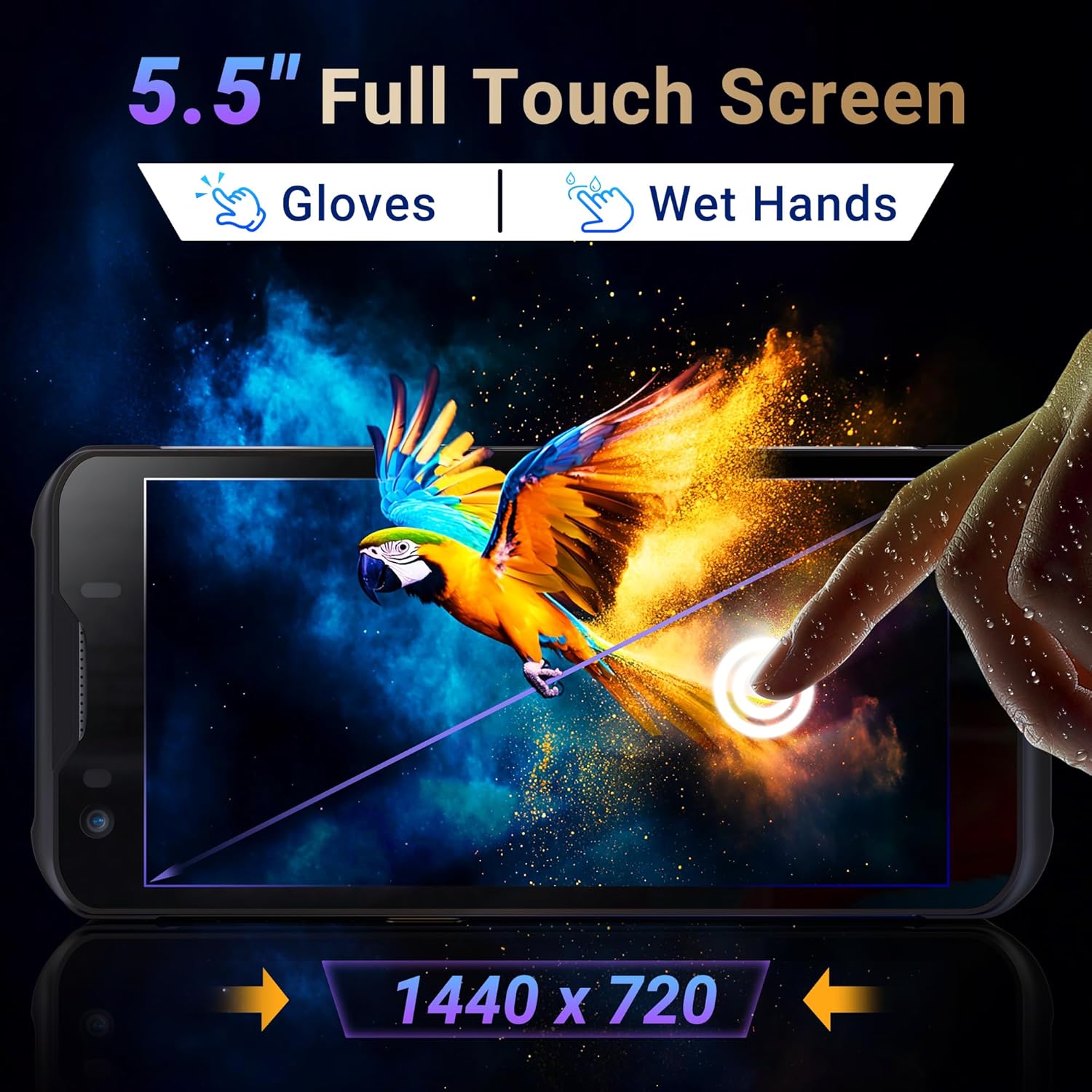
Image: The Tera P150's 5.5-inch full touch screen, highlighting its 1440x720 resolution and compatibility with both gloved and wet-hand operation.
5.3 Konektivita
The device supports multiple connectivity options for seamless data transmission.
- Wi-Fi: Go to Settings > Network & internet > Wi-Fi to connect to available wireless networks. Supports dual-band Wi-Fi for stable connections.
- Bluetooth 5.0: Go to Settings > Connected devices > Bluetooth to pair with Bluetooth-enabled accessories. Bluetooth 5.0 offers faster speeds and extended range.
- 4G/3G Cellular: Insert a SIM card (as described in Section 4.2) to enable cellular data and communication.
- GPS: The integrated GPS module allows for location tracking and navigation.
5.4 Výkon a multitasking
Powered by an MTK 2.0GHz octa-core processor with 4GB RAM and 64GB storage, the Tera P150 ensures smooth operation and efficient multitasking.

Image: The Tera P150 device highlighting its MTK 2.0GHz Octa-core processor and 4GB RAM + 64GB memory, indicating superior processing and performance compared to other devices.

Image: The Tera P150 device showcasing its Android 12 operating system and 4GB RAM + 64GB storage, illustrating its capability for seamless multitasking with multiple applications open.
6. Údržba
6.1 Čištění zařízení
To maintain optimal performance and appearance, clean the device regularly.
- Použijte měkký hadřík, který nepouští vlákna dampened with water or a mild screen cleaner.
- Avoid using harsh chemicals, abrasive cleaners, or solvents, as these can damage the screen and casing.
- Před čištěním se ujistěte, že je zařízení vypnuté a odpojené od jakéhokoli zdroje napájení.
6.2 Péče o baterii
The Tera P150 features a 5000mAh battery designed for extended use. Proper battery care can prolong its lifespan.
- Vyhněte se extrémním teplotám, ať už horkým nebo chladným, protože mohou snížit výkon baterie.
- Do not fully discharge the battery frequently. Charge it before it drops to very low levels.
- Používejte pouze dodané nebo schválené nabíjecí příslušenství.
6.3 Vlastnosti trvanlivosti
The Tera P150 is built with industrial-grade materials, featuring IP67 waterproofing and a 1.5-meter drop rating, making it suitable for harsh working environments.

Image: The Tera P150 device highlighting its IP67 grade, 4.9ft anti-drop, IP67 waterproof, and dustproof capabilities, indicating its suitability for all-weather and rugged use.
7. Řešení problémů
This section addresses common issues you might encounter with your Tera P150.
| Problém | Možná příčina | Řešení |
|---|---|---|
| Zařízení se nezapne | Vybitá baterie; Havárie systému | Nabíjejte zařízení alespoň 30 minut. Pokud stále nereaguje, proveďte vynucený restart podržením tlačítka napájení po dobu 10–15 sekund. |
| Skener čárových kódů nefunguje | Scanning application not open; Barcode damaged/unreadable; Scanner module issue | Ensure the scanning application is active. Try scanning a different, known-good barcode. Clean the scanner window. Restart the device. |
| Nelze se připojit k Wi-Fi | Nesprávné heslo; Mimo dosah; Problém s routerem | Verify Wi-Fi password. Move closer to the Wi-Fi router. Restart the device and the router. |
| Dotykový displej nereaguje | Dočasná softwarová závada; Rušení ochranného krytu obrazovky | Restart the device. Ensure the screen protector is correctly applied and not interfering. |
8. Specifikace
Detailed technical specifications for the Tera P150 Android Barcode Scanner PDA.
- Model: P150
- Operační systém: Android 12
- Procesor: MTK 2.0GHz Octa-core
- BERAN: 4 GB
- Skladování: 64 GB
- Zobrazit: 5.5-inch Full Touch Screen (1440 x 720 resolution)
- Skener čárových kódů: Zebra SE4710 (1D, 2D, QR)
- Baterie: 5000mAh (Standby >300H, Working >12H, Charging >3H)
- Konektivita: 4G, 3G, Dual-band Wi-Fi, Bluetooth 5.0, GPS
- Trvanlivost: IP67 Waterproof, 1.5-meter Drop Rating, Industrial-grade materials
- Kompatibilní zařízení: Android devices (smartphones, tablets), POS systems
- Rozměry balíku: 20 x 11 x 8 cm
- Hmotnost: 540 g
9. Záruka a podpora
Tera products are manufactured to high-quality standards. For warranty information, please refer to the warranty card included with your product or visit the official Tera webmísto.
For technical support, troubleshooting assistance, or inquiries regarding your Tera P150, please contact Tera customer service:
- Kontaktní číslo: +1 (626)438-1404
- Online podpora: Refer to the official Tera webweb s nejčastějšími dotazy a zdroji podpory.