
Zavedení
This manual provides essential information for setting up, operating, maintaining, and troubleshooting your Xiaomi Redmi Note 14 Pro 5G smartphone. Please read this guide carefully to ensure proper use and to maximize the device's performance and longevity.
Nastavení
1. Co je v krabici
Your Xiaomi Redmi Note 14 Pro 5G package includes:
- Xiaomi Redmi Poznámka 14 Pro 5G Smartphone
- Napájecí adaptér
- USB kabel
- Nástroj pro vysunutí SIM karty
2. Zařízení skončiloview
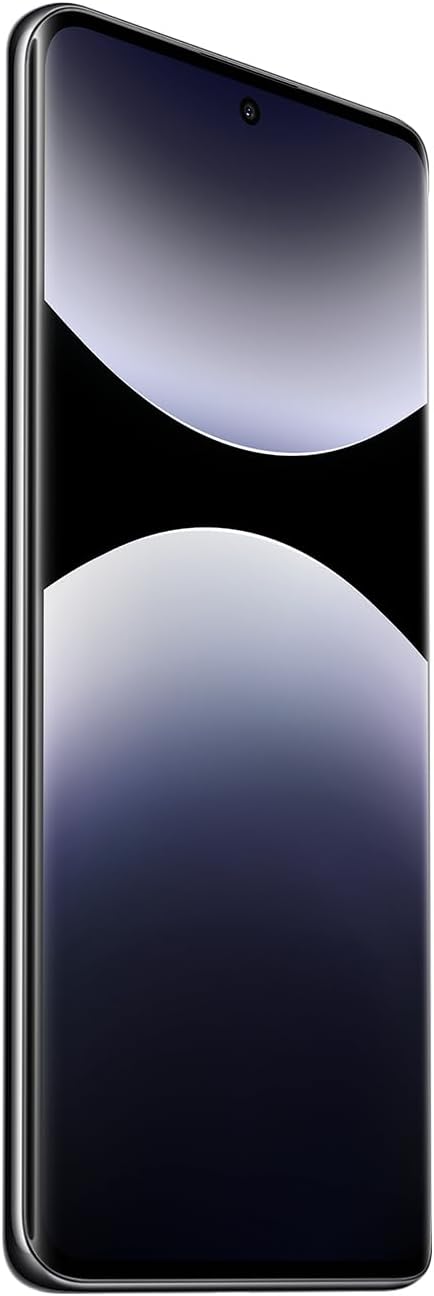
Obrázek 1: Přední strana view of the Xiaomi Redmi Note 14 Pro 5G, showing the display and front camera.
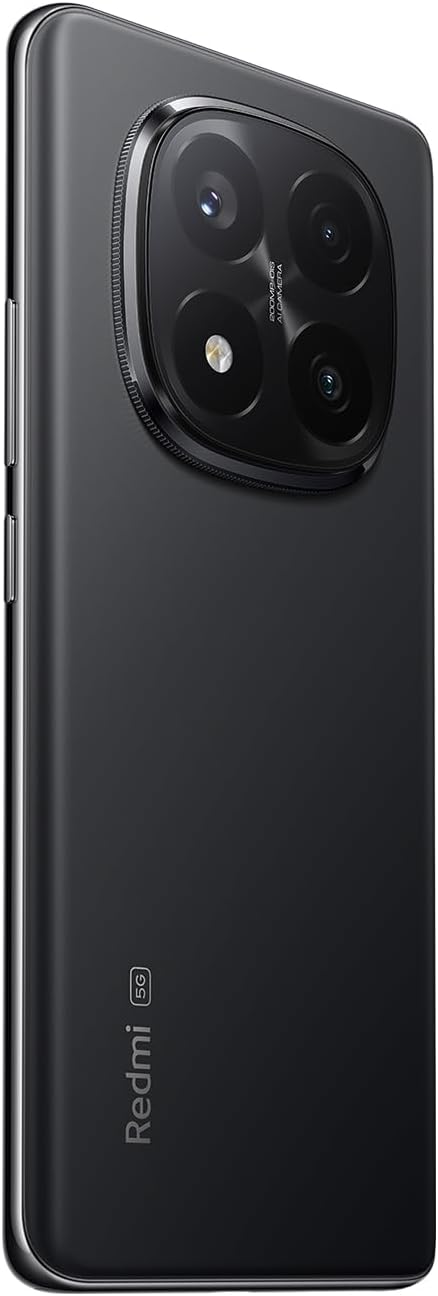
Obrázek 2: Zpět view of the Xiaomi Redmi Note 14 Pro 5G, highlighting the quad-camera module.
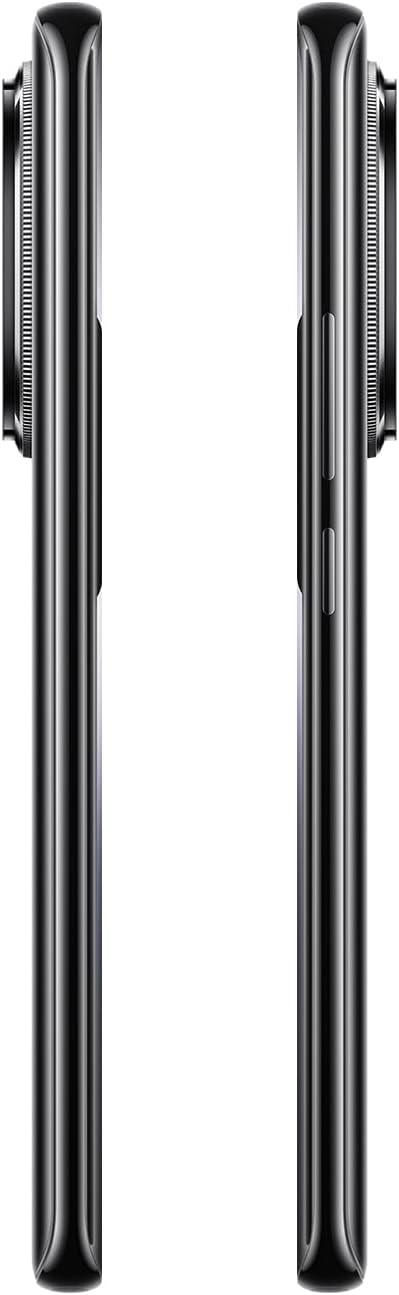
Obrázek 3: Strana view of the Xiaomi Redmi Note 14 Pro 5G, illustrating the power and volume buttons.
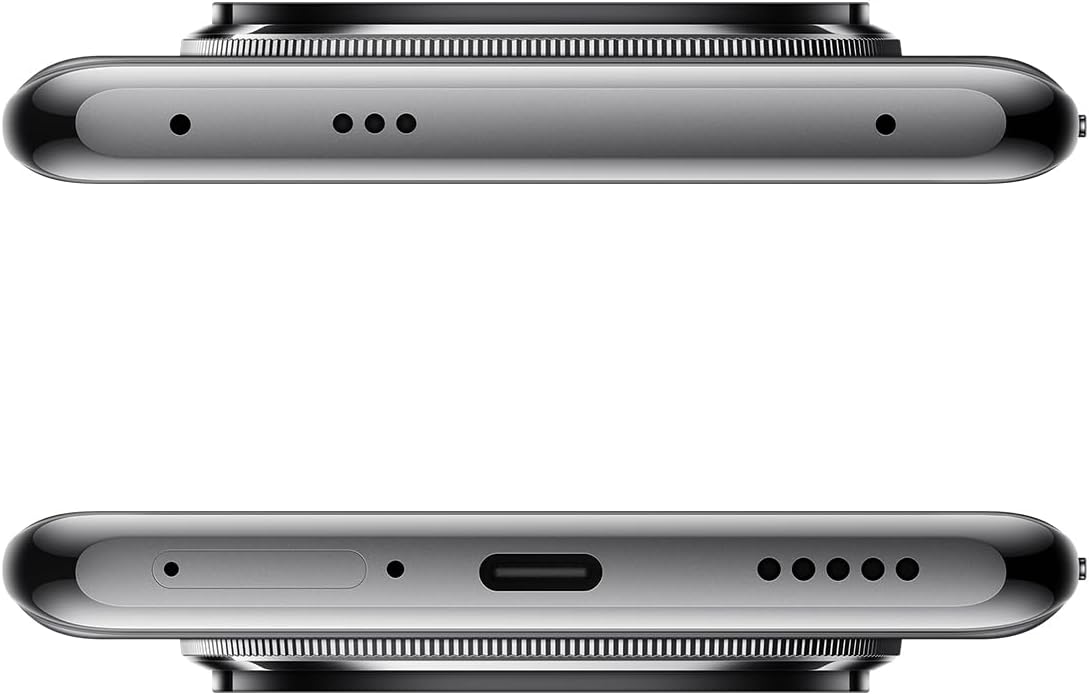
Obrázek 4: Nahoře a dole views of the Xiaomi Redmi Note 14 Pro 5G, detailing the USB-C port, speakers, and SIM card tray.
3. Vložení SIM karty
- Locate the SIM card tray on the side of your device (refer to Figure 4).
- Vložte nástroj pro vysunutí SIM karty do malého otvoru vedle zásuvky, abyste ji otevřeli.
- Vložte kartu (karty) Nano-SIM do slotu zlatými kontakty směrem dolů. Toto zařízení podporuje dvě SIM karty.
- Opatrně zatlačte zásobník zpět do slotu, dokud nezacvakne na místo.
4. Počáteční zapnutí a konfigurace
- Press and hold the Power button (refer to Figure 3) until the Xiaomi logo appears.
- Postupujte podle pokynů na obrazovce a vyberte jazyk, připojte se k síti Wi-Fi a nastavte si účet Google.
- Configure security settings, including fingerprint recognition, for enhanced device protection.
Obsluha vašeho zařízení
1. Zobrazení a navigace
The Redmi Note 14 Pro 5G features a 6.67-inch OLED touchscreen with a 2340 x 1080 resolution and a 120Hz refresh rate for smooth visuals. Navigate the Android operating system using touch gestures.
2. Funkce fotoaparátu
Vaše zařízení je vybaveno výkonným kamerovým systémem:
- Zadní kamera: 200 MP main sensor with a quad-camera setup. Integrated flash.
- Přední kamera: 32 MP sensor.
- Režimy natáčení: Automatic, Portrait, Landscape, Sport, Night Mode, Macro.
To open the camera, tap the camera icon on your home screen or lock screen. Select your desired mode and tap the shutter button to capture photos or videos.
3. Konektivita
The device supports 5G cellular technology, Wi-Fi, Bluetooth, and NFC for various connectivity needs. Access these settings via the Quick Settings panel or the main Settings application.
4. Baterie a nabíjení
The Redmi Note 14 Pro 5G is powered by a 5500 mAh Lithium-ion battery. It supports 45W fast charging. Use the provided adapter and USB cable for optimal charging performance. Avoid using damaged cables or non-certified chargers.
Údržba
1. Čištění zařízení
- K otření obrazovky a zadního panelu použijte měkký hadřík, který nepouští vlákna.
- Vyhněte se používání agresivních chemikálií, abrazivních materiálů nebo aerosolových sprejů.
- Do not expose the device to excessive moisture. Note that the device is not water-resistant.
2. Aktualizace softwaru
Regularly check for and install software updates to ensure your device has the latest features, security patches, and performance improvements. You can usually find this option in the device's Settings menu under "About phone" or "System updates."
3. Správa úložiště
Your device comes with 256 GB of internal storage. To maintain optimal performance, regularly manage your storage by deleting unnecessary files, uninstalling unused apps, and backing up important data to cloud services or an external drive.
Odstraňování problémů
Pokud se se zařízením setkáte s problémy, vyzkoušejte následující běžné kroky pro odstraňování problémů:
- Zařízení nereaguje: Stiskněte a podržte tlačítko napájení po dobu přibližně 10–15 sekund pro vynucení restartu.
- Pád aplikace: Zavřete aplikaci a znovu ji otevřete. Pokud problém přetrvává, vymažte mezipaměť a data aplikace v Nastavení nebo aplikaci odinstalujte a znovu nainstalujte.
- Problémy s připojením (Wi-Fi/Bluetooth/mobilní připojení):
- Toggle Wi-Fi/Bluetooth/Cellular data off and on.
- Restartujte zařízení.
- V případě Wi-Fi zapomeňte na síť a znovu se připojte.
- For cellular, ensure your SIM card is properly inserted and your plan is active.
- Rychlé vybíjení baterie: Check battery usage in Settings to identify power-hungry apps. Reduce screen brightness, disable unnecessary features (GPS, Bluetooth, Wi-Fi) when not in use, and close background apps.
- Pomalý výkon: Clear cache, free up storage space, and restart your device.
V případě složitějších problémů se obraťte na oficiální podporu Xiaomi. webnebo kontaktujte zákaznický servis.
Specifikace
| Funkce | Detail |
|---|---|
| Značka | XIAOMI |
| Název modelu | Note 14 Pro 5G |
| Operační systém | Android |
| Velikost RAM | 8 GB |
| Kapacita úložiště | 256 GB |
| Velikost obrazovky | 6.67 palce |
| Rezoluce | 2340 x 1080 |
| Obnovovací frekvence | 120 Hz |
| Typ zobrazení | OLED |
| Rozlišení zadní kamery | 200 MP (Quad Camera) |
| Rozlišení předního fotoaparátu | 32 MP |
| Kapacita baterie | 5500 mAh (lithium-iontová) |
| Nabíjení | Rychlé nabíjení 45W |
| Buněčná technologie | 5G |
| Konektivita | Bluetooth, NFC, Wi-Fi |
| Typ SIM karty | Nano-SIM (Dual SIM) |
| Biometric Features | Rozpoznávání otisků prstů |
| Úroveň odolnosti proti vodě | Není voděodolný |
| Hmotnost | 356 gramů |
| Barva | Černý |
Informace o záruce
Your Xiaomi Redmi Note 14 Pro 5G comes with a 2letá záruka výrobce. This warranty covers defects in materials and workmanship under normal use. For detailed terms and conditions, please refer to the warranty card included in your product packaging or visit the official Xiaomi webmísto.
Uschovejte si prosím doklad o koupi pro uplatnění záruky.
Podpora a kontakt
For further assistance, technical support, or to find service centers, please visit the official Xiaomi support webmísto:
You may also find helpful information and FAQs on the Xiaomi community forums.