
1. Úvod
This manual provides detailed instructions for the XBG B15pro Wireless Bluetooth Mouse. This device offers versatile connectivity options, an ergonomic design, and an intuitive LED display for enhanced user experience.
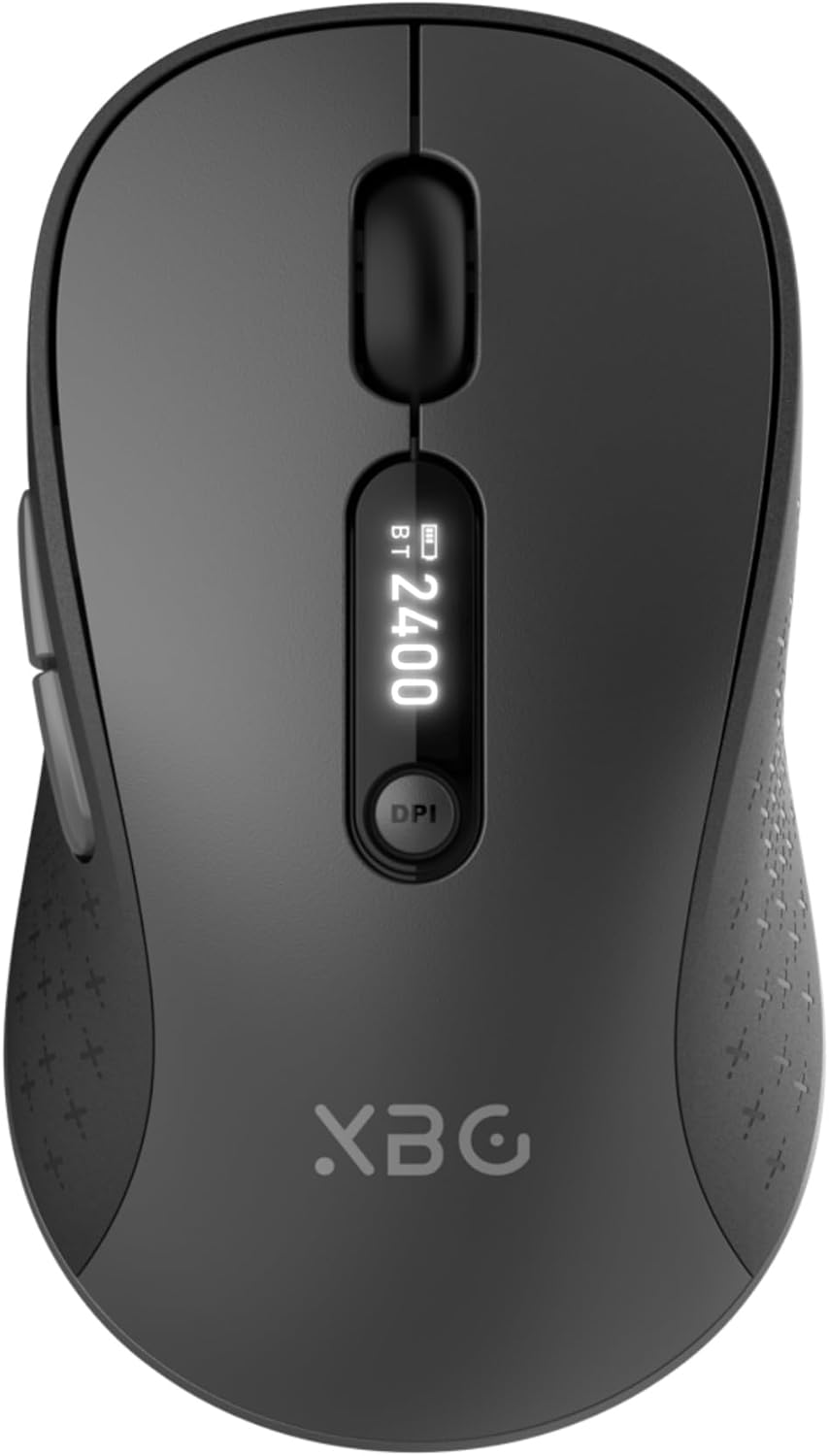
Image 1.1: The XBG B15pro Wireless Bluetooth Mouse, showcasinjeho elegantní design a LED displej.
Obsah balení:
- 1 x XBG B15pro Wireless Bluetooth Mouse
- 1 x USB nabíjecí kabel (typ C)
- 1 x USB přijímač (2.4 G)
- 1 x Uživatelská příručka
2. Vlastnosti produktu
- Třírežimové připojení: Supports Bluetooth 5.0, Bluetooth 4.0, and 2.4GHz wireless connections, allowing seamless switching between up to three devices.
- LED displej: Poskytuje informace o procentech baterie v reálném časetage, DPI level, and current connection mode.
- Nastavitelné DPI: Five adjustable DPI levels (800/1000/1200/1600/2400) for precise cursor control.
- Dobíjecí baterie: Built-in 500 mAh lithium polymer battery, rechargeable via Type-C port.
- Tlačítka s tichým klikáním: Main left and right buttons feature silent click technology, reducing noise in quiet environments.
- Ergonomický design: Contoured shape with a thumb rest and arched palm support for comfortable use during extended periods.
- Kompatibilita s více povrchy: Operates effectively on various surfaces including resin, wood, fabric, paper, and metal.

Image 2.1: The XBG B15pro mouse designed for multi-device use, highlighting its wireless capabilities.
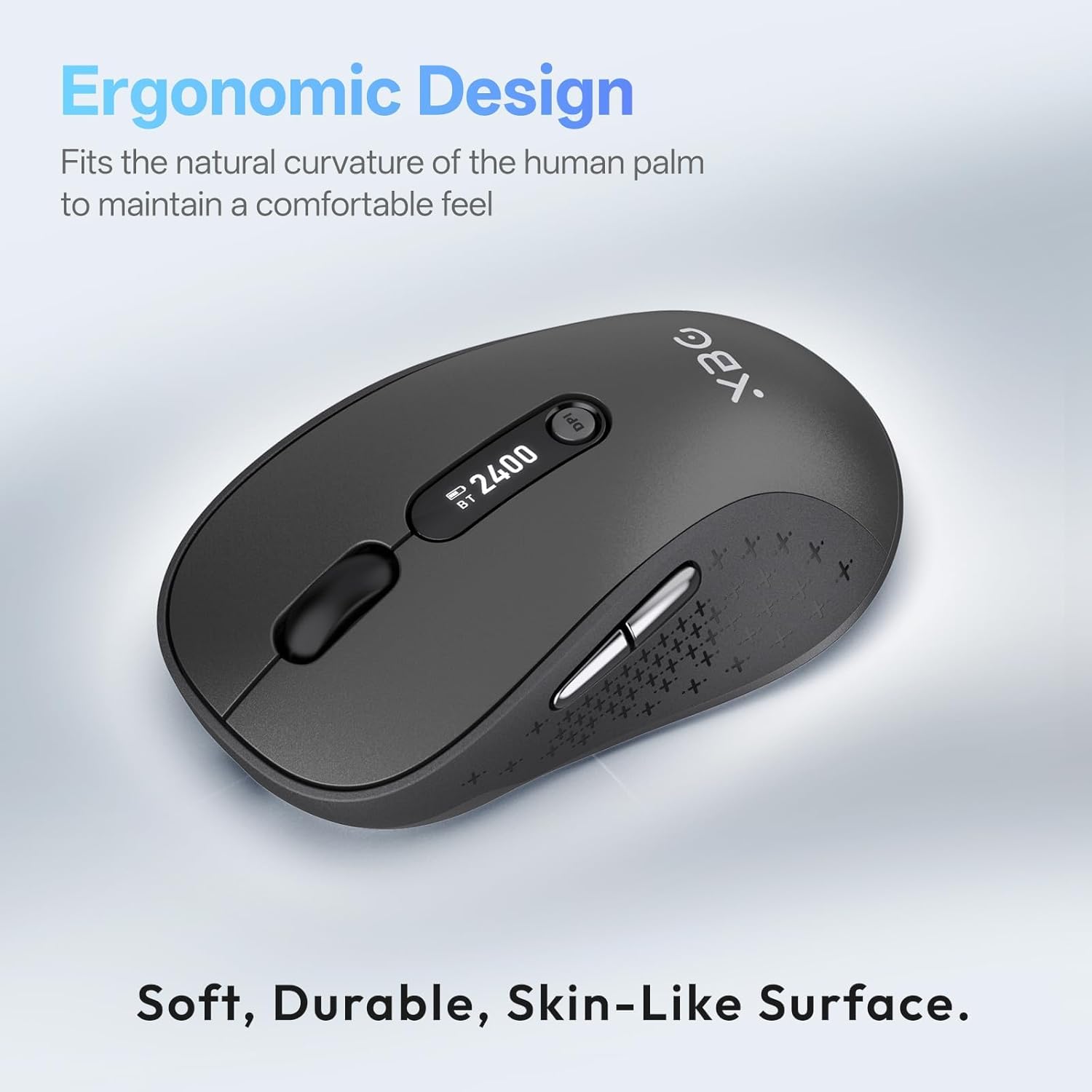
Image 2.2: The ergonomic contour of the XBG B15pro mouse, designed for comfortable hand fit.
3. Nastavení
3.1 Nabíjení myši
Before first use, or when the battery indicator on the LED screen shows low power, charge the mouse using the provided Type-C USB cable. Connect the cable to the mouse's Type-C port and a USB power source (e.g., computer USB port, USB wall adapter).

Image 3.1: The XBG B15pro mouse connected for charging via its Type-C port.
3.2 Připojení myši
The XBG B15pro mouse supports three connection modes: 2.4GHz wireless (via USB receiver) and two Bluetooth channels (BT1, BT2). The mode switch is located on the bottom of the mouse.

Image 3.2: The underside of the XBG B15pro mouse, showing the ON/OFF switch, mode switch button, and USB receiver storage.
Bezdrátové připojení 2.4 GHz:
- Locate the USB receiver stored in the bottom compartment of the mouse.
- Zapojte USB přijímač do volného USB portu na vašem počítači.
- Zapněte myš pomocí vypínače ON/OFF na spodní straně.
- Press the Mode Switch button on the bottom until the LED indicator shows a Červené světlo, indicating 2.4G mode. The mouse should connect automatically.
Připojení Bluetooth (BT1 / BT2):
- Zapněte myš pomocí vypínače ON/OFF na spodní straně.
- Press the Mode Switch button on the bottom to select either BT1 (Modré světlo) or BT2 (Zelené světlo).
- Press and hold the Mode Switch button for 3-5 seconds until the corresponding Bluetooth indicator light (blue or green) starts flashing rapidly. This indicates pairing mode.
- On your device (laptop, tablet, PC), go to Bluetooth settings and search for new devices.
- Select "XBG B15pro" from the list of available devices to pair.
- Po spárování přestane kontrolka blikat a zůstane svítit.

Image 3.3: Illustration of the XBG B15pro mouse connecting to multiple devices via 2.4G and Bluetooth modes.
4. Návod k obsluze
4.1 LED displej
The integrated LED screen provides essential information at a glance:
- Procenta baterietage: Zobrazuje aktuální stav baterie.
- Úroveň DPI: Displays the active DPI setting (800/1000/1200/1600/2400).
- Režim připojení: Indicates the active connection (2.4G, BT1, or BT2).
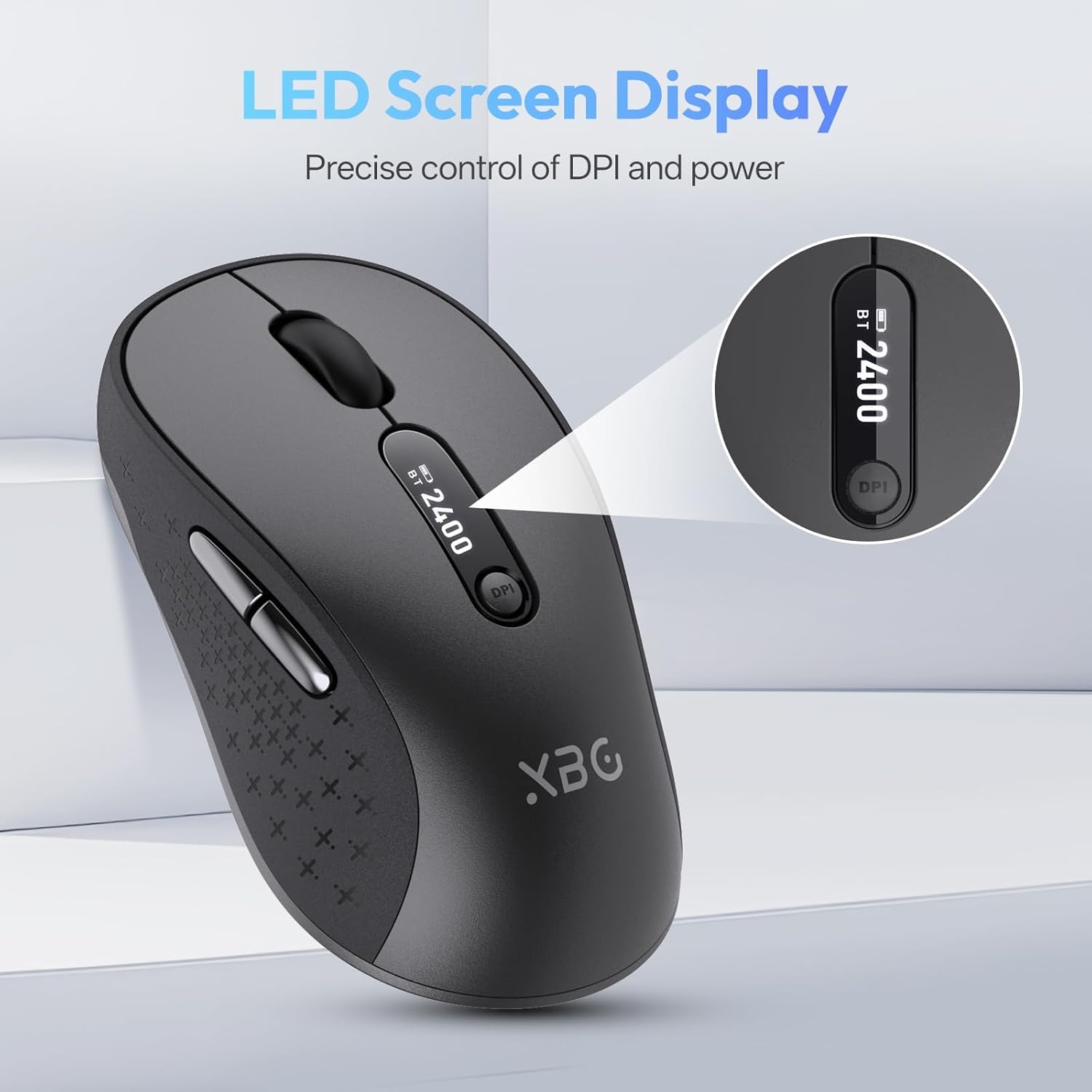
Obrázek 4.1: Podrobný view of the mouse's LED screen, showing battery, DPI, and connection status.
4.2 Nastavení DPI
Press the DPI button located below the scroll wheel to cycle through the five available DPI settings (800, 1000, 1200, 1600, 2400). The current DPI level will be displayed on the LED screen.
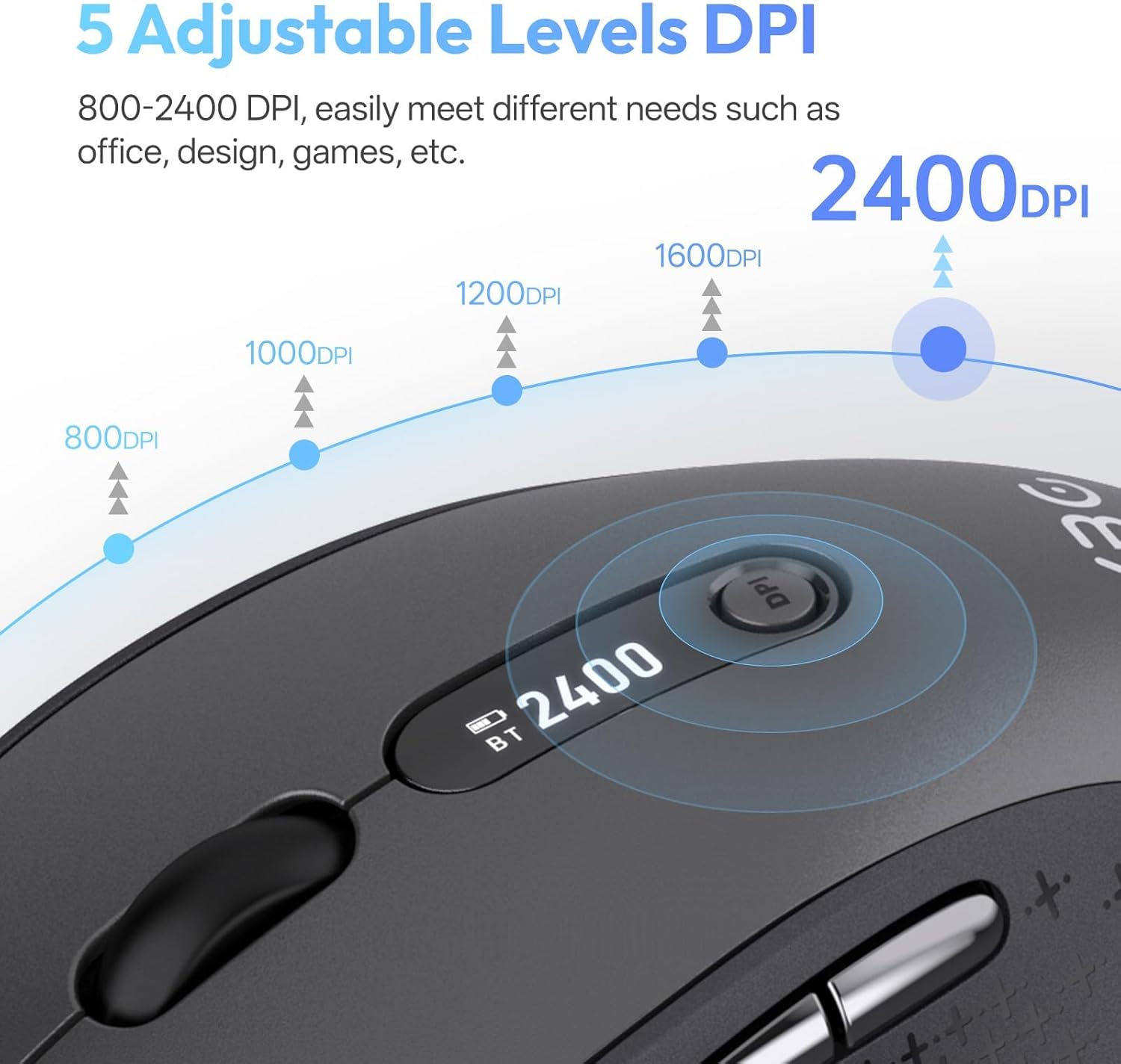
Image 4.2: Visual representation of the five adjustable DPI levels and how to change them.
4.3 Silent Click Functionality
The main left and right click buttons are designed for silent operation, providing a tactile click feel without audible noise. This feature is ideal for environments requiring minimal disturbance.

Image 4.3: A user operating the XBG B15pro mouse, illustrating its silent click feature in a quiet setting.
4.4 Automatický režim spánku
To conserve battery, the mouse will automatically enter sleep mode after 5 minutes of inactivity. To wake the mouse, simply move it or click any button.
5. Údržba
5.1 Péče o baterii
- Před prvním použitím myš plně nabijte.
- Abyste prodloužili životnost baterie, vyhněte se častému úplnému vybíjení.
- K nabíjení použijte dodaný kabel typu C.
- When not in use for extended periods, turn off the mouse using the ON/OFF switch on the bottom to prevent battery discharge.

Image 5.1: The XBG B15pro mouse being charged, illustrating its fast charging capability and long-lasting battery.
5.2 Čištění
Wipe the mouse with a soft, damp tkanina. Vyhněte se používání agresivních chemikálií nebo abrazivních materiálů, které by mohly poškodit povrch.
6. Řešení problémů
- Myš nereaguje:
- Ujistěte se, že je myš zapnutá.
- Check the battery level on the LED screen and charge if necessary.
- Verify the correct connection mode (2.4G, BT1, BT2) is selected and properly paired.
- Pro režim 2.4G se ujistěte, že je USB přijímač bezpečně zapojený do počítače.
- For Bluetooth mode, ensure Bluetooth is enabled on your device and re-pair if connection is lost.
- Pohyb kurzoru je nepravidelný nebo pomalý:
- Upravte nastavení DPI pomocí tlačítka DPI.
- Ensure the mouse is used on a clean, suitable surface.
- Myš se často odpojuje:
- Ensure the mouse is within the effective range of your device (typically 10 meters for Bluetooth/2.4G).
- Minimalizujte rušení od jiných bezdrátových zařízení.
- Zkontrolujte stav baterie.
- Mouse does not automatically enter sleep mode:
- While the mouse has an automatic sleep feature, it is recommended to manually turn off the mouse via the ON/OFF switch when not in use for extended periods to ensure maximum battery conservation.
7. Specifikace
| Funkce | Specifikace |
|---|---|
| Číslo modelu | B15 pro |
| Technologie připojení | Bezdrátové připojení Bluetooth 5.0/4.0, 2.4 GHz |
| Detekce pohybu | Optický |
| Úrovně DPI | 800, 1000, 1200, 1600, 2400 |
| Typ baterie | 1 Lithium Polymer (500 mAh, included) |
| Nabíjecí port | Typ-C |
| Rozměry produktu | 4.55 x 2.83 x 0.04 palce (11.56 x 7.19 x 0.1 cm) |
| Hmotnost položky | 2.65 unce (75 gramů) |
| Speciální funkce | Ergonomic Design, Portable, Silent Click, LED Screen Display |

Image 7.1: A guide for recommended mouse size based on palm length and width.
8. Záruka a podpora
XBG offers a satisfaction guarantee for the B15pro Wireless Bluetooth Mouse.
- Zásady 30denního vrácení: If you are not satisfied with the product, you may return it within 30 days of purchase.
- 1letá záruka na výměnu: Na produkt se vztahuje dvouletá záruka na výměnu v případě výrobních vad.
For further assistance or support, please refer to the contact information provided with your purchase or visit the official XBG webmísto.