
OnePlus CPH2655
Uživatelská příručka k chytrému telefonu OnePlus 13
Your comprehensive guide to the OnePlus 13.
Zavedení
Welcome to the world of the OnePlus 13. This device is engineered for exceptional speed and performance, featuring the Snapdragon 8 Elite processor, a vibrant 120Hz Super Fluid AMOLED display, and an advanced 5th Generation Hasselblad Camera System. This manual provides detailed instructions to help you get the most out of your new smartphone.
Co je v krabici
Upon unboxing your OnePlus 13, please verify that all the following items are included:
- OnePlus 13 Handset
- Charger (80W SUPERVOOC)
- USB datový kabel
- Nástroj pro vysunutí SIM karty
- Rychlý průvodce
- Bezpečnostní průvodce
- Členská karta
- Značková nálepka
- Uvítací dopis
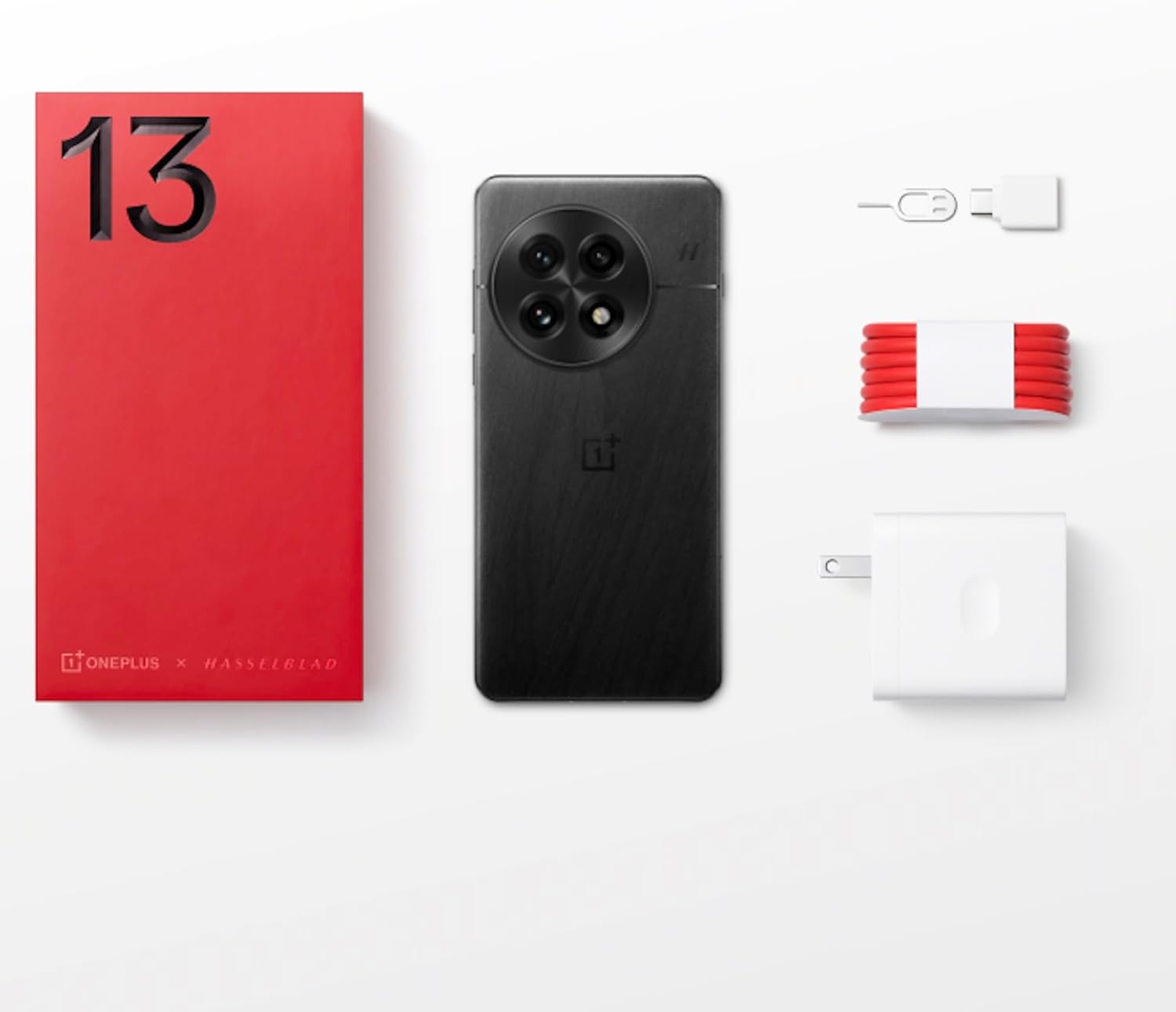
Figure 1: OnePlus 13 Box Contents
Nastavení
1. Vložení SIM karty
- Locate the SIM card tray on the side of your OnePlus 13.
- Vložte nástroj pro vysunutí SIM karty do malého otvoru vedle zásobníku a jemně zatlačte, dokud zásobník nevyskočí.
- Place your Nano-SIM card(s) into the tray with the gold contacts facing down. The OnePlus 13 supports Dual SIM functionality.
- Opatrně zatlačte zásobník zpět do slotu, dokud nebude v jedné rovině s tělem telefonu.
2. Zapnutí a počáteční nastavení
- Press and hold the Power button (located on the right side) until the OnePlus logo appears.
- Postupujte podle pokynů na obrazovce a vyberte jazyk, připojte se k Wi-Fi a nastavte si účet Google.
- Configure security features such as the built-in ultrasonic fingerprint sensor and facial recognition.
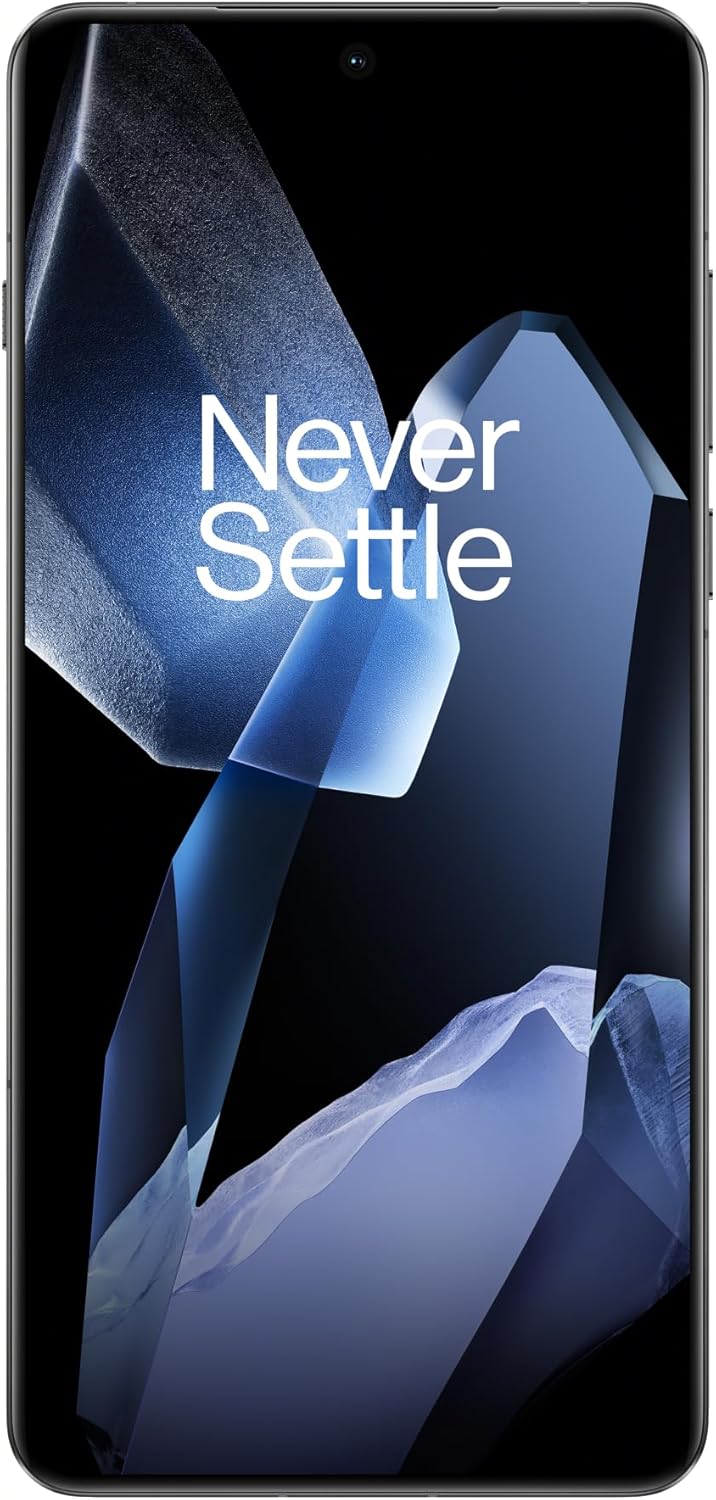
Figure 2: OnePlus 13 Front View
Operating Your OnePlus 13
OxygenOS 15
The OnePlus 13 runs on OxygenOS 15, providing a smooth, intuitive, and customizable Android experience. Explore various features and settings to personalize your device.
Klíčové vlastnosti a funkce
- Poznámky k umělé inteligenci: Your meeting companion. This feature allows for intelligent transcription and organization of notes, enhancing productivity.
- Inteligentní vyhledávání: Know instantly. Quickly find files, contacts, and information across your device with smart search capabilities.
- Fluid Cloud: Touch and go. Experience seamless interaction and data synchronization across your devices.
- ZářivýView Zobrazit: Bright in any light. The display automatically adjusts to provide optimal visibility even in direct sunlight.
- Built-In Ultrasonic Fingerprint Sensor: Unlock your phone securely and effortlessly with the advanced ultrasonic fingerprint sensor for quick access to your device.

Figure 3: Ultrasonic Fingerprint Sensor in action
Kamerový systém
The OnePlus 13 features a 5th Generation Hasselblad Camera System, designed to capture every moment in breathtaking detail. The advanced triple-camera setup includes a versatile 50MP lens for stunning photos and videos, day or night.
- Režim Portrét: Achieve studio-grade portraits with professional-looking depth and bokeh effects.
- Snapshot Photography: Eye for speed. Capture fast-moving subjects with clarity and precision.
- Clear Burst: Capture the whole moment. This feature allows you to take multiple shots in quick succession, ensuring you don't miss any action.

Figure 4: Hasselblad Camera System

Figure 5: Capturing Moments with the OnePlus 13 Camera
Baterie a nabíjení
The OnePlus 13 is equipped with a massive 6000mAh battery, designed to keep you powered throughout the day. It supports advanced charging technologies:
- 80W SUPERVOOC Fast Charging: Get back up and running quickly with incredibly fast wired charging speeds.
- 50W AIRVOOC Wireless Charging: Enjoy the convenience of rapid wireless charging, ensuring you stay powered up with North America's fastest wireless charging speed.
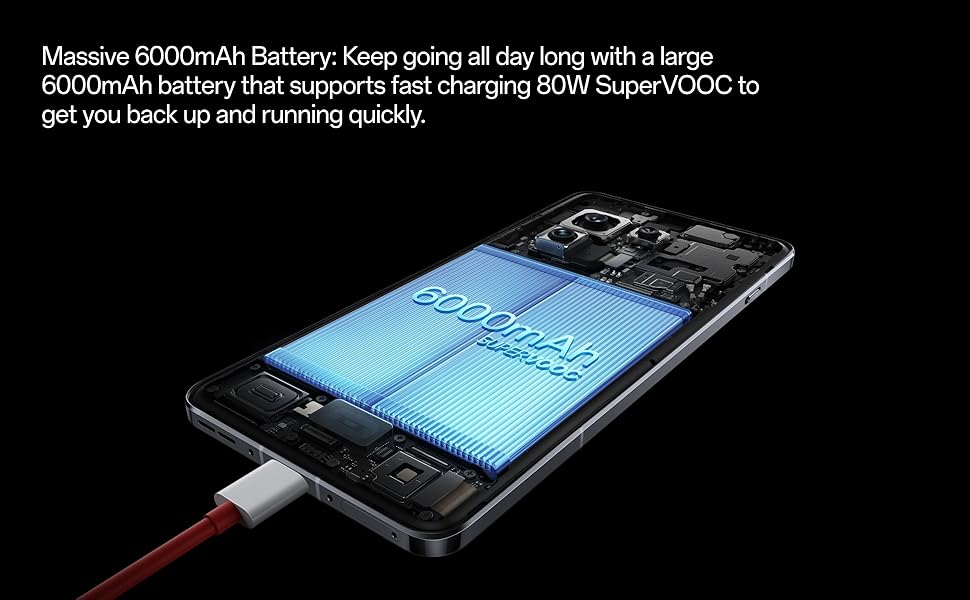
Figure 6: Massive 6000mAh Battery with SUPERVOOC Charging
Výkon
Experience unparalleled speed and efficiency with the OnePlus 13:
- Lightning-Fast Snapdragon 8 Elite Processor: Powered by the latest Qualcomm Snapdragon 8 Elite chipset, enjoy exceptional speed, efficiency, and performance for gaming, multitasking, and productivity.
- Ample Memory and Storage: With up to 16GB of RAM and 512GB of storage, the OnePlus 13 handles demanding applications and large files lehkostí.

Figure 7: Snapdragon 8 Elite Processor and Memory Configuration
Zobrazit
The OnePlus 13 features a stunning 120Hz ProXDR Display:
- Živé vizuály: Experience vibrant colors and ultra-smooth visuals on a QHD+ ProXDR display.
- Obnovovací frekvence 120Hz: Perfect for gaming, streaming, and everyday use, providing a highly responsive and fluid visual experience.

Figure 8: Stunning 120Hz ProXDR Display
Trvanlivost
The OnePlus 13 is built to withstand the elements:
- IP68 & IP69 Water and Dust Resistance: The OnePlus 13 is built to withstand the elements with an IP69 rating, offering superior protection against dust, dirt, and water. Whether you're caught in the rain or working in harsh environments, your device remains safe and fully functional.

Obrázek 9: Odolnost proti vodě a prachu IP69
Specifikace
| Funkce | Detail |
|---|---|
| Název modelu | OnePlus 13 (CPH2655) |
| Značka | OnePlus |
| Operační systém | Android 15 |
| Model CPU | Snapdragon 8 Elite |
| Rychlost CPU | 4.32 GHz |
| Velikost nainstalované paměti RAM | 16 GB |
| Kapacita paměti | 512 GB |
| Velikost obrazovky | 6.82 palce |
| Rezoluce | 2K DCI 1080p |
| Obnovovací frekvence | 120 Hz |
| Kapacita baterie | 6000 XNUMX mAh |
| Doba hovoru po telefonu | 38.2 hodiny |
| Speciální funkce | Dual SIM, Wireless Charging, Ultrasonic Fingerprint Sensor |
| Technologie připojení | Bluetooth, GPS (Dual band: GPS(L1+L5) Galileo(E1+E10a)) |
| Rozměry produktu | 6.41 x 3.01 x 0.33 palce |
| Hmotnost položky | 7.5 unce (213 gramů) |
| Barva | Black Eclipse |
| Výrobce | OnePlus |
| Země původu | Čína |
| Datum první dostupnosti | 15. března 2025 |
Odstraňování problémů
If you encounter any issues with your OnePlus 13, please refer to the following general troubleshooting steps:
- Restartujte zařízení: Jednoduchý restart může často vyřešit drobné softwarové závady.
- Zkontrolujte připojení: Ensure Wi-Fi, Bluetooth, and cellular data are properly enabled and connected.
- Aktualizovat software: Make sure your OxygenOS is updated to the latest version. Go to Settings > About device > OxygenOS version.
- Vymazat mezipaměť: For app-specific issues, try clearing the app's cache (Settings > Apps > App management > [App Name] > Storage usage > Clear cache).
- Obnovení továrního nastavení (poslední možnost): If problems persist, you may consider a factory reset. Varování: Tímto smažete všechna data v telefonu. Před pokračováním si zálohujte důležitá data. Go to Settings > System settings > Back up and reset > Reset phone > Erase all data.
Záruka a podpora
Your OnePlus 13 comes with a standard manufacturer's warranty. Please refer to the warranty card included in your product packaging for specific terms and conditions.
For further assistance, technical support, or warranty claims, please visit the official OnePlus support website or contact their customer service. Keep your proof of purchase handy.
- Oficiální OnePlus Webmísto: www.oneplus.com/support
- Služby zákazníkům: Refer to your region-specific contact information on the official webmísto.
Ask a question about this manual
Ask about setup, troubleshooting, compatibility, parts, safety, or missing instructions. Manuals+ will review the question and use this page’s manual context to help answer it.