
1. Úvod
Děkuji za nákupasing the Dolphin Audio DR30 Diver Sport Portable Speaker. This manual provides essential information for the safe and efficient operation of your device. Please read it thoroughly before use and retain it for future reference. The DR30 Diver Sport is a robust, waterproof portable speaker designed for various environments, featuring Bluetooth 5.3 connectivity, True Wireless Stereo (TWS) pairing, and integrated LED lights.
2. Co je v krabici
- Dolphin Audio DR30 Diver Sport Portable Speaker
- USB-C nabíjecí kabel
- Pomocný (AUX) kabel
- Uživatelská příručka (tento dokument)
- Záruční list
3. Konec produktuview
Seznamte se s komponenty a ovládacími prvky reproduktoru.

Obrázek 3.1: Přední strana view of the Dolphin DR30 Diver Sport speaker, demonstrating its waterproof design.

Obrázek 3.2: Přesview of key features and specifications including connectivity options and battery performance.
Ovládací prvky a porty
The DR30 speaker features intuitive controls, typically located on the top or side panel, and various input ports for versatile playback.
- Vypínač: Stisknutím a podržením zapnete nebo vypnete reproduktor.
- Tlačítko Přehrát/Pozastavit: Stisknutím spustíte nebo pozastavíte zvuk.
- Tlačítka hlasitosti (+/-): Stisknutím upravíte hlasitost. Podržením přeskakujete skladby.
- Tlačítko režimu: Press to switch between Bluetooth, USB, MicroSD, FM Radio, and AUX input modes.
- Světelné tlačítko: Press to cycle through or turn off the flashing LED light modes.
- USB port: For USB drive playback and charging.
- Slot pro microSD kartu: Pro přehrávání z MicroSD karty.
- AUX vstup (3.5 mm): For connecting external audio devices via the included AUX cable.
- Nabíjecí port USB-C: Pro nabíjení interní baterie reproduktoru.
4. Nastavení
4.1 Nabíjení reproduktoru
Before first use, fully charge the speaker. Use the provided USB-C cable to connect the speaker to a compatible USB power adapter (not included) or a computer's USB port.
- Během nabíjení bude svítit kontrolka nabíjení.
- The light will turn off or change color once charging is complete.
- Operating time is up to 7 hours at medium volume; standby time is up to 40 hours.

Figure 4.1: Charging the speaker and connecting an auxiliary device.
4.2 Zapnutí/vypnutí
Press and hold the Power button for approximately 3 seconds to turn the speaker on or off. A sound indicator will confirm the action.
4.3 Párování Bluetooth
- Turn on the DR30 speaker. It will automatically enter Bluetooth pairing mode, indicated by a flashing LED light.
- Na svém mobilním zařízení povolte Bluetooth a vyhledejte dostupná zařízení.
- Select "Dolphin DR30" from the list of devices.
- Po spárování reproduktor vydá potvrzovací tón a LED kontrolka přestane blikat.
- The Bluetooth range is approximately 32 ft. to 49 ft. (10-15 meters).
4.4 Párování s pravým bezdrátovým stereo (TWS) systémem
The WaveSync TWS technology allows you to pair two DR30 speakers (sold separately) for a stereo audio experience.
- Ensure both DR30 speakers are powered on and not connected to any Bluetooth device.
- On one speaker (this will be the primary speaker), press and hold the TWS button (if available, or a combination of buttons as per specific model instructions) until you hear a pairing tone.
- The two speakers will automatically connect to each other. A confirmation tone will sound once connected.
- Now, connect your mobile device to the primary speaker via Bluetooth as described in Section 4.3. Audio will play in stereo through both speakers.
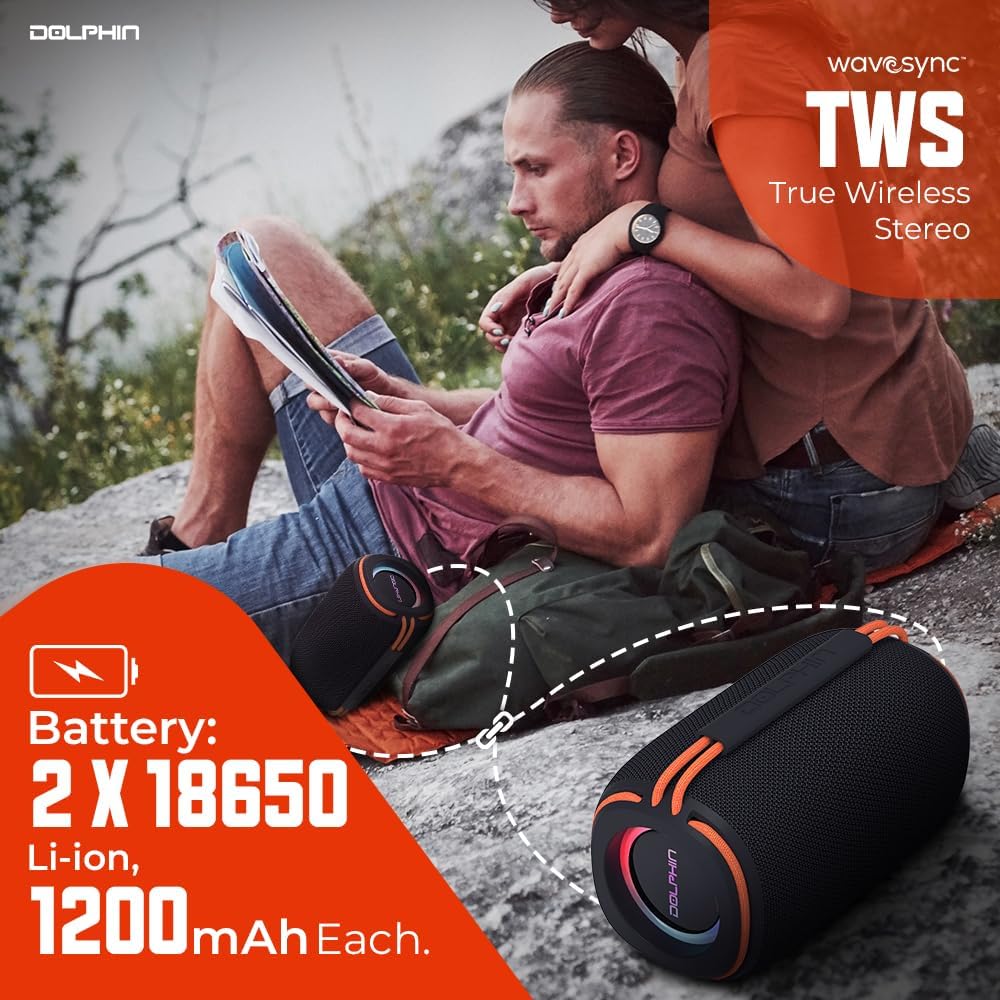
Figure 4.2: Two DR30 speakers connected via TWS for stereo sound.
4.5 Další režimy přehrávání
Press the Mode button to cycle through available input sources:
- USB přehrávání: Insert a USB drive into the USB port. The speaker will automatically switch to USB mode and begin playing supported audio files (WAV, MP3) up to 64 GB.
- Přehrávání z karty MicroSD: Insert a MicroSD card into the MicroSD card slot. The speaker will automatically switch to MicroSD mode and play supported audio files (WAV, MP3) up to 64 GB.
- FM rádio: In FM mode, the speaker will automatically scan and save available radio stations. Use the volume buttons to navigate between stations.
- Vstup AUX: Connect an external audio device (e.g., MP3 player, smartphone) to the 3.5mm AUX input using the provided AUX cable. The speaker will switch to AUX mode.
5. Návod k obsluze
5.1 Základní ovládání zvuku
- Zvýšení/Snížení hlasitosti: Stiskněte tlačítka „+“ nebo „-“.
- Další / předchozí skladba: Hold the '+' button for the next track, and the '-' button for the previous track.
- Přehrát/pozastavit: Stiskněte tlačítko Přehrát/Pozastavit.
5.2 LED světelných režimů
The DR30 features flashing side LED lights. Press the dedicated Light button to cycle through different light patterns or to turn the lights off.
5.3 Waterproof Guidelines (IPX6)
The DR30 Diver Sport speaker is rated IPX6 waterproof. This means it is protected against powerful water jets from any direction. It is suitable for use by the pool, at the beach, or in rainy conditions. However, it is ne designed for submersion in water. Ensure all port covers are securely closed before exposing the speaker to water.
6. Údržba
- Čištění: Reproduktor otřete měkkým, damp tkanina. Nepoužívejte abrazivní čisticí prostředky nebo rozpouštědla.
- Skladování: Reproduktor skladujte na chladném a suchém místě mimo dosah přímého slunečního záření a extrémních teplot.
- Péče o baterie: Chcete-li prodloužit životnost baterie, vyvarujte se častého úplného vybíjení. Reproduktor pravidelně nabíjejte, i když jej delší dobu nepoužíváte.
- Kryty portů: Always ensure the rubber port covers are firmly sealed to maintain the speaker's waterproof rating.
7. Řešení problémů
| Problém | Možná příčina | Řešení |
|---|---|---|
| Reproduktor se nezapne | Slabá baterie; Tlačítko napájení nebylo podrženo dostatečně dlouho. | Nabijte reproduktor; Stiskněte a podržte tlačítko napájení po dobu 3 sekund |
| Žádný zvuk | Příliš nízká hlasitost; Nesprávný režim vstupu; Zařízení není připojeno | Increase volume; Press Mode button to select correct input; Re-pair Bluetooth or check cable connection |
| Bluetooth se nepřipojuje | Reproduktor není v režimu párování; Zařízení je příliš daleko; Rušení | Ujistěte se, že je reproduktor v režimu párování; Přesuňte zařízení blíže; Vypněte ostatní zařízení Bluetooth |
| Párování TWS se nezdařilo | Speakers already connected to another device; Too far apart | Odpojte reproduktory od ostatních zařízení; Během párování se ujistěte, že jsou reproduktory blízko sebe. |
8. Specifikace

Figure 8.1: Physical dimensions and weight of the DR30 speaker.
| Funkce | Detail |
|---|---|
| Číslo modelu | DR-30 |
| Výkon | 15 Watts RMS (30 Watts Max) |
| Frekvenční odezva | 40 Hz až 18 kHz |
| Verze Bluetooth | v5.3 |
| Dosah Bluetooth | 32 ft. to 49 ft. (10-15 meters) |
| Velikost ovladače | Single 3-inch full-range driver |
| Hodnocení voděodolnosti | IPX6 |
| Možnosti přehrávání | Bluetooth, USB, MicroSD (up to 64 GB, WAV/MP3), FM Radio, 3.5mm AUX |
| Typ baterie | Built-in Li-Ion (2 x 18650, 1200mAh each) |
| Provozní doba | Až 7 hodin (při střední hlasitosti) |
| Pohotovostní doba | Až 40 hodin |
| Nabíjecí port | USB-C |
| Rozměry produktu (D x Š x V) | 3.5" x 3.5" x 6.5" (8.9 cm x 8.9 cm x 16.5 cm) |
| Hmotnost položky | 1.2 lb (0.54 kg) |
| Materiál | Plast |
| Kontrolní metoda | Dotyková tlačítka |
9. Informace o záruce
The Dolphin Audio DR30 Diver Sport Portable Speaker comes with a limited warranty. Please refer to the included warranty card for detailed terms, conditions, and registration information. Retain your proof of purchase for any warranty claims.
10. Podpora
For technical assistance, troubleshooting beyond this manual, or general inquiries, please contact Dolphin Audio customer support. Refer to the warranty card or the official Dolphin Audio webstránky pro kontaktní údaje.