
1. Úvod
Thank you for choosing the Home Pilot Pure Connected Thermostat with Receiver. This device is designed to provide precise and efficient control over your home's heating or cooling system, enhancing comfort while helping to reduce energy consumption. By integrating with the Home Pilot smart home box, you can unlock advanced features such as remote control, voice commands, and personalized programming.
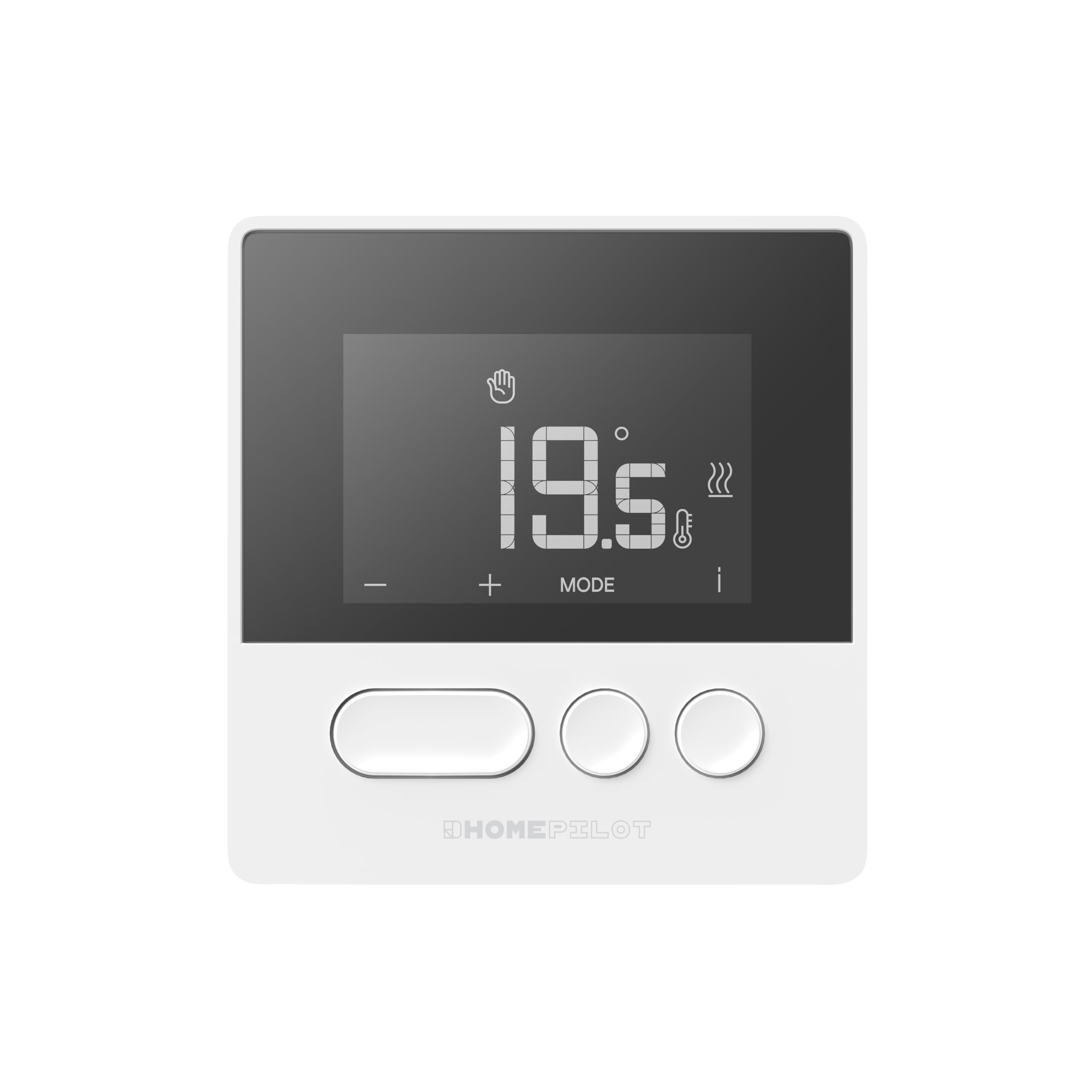
Figure 1: Home Pilot Pure Connected Thermostat. The display shows a temperature of 19.5 degrees Celsius, with control buttons for adjustment and mode selection below.
2. Nastavení
2.1. Co je zahrnuto
Your Home Pilot Pure Connected Thermostat package includes:
- Home Pilot Pure Thermostat
- Receiver (pre-associated)
- Montážní příslušenství (šrouby, hmoždinky)
- Uživatelská příručka (tento dokument)

Figure 2: The Home Pilot Pure Thermostat and its accompanying receiver unit, displayed on a coffee table alongside a smartphone, illustrating the complete system.
2.2. Umístění termostatu
For accurate temperature readings and optimal performance, place the thermostat in a central location within the room you wish to control. Avoid areas:
- Near direct sunlight or heat sources (e.g., radiators, lamps).
- Near drafts (e.g., windows, doors).
- On exterior walls.
- Za závěsy nebo nábytkem.
The wireless design allows flexible placement on a piece of furniture or wall mounting. Ensure it is at a height that represents the average room temperature, typically 1.5 meters (5 feet) from the floor.

Figure 3: The Home Pilot Pure Thermostat discreetly mounted on a wall in a contemporary living space, demonstrating a typical installation scenario.
2.3. Zapojení přijímače
The receiver unit must be wired to your heating system. It is compatible with various systems, including boilers, heat pumps, and electric radiators. It is highly recommended to have a qualified electrician perform the wiring to ensure safety and correct functionality.
Refer to the detailed wiring diagram provided in the separate installation guide for your specific heating system type. Ensure the main power supply to your heating system is turned off before attempting any wiring.
2.4. Connecting to a Smart Home Box
To access advanced features such as remote control, programming, and voice commands, the thermostat needs to be connected to a Home Pilot Premium smart home box or a compatible Delta Dore box (e.g., Tydom / Tywell). Follow the instructions provided with your smart home box for the pairing process. The thermostat and receiver are pre-associated with each other.
3. Návod k obsluze
3.1. Základní ovládací prvky
The thermostat features an intuitive screen and three main buttons:
- Tlačítko „+“: Zvyšuje nastavenou teplotu nebo prochází položky nabídky.
- Tlačítko '-': Snižuje nastavenou teplotu nebo prochází položky nabídky.
- 'MODE' Button: Cycles through operating modes or confirms selections.
- 'i' (Information) Icon: Provides additional status or error information on the display.
3.2. Nastavení teploty
To manually adjust the temperature:
- Stiskněte tlačítko '+' or '-' button. The current set temperature will flash.
- Použijte '+' or '-' tlačítky nastavte požadovanou teplotu.
- The new temperature will be applied automatically after a few seconds, or you can press REŽIM to confirm immediately.
3.3. Provozní režimy
Stiskněte tlačítko REŽIM button to cycle through available operating modes. Common modes may include:
- Manuální režim: Udržuje konstantní teplotu nastavenou uživatelem.
- Naprogramovaný režim: Follows a pre-set schedule (requires smart home box).
- Režim pryč: Sets a lower, energy-saving temperature when the home is unoccupied.
- Režim ochrany proti mrazu: Udržuje minimální teplotu, aby se zabránilo zamrznutí.
3.4. Programming Schedules (via Home Pilot App)
For weekly programming and advanced scheduling, use the Home Pilot mobile application after connecting your thermostat to a compatible smart home box. The app allows you to:
- Create custom heating/cooling schedules for different days and times.
- Adjust schedules remotely.
- Sledujte spotřebu energie.
3.5. Dálkové a hlasové ovládání
Once connected to a Home Pilot smart home box, you can control your thermostat remotely via the Home Pilot mobile application. Additionally, the system supports voice control through compatible voice assistants, allowing you to adjust settings with simple commands.
4. Údržba
4.1. Čištění
Pro zachování vzhledu a funkčnosti termostatu:
- Vnější povrch otřete měkkým suchým hadříkem.
- Do not use abrasive cleaners, solvents, or chemical sprays, as these can damage the surface or internal components.
4.2. Výměna baterie
The Home Pilot Pure Thermostat is typically powered by batteries. When the battery level is low, an indicator will appear on the display. To replace the batteries:
- Gently remove the thermostat from its mounting plate or open the battery compartment.
- Replace the old batteries with new ones of the specified type (refer to the device's back cover or a more detailed guide for battery type).
- Dbejte na správnou polaritu (+/-).
- Reattach the thermostat or close the compartment.
5. Řešení problémů
If you encounter issues with your Home Pilot Pure Thermostat, refer to the following common problems and solutions:
| Problém | Možná příčina | Řešení |
|---|---|---|
| Displej termostatu je prázdný. | Žádné napájení nebo vybité baterie. | Check battery installation and replace if necessary. Ensure the receiver has power. |
| Systém vytápění/chlazení nereaguje. | No communication between thermostat and receiver, or receiver not wired correctly. | Ensure the receiver is powered. Check the wireless connection. Verify receiver wiring (consult an electrician if unsure). |
| Nesprávný údaj teploty. | Thermostat placed in an unsuitable location (drafts, direct sun). | Relocate the thermostat to a more central and stable environment. |
| Cannot connect to Home Pilot App. | Thermostat not paired with the smart home box, or network issues. | Ensure your Home Pilot smart home box is online. Re-attempt the pairing process as per the smart home box instructions. Check your home Wi-Fi connection. |
If the problem persists, please contact Home Pilot customer support or refer to the online resources available on the Home Pilot webmísto.
6. Specifikace
| Značka | HOMEPILOT |
| Číslo modelu | 8130000 |
| Barva | Bílý |
| Rozměry produktu (termostat) | (Not explicitly stated for thermostat only, using package dimensions as reference for overall size) Approximately 27.3 x 15.7 x 5 cm (Package) |
| Hmotnost položky | 536 g |
| Speciální funkce | Voice control, Programmable, Energy saving |
| Komponenty v ceně | Thermostat, Receiver |
| Compatible Heating Systems | Boiler, Heat pump, Electric radiators |
| Země původu | Francie |
7. Záruka a podpora
7.1. Informace o záruce
The Home Pilot Pure Connected Thermostat is manufactured by Delta Dore, a reputable French group known for reliable smart home solutions. For specific warranty terms and conditions, please refer to the documentation provided with your purchase or visit the official Home Pilot / Delta Dore webUschovejte si doklad o koupi pro případ reklamace.
7.2. Zákaznická podpora
For technical assistance, product inquiries, or further support, please visit the official Home Pilot website or contact their customer service department. Online resources, FAQs, and detailed guides may be available to help you with installation and operation.