
HyperGear 15842
User Manual: HyperGear 10,000mAh Portable Power Bank
Model: 15842
1. Úvod
Thank you for choosing the HyperGear 10,000mAh Portable Power Bank. This device is designed to provide reliable and fast charging for your mobile devices on the go. With its high capacity, dual charging ports, and intelligent LED display, it ensures your devices stay powered throughout your day. Please read this manual carefully before use to ensure optimal performance and safety.
2. Bezpečnostní informace
Pro zajištění bezpečného provozu a prevenci poškození dodržujte prosím následující bezpečnostní opatření:
- Nevystavujte powerbanku extrémním teplotám (nad 45 °C/113 °F nebo pod 0 °C/32 °F), přímému slunečnímu záření ani vysoké vlhkosti.
- Do not disassemble, modify, or attempt to repair the device. This will void the warranty and may cause harm.
- Uchovávejte mimo dosah vody a jiných kapalin.
- Vyvarujte se pádu nebo vystavení powerbanky silným nárazům.
- Používejte pouze certifikované nabíjecí kabely a adaptéry.
- Uchovávejte mimo dosah dětí.

Image: The HyperGear Power Bank features SmartChip technology for comprehensive protection against overcharge, overvoltage, short circuits, and temperature fluctuations, ensuring safe charging for your devices.
3. Obsah balení
Zkontrolujte prosím balení, zda neobsahuje následující položky:
- HyperGear 10,000mAh Portable Power Bank
- Nabíjecí kabel USB-C na USB-C
- Uživatelská příručka (tento dokument)

Image: The product packaging, illustrating the HyperGear 10,000mAh Power Bank and its key features, including 38W Next-Gen Portable Power Delivery and +35 hours extra battery life.
4. Konec produktuview
The HyperGear 10,000mAh Power Bank is designed for portability and efficiency. It features a compact design with a digital LED display for battery status and multiple charging ports.
- Port USB-C PD: For fast input and output charging.
- Port USB-A: For standard output charging.
- LED digitální displej: Zobrazuje zbývající procento baterietage.
- Vypínač: Aktivuje displej a zahájí nabíjení.

Obrázek: Přední strana view of the HyperGear 10,000mAh Portable Power Bank, highlighting its digital LED display showing '100' for full charge, and the HyperGear branding.

Image: This graphic illustrates the key features of the Power Pack Pro Series, including 45% more charging power, a digital battery display, and an ultra-compact design, with the power bank shown from an angled perspective.

Image: The HyperGear Power Bank is displayed alongside common items like a smartphone, a wallet, and keys, demonstrating its compact and pocket-sized dimensions of 2.4 x 3.2 x 1.03 inches.
5. Nastavení
Počáteční nabití powerbanky
Before first use, fully charge your HyperGear Power Bank. This ensures optimal battery performance and longevity.
- Connect the included USB-C to USB-C cable to the USB-C PD port on the power bank.
- Connect the other end of the cable to a compatible USB-C wall charger (not included). For fastest charging, use a 20W or higher USB-C PD charger.
- The LED display will show the charging progress, increasing from 0 to 100.
- Once the display shows '100', the power bank is fully charged and ready for use.
6. Návod k obsluze
Nabíjení vašich zařízení
The power bank supports fast charging for compatible devices via its USB-C PD port and standard charging via its USB-A port.
- Připojte nabíjecí kabel zařízení k příslušnému portu na powerbankě (USB-C nebo USB-A).
- Připojte druhý konec kabelu k zařízení.
- The power bank will automatically begin charging your device. The LED display will show the power bank's remaining battery percentage.
- Chcete-li nabíjení zastavit, jednoduše odpojte kabel od zařízení nebo powerbanky.
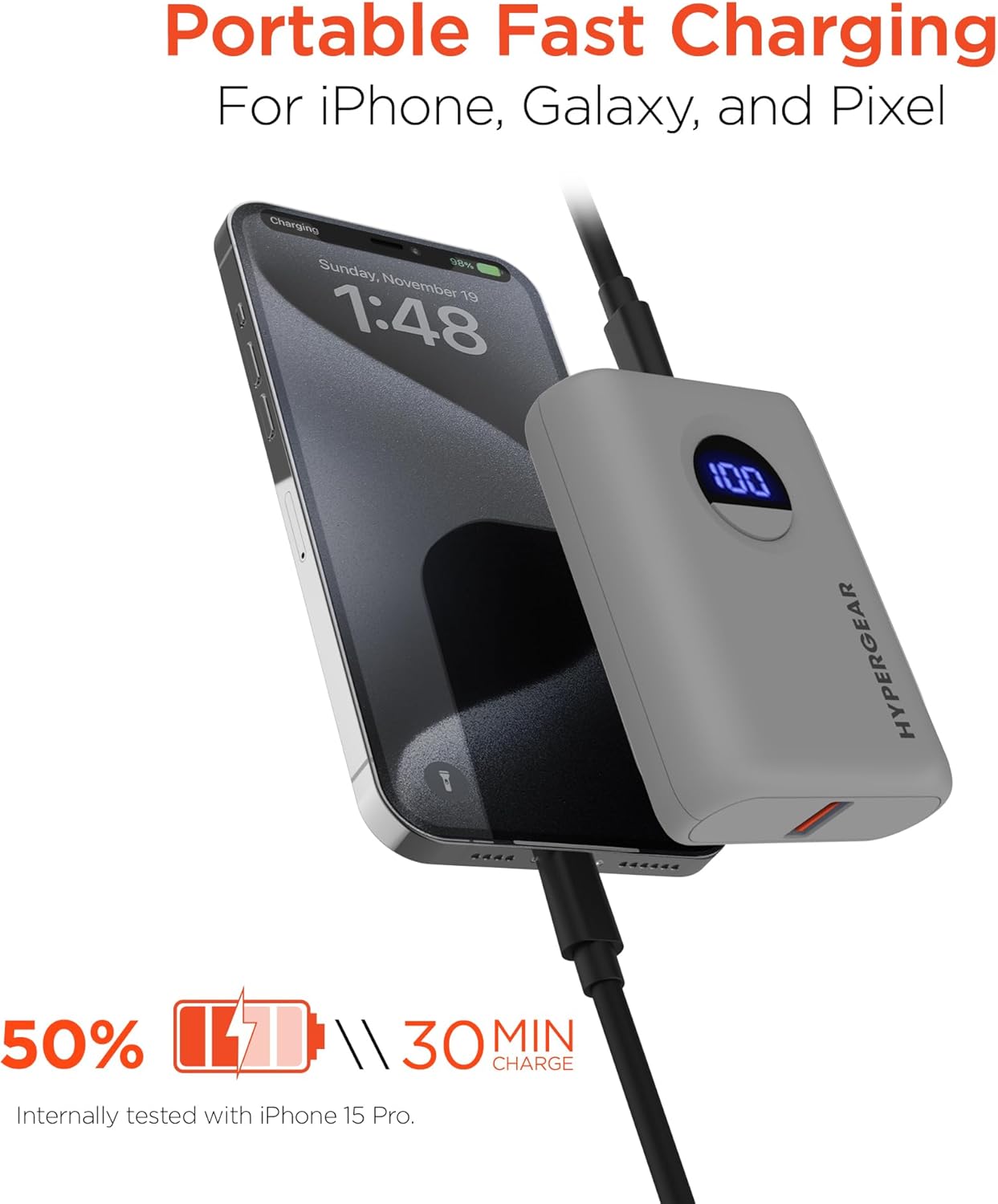
Image: The HyperGear Power Bank is shown connected to an iPhone via a charging cable, demonstrating its portable fast charging capability. The image highlights that it can charge 50% in 30 minutes, based on internal testing with an iPhone 15 Pro.
Nabíjení dvou zařízení
Můžete nabíjet dvě zařízení současně pomocí portů USB-C i USB-A.
- Connect the first device to the USB-C PD port.
- Connect the second device to the USB-A port.
- Obě zařízení se budou nabíjet současně.

Image: This image demonstrates the dual high-speed charging capability of the HyperGear Power Bank, showing it simultaneously charging a smartphone and a pair of wireless earbuds. It also highlights universal compatibility with various devices like iPhones, Androids, Earbuds, Watches, Cameras, Speakers, and Controllers.
Kontrola úrovně baterie
Jedním stisknutím tlačítka napájení aktivujete digitální LED displej, který zobrazí aktuální procento nabití baterie.tage powerbanky.
7. Údržba
Správná péče prodlouží životnost vaší powerbanky:
- Powerbanku čistěte měkkým, suchým hadříkem. Nepoužívejte agresivní chemikálie ani abrazivní materiály.
- Pokud se nepoužívá, skladujte na chladném a suchém místě.
- If storing for extended periods, charge the power bank to approximately 50% every 3 months to maintain battery health.
8. Řešení problémů
| Problém | Možná příčina | Řešení |
|---|---|---|
| Powerbanka se nenabíjí | Problém s kabelem nebo adaptérem; powerbanka plně nabitá; vadný port. | Try a different cable or wall adapter. Check if the power bank is already at 100%. Try a different port if available. |
| Zařízení se nenabíjí z powerbanky | Power bank battery low; cable issue; device compatibility. | Dobijte powerbanku. Zkuste jiný nabíjecí kabel. Ujistěte se, že vaše zařízení je kompatibilní s nabíjením přes USB. |
| Pomalé nabíjení | Cable quality; device not supporting fast charge; multiple devices charging. | Use a high-quality, certified cable. Ensure your device supports fast charging for the port used. Disconnect other devices if charging slowly. |
| LED displej nefunguje | Powerbanka je vypnutá; interní problém. | Press the power button. If it still doesn't light up, contact customer support. |
9. Specifikace
| Funkce | Detail |
|---|---|
| Číslo modelu | 15842 |
| Kapacita baterie | 10,000 XNUMX mAh |
| USB-C PD výstup | 20W (with PPS) |
| Výstup USB-A | 18W adaptivní rychlé nabíjení |
| Vstup (USB-C PD) | 20W |
| Rozměry produktu | 2.4 x 3.2 x 1.03 palce |
| Hmotnost položky | 6.4 unce |
| Kompatibilita | Universal (iPhone, Galaxy, Pixel, iPad, AirPods, etc.) |

Image: A chart illustrating the long-lasting power of the 10,000mAh capacity HyperGear Power Bank, providing approximately +35 hours for iPhone 15 Pro, +35 hours for Galaxy S23+, and +33 hours for Pixel 8 Pro.
10. Záruka a podpora
Informace o záruce
This HyperGear product is covered by a standard manufacturer's warranty. Please refer to the warranty card included in your package or visit the official HyperGear webpodrobné záruční podmínky naleznete na webu.
Zákaznická podpora
If you encounter any issues or have questions regarding your HyperGear Portable Power Bank, please contact HyperGear Customer Support. Contact information can typically be found on the product packaging or the official HyperGear webmísto.
Ask a question about this manual
Ask about setup, troubleshooting, compatibility, parts, safety, or missing instructions. Manuals+ will review the question and use this page’s manual context to help answer it.