
1. Úvod
Děkuji za nákupasing the Sharp KI-TX75-W Humidifying Air Purifier. This appliance is designed to improve your indoor air quality through advanced air purification and humidification technologies. It features Plasmacluster NEXT for high-density ion emission, AI AUTO mode for intelligent operation, Coanda flow for efficient dust collection, an AI monitor for real-time air quality feedback, and COCORO AIR for smart control via a smartphone app.
This manual provides essential information for the safe and efficient use, maintenance, and troubleshooting of your air purifier. Please read it thoroughly before use and keep it for future reference.
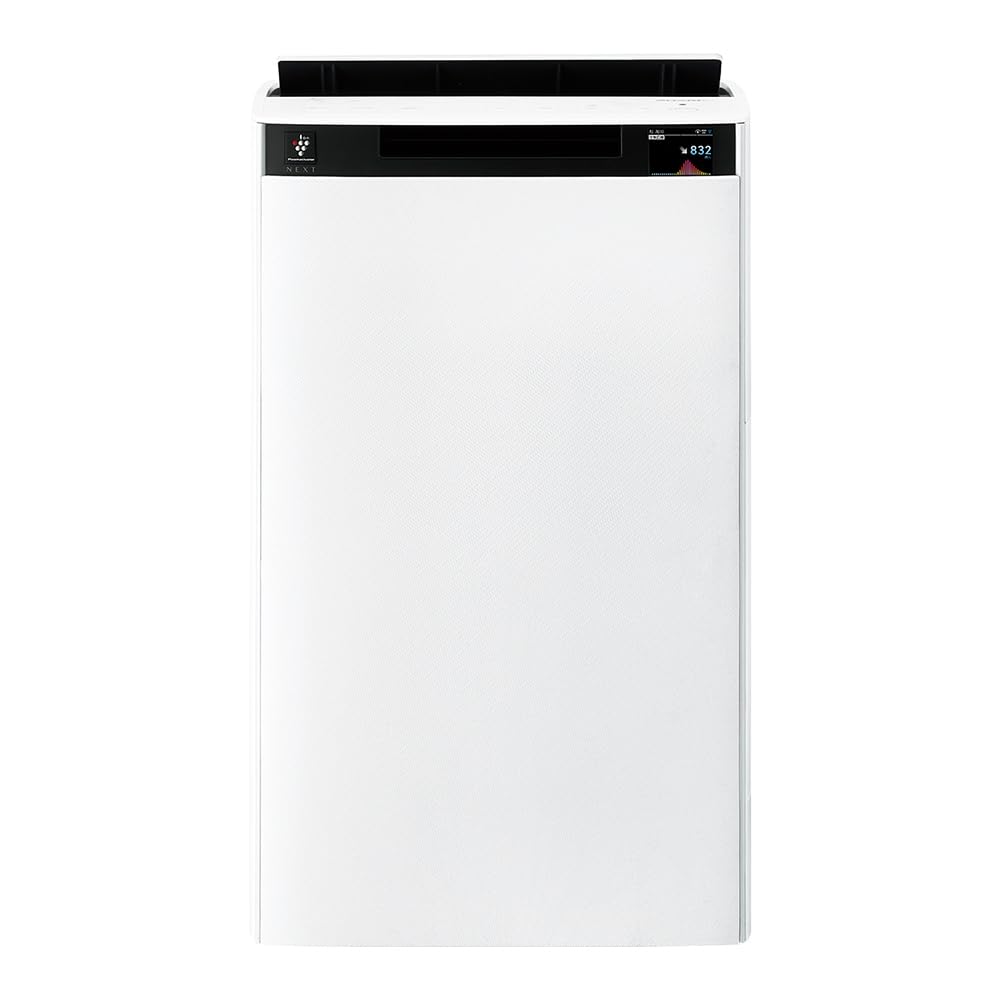
Přední view of the Sharp KI-TX75-W Humidifying Air Purifier.
2. Bezpečnostní informace
Pro zajištění bezpečného provozu a prevenci poškození dodržujte prosím následující bezpečnostní opatření:
- Vždy používejte spotřebič se správným objememtage, jak je uvedeno na štítku s výkonem.
- Neblokujte přívod ani odvod vzduchu.
- Chraňte spotřebič před vodou a vlhkostí. Neobsluhujte jej mokrýma rukama.
- Před čištěním nebo prováděním jakékoli údržby odpojte napájecí kabel.
- Nedovolte dětem obsluhovat spotřebič bez dozoru.
- Pokud je napájecí kabel poškozen, musí jej vyměnit výrobce, jeho servisní zástupce nebo podobně kvalifikovaná osoba, aby se předešlo nebezpečí.
- Do žádných otvorů nevkládejte cizí předměty.
- Umístěte jednotku na stabilní, rovný povrch.
3. Nastavení
3.1 Vybalení a umístění
- Opatrně vyjměte čističku vzduchu z obalu.
- Choose a location with adequate space around the unit for optimal airflow. Avoid placing it directly against walls or furniture.
- Ensure the unit is placed on a flat, stable surface. The built-in casters with stoppers allow for easy movement and secure positioning.

The unit features casters with stoppers for convenient movement and secure placement.
3.2 Instalace filtru
The unit comes with pre-installed filters. Verify they are correctly seated before first use.
- Open the back panel of the air purifier.
- Ensure the HEPA filter, deodorizing filter, and pre-filter are securely in place.
- Zavřete zadní panel.

The air purifier utilizes a three-layer filter system: pre-filter, deodorizing filter, and HEPA filter.
3.3 Plnění vodní nádrže
For humidification, fill the water tank with clean tap water.
- Sejměte nádržku na vodu z boku jednotky.
- Open the water tank cap and fill it with fresh tap water.
- Bezpečně zavřete víčko a vložte nádržku na vodu zpět do přístroje.

Remove the water tank from the side of the unit to fill it with water.
3.4 Počáteční zapnutí a připojení k síti
- Zapojte napájecí kabel do zásuvky ve zdi.
- Stiskněte tlačítko napájení na ovládacím panelu.
- To utilize smart features, download the COCORO AIR app on your smartphone and follow the in-app instructions to connect the air purifier to your wireless LAN network.
4. Návod k obsluze
4.1 Ovládací panel Overview

The control panel allows selection of various modes and settings.
4.2 Provozní režimy
- AI AUTO Mode: This intelligent mode automatically adjusts operation based on detected air quality, aiming for a cleanroom Class 8 level environment. It optimizes airflow to effectively collect pollen, dust, and fine particles.
- Režim čištění vzduchu: Operates solely as an air purifier, removing airborne particles and odors.
- Režim zvlhčování: Adds moisture to the air while purifying. The unit can deliver up to 900 mL/h of humidification.
- Plasmacluster NEXT: This technology generates high-density Plasmacluster ions (50,000 ions/cm³) to suppress airborne and adhering viruses, allergens, and odors.

AI AUTO mode significantly reduces airborne particles to maintain a clean environment.
4.3 AI Monitor
The AI Monitor visualizes the number of particles in the room and provides feedback on air quality. It displays real-time particle counts and indicates when the air is clean or needs purification.

The AI Monitor provides a visual representation of airborne particle levels.
The AI Monitor also provides notifications for humidification status, maintenance timing, and estimated electricity costs.

Notifications include humidification status, maintenance alerts, and electricity usage.
4.4 COCORO AIR App
Connect your air purifier to the COCORO AIR app via Wi-Fi for enhanced control and monitoring. The app allows you to:
- Monitor air quality and operating status remotely.
- Customize operation schedules and settings.
- Receive notifications for filter replacement and maintenance.
- Access special operating modes, such as pet-specific modes.

The COCORO AIR app provides remote control and monitoring capabilities.
5. Údržba
Pravidelná údržba zajišťuje optimální výkon a prodlužuje životnost čističky vzduchu.
5.1 Čištění a výměna filtru
- Předfiltr: Clean regularly (e.g., once a month) by vacuuming or washing with water.
- HEPA Filter & Deodorizing Filter: These filters are not washable. Replace them according to the recommended schedule (typically every 1-2 years, depending on usage and environment). The COCORO AIR app will notify you when replacement is due.
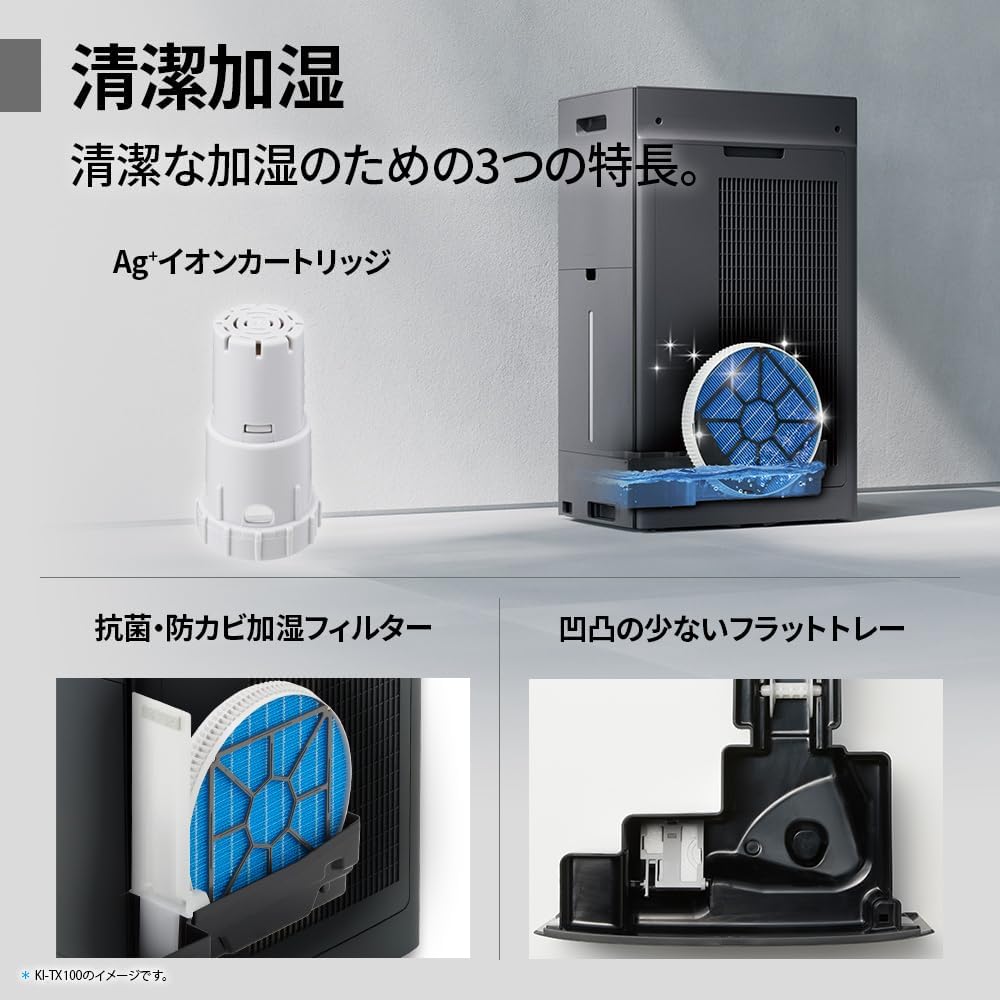
Regularly clean the pre-filter to maintain air purification efficiency.
5.2 Humidifying Filter Maintenance
The humidifying filter can be automatically cleaned using the unit's internal cleaning function. This helps prevent scale buildup.
- Remove the water tank and humidifying filter assembly.
- Add a small spoon of citric acid (commercially available) to the water tank and fill with water.
- Press the internal humidification cleaning button on the unit.
- After the cleaning cycle, rinse the tank and filter thoroughly.

The humidifying filter can be automatically cleaned using citric acid and water.
5.3 Ag+ Ion Cartridge Replacement
The Ag+ ion cartridge helps keep the water in the tank clean. Replace it approximately once a year.

Replace the Ag+ ion cartridge annually for optimal water tank hygiene.
6. Řešení problémů
Pokud se s čističkou vzduchu setkáte s problémy, podívejte se na následující běžné problémy a jejich řešení:
| Problém | Možná příčina | Řešení |
|---|---|---|
| Jednotka se nezapne. | Napájecí kabel není správně připojen. Ze zásuvky není proud. | Zkontrolujte připojení napájecího kabelu. Vyzkoušejte zásuvku s jiným zařízením. |
| Slabé proudění vzduchu nebo špatné čištění. | Filtry jsou znečištěné nebo ucpané. Je ucpaný přívod/vývod vzduchu. | Clean or replace filters. Ensure vents are clear. |
| No humidification or low humidity output. | Water tank is empty. Humidifying filter is dirty. | Refill water tank. Clean the humidifying filter. |
| Neobvyklý hluk během provozu. | Unit not on a level surface. Foreign object in fan. | Ensure unit is stable. Check for obstructions (unplug first). |
| AI Monitor shows high particle count despite operation. | Filters need cleaning/replacement. Room size exceeds recommended area. | Perform filter maintenance. Consider unit placement or additional units for larger spaces. |
Pokud problém přetrvává i po vyzkoušení těchto řešení, kontaktujte zákaznickou podporu.
7. Specifikace
| Funkce | Specifikace |
|---|---|
| Číslo modelu | KI-TX75-W |
| Značka | Ostrý |
| Rozměry (Š x H x V) | 39.5 cm x 26.5 cm x 65 cm |
| Hmotnost | 12 kg |
| Zdroj napájení | Elektrický kabel |
| Úroveň hluku | 20-52 dB |
| Recommended Room Size (Plasmacluster) | Up to 18 tatami (~29.7 m²) |
| Recommended Room Size (Air Purification) | Up to 34 tatami (~56.1 m²) |
| Maximální zvlhčovací kapacita | 900 ml/h |
| Air Purification Time (8 tatami) | 9 minut |
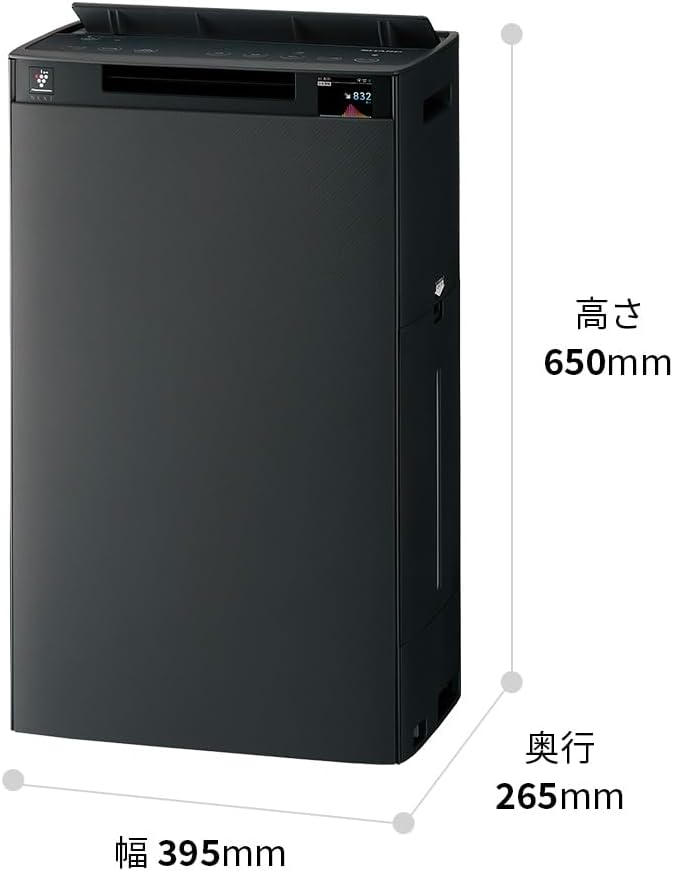
Detailed dimensions of the Sharp KI-TX75-W.
8. Záruka a podpora
8.1 Záruka výrobce
This Sharp KI-TX75-W Humidifying Air Purifier comes with a 1letá záruka výrobce od data nákupu. Tato záruka se vztahuje na vady materiálu a zpracování při běžném používání. Uschovejte si prosím doklad o koupi pro případ uplatnění záruky.
Záruka se nevztahuje na škody způsobené nesprávným použitím, nehodou, neoprávněnou úpravou nebo nedodržením pokynů v této příručce.
8.2 Zákaznická podpora
For technical assistance, warranty service, or inquiries about replacement parts, please contact Sharp customer support.
You can find additional support resources and FAQs on the official Sharp webmísto: