
1. Úvod
This manual provides essential instructions for the setup, operation, and maintenance of your CAPOXO Capoxo-SQ-21-Charger-NV 4K Full HD Wired Security Camera. This device is designed for indoor surveillance, offering continuous recording, motion detection, and night vision capabilities. Please read this manual thoroughly before using the product to ensure proper functionality and safety.

Image 1.1: The CAPOXO Capoxo-SQ-21-Charger-NV wired security camera, designed to resemble a standard USB wall charger.
2. Konec produktuview
2.1 Obsah balení
Ověřte, zda jsou v balení přítomny všechny položky:
- CAPOXO Security Camera
- USB kabel
- Čtečka karet
- Uživatelská příručka
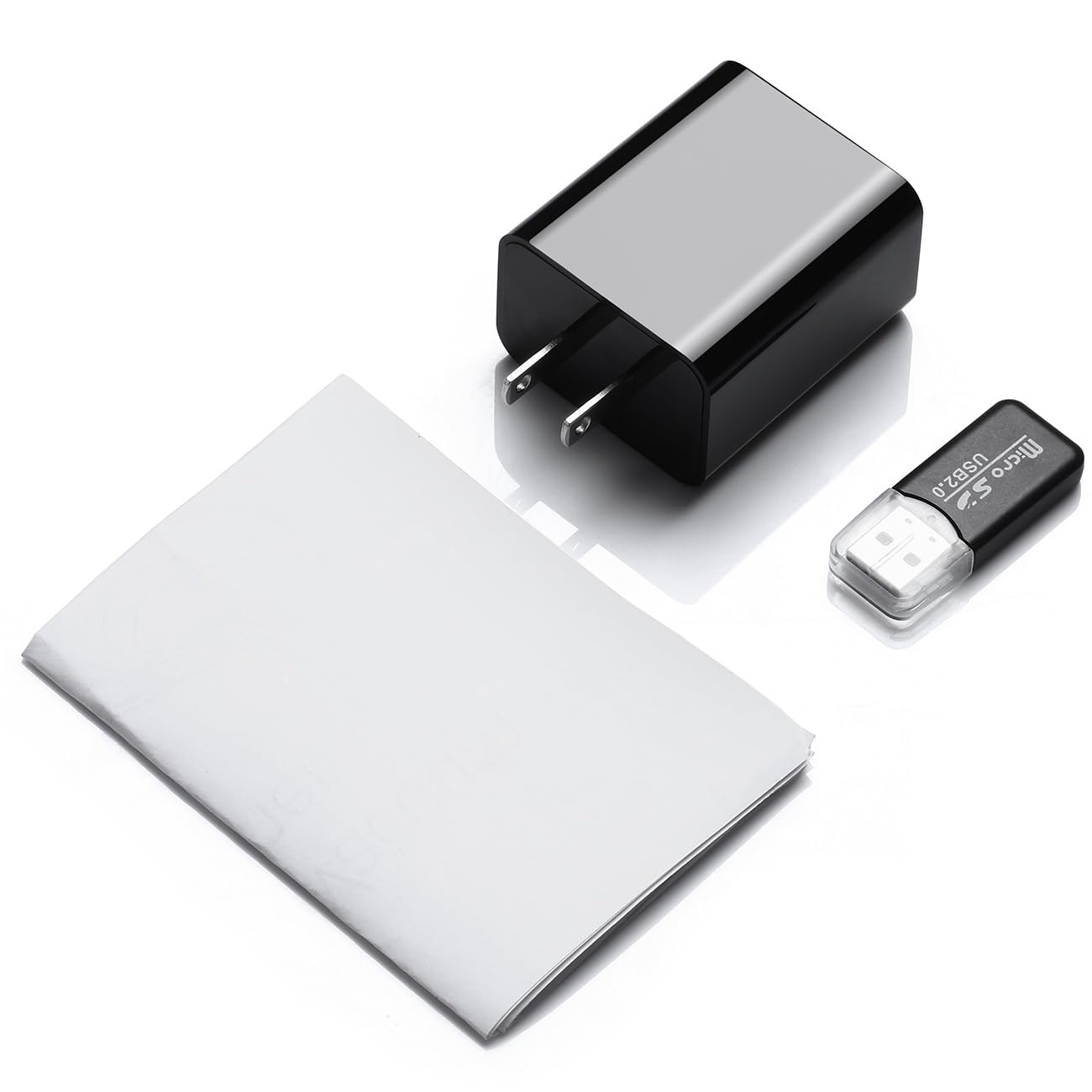
Image 2.1: Contents of the CAPOXO security camera package, including the camera, USB cable, card reader, and user manual.
2.2 Součásti kamery
Seznamte se s klíčovými součástmi fotoaparátu:

Image 2.2: Detailed diagram showing the camera's components, including the HD Lens, Card Slot, USB port, Mode Switch, IR LEDs, and Front Cover.
- Objektiv HD: Zachytí video footage.
- Slot na kartu: For inserting a Micro SD card (up to 128GB, not included).
- USB port: Functions as a standard USB charging port and for power supply to the camera.
- Přepínač režimu: Toggles between recording modes (M: Motion-activated, C: Loop recording).
- IR LED: Infrared emitters for night vision.
- Přední strana obálky: A removable cover to access the card slot and mode switch.
2.3 Klíčové vlastnosti
- Rozlišení Full HD 1080p: Records video at 1920x1080 for clear footage.
- Nepřetržité nahrávání ve smyčce: Automaticky přepíše starší footage to ensure uninterrupted surveillance.
- Možnost nočního vidění: Equipped with infrared LEDs for clear recording in low-light conditions up to 5 meters.
- Technologie detekce pohybu: Automatically initiates recording when movement is detected.
- Rozšiřitelné úložiště: Supports Micro SD cards up to 128GB (not included).
3. Nastavení
3.1 Vložení Micro SD karty
- Gently remove the front cover of the camera to expose the card slot.
- Insert a formatted Micro SD card (Class 10 or higher, up to 128GB) into the card slot with the gold contacts facing down until it clicks into place.
- Nasaďte přední kryt.
Poznámka: The Micro SD card is not included and must be purchased separately. Ensure the card is formatted before first use for optimal performance.
3.2 Napájení kamery
- Plug the camera directly into a standard 220V AC wall outlet.
- The camera will automatically power on and begin operation according to the selected mode.

Image 3.1: The CAPOXO security camera plugged into a wall outlet, ready for operation.
4. Návod k obsluze
4.1 Selecting Recording Mode
The camera features a mode switch located under the front cover:
- 'C' Position (Loop Recording): The camera will continuously record video. When the SD card is full, the oldest filebudou automaticky přepsány novými nahrávkami.
- 'M' Position (Motion Detection): The camera will only record when it detects movement within its field of view. This conserves storage space and highlights important events.
4.2 Noční vidění
The camera automatically activates its infrared (IR) LEDs in low-light conditions to provide clear night vision footage up to 5 meters. These LEDs are designed to be discreet.
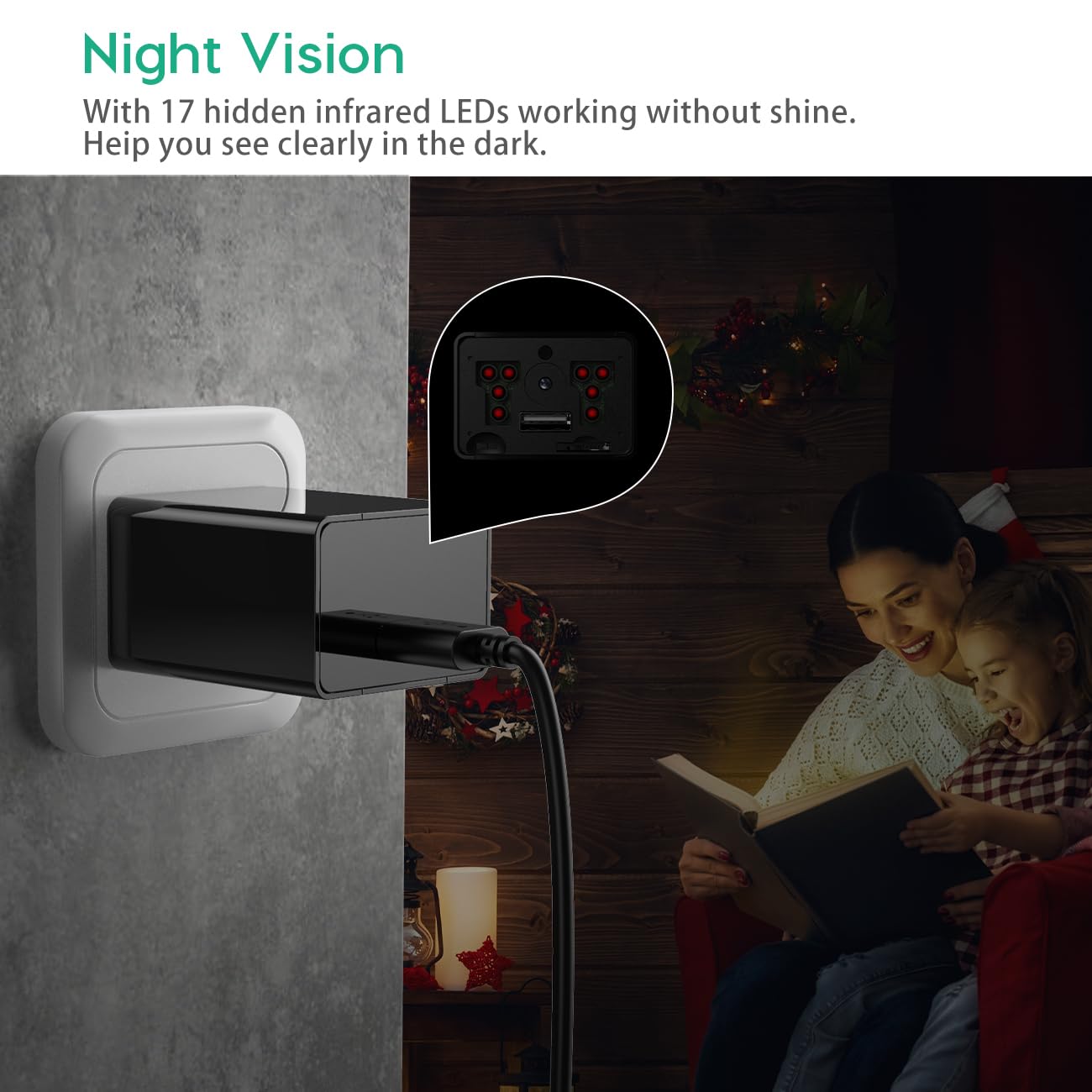
Image 4.1: Demonstration of the camera's night vision capability, showing clear visibility in a dark room.
4.3 Přístup k nahrávkám
- Unplug the camera from the power outlet.
- Remove the front cover and carefully eject the Micro SD card.
- Insert the Micro SD card into the provided card reader.
- Connect the card reader to a computer's USB port.
- Access the recorded video files na vašem počítači.
5. Údržba
- Čištění: K čištění objektivu a těla fotoaparátu používejte měkký, suchý hadřík. Nepoužívejte tekuté čisticí prostředky ani abrazivní materiály.
- Správa SD karet: Regularly back up important recordings. Periodically format the Micro SD card to maintain optimal performance and prevent data corruption.
- Umístění: Ensure the camera is placed in a stable indoor environment, away from direct sunlight, extreme temperatures, and high humidity.
6. Řešení problémů
- Camera is not recording:
- Ensure the camera is properly plugged into a live power outlet.
- Zkontrolujte, zda je karta Micro SD správně vložena a zda není plná.
- Try formatting the Micro SD card.
- Verify the mode switch is set to 'C' for continuous recording or 'M' for motion detection.
- Špatná kvalita videa:
- Očistěte čočku fotoaparátu měkkým hadříkem.
- Ensure adequate lighting in the recording area, especially for optimal daytime footage.
- Check if the camera is within its effective night vision range during low-light conditions.
- Motion detection is not working:
- Ensure the mode switch is set to 'M' (Motion Detection).
- Ověřte, zda je zorné pole kamery view je průhledný a bez překážek.
- Test the motion detection by moving in front of the camera.
- Nelze získat přístup files na počítači:
- Ensure the Micro SD card is properly inserted into the card reader.
- Try connecting the card reader to a different USB port or computer.
- Check if the Micro SD card is damaged or corrupted.
7. Specifikace
| Název modelu | Capoxo-SQ-21-Charger-NV |
| Rezoluce | Full HD 1080p (1920x1080) |
| Podpora úložiště | Micro SD karta s kapacitou až 128 GB (není součástí balení) |
| Režimy záznamu | Loop Recording, Motion Detection |
| Rozsah nočního vidění | Up to 5 meters (via IR LEDs) |
| Zdroj napájení | AC (220 V) |
| Konektivita | USB 2.0 |
| Vnitřní/venkovní použití | Krytý |
| Rozměry produktu | 5.3 x 4.6 x 3.2 cm |
| Hmotnost položky | 250 g |
| Zahrnuté komponenty | Camera, USB Cable, Card Reader |
8. Záruka a podpora
For any product-related inquiries, technical support, or warranty claims, please contact CAPOXO customer service through your purchase platform or the official CAPOXO website. Please have your model number (Capoxo-SQ-21-Charger-NV) and proof of purchase ready when contacting support.
Please refer to the terms and conditions of your purchase for specific warranty details.