
1. Úvod
Thank you for choosing the SABLUTE Wireless Keyboard and Mouse Combo. This ergonomic set is designed to provide a comfortable, silent, and efficient typing and navigation experience. Featuring wave keys, a cushioned palm rest, and 2.4G lag-free wireless connectivity, it is compatible with multiple operating systems including Windows and macOS.
This manual provides detailed instructions for setup, operation, maintenance, and troubleshooting to ensure you get the most out of your new device.

Image: The SABLUTE Wireless Keyboard and Mouse Combo, featuring the ergonomic wave keyboard, comfortable mouse, and the included USB-A and USB-C dongles.
2. Co je v krabici
Zkontrolujte prosím obsah balení a ujistěte se, že jsou v něm přítomny všechny položky:
- SABLUTE Ergonomic Wireless Keyboard
- SABLUTE Wireless Mouse
- 2-in-1 USB Receiver (USB-A and USB-C compatible)
- Uživatelská příručka (tento dokument)
Poznámka: 2 AA batteries for the keyboard and 1 AA battery for the mouse are není součástí dodávky a musí se zakoupit samostatně.
3. Průvodce nastavením
3.1. Instalace baterie
- Locate the battery compartment on the underside of the keyboard. Insert 2 AA batteries, ensuring correct polarity.
- Locate the battery compartment on the underside of the mouse. Insert 1 AA battery, ensuring correct polarity.
- Turn on the power switch for both the keyboard and the mouse. The power switch for the keyboard is located on the top right side, and for the mouse, it is on the underside.
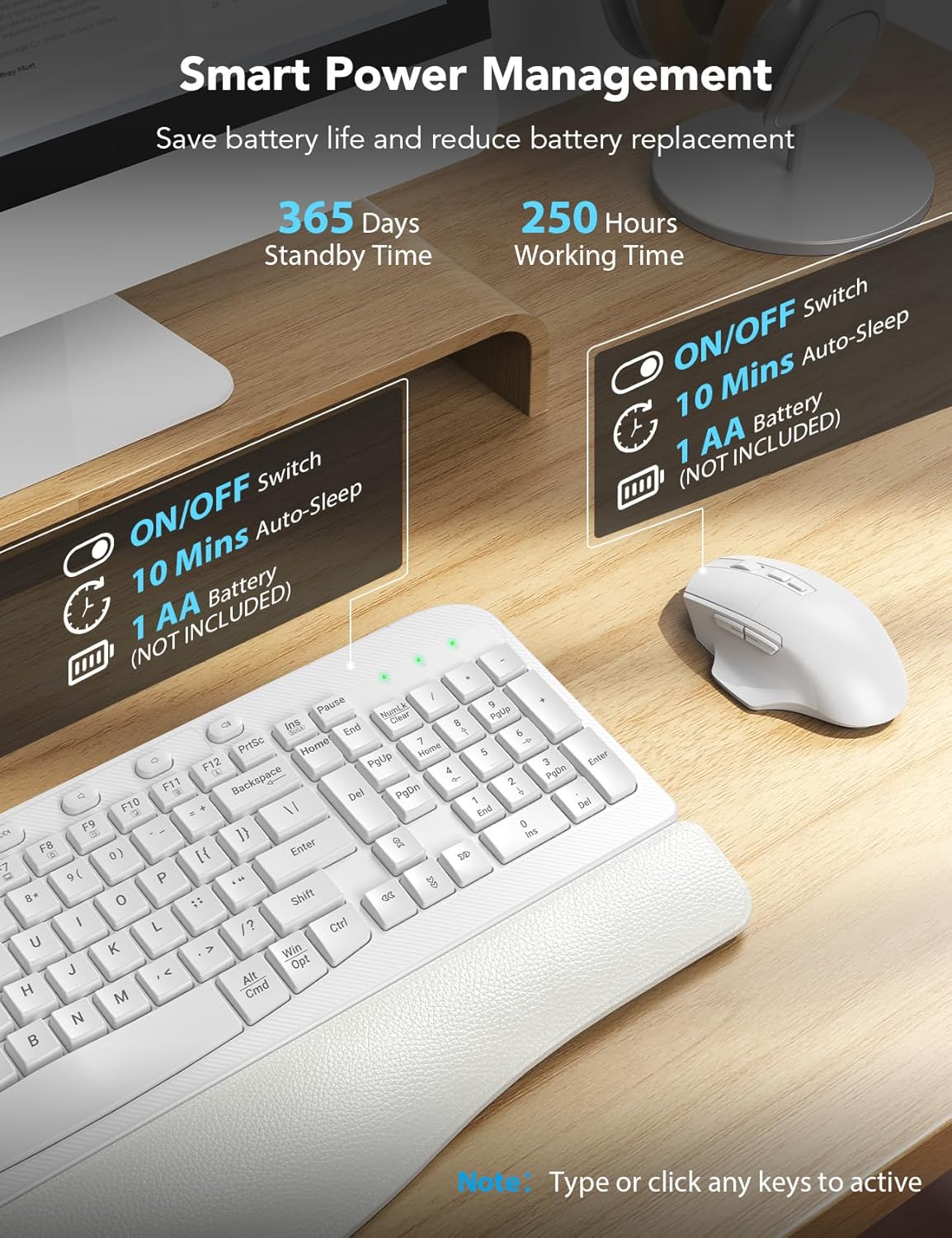
Image: Diagram showing the battery compartments for the keyboard (2 AA batteries) and mouse (1 AA battery), along with the ON/OFF switches and ergonomic tilt legs.
3.2. Připojení USB přijímače
- Locate the 2-in-1 USB receiver. It supports both USB-A and USB-C ports.
- Plug the USB receiver into an available USB-A or USB-C port on your computer.
- The keyboard and mouse should automatically connect. If not, refer to the troubleshooting section for re-pairing instructions.

Image: Illustration demonstrating the compatibility with both USB-A and USB-C ports using the included 2-in-1 USB receiver.

Image: Visual representation of the 2.4G stable wireless link between the keyboard, mouse, and the USB receiver, highlighting plug-and-play functionality with no delay up to 33ft/10m.
4. Návod k obsluze
4.1. Ergonomický design a pohodlí
The SABLUTE keyboard features an ergonomic wave design that reduces pressure and promotes a more natural typing posture. The integrated palm rest, made of comfortable leather with high-density foam support and a sturdy plastic bottom, provides excellent wrist support for extended use.

Image: The ergonomic wave-curved keyboard designed for natural and relaxed typing posture.

Obrázek: Podrobný view of the integrated palm rest, highlighting its Togo-style leather, high-density foam support, and sturdy plastic bottom for all-day comfort.
4.2. Funkce klávesnice
- Tiché psaní: The crater membrane structure effectively reduces typing noise by 95%, creating a quieter working environment.
- Efficient Hotkeys: In addition to standard F1-F12 multimedia keys, the keyboard includes 8 one-touch shortcut keys for improved efficiency.
- Nastavitelný sklon: The adjustable leg stand allows you to set the keyboard to a comfortable height.

Obrázek: Overview of the keyboard's 20 efficient shortcut keys, including F1-F12 multimedia keys and 8 one-touch shortcut keys.
4.3. Funkce myši
The 6-button mouse is designed for comfort and efficiency:
- Adjustable Tracking Speed: Cycle through 3 levels of tracking speed (DPI) to suit your preference.
- Tlačítka vpřed/vzad: Convenient buttons for quick navigation in web prohlížeče a file průzkumníci.
- Silent Micro-Switch: Reduces clicking noise for a quieter experience.

Image: The comfortable ergonomic mouse with its 7-button layout, highlighting the forward, backward, and thumb rest features, along with whisper-quiet operation and 3 tracking speeds.

Obrázek: Podrobný view of the ergonomic mouse, illustrating its 7 buttons, 3 tracking speeds, whisper click, high sensitivity, and ultralight design.
4.4. Kompatibilita duálních systémů
The combo is compatible with any device featuring a USB-A or USB-C port. You can easily switch between Windows and macOS layouts using the following key combinations:
- FN + A: Přepnout na rozložení Windows
- FN + S: Switch to macOS layout
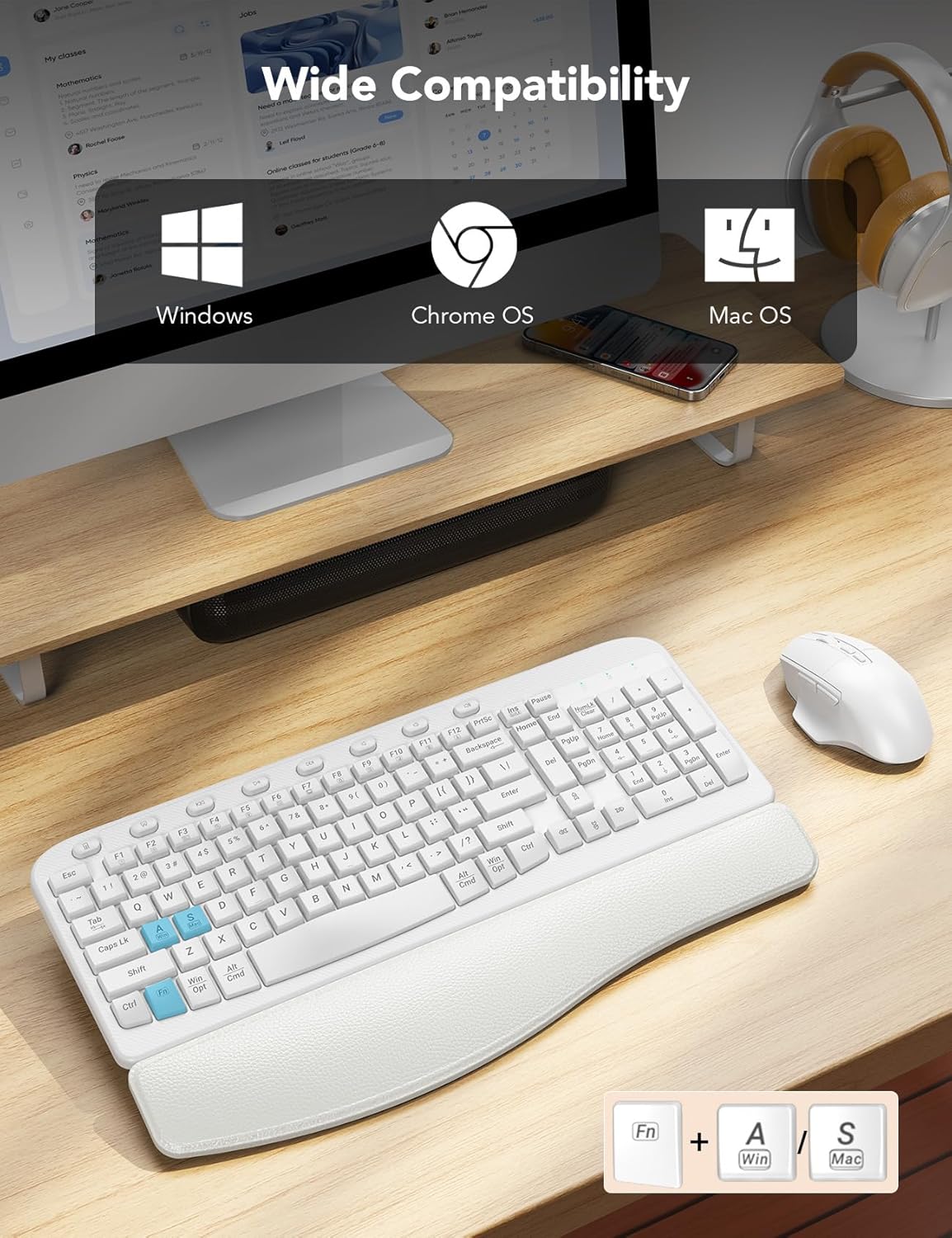
Image: Visual showing the keyboard's wide compatibility with Windows, Chrome OS, and Mac OS, along with the FN+A (Windows) and FN+S (Mac) key combinations for switching layouts.

Image: Close-up of the keyboard highlighting the FN+A and FN+S keys for seamless switching between Windows and Mac OS layouts.
4.5. Inteligentní správa napájení
To conserve battery life, both the keyboard and mouse feature a smart auto-sleep mode. If idle for 10 minutes, they will enter sleep mode. Simply type or click any key/button to wake them up.
- Keyboard Standby Time: Až 365 dní
- Mouse Working Time: Až 250 hodin

Image: Illustration of the smart sleep mode feature, showing that both keyboard and mouse enter sleep after 10 minutes of inactivity, with details on standby and working times.
5. Údržba
To ensure the longevity and optimal performance of your SABLUTE Wireless Keyboard and Mouse Combo, follow these maintenance guidelines:
- Čištění: K otření povrchů klávesnice a myši použijte měkký, suchý hadřík. V případě odolných nečistot použijte lehceamp Lze použít hadřík s jemným mýdlem, ale dbejte na to, aby se do zařízení nedostala žádná tekutina. Nepoužívejte agresivní chemikálie ani abrazivní čisticí prostředky.
- Výměna baterie: Replace batteries when performance degrades or the low battery indicator (if present) illuminates. Always use new, high-quality AA batteries.
- Skladování: When not in use for extended periods, turn off the power switches on both devices to conserve battery life. Store in a cool, dry place away from direct sunlight and extreme temperatures.
- Vyvarujte se rozlití: Keep liquids away from the keyboard and mouse to prevent damage to internal components.
6. Řešení problémů
If you encounter issues with your SABLUTE Wireless Keyboard and Mouse Combo, please refer to the following common solutions:
6.1. Keyboard or Mouse Not Responding
- Zkontrolujte baterie: Ujistěte se, že jsou baterie správně vloženy a dostatečně nabité. V případě potřeby je vyměňte.
- Zapnutí: Verify that the power switches on both the keyboard and mouse are in the 'ON' position.
- Připojení USB přijímače: Ensure the USB receiver is securely plugged into a working USB port on your computer. Try a different USB port if available.
- Opětovné spárování: If the devices lose connection, you may need to re-pair them with the receiver. For the keyboard, press and hold 'Esc' and '=' keys simultaneously until the red light flashes, then plug in the USB receiver. For the mouse, long press the left, middle, and right buttons for 5-6 seconds, then plug in the USB receiver. Stop pressing after connecting.
- Rušení: Move the keyboard and mouse closer to the USB receiver. Avoid placing them near other wireless devices or large metal objects that might cause interference.
Video: A helpful guide demonstrating how to troubleshoot and re-pair your SABLUTE keyboard and mouse if they are not responding, including steps for both devices.
6.2. Zpožděná nebo opožděná odezva
- Ensure the distance between the devices and the receiver is within the effective range (up to 33ft/10m).
- Check for potential wireless interference from other 2.4GHz devices (e.g., Wi-Fi routers, cordless phones).
- Replace batteries, even if they seem to have some charge left, as low power can affect performance.
7. Specifikace
| Funkce | Detail |
|---|---|
| Číslo modelu | KC15 |
| Technologie připojení | Bezdrátové 2.4G USB |
| Kompatibilní zařízení | Laptop, Television, Personal Computer (Windows, macOS, Chrome OS) |
| Rozměry klávesnice | 17.32 x 11.31 x 1.88 palce |
| Rozměry myši | 5.0 x 3.2 x 1.7 palce |
| Hmotnost položky | 2.64 libry |
| Baterie klávesnice | 2 AA baterie (nejsou součástí balení) |
| Baterie do myši | 1 AA baterie (není součástí balení) |
| Speciální funkce | Ergonomic wave keys, cushioned palm rest, 8 one-touch shortcut keys, silent typing, 3-level adjustable DPI mouse |

Image: Diagram illustrating the dimensions of the SABLUTE ergonomic keyboard and mouse.
8. Záruka a podpora
SABLUTE is committed to providing high-quality products and excellent customer service.
8.1. Záruka výrobce
Na tento produkt se vztahuje a 360denní záruka výrobce od data nákupu. Tato záruka se vztahuje na vady materiálu a zpracování při běžném používání. Nevztahuje se na škody způsobené nesprávným použitím, nehodami, neoprávněnými úpravami nebo vnějšími vlivy.
8.2. Zákaznická podpora
If you have any questions, require assistance, or need to claim warranty service, please contact us through the following channels:
- E-mailová podpora: sabluteservices@outlook.com
- Phone Support (US): +1-213-296-1273
- Provozní doba: Monday - Friday, 9am-1pm PST and 2pm-6pm PST
We offer prompt replies within 24 hours, 90-day replacements, and dedicated brand care.

Image: Visual representation of SABLUTE's after-sales support, including pre-sales Q&A, troubleshooting, accessories reissue, returns and exchanges, along with contact email and phone number.