
Zavedení
Welcome to the Revolution R180 Connect Plus Smart Toaster. This appliance features advanced InstaGLO 2.0 heating technology, a full-color touchscreen, and Wi-Fi connectivity for a personalized toasting experience. This bundle includes the Toastie Press and Warming Rack accessories, expanding your culinary options beyond traditional toast. Please read this manual thoroughly before first use to ensure safe and optimal operation.
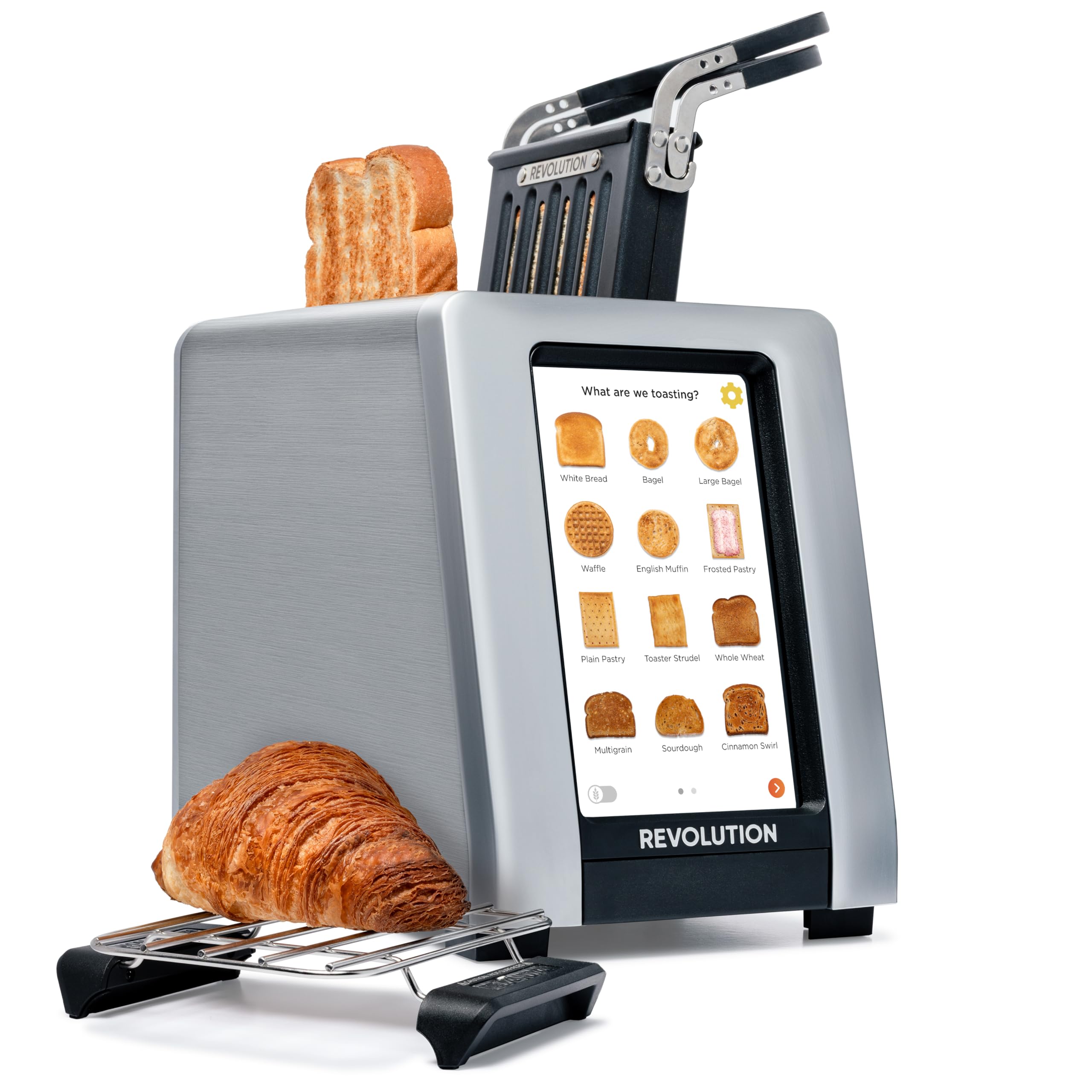
Image: The Revolution R180 Connect Plus Smart Toaster shown with the Toastie Press and Warming Rack accessories, highlighting its touchscreen interface and sleek design.
Důležité bezpečnostní informace
Při používání elektrických spotřebičů je třeba vždy dodržovat základní bezpečnostní opatření, včetně následujících:
- Přečtěte si všechny pokyny.
- Nedotýkejte se horkých povrchů. Použijte rukojeti nebo knoflíky.
- Abyste se chránili před úrazem elektrickým proudem, neponořujte kabel, zástrčky ani toustovač do vody ani jiné kapaliny.
- Když je jakýkoli spotřebič používán dětmi nebo v jejich blízkosti, je nutný pečlivý dohled.
- Vytáhněte zástrčku ze zásuvky, když ji nepoužíváte a před čištěním. Před nasazením nebo sejmutím dílů nechte vychladnout.
- Neprovozujte žádný spotřebič s poškozenou šňůrou nebo zástrčkou nebo poté, co spotřebič nefunguje správně nebo byl jakýmkoliv způsobem poškozen.
- Nepoužívejte venku.
- Nenechávejte kabel viset přes okraj stolu nebo pultu ani se dotýkat horkých povrchů.
- Neumisťujte na horký plynový nebo elektrický hořák nebo do jeho blízkosti nebo do vyhřáté trouby.
- Nepoužívejte spotřebič k jinému než určenému použití.
- Do toustovače se nesmí vkládat příliš velké potraviny, obaly z kovové fólie nebo náčiní, protože by mohlo dojít k požáru nebo úrazu elektrickým proudem.
- Pokud jsou topinkovače zakryty nebo se dotýkají hořlavého materiálu, včetně záclon, závěsů, stěn a podobně, když jsou v provozu, může dojít k požáru.
- Nepokoušejte se vytlačit jídlo, když je toustovač zapojený.
- Nepracujte bez dozoru.
Co je v krabici
Your Revolution R180 Connect Plus Smart Toaster package includes:
- Revolution R180 Connect Plus Smart Toaster
- Toastie Press accessory
- Warming Rack accessory
- Uživatelská příručka (tento dokument)
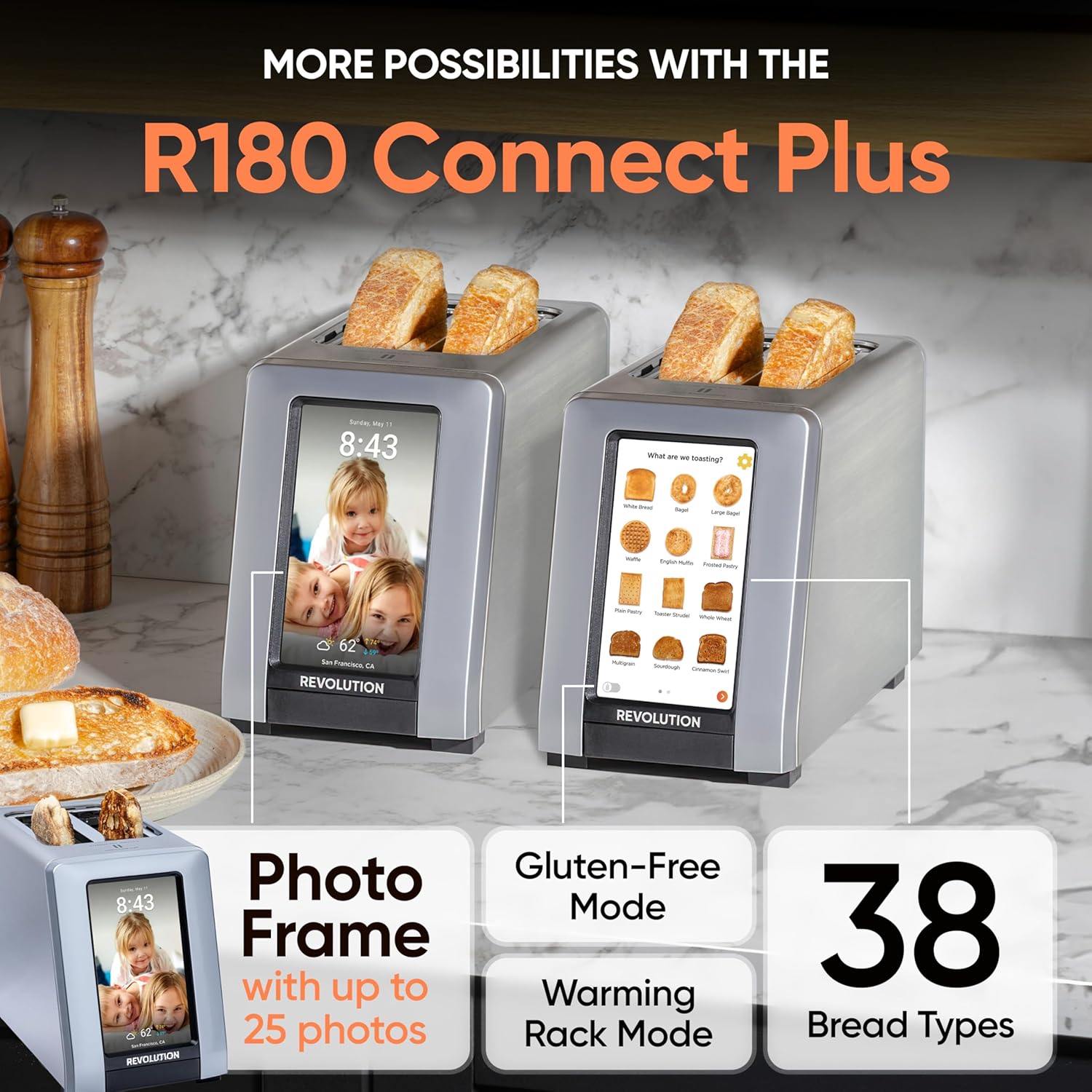
Image: The Revolution R180 Connect Plus Smart Toaster, Toastie Press, and Warming Rack are shown in their respective packaging, ready for unboxing.
Nastavení
- Rozbalení: Carefully remove all components from the packaging. Ensure all protective films and packing materials are removed from the toaster and accessories.
- Umístění: Place the toaster on a stable, flat, heat-resistant surface, away from flammable materials. Ensure adequate ventilation around the unit.
- Připojení napájení: Plug the toaster into a grounded electrical outlet. The touchscreen will illuminate upon connection.
- Počáteční nastavení: Follow the on-screen prompts to complete the initial setup. This includes connecting to your Wi-Fi network, which enables features like auto-set clock and live weather updates.
- Photo Frame Setup: To personalize your toaster with photos, scan the QR code displayed on the screen or in the manual with your mobile phone. Follow the instructions to upload up to 25 of your favorite images.

Image: The Revolution R180 Connect Plus Smart Toaster displays the current time, date, and weather forecast on its touchscreen, demonstrating its smart connectivity features.
Video: A user demonstrates the unboxing and initial setup of the Revolution R180 Connect Plus Smart Toaster, highlighting its packaging and first power-on sequence.
Návod k obsluze
Použití rozhraní dotykové obrazovky
The R180 Connect Plus features an intuitive touchscreen for selecting your desired toasting settings:
- Vyberte typ jídla: Tap on the icon corresponding to the food item you wish to toast (e.g., White Bread, Bagel, Waffle, Pastry). The toaster offers over 40 bread types, including a dedicated Gluten-Free mode.
- Choose State: Select whether the item is Fresh, Frozen, or if you are Reheating it.
- Set Browning Level: Adjust the browning level using the visual indicators, typically from 1 (lightest) to 7 (darkest).
- Začněte opékat: Press the "Start" button. The toaster will automatically lower the item and begin the toasting cycle. The screen will display a progress indicator.
Video: This video demonstrates the touchscreen interface of the Revolution R180 Connect Plus, showing how to select different bread types and browning levels for toasting.
Using the Toastie Press (Included)
The Toastie Press allows you to make perfectly crispy, melty sandwiches directly in your toaster without butter or oil.
- Prepare Sandwich: Assemble your grilled cheese, panini, or quesadilla. Ensure it fits within the Toastie Press dimensions.
- Insert into Press: Open the Toastie Press, place your sandwich inside, and close it securely.
- Insert into Toaster: Slide the loaded Toastie Press into one of the toaster slots.
- Select Panini Mode: On the toaster's touchscreen, navigate to the second page of food options and select "Toastie Press" mode.
- Start: Press "Start". The toaster will automatically lower the press and begin cooking.

Image: The Toastie Press accessory is shown in use, preparing a grilled cheese sandwich within the toaster slots.
Video: A user demonstrates the process of making a quesadilla using the Revolution Toastie Press, from preparation to the final toasted product.
Using the Warming Rack (Included)
The Warming Rack is designed to gently warm and crisp items like croissants, pastries, cookies, or leftover pizza.
- Place Rack: Position the Warming Rack securely over the toaster slots. The rubberized handles ensure stability.
- Místo Jídlo: Place the item(s) you wish to warm directly on the rack.
- Select Warming Rack Mode: On the toaster's touchscreen, navigate to the second page of food options and select "Warming Rack" mode.
- Start: Press "Start". The toaster will activate its heating elements to warm the items on the rack.

Image: The Warming Rack accessory is shown placed on top of the toaster, with various items like pastries, pizza, and cookies being warmed.
Vlastnosti
- InstaGLO 2.0 Technology: Heats up in 2 seconds, searing the outside of bread to lock in flavor and prevent drying, resulting in a crispy exterior and soft interior.
- Digitální fotorámeček: Displays up to 25 of your favorite images when the toaster is idle, transforming it into a personalized kitchen display.
- Live Weather Display: Provides updated weather forecasts on the touchscreen via Wi-Fi connectivity.
- Auto-Set Clock: Automatically sets the time via Wi-Fi, ensuring accuracy.
- Aktualizace softwaru: Wi-Fi connectivity allows for over-the-air software updates, adding new features and improving performance.

Image: A visual comparison highlights the InstaGLO technology of the Revolution Toaster versus a standard toaster, emphasizing faster and tastier results.
Údržba
- Čištění misky na drobky: The toaster will remind you when the crumb tray needs cleaning. Simply push the tray to release it, empty crumbs, and reinsert. The Toastie Press is dishwasher safe.
- Čištění exteriéru: Vnější povrch otřete měkkým, damp tkanina. Nepoužívejte abrazivní čisticí prostředky ani neponořujte toustovač do vody.
Odstraňování problémů
- Toustovač se nezapíná: Ujistěte se, že je napájecí kabel bezpečně zapojený do funkční elektrické zásuvky.
- Problémy s připojením Wi-Fi: Check your home Wi-Fi network. If issues persist, try restarting your router or the toaster.
- Nerovnoměrné opékání: Ensure bread is centered in the slots. Different bread types may require slight adjustments to browning levels.
- Food Stuck: Unplug the toaster and carefully remove the food item using non-metallic utensils.
Specifikace
| Značka | Revoluce |
| Číslo modelu | 1359080 |
| Barva | Nerez |
| Materiál | Nerez |
| Rozměry produktu | 16"H x 10"Š x 14"V |
| Wattage | 600 wattů |
| Počet řezů | 2 |
| Hmotnost položky | 8.98 libry |
Záruka a podpora
Your Revolution R180 Connect Plus Smart Toaster comes with a manufacturer's warranty. For detailed warranty information, please refer to the warranty card included in your packaging or visit the official Revolution Cooking webmísto.
Rozšířené ochranné plány jsou k dispozici k zakoupení:
- Dvouletý ochranný plán
- Dvouletý ochranný plán
- Kompletní ochrana (měsíční tarif)
For technical support, troubleshooting assistance, or to inquire about replacement parts, please contact Revolution Cooking customer service through their official website or the contact information provided in your product registration.
Ask a question about this manual
Ask about setup, troubleshooting, compatibility, parts, safety, or missing instructions. Manuals+ will review the question and use this page’s manual context to help answer it.