
Zavedení
Thank you for choosing the Irfora Multifunction Bamboo 12-Digit Calculator. This eco-friendly calculator combines classic design with modern functionality, featuring a durable bamboo casing and dual power source. This manual provides essential information for setting up, operating, and maintaining your calculator to ensure optimal performance.

Obrázek 1: Přední strana view of the Irfora Bamboo Calculator, showcasing its natural bamboo finish and large LCD display.
1. Nastavení
1.1 Vybalení
Carefully remove the calculator from its packaging. Inspect the device for any signs of damage. Retain the packaging for future storage or transport.
1.2 Zapnutí
The calculator features a dual power system: solar and button battery. It automatically switches between power sources for efficient operation.
- Solární energie: Place the calculator in a well-lit area. The solar panel will convert light into energy, powering the device.
- Napájení baterie: In low-light conditions, the calculator will automatically switch to button battery power.
- Chcete-li zapnout kalkulačku, stiskněte tlačítko ON/C/CE or AC klíč.

Obrázek 2: Úhlové view of the Irfora Bamboo Calculator, showing the solar panel and LCD display.
2. Návod k obsluze
The calculator features 29 large, comfortable keys with carved numbers that are designed not to fade over time.
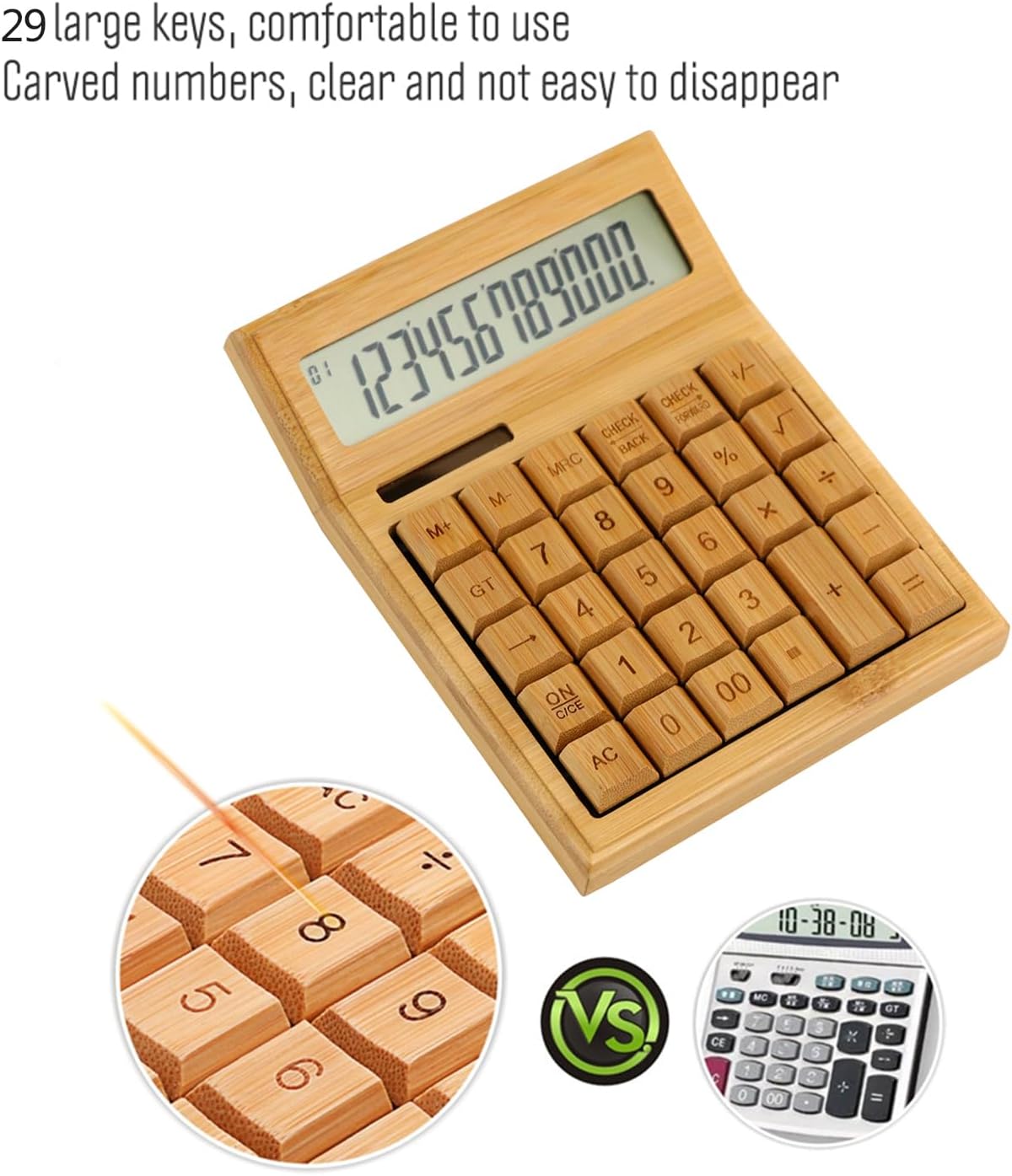
Obrázek 3: Detail view highlighting the large, carved bamboo keys for comfortable and durable use.
2.1 Základní aritmetické operace
Standardní výpočty provádějte pomocí následujících kláves:
- + (Přidání)
- - (Odčítání)
- × (Násobení)
- ÷ (Divize)
- = (Rovná se)
2.2 Funkce paměti
The calculator includes memory functions for complex calculations:
- M+: Přičte zobrazenou hodnotu do paměti.
- M-: Odečte zobrazenou hodnotu z paměti.
- MRC: Recalls the memory value. Pressing twice clears the memory.
2.3 Speciální funkce
- % (Percentage): Calculates percentages.
- √ (Square Root): Calculates the square root of the displayed number.
- +/- (Sign Change): Changes the sign of the displayed number (positive to negative, or vice versa).
- AC (All Clear): Clears all entries and memory.
- ON/C/CE (On/Clear Entry): Turns on the calculator. When on, clears the last entry. Pressing twice clears all entries.

Figure 4: A hand demonstrating the use of the calculator for daily tasks.
2.4 Automatické vypnutí
To conserve energy, the calculator will automatically power off after approximately 12 minutes of inactivity. Press ON/C/CE or AC abyste jej znovu zapnuli.
3. Údržba
3.1 Čištění
To clean the calculator, gently wipe the surface with a soft, dry cloth. For stubborn dirt, a slightly damp Lze použít hadřík, ale dbejte na to, aby se do zařízení nedostala vlhkost. Nepoužívejte agresivní chemikálie ani abrazivní čisticí prostředky.
3.2 Skladování
Store the calculator in a cool, dry place away from direct sunlight and extreme temperatures. Prolonged exposure to direct sunlight can affect the bamboo finish.
3.3 Výměna baterie
The calculator uses a button battery (type not specified, typically AG10 or LR1130). If the display becomes dim or unresponsive in low light, the battery may need replacement. Consult a qualified technician or refer to the product packaging for specific battery type and replacement instructions. Improper battery replacement can damage the device.
4. Řešení problémů
| Problém | Možná příčina | Řešení |
|---|---|---|
| Displej je prázdný nebo tmavý. | Nedostatek světla pro solární napájení nebo slabá baterie. | Move the calculator to a brighter area. If the problem persists, the button battery may need replacement. |
| Kalkulačka se nezapne. | No power, or device is in auto-off mode. | Ensure adequate light for solar power. Press ON/C/CE or AC. If still unresponsive, replace the button battery. |
| Nesprávné výsledky výpočtu. | Incorrect key input, or temporary internal error. | Stiskněte AC to clear all entries and restart the calculation. Double-check your input. |
5. Specifikace
- Značka: Irfora
- Model: LAKJPOS0867
- Zobrazit: 12místný velký LCD displej
- Zdroj napájení: Dual Power (Solar & Button Battery)
- Klíče: 29 Bamboo Keys with Carved Numbers
- Funkce: Basic Arithmetic, Square Root, Percentage, Memory (M+, M-, MRC), Sign Change
- Automatické vypnutí: Approximately 12 minutes of inactivity
- Rozměry produktu: 19 x 14 x 4 cm (přibližně 7.5 x 5.5 x 1.6 palce)
- Hmotnost produktu: 295 g (přibližně 0.65 libry)
6. Záruka a podpora
For warranty information and customer support, please refer to the documentation included with your purchase or contact your retailer. Keep your proof of purchase for any warranty claims.
Pro další pomoc prosím navštivte Irfora brand page on Amazon.co.jp.