
1. Úvod
The TELE System TS4020 PRO is an advanced and versatile digital decoder designed for receiving both terrestrial and satellite television broadcasts. It features dual DVB-T/T2 and DVB-S/S2 tuners, supporting HEVC HD, HDR10, and HLG for high-quality video. This device allows access to a wide range of free-to-air TV and radio channels without a subscription. Additionally, its USB port enables media playback of music, photos, and videos, transforming the decoder into a home entertainment hub.
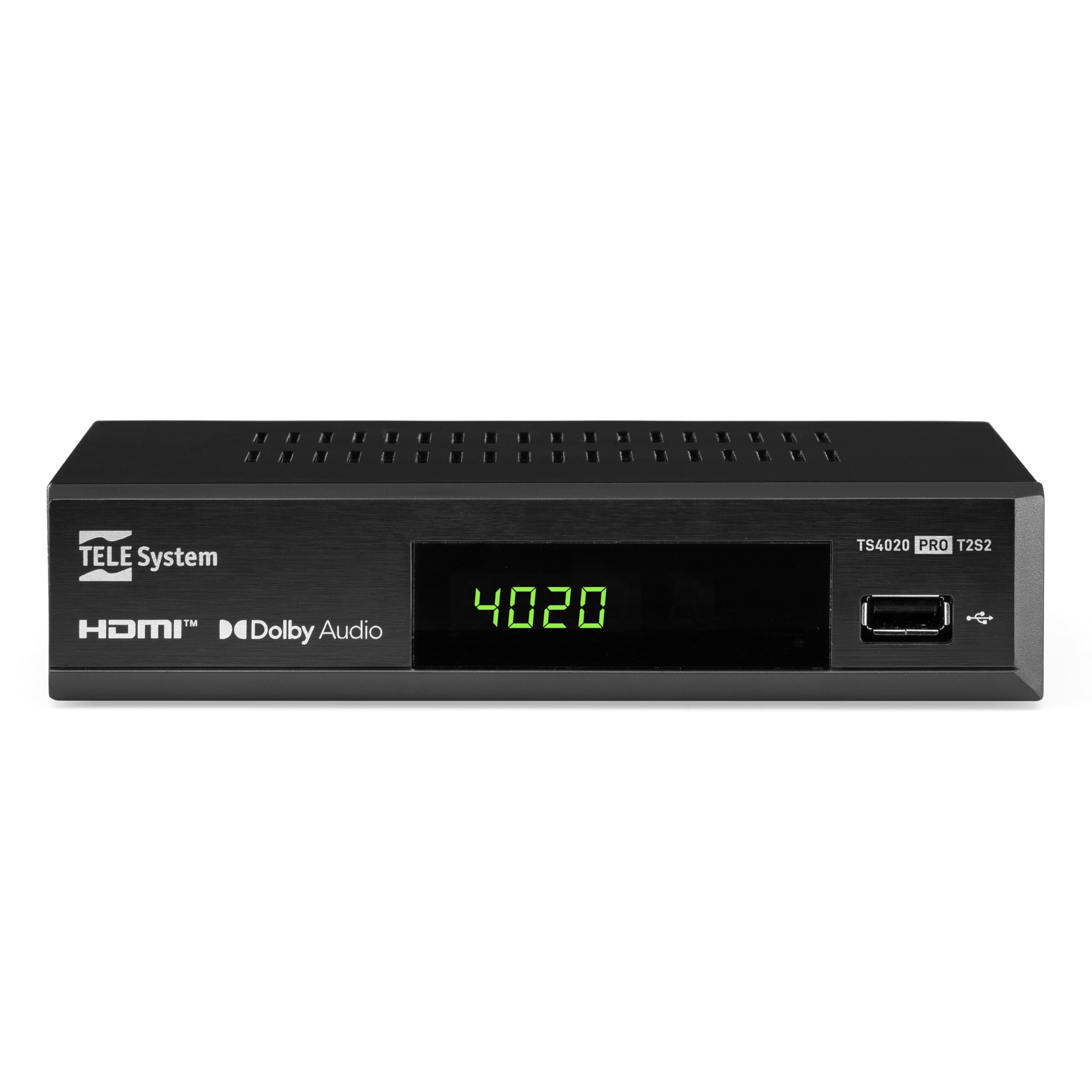
Figure 1: Tele System TS4020 PRO Decoder and included remote control.
2. Nastavení
2.1 Vybalení a komponenty
Opatrně vybalte všechny položky z krabice. Ujistěte se, že jsou přítomny následující součásti:
- Tele System TS4020 PRO Decoder
- Dálkové ovládání
- Externí napájecí adaptér
- Uživatelská příručka (tento dokument)
2.2 Connecting the Decoder
Follow these steps to connect your decoder to your television and antenna/satellite dish.
- Připojení napájení: Connect the external power adapter to the DC 12V input on the back of the decoder, then plug it into a power outlet.
- Připojení HDMI: Use an HDMI cable to connect the HDMI OUT port on the decoder to an available HDMI input on your television.
- Antenna Connection (for DVB-T/T2): Připojte kabel pozemní antény k RF IN port on the back of the decoder.
- Satellite Connection (for DVB-S/S2): Connect your satellite dish cable to the SATÉN port on the back of the decoder.
- Volitelná připojení:
- SCART: For older televisions, connect a SCART cable from the TV SCART port on the decoder to your TV. Note that 4K resolution is not supported via SCART.
- Koaxiální audio: For digital audio output, connect a coaxial audio cable from the COAXIAL port to your audio receiver.
- USB: For media playback, insert a USB drive into the USB port on the front or back of the decoder.

Figure 2: Rear panel connections of the TS4020 PRO decoder, including SAT IN, RF IN, Coaxial, HDMI, and TV SCART ports.
2.3 Počáteční nastavení a vyhledávání kanálů
After connecting the decoder, turn on your television and select the correct HDMI input. The decoder should power on automatically or can be turned on using the remote control.
- Při úvodním nastavení postupujte podle pokynů na obrazovce.
- Vyberte preferovaný jazyk a region.
- The decoder features an AUTOSCAN function for quick and easy automatic channel searching and sorting for both terrestrial and satellite channels. Initiate the scan when prompted.
- Once the scan is complete, your decoder is ready for use.
3. Návod k obsluze
3.1 Funkce dálkového ovládání
The TELE System TS4020 PRO comes with a unique remote control designed to manage both the decoder and your television. It features programmable keys for added convenience.

Figure 3: Layout of the TS4020 PRO remote control.
- Vypínač: Zapíná/vypíná dekodér.
- AV/TV: Přepíná vstupní zdroj televizoru.
- VOL + / VOL-: Upravuje hlasitost.
- PROG+/PROG-: Mění kanály.
- DTT/SAT: Switches between terrestrial and satellite modes.
- JÍDELNÍ LÍSTEK: Vstup do hlavní nabídky.
- OK: Potvrzuje výběr.
- Šipky: Navigates menus and EPG.
- INFO: Zobrazuje informace o programu.
- EPG: Elektronický programový průvodce.
- Ovládání přehrávače médií: Přehrát, Pozastavit, Zastavit, Rychle vpřed, Přetočit zpět.
- Programmable TV Control Keys: These keys (usually at the top) can be programmed to control basic TV functions like power, volume, and input. Refer to the remote control section in the full manual for programming instructions.
3.2 kanál Viewing and Selection
Použijte PROG+ a PROG- buttons to navigate through channels. Press OK na view the channel list and select a channel directly. Use the DTT/SAT button to switch between terrestrial (DVB-T/T2) and satellite (DVB-S/S2) channel lists.
3.3 Přehrávání médií přes USB
The decoder supports media playback from a USB storage device.
- Vložte USB flash disk nebo externí pevný disk do USB portu.
- Access the Media Player function from the main menu.
- Procházejte svým files to play music, view photos, or watch videos.
3.4 HDR Quality
The TS4020 PRO is compatible with HDR10 and HLG standards, providing enhanced image quality with improved color rendering and visual depth, especially for content with high dynamic range. Ensure your television also supports HDR10 or HLG for the best viewzkušenosti.
4. Údržba
- Čištění: Use a soft, dry cloth to clean the decoder's exterior. Do not use liquid cleaners or abrasive materials.
- Větrání: Ensure the decoder has adequate ventilation. Do not block the ventilation openings.
- Aktualizace softwaru: Periodically check for available software updates through the decoder's menu (if supported). Software updates can improve performance and add new features. Information regarding guaranteed software updates is not available.
- Skladování: Pokud zařízení skladujete delší dobu, odpojte jej od napájení a uložte jej na chladném a suchém místě.
5. Řešení problémů
If you encounter issues with your Tele System TS4020 PRO, refer to the following common problems and solutions:
| Problém | Možná příčina | Řešení |
|---|---|---|
| Žádná síla | Napájecí adaptér není připojen nebo je zásuvka vadná. | Ensure the power adapter is securely connected to the decoder and a working power outlet. |
| Na televizoru není žádný obraz/zvuk | Incorrect TV input selected, loose HDMI/SCART cable. | Select the correct HDMI/AV input on your TV. Check that the HDMI or SCART cable is securely connected at both ends. |
| No channels found or poor signal | Antenna/satellite dish not connected, misaligned, or damaged. | Check antenna/satellite cable connections. Ensure your antenna/dish is properly aligned. Perform an AUTOSCAN again. |
| Dálkové ovládání nefunguje | Dead batteries, obstruction, or remote out of range. | Replace batteries. Ensure no obstructions between the remote and the decoder. Point the remote directly at the decoder. |
| HDMI output not compatible with TV | Specific TV model incompatibility. | If available, try using the SCART connection for video output. Note that 4K resolution is not supported via SCART. |
| Date resets to 1970 after reset | Internal clock issue or software bug. | Check for available software updates. If the issue persists, contact customer support. |
6. Specifikace
| Číslo modelu | 21005355 |
| Značka | TELE systém |
| Technologie připojení | USB, Power, HDMI, SCART, RF IN, SAT IN, Coaxial |
| Režim zvukového výstupu | Surround |
| Celkový počet portů HDMI | 1 |
| Kompatibilní zařízení | Televize |
| Podporované zvukové formáty | Dolby Digital, DTS, AAC, MP3, PCM |
| svtage | 12 V (DC) |
| Rozlišení výstupu videa | 1080p |
| Podporované standardy | DVB-T2, DVB-S2, H.265, HDR10, HLG, MP3, AAC |
| Poměr stran | 16:9 |
| Barva | Černý |
| Země původu | Čína |
7. Informace o záruce
The Tele System TS4020 PRO decoder comes with a 2letá záruka výrobce. Please retain your proof of purchase for warranty claims. For specific terms and conditions, refer to the warranty card included with your product or contact Tele System customer support.
8. Zákaznická podpora
For further assistance, technical support, or inquiries regarding your Tele System TS4020 PRO decoder, please visit the official Tele System webnebo kontaktujte jejich oddělení zákaznických služeb.
Poznámka: Informace o dostupnosti náhradních dílů pro tento produkt momentálně nejsou k dispozici.