
1. Úvod
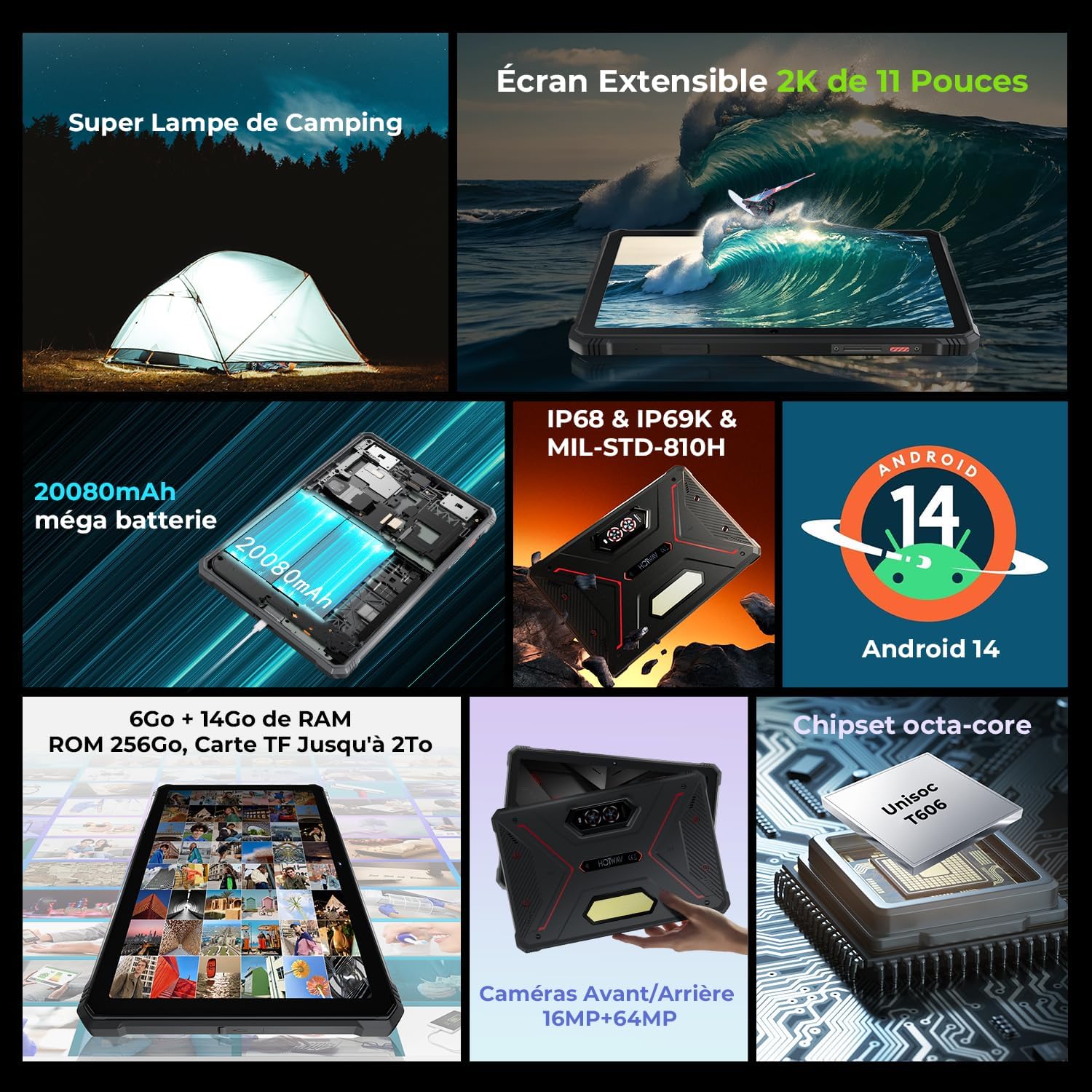
The HOTWAV R9 Pro is a rugged tablet engineered for exceptional durability and high performance. It features an 11-inch FHD+ display, runs on Android 14, and is powered by a robust octa-core processor. With 20GB of RAM (6GB physical + 14GB virtual) and 256GB of internal storage, expandable up to 2TB, this tablet is designed to handle demanding tasks and store extensive data. Its massive 20080mAh battery ensures prolonged usage, while IP68/IP69K water and dust resistance, combined with MIL-STD-810H drop protection, make it suitable for challenging environments.

The HOTWAV R9 Pro Rugged Tablet, showcasing its durable design, 11-inch 2K screen, Android 14 operating system, and large 20080mAh battery capacity.
2. Co je v krabici
Prosím, ověřte, zda jsou v balení přítomny všechny položky:
- Odolný tablet HOTWAV R9 Pro
- 20W nabíječka
- 3A Data Cable (USB Type-C)
- OTG Data Cable
- Screen Protector Film
- Uživatelská příručka

Image showing the HOTWAV R9 Pro tablet alongside its included accessories: charger, USB-C cable, OTG cable, and user manual.
3. Průvodce nastavením
3.1 Nabíjení tabletu
Connect the provided 20W charger and USB Type-C cable to the tablet's charging port. The tablet supports fast charging. A full charge can provide up to 1000 hours of standby time.

The HOTWAV R9 Pro tablet being charged, illustrating its large 20080mAh battery and 20W fast charging. The image also highlights the tablet's octa-core chipset, 20GB RAM, and 256GB ROM with 2TB expandable storage.
3.2 Vložení SIM/SD karty
- Na boku tabletu vyhledejte slot pro SIM/SD kartu.
- Use the provided SIM ejector tool to gently open the tray.
- Carefully place up to two 4G SIM cards and/or one microSD card (up to 2TB) into the designated slots. Ensure they are correctly oriented.
- Securely close the tray to maintain the tablet's water and dust resistance.

The HOTWAV R9 Pro tablet displaying its dual SIM card slots and highlighting its 4G and dual-band WLAN capabilities for seamless connectivity.
3.3 Initial Power On and Face ID Setup
- Press and hold the power button until the HOTWAV logo appears.
- Postupujte podle pokynů na obrazovce a dokončete počáteční nastavení, včetně výběru jazyka, připojení k Wi-Fi a přihlášení k účtu Google.
- To set up Face ID, navigate to Nastavení > Zabezpečení a soukromí > Odemknutí obličejem. Follow the prompts to register your face for convenient and secure unlocking.

A man using the HOTWAV R9 Pro tablet outdoors, demonstrating the facial recognition feature for secure access, even while wearing gloves.
4. Návod k obsluze
4.1 Základní navigace (Android 14)
The tablet runs on the latest Android 14 operating system, offering a fluid and intuitive user experience. Swipe up from the bottom of the screen to access the app drawer. Swipe down from the top to view oznámení a rychlé nastavení.

The HOTWAV R9 Pro tablet showcasing the Android 14 interface with multiple application screens and customization features.
4.2 Funkce displeje
The 11-inch FHD+ display with a 1920x1200 resolution, 60Hz refresh rate, and 400 nits maximum brightness provides clear and vibrant visuals, ideal for media consumption, gaming, and productivity tasks.

The HOTWAV R9 Pro tablet displaying high-definition content on its expansive 11-inch screen, highlighting its visual clarity.
4.3 Použití kamery
The tablet is equipped with a 64MP rear camera and a 16MP front camera. Open the Camera application to capture high-quality photos and videos. The 64MP main camera is designed for detailed images, while the 16MP front camera is perfect for selfies and video calls.
The HOTWAV R9 Pro tablet highlighting its 64MP main rear camera and 16MP front camera for capturing moments.
4.4 Konektivita
- 4G Dual SIM: Insert two 4G SIM cards to manage calls and data from different networks simultaneously. (Note: Not compatible with AT&T).
- WLAN 5G: Connect to 5GHz Wi-Fi networks for faster and more stable internet speeds.
- Bluetooth 5.0: Pair with Bluetooth-enabled devices such as headphones, speakers, or keyboards for wireless connectivity.

Visual representation of the HOTWAV R9 Pro's advanced connectivity features, including WiFi 5 for faster internet and Bluetooth 5.0 for efficient wireless pairing.
4.5 Funkce OTG
Utilize the included OTG cable to connect external USB devices such as flash drives, keyboards, or mice. The powerful OTG function also allows you to charge other compatible devices using the tablet's large battery, acting as a power bank.
The HOTWAV R9 Pro tablet illustrating its OTG (On-The-Go) functionality, capable of charging other electronic devices like phones, drones, and speakers.
4.6 Camping Lamp (Svítilna)
The tablet is equipped with a powerful 350-lumen LED camping lamp. Access this feature through the quick settings panel or a dedicated application to provide bright illumination in dark environments, useful for outdoor activities or emergencies.
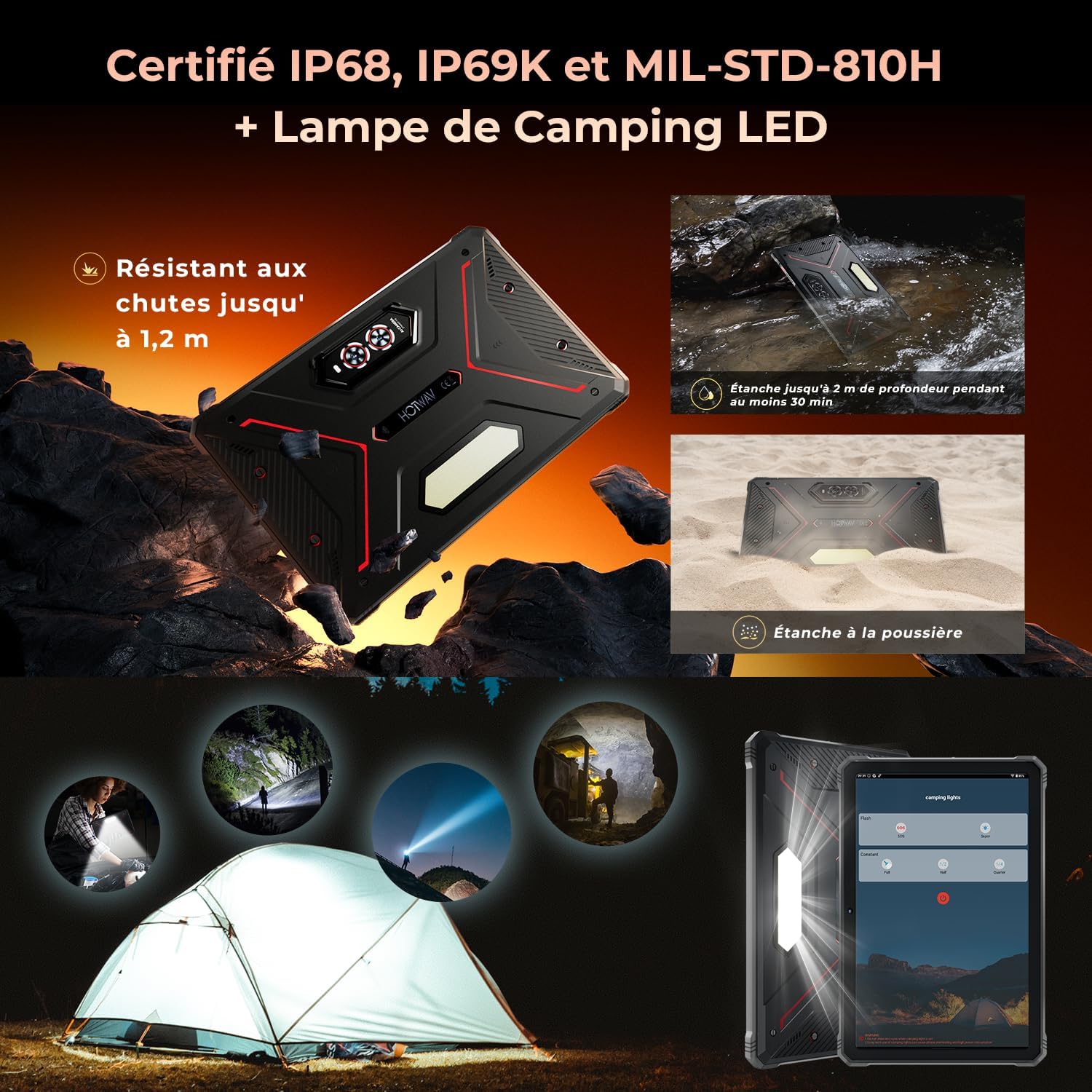
The HOTWAV R9 Pro tablet with its integrated LED camping lamp activated, providing strong illumination in a dark setting.
4.7 Underwater Mode
For capturing moments underwater, activate the dedicated underwater mode within the camera settings. This mode optimizes touch input for water environments and allows you to use physical buttons for capturing photos and videos, ensuring you don't miss any aquatic adventures.
The HOTWAV R9 Pro tablet being used by a diver underwater, demonstrating its capability to capture photos in aquatic environments with its dedicated underwater mode.
4.8 Režim rukavic
The touchscreen is designed to support operation even when wearing gloves, enhancing usability in cold weather, industrial settings, or other situations where glove use is necessary.
4.9 GPS navigace
The HOTWAV R9 Pro supports multiple navigation systems including GPS, BEIDOU, GLONASS, and Galileo. This ensures accurate positioning and reliable navigation, whether you are exploring new trails or simply finding your way around.

The HOTWAV R9 Pro tablet displaying a detailed map for GPS navigation, highlighting its multi-system support for precise location tracking.
5. Údržba
5.1 Čištění
K čištění obrazovky a těla tabletu použijte měkký hadřík, který nepouští vlákna. V případě odolných šmouh je lehceampen the cloth with water. Avoid using harsh chemicals, abrasive cleaners, or solvents, as these can damage the tablet's finish and protective coatings.
5.2 Water and Dust Resistance Care
The HOTWAV R9 Pro is IP68/IP69K rated for water and dust resistance. To maintain these ratings, ensure all port covers (USB-C, SIM/SD card tray) are securely closed before exposing the tablet to water or dust. Do not intentionally submerge the tablet beyond the specified limits (1.5 meters for 30 minutes). After exposure to water, dry the tablet thoroughly before charging or using any ports to prevent corrosion or damage.

The HOTWAV R9 Pro tablet highlighting its rugged construction and water resistance, suitable for various challenging environments.
5.3 Péče o baterii
To prolong the lifespan of your tablet's 20080mAh battery, avoid exposing it to extreme temperatures (very hot or very cold). Charge the tablet regularly and avoid letting the battery drain completely for extended periods. Use only the provided charger and cable or certified compatible accessories.
6. Řešení problémů
- Tablet se nezapíná: Ensure the battery is sufficiently charged. Connect the charger and wait a few minutes before attempting to power on again. If the issue persists, perform a forced restart by holding the power button for approximately 10-15 seconds.
- Pomalý výkon: Close unnecessary background applications. Regularly clear the cache of apps and the system. If performance issues persist, consider backing up your data and performing a factory reset via Nastavení > Systém > Možnosti resetování.
- Connectivity Issues (Wi-Fi/Bluetooth/4G):
- Toggle Wi-Fi, Bluetooth, or 4G off and then back on.
- Restartujte tablet.
- For 4G, ensure SIM cards are correctly inserted and activated with your network provider.
- For Wi-Fi, check your router connection and ensure the tablet is within range.
- Problémy s mikrofonem: If the microphone is not functioning correctly, ensure it is not obstructed by debris or a case. For persistent issues, consider using external Bluetooth headphones with a built-in microphone for calls and recordings.
- Konektivita USB Type-C: The tablet exclusively uses a USB Type-C port. Ensure you are using compatible cables and accessories. Older peripherals requiring micro-USB or other connectors will not work directly without an appropriate adapter.
- Obrazovka nereaguje: Try restarting the tablet. If the screen remains unresponsive after a restart, contact customer support for further assistance.
7. Specifikace
| Funkce | Detail |
|---|---|
| Název modelu | R9 Pro |
| Operační systém | Android 14 |
| Procesor | Unisoc T606 osmijádrový, 1.6 GHz |
| BERAN | 6GB (Physical) + 14GB (Virtual) = 20GB |
| Interní úložiště | 256 GB |
| Rozšiřitelné úložiště | Up to 2TB via microSD |
| Velikost displeje | 11 palců |
| Rozlišení displeje | 1920x1200 FHD+ |
| Obnovovací frekvence | 60 Hz |
| Jas | 400 nits (Max) |
| Zadní kamera | 64 MP |
| Přední kamera | 16 MP |
| Kapacita baterie | 20080 XNUMX mAh |
| Nabíjení | Rychlé nabíjení 20W |
| Konektivita | 4G Dual SIM, WLAN 5G (802.11ac), Bluetooth 5.0, USB Type-C |
| Navigace | GPS, BEIDOU, GLONASS, Galileo |
| Hodnocení trvanlivosti | IP68, IP69K, MIL-STD-810H |
| Bezpečnostní funkce | ID obličeje |
| Speciální funkce | 350 Lumen Camping Lamp, OTG Support, Glove Mode, Underwater Camera Mode |
| Rozměry (D x Š x V) | 25.1 x 16.8 x 1.5 cm |
| Hmotnost | 1066 gramů |
8. Záruka a podpora
The HOTWAV R9 Pro tablet comes with a 2letá omezená záruka. This warranty covers manufacturing defects and ensures your product functions as intended under normal use. For technical support, warranty claims, or any product-related inquiries, please contact HOTWAV customer service. Refer to the official HOTWAV website or your purchase documentation for the most up-to-date contact details and warranty terms.

HOTWAV's commitment to customer satisfaction, including 24/7 customer service, 30-day returns, and a 2-year warranty.