
1. Úvod
The TRIGKEY Key-N150 Mini PC is a compact and efficient computer designed for various tasks, from office work to media entertainment. It features an Intel Twin Lake N150 processor, 16GB DDR4 RAM, and a 500GB M.2 PCIeX4 SSD, offering reliable performance in a small form factor. This manual provides essential information for setting up, operating, and maintaining your Mini PC.

Obrázek 1.1: Přední strana view of the TRIGKEY Key-N150 Mini PC.
2. Obsah balení
Zkontrolujte prosím balení, zda neobsahuje následující položky:
- TRIGKEY Key-N150 Mini PC
- Uživatelská příručka
- Kabel HDMI (1 m)
- AC Power Cable (Optional: US/EU/UK/JP/AU)
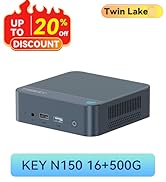
Image 2.1: TRIGKEY Key-N150 Mini PC and included accessories.
3. Konec produktuview
The Key-N150 Mini PC is equipped with a variety of ports and internal components to support its functionality.
3.1 Front and Rear Panel Interfaces

Image 3.1: Front panel of the Mini PC, showing USB ports and audio jack.

Image 3.2: Rear panel of the Mini PC, showing AC power, USB, LAN, and HDMI ports.
The Mini PC features:
- Přední: 3.5mm Audio Jack, USB 2.0, USB 3.2 (10Gbps), Power Button, Power Indicator Light.
- Zadní: AC Power Input, USB 3.2 (10Gbps) x2, LAN (1000M) x2, HDMI x2.
3.2 Vnitřní komponenty
Obrázek 3.3: Rozložený view showing the internal components of the Mini PC, including the CPU, fan, RAM, and SSD slots.
Mezi klíčové interní vlastnosti patří:
- Procesor: Intel Twin Lake N150 (4 Cores/4 Threads, up to 3.60GHz).
- Grafika: Intel UHD Graphics (24EUs, 1000MHz).
- Paměť: 16GB DDR4 3200MHz SO-DIMM (single channel, expandable).
- Skladování: 500GB M.2 PCIeX4 SSD (supports dual M.2 2280 SSDs, up to 2TB expansion).
- Bezdrátové připojení: WiFi 5 and Bluetooth 5.0.
- Napájení: Built-in 45W PSU.

Image 3.4: Details of the Intel Twin Lake N150 processor, highlighting its 3.6 GHz max turbo frequency, 4 cores, and 4 threads.

Image 3.5: Illustration of the 16GB DDR4 SO-DIMM RAM and the dual M.2 2280 SSD slots for storage expansion.
4. Pokyny k nastavení
Follow these steps to set up your TRIGKEY Key-N150 Mini PC:
- Připojení k displeji: Use an HDMI cable to connect the Mini PC to your monitor or TV. The device supports dual HDMI output for multiple displays.
- Připojení periferií: Zapojte USB klávesnici a myš do dostupných USB portů.
- Připojit k síti: For a wired connection, connect an Ethernet cable to one of the two LAN ports. For wireless, ensure your WiFi network is available during initial setup.
- Zapnutí: Connect the AC power cable to the Mini PC and then to a power outlet. Press the power button on the front panel.
- Počáteční spuštění: The Mini PC will boot up. Follow the on-screen instructions to complete the operating system setup (if not pre-configured).
Video 4.1: Overview of the TRIGKEY Key-N150 Mini PC, demonstrating its features and connectivity options. This video provides a visual guide to the product's design and capabilities.
5. Návod k obsluze
5.1 Základní obsluha
Once set up, your Mini PC functions like a standard desktop computer. You can perform tasks such as web browsing, media playback, and office applications.

Image 5.1: The Mini PC supports various applications including web browsing, media entertainment, office work, and 4K video playback.
5.2 Nastavení duálního zobrazení
The Mini PC supports connecting two monitors via its dual HDMI ports. To configure dual displays:
- Connect both monitors to the HDMI ports on the rear of the Mini PC.
- Power on the Mini PC and both monitors.
- The operating system should automatically detect both displays. You can adjust display settings (extend, duplicate, primary display) through your OS display settings.
5.3 Aplikace Intel Unison
The Intel Unison App allows seamless connection between your Mini PC and mobile devices. This enables features such as:
- Viewing photo galleries from your PC.
- Rozšíření obrazovky počítače pomocí tabletu.
- Volání a přijímání telefonních hovorů z počítače.
- Přenos files between phone/tablet and PC.
- Odesílání a přijímání textových zpráv z počítače.
- Správa oznámení zařízení z jednoho zdroje.

Image 5.2: The Intel Unison App facilitates seamless connectivity and data transfer between your Mini PC and mobile devices.
6. Údržba
To ensure the longevity and optimal performance of your Mini PC, consider the following maintenance tips:
- Udržujte to čisté: Regularly clean the exterior of the Mini PC with a soft, dry cloth. Ensure ventilation holes are free from dust and obstructions to maintain efficient cooling.
- Aktualizace softwaru: Pro zvýšení zabezpečení a výkonu udržujte operační systém a ovladače aktualizované na nejnovější verze.
- Správné vypnutí: Vždy řádně vypínejte Mini PC pomocí operačního systému, abyste zabránili poškození dat.
- Podmínky prostředí: Používejte Mini PC v dobře větraném prostoru, mimo dosah přímého slunečního záření, nadměrného tepla a vlhkosti.

Image 6.1: The Mini PC features an efficient cooling system to ensure stable operation and heat dissipation.
7. Řešení problémů
If you encounter issues with your Mini PC, refer to the following common solutions:
- Bez napájení: Ensure the AC power cable is securely connected to both the Mini PC and the power outlet. Try a different power outlet.
- Bez displeje: Check that the HDMI cable is firmly connected to both the Mini PC and the monitor. Verify the monitor is powered on and set to the correct input source. Try a different HDMI cable or monitor if possible.
- Žádné internetové připojení: For wired connections, check the Ethernet cable and router status. For wireless, ensure Wi-Fi is enabled in the operating system and you are connected to the correct network with the correct password.
- Nefunkční periferie: Ensure USB devices are properly plugged into the USB ports. Try different USB ports or restart the Mini PC.
- Zpomalení systému: Zavřete nepotřebné aplikace. Zkontrolujte procesy na pozadí, které spotřebovávají mnoho zdrojů. Zajistěte dostatek volného úložného prostoru.
- Neočekávaná vypnutí: Ensure the Mini PC is in a well-ventilated area and not overheating. Check for any recent software or driver installations that might be causing instability.
If problems persist, consult the TRIGKEY support resources mentioned in the Warranty and Support section.
8. Specifikace
| Funkce | Detail |
|---|---|
| Značka | TRIGKEY |
| Číslo modelu | KEY N150 |
| Model CPU | Intel Twin Lake N150 (Celeron) |
| Rychlost CPU | Až 3.6 GHz |
| Počet procesorů | 4 |
| Grafický koprocesor | Grafika Intel UHD |
| Nainstalovaná paměť RAM | 16 GB DDR4 SDRAM |
| Rychlost paměti | 3200 MHz |
| K dispozici paměťové sloty | 1 |
| Kapacita paměti | 500 GB |
| Popis pevného disku | 500GB M.2 PCIeX4 SSD |
| Operační systém | OS (předinstalovaný) |
| Technologie připojení | Bluetooth, Ethernet, HDMI, Wi-Fi |
| Bezdrátová kompatibilita | 802.11ac (Wi-Fi 5), Bluetooth 5.0 |
| Celkový počet portů USB | 3 (USB 3.2 x2, USB 2.0 x1) |
| Total Number of HDMI Ports | 2 |
| Maximální rozlišení displeje | 3840x2160 (4K) |
| Způsob chlazení | Passive (with fan for efficient heat dissipation) |
| Typ napájecí zástrčky | Typ A - 2kolíkový (severoamerický) |
| Barva | Šedá |
9. Záruka a podpora
TRIGKEY is committed to providing excellent customer service and support for your Mini PC.
- Rychlá odpověď: Support inquiries receive a reply within 24 hours.
- Zásady vrácení: 30denní lhůta pro vrácení zboží.
- Nahrazení: Výměna možná do 12 měsíců od zakoupení.
- Doživotní podpora: Doživotní poprodejní servis a technická podpora.

Image 9.1: TRIGKEY's commitment to customer service, including response times, return policy, replacement period, and lifetime technical support.
Kontaktujte nás
For further assistance, technical support, or warranty claims, please use the following channels:
- E-mail: Refer to your product packaging or the official TRIGKEY website for email contact information.
- Webmísto: Visit the official TRIGKEY webweb s nejčastějšími dotazy, ovladači a zdroji podpory.
- Online Consultation: Check the TRIGKEY store page for online chat or consultation options.

Image 9.2: Various contact methods for TRIGKEY customer service and technical support.