
Zavedení
This manual provides essential information for setting up, operating, and maintaining your HP 15 Laptop. Please read this guide thoroughly to ensure proper use and to maximize the lifespan of your device. This HP 15 Laptop features an AMD Ryzen 5 7520U processor, 16GB LPDDR5 RAM, a 1TB NVMe SSD, and runs on Windows 11.
Co je v krabici
Ověřte, zda jsou v balení přítomny všechny položky:
- Notebook HP 15
- Power Adapter (AC smart pin)
- USB Extension Cord
- HDMI kabel
- Podložka pod myš
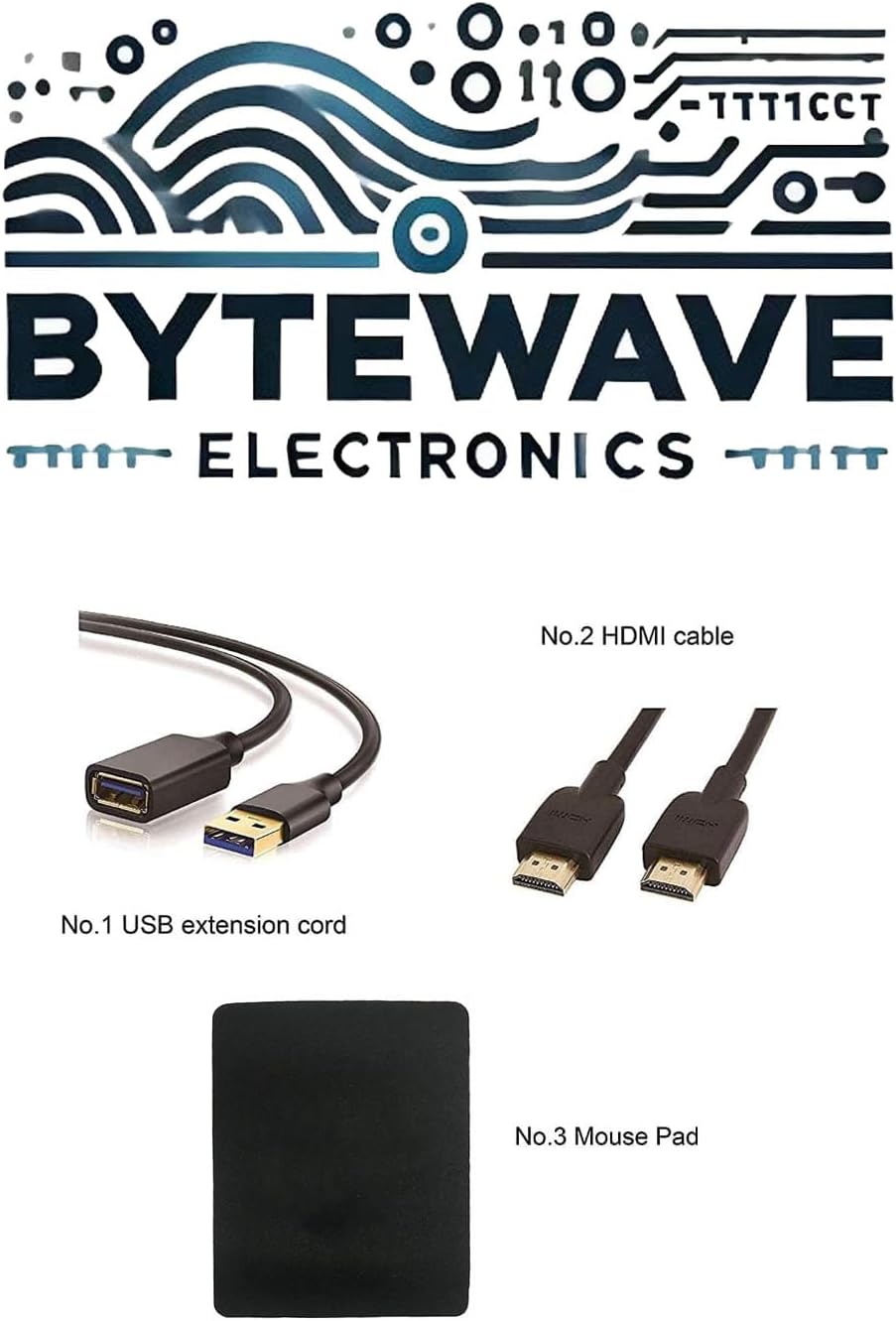
Image: Included accessories, featuring a USB extension cord, an HDMI cable, and a mouse pad.
Konec produktuview
Přední View

Image: The HP 15 Laptop, featuring a 15.6-inch Full HD display, AMD Ryzen 5 processor, and a full-size keyboard with numeric keypad.
Porty a konektory
The HP 15 Laptop is equipped with various ports for connectivity:
- 2 x USB typu A s přenosovou rychlostí 5 Gb/s
- 1 x USB Type-C s přenosovou rychlostí 5 Gb/s (pouze přenos dat, bez nabíjení ani externích monitorů)
- 1 x AC Smart Pin (pro napájecí adaptér)
- 1x HDMI 1.4b
- 1 x Headphone/Microphone Combo jack

Image: A detailed diagram illustrating the various ports on the HP 15 Laptop, including USB Type-A, AC smart pin, USB Type-C, HDMI 1.4b, and the Headphone/Microphone Combo jack.
Fyzické rozměry

Image: This image provides the physical dimensions of the HP 15 Laptop: 14.17 inches in width, 9.29 inches in depth, and 0.73 inches in height.
Nastavení
Počáteční zapnutí
- Vybalte notebook a veškeré příslušenství.
- Připojte napájecí adaptér k portu AC Smart Pin na notebooku a poté do elektrické zásuvky.
- Otevřete víko notebooku a stiskněte tlačítko napájení.
- Follow the on-screen instructions to complete the initial Windows 11 setup. This includes selecting your region, language, and setting up your user account.
Switching Out of Windows 11 S Mode
Your laptop may come with Windows 11 Home in S mode, which is designed for security and performance by exclusively running apps from the Microsoft Store. If you need to install apps from outside the Microsoft Store, you can switch out of S mode:
- Click the "Start button" (bottom left of the screen).
- Select the "Settings" icon (gear icon) above the "power" icon.
- Navigate to "Update & Security" and then "Activation".
- Locate the "Switch to Windows 11 Home" or "Switch to Windows 11 Pro" section, and then select the "Go to the Store" link.
- On the "Switch out of S mode" (or similar) page that appears in the Microsoft Store, click the "Get" button.
- Once the process is complete, you will receive a confirmation message, and your device will no longer be in S mode.
Note: Switching out of S mode is a one-way process; you cannot revert to S mode.
Ovládání notebooku
Funkce displeje
- 15.6" FHD Display: The laptop features a 15.6-inch diagonal Full HD (1920 x 1080) micro-edge, anti-glare display with 250 nits brightness.
- DC Dimming Technology: This technology controls brightness by adjusting direct current rather than cycling the backlight, which helps eliminate screen flickering for more comfortable viewIng.
Procesor a výkon
- Procesor AMD Ryzen 5 7520U: Equipped with 4 Cores and 8 Threads, a 2.80GHz base clock (up to 4.3GHz boost), and 4MB L3 Cache, providing responsive performance for daily tasks and multitasking.
- AMD Radeon 610M Graphics: Integrated graphics for visual tasks and light multimedia.
- 16GB LPDDR5 RAM: High-speed LPDDR5-5500 MHz memory supports higher data rates and contributes to longer battery life.
Skladování
- 1TB NVMe SSD: Provides fast boot-up times and quick application loading, offering significantly faster performance compared to traditional hard drives.
Konektivita
- Wi-Fi 6 (1x1): Pro vysokorychlostní bezdrátový přístup k internetu.
- Bluetooth 5.3: For connecting wireless peripherals and accessories.
Klávesnice a Webvačka
- Full-size Keyboard with Numeric Keypad: A soft grey keyboard designed for comfortable typing and data entry.
- Kamera HP True Vision 720p HD: For video conferencing and online communication.
Údržba
- Čištění: K čištění obrazovky a vnějšího povrchu používejte měkký hadřík, který nepouští vlákna. Vyhněte se agresivním chemikáliím.
- Aktualizace softwaru: Pravidelně aktualizujte operační systém Windows a ovladače, abyste zajistili optimální výkon a zabezpečení.
- Péče o baterie: Chcete-li prodloužit životnost baterie, vyhněte se extrémním teplotám a snažte se udržovat její nabití mezi 20 % a 80 %, pokud je to možné.
- Větrání: Ujistěte se, že větrací otvory notebooku nejsou zakryty, aby nedošlo k jeho přehřátí. Používejte notebook na tvrdém a rovném povrchu.
Odstraňování problémů
- Bez napájení: Ujistěte se, že je napájecí adaptér bezpečně připojen k notebooku i k funkční zásuvce. Zkuste jinou zásuvku.
- Problémy s obrazovkou: Pokud je obrazovka prázdná, zkuste upravit jas nebo připojit externí monitor a zkontrolovat, zda není displej vadný.
- Pomalý výkon: Close unnecessary applications, check for malware, and ensure your system is up to date. Consider restarting the laptop.
- Problémy s připojením: V případě problémů s Wi-Fi restartujte router a notebook. V případě Bluetooth se ujistěte, že je zařízení viditelné a v dosahu.
- Operating System Not Responding: Press and hold the power button for 10-15 seconds to force a shutdown, then restart the laptop.
Technické specifikace
| Funkce | Specifikace |
|---|---|
| Procesor | AMD Ryzen 5 7520U (4 Cores, 8 Threads, 2.80GHz Base, up to 4.3GHz Boost) |
| Grafika | AMD Radeon 610M Integrated Graphics |
| Zobrazit | 15.6" FHD (1920 x 1080), micro-edge, anti-glare, 250 nits |
| Operační systém | Windows 11 Home |
| Paměť | 16GB LPDDR5-5500 MHz RAM |
| Skladování | 1TB NVMe SSD |
| Bezdrátové připojení | Wi-Fi 6 (1x1) a Bluetooth 5.3 |
| Porty | 2x USB Type-A, 1x USB Type-C (data only), 1x HDMI 1.4b, 1x AC smart pin, 1x Headphone/Microphone Combo |
| Klávesnice | Plnohodnotná, měkká šedá klávesnice s numerickou částí |
| Webvačka | HP True Vision 720p HD Camera |
| Rozměry (Š x H x V) | 14.17 x 9.29 x 0.73 palce |
| Hmotnost | 3.52 lb |
| Barva | Přírodní stříbro |
Záruka a podpora
Your HP 15 Laptop is covered by a standard manufacturer's warranty. Please refer to the warranty card included with your product for specific terms and conditions, including warranty duration and coverage details.
Pro technickou podporu, stažení ovladačů nebo servisní dotazy navštivte oficiální stránky podpory HP. webmísto:
When contacting support, please have your laptop's serial number and model information ready.