
1. Úvod
This manual provides essential information for the HP 15.6 inch FHD Laptop, model 15-FD0131WM. It covers initial setup, operational guidelines, maintenance tips, and troubleshooting steps to ensure optimal performance and longevity of your device. Your laptop is equipped with an Intel i3-N305 processor, 8GB DDR4 RAM, and a 256GB PCIe NVMe M.2 solid-state drive, designed for reliable everyday computing.
Key features include a 15.6-inch micro-edge Full HD IPS anti-glare display, Windows 11 Home operating system, Intel UHD Graphics, a fingerprint reader for secure access, a camera privacy shutter, and a mic mute key for enhanced privacy. The HP True Vision HD camera facilitates clear video communication.
2. Nastavení
2.1 Vybalení
Opatrně vyjměte všechny součásti z obalu. Ujistěte se, že jsou přítomny následující položky:
- HP 15.6 inch FHD Laptop
- Napájecí adaptér
- Dokumentace (včetně této příručky)
2.2 Připojení napájení
Connect the AC power adapter to the laptop's power port and then plug it into a wall outlet. It is recommended to fully charge the battery before initial use.
2.3 Počáteční spuštění a nastavení systému Windows
Press the power button to turn on the laptop. Follow the on-screen instructions to complete the Windows 11 Home setup process. This includes selecting your region, connecting to a Wi-Fi network, creating a user account, and accepting the license agreement.
3. Ovládání notebooku
3.1 Displej
Your laptop features a 15.6-inch Full HD (1920 x 1080) IPS anti-glare display. Adjust brightness using the function keys (usually F2/F3 or similar icons) on the keyboard.
3.2 Klávesnice a touchpad
The laptop includes a full-size keyboard and a precision touchpad. Use the touchpad for navigation and gestures. External mice can be connected via USB ports.
3.3 Camera and Privacy Features
The HP True Vision HD camera is located at the top of the display. For privacy, slide the camera privacy shutter to cover the lens when not in use. A dedicated mic mute key is available on the keyboard to quickly disable the microphone.
3.4 Čtečka otisků prstů
For enhanced security and quick login, configure the integrated fingerprint reader through Windows Settings > Accounts > Sign-in options.
3.5 Porty a konektivita
Váš notebook je vybaven různými porty pro připojení periferií:
- USB porty: 3.0 Two ports are available for high-speed data transfer with compatible devices.
- Port HDMI: Pro připojení k externím displejům nebo projektorům.
- Audio jack: Pro sluchátka nebo externí reproduktory.
- Napájecí konektor: Pro síťový adaptér.

Figure 1: HP 15.6 inch Laptop with screen and keyboard visible.
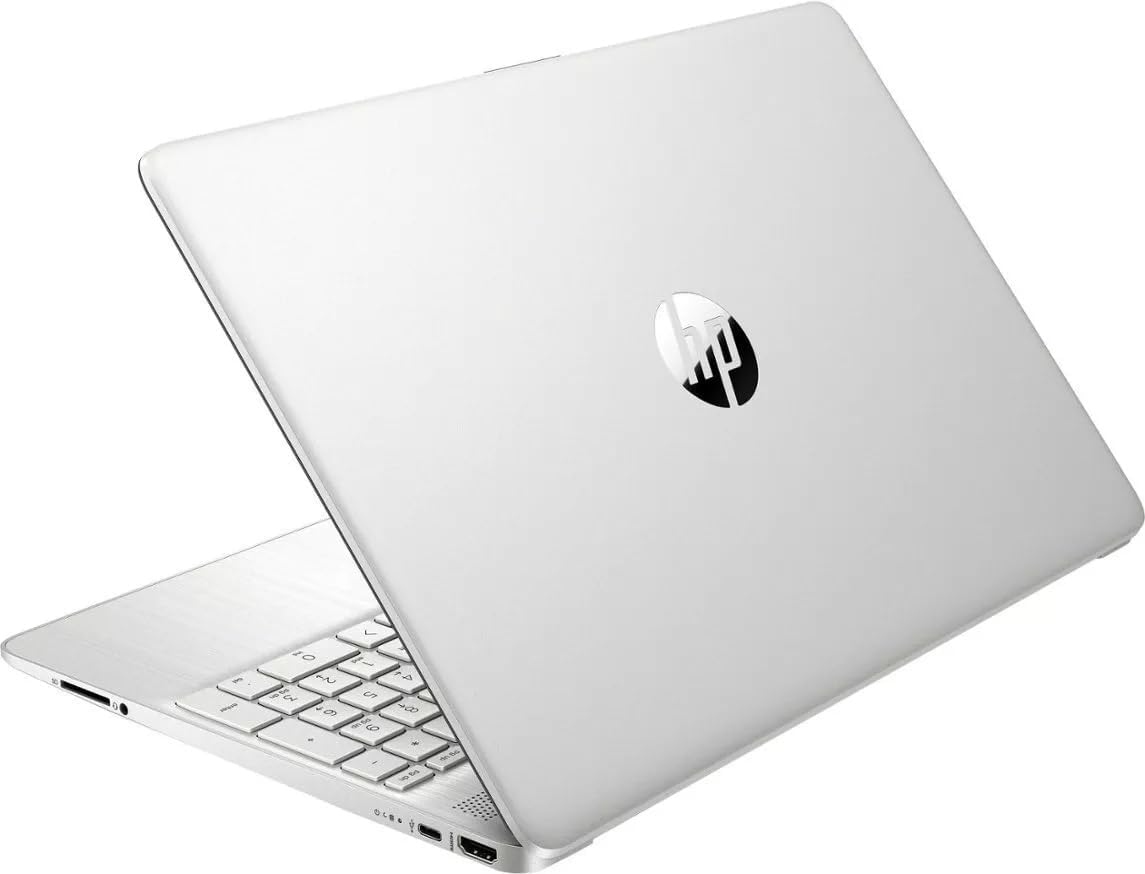
Figure 2: HP 15.6 inch Laptop closed, displaying the top cover.
4. Údržba
4.1 Čištění notebooku
K čištění displeje použijte měkký hadřík, který nepouští vlákna, lehceampened with water or a screen cleaner. For the keyboard and chassis, use a soft, dry cloth. Avoid harsh chemicals or abrasive materials.
4.2 Péče o baterii
The laptop features a long-lasting battery with HP Fast Charge capability. To maximize battery lifespan:
- Vyhněte se extrémním teplotám.
- Nevybíjejte baterii často úplně.
- Pokud notebook delší dobu nepoužíváte, skladujte jej částečně nabitý (kolem 50 %).
4.3 Aktualizace softwaru
Pravidelně aktualizujte operační systém Windows a ovladače, abyste zajistili optimální výkon, zabezpečení a kompatibilitu. Stránku Windows Update lze spustit v nabídce Nastavení > Windows Update.
5. Řešení problémů
Pokud máte s notebookem problémy, vyzkoušejte následující základní kroky pro řešení problémů:
- Bez napájení: Ujistěte se, že je síťový adaptér bezpečně připojen k notebooku i k funkční zásuvce. Zkuste jinou zásuvku.
- Problémy s obrazovkou: If the screen is blank, try adjusting the brightness. If an external monitor is connected, ensure it is properly configured.
- Systém nereaguje: Press and hold the power button for 10-15 seconds to force a shutdown, then restart the laptop.
- Problémy s připojením: For Wi-Fi issues, restart your router and check network settings on the laptop.
V případě složitějších problémů se obraťte na podporu HP webwebu nebo se obraťte na zákaznický servis HP.
6. Specifikace
- Název modelu:
- 15-FD0131WM
- Velikost obrazovky:
- 15.6 palce
- Rozlišení obrazovky:
- 1920 x 1080 pixelů (Full HD)
- Procesor:
- Intel Core i3-N305
- BERAN:
- 8 GB DDR4 SDRAM
- Skladování:
- 256 GB PCIe NVMe M.2 Solid-State Drive
- Grafika:
- Grafická karta Intel UHD (integrovaná)
- Operační systém:
- Windows 11 Home
- Typ bezdrátového připojení:
- 802.11bgn
- USB porty:
- 2 x USB 3.0 porty
- Průměrná životnost baterie:
- 8 hodiny
- Hmotnost položky:
- 3.5 libry
- Rozměry produktu (DxŠxV):
- 12.82 x 8.42 x 0.65 palce
7. Záruka a podpora
Your HP laptop comes with a standard manufacturer's warranty. For detailed information regarding warranty terms, coverage, and duration, please refer to the warranty card included in your product packaging or visit the official HP support webUschovejte si doklad o koupi pro případ reklamace.
For technical assistance, driver downloads, or further support, please visit the official HP support portal. You can typically find support contact information and resources by searching for your specific model number (15-FD0131WM) on the HP webmísto.