
Zavedení
Děkuji za nákupasing the Andoer Digital Camera H12. This manual provides detailed instructions for the proper use and maintenance of your camera. Please read this manual thoroughly before using the camera to ensure optimal performance and longevity.
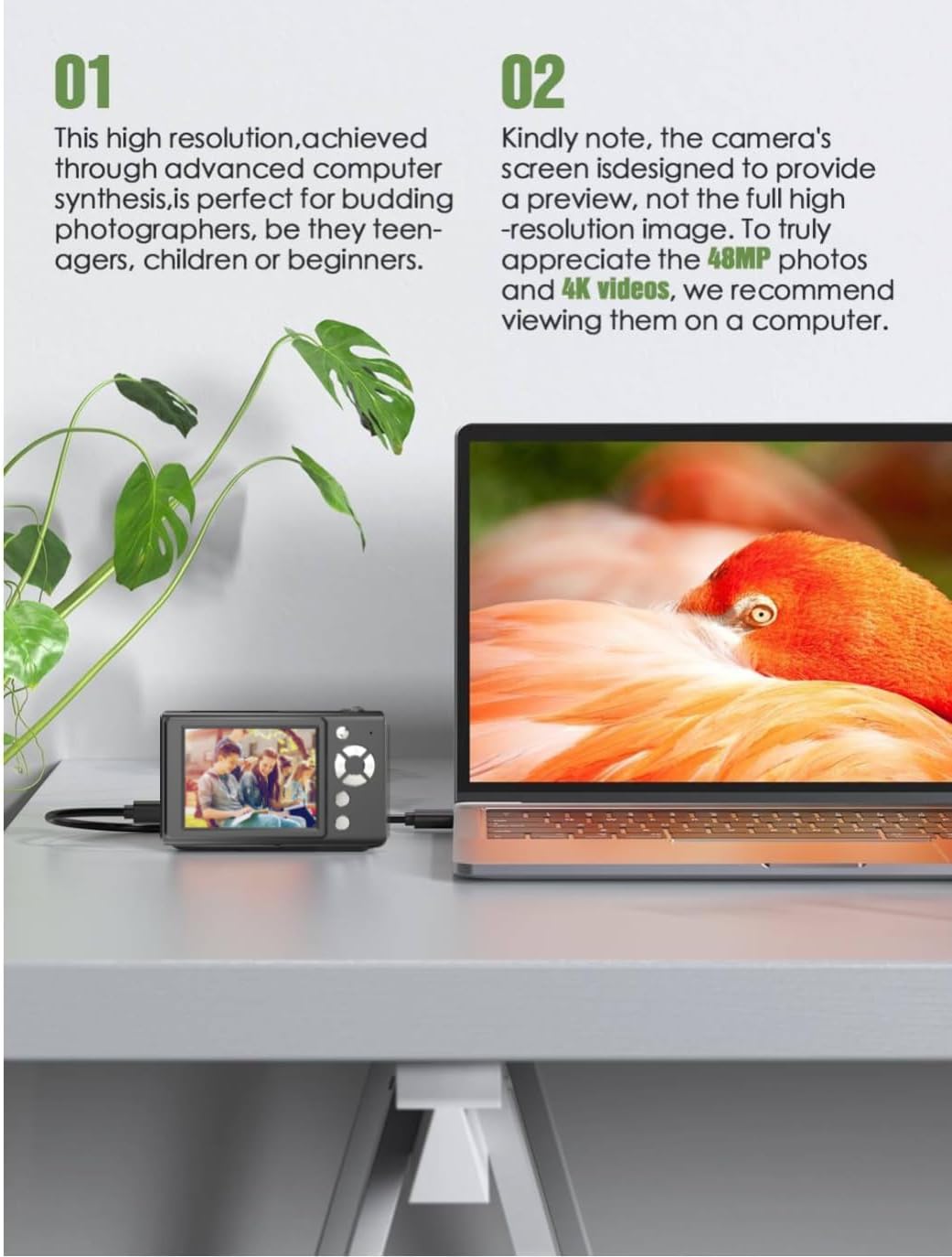
The Andoer H12 is a compact digital point-and-shoot camera featuring 1080P video recording, 48MP photo resolution, 16x digital zoom, autofocus, and an anti-shake function. It is designed for ease of use, making it suitable for various users.
Obsah balení
Po vybalení zkontrolujte obsah balení, abyste se ujistili, že jsou přítomny všechny položky:
- 1 x Andoer Digital Camera H12
- 1 x USB kabel (typu C)
- 1 x řemínek na zápěstí
- Paměťová karta 1 x 32GB
- 1 x Čtečka karet
- 1 x Uživatelská příručka
Nastavení
1. Nabíjení baterie
The camera is equipped with a built-in 3.7V 700mAh lithium battery. Before first use, fully charge the battery.
- Connect the included Type-C USB cable to the camera's USB port.
- Druhý konec kabelu USB připojte k napájecímu adaptéru USB (není součástí balení) nebo k portu USB počítače.
- The charging indicator light will illuminate. Once charging is complete, the indicator light will change or turn off.
Poznámka: A full charge typically takes approximately 2-3 hours. Do not use the camera while it is charging.
2. Vložení paměťové karty
The camera supports TF (MicroSD) cards up to 128GB. A 32GB memory card is included in the package.
- Najděte slot pro paměťovou kartu na boční straně fotoaparátu.
- Gently insert the TF card into the slot with the metal contacts facing the front of the camera until it clicks into place.
- To remove the card, gently push it in again until it springs out.

3. Připevnění popruhu na zápěstí
Attach the included wrist strap to the camera for added security and to prevent accidental drops.
- Thread the thin loop of the wrist strap through the strap eyelet on the camera body.
- Pass the larger end of the strap through the thin loop and pull tight to secure it.
Návod k obsluze
1. Zapnutí/vypnutí
- Pro zapnutí stiskněte a podržte tlačítko napájení, dokud se nerozsvítí obrazovka.
- Chcete-li zařízení vypnout, znovu stiskněte a podržte tlačítko napájení, dokud se obrazovka nevypne.
- The camera features an auto power-off function (off/3 mins/5 mins) which can be configured in the settings.
2. Fotografování
- Turn on the camera. The camera will typically start in photo mode.
- Frame your shot using the 2.8-inch IPS display.
- Press the shutter button halfway down to activate autofocus. The camera will recognize and track subjects.
- Once focus is achieved (indicated by a green frame), press the shutter button fully to take the picture.

3. Nahrávání videí
- Switch to video mode (refer to the camera's on-screen interface for the mode switch button).
- Press the shutter button to start recording. A red indicator or timer will appear on the screen.
- Dalším stisknutím tlačítka spouště nahrávání zastavíte.
The camera supports 1080P and 720P video resolutions in AVI format. Loop recording can be set for 3, 5, or 10 minutes.
4. Funkce zoomu
Use the zoom buttons (usually marked 'W' for Wide and 'T' for Telephoto) to adjust the 16x digital zoom. This allows you to magnify distant subjects.

5. LED Fill Light
The camera features a built-in ring LED fill light with three lighting modes to assist in low-light conditions.
- Bílé světlo: Bright, even, and soft illumination.
- Teplé bílé světlo: Pure natural light, soft and comfortable.
- Žluté světlo: Warm color adjustment for a warm atmosphere.
Access and cycle through these modes via the camera's menu or a dedicated button (refer to the on-screen interface).

6. Další funkce
- Selfie časovač: Options for off, 2s, 5s, or 10s delay before taking a photo.
- Souvislé fotografování: Rychle pořiďte sérii fotografií.
- Anti-Shake: Helps reduce blur caused by camera movement.
- Efekty filtru: Various built-in filters to enhance your photos.
- Hry: Includes 4 simple games for entertainment.
- Přehrávání MP3: Download MP3 music to the memory card and play it through the camera.

Údržba
- Čištění těla fotoaparátu: K otření těla fotoaparátu použijte měkký, suchý hadřík. V případě odolných nečistot lehceampen the cloth with water and then wipe dry. Avoid using chemical cleaners.
- Čištění objektivu a obrazovky: Use a specialized lens cleaning cloth or brush to gently remove dust and smudges. Do not use abrasive materials or excessive force.
- Skladování: When not in use for extended periods, store the camera in a cool, dry place away from direct sunlight and extreme temperatures. Remove the memory card if not in use.
- Péče o baterie: Nevystavujte baterii častému úplnému vybíjení. Pravidelně ji nabíjejte, i když fotoaparát nepoužíváte, abyste zachovali její dobrý stav.
- Voděodolnost: Tato kamera je není voděodolnýZabraňte vystavení vodě, dešti nebo vysoké vlhkosti.
Odstraňování problémů
| Problém | Možná příčina | Řešení |
|---|---|---|
| Fotoaparát se nezapne. | Baterie je vybitá nebo není nabitá. | Charge the camera battery fully using the provided USB cable. |
| Nelze fotografovat/nahrávat videa. | Memory card is full, not inserted correctly, or corrupted. | Check if the memory card is inserted correctly. Delete unnecessary files or replace the memory card. Format the card if necessary (this will erase all data). |
| Obrázky jsou rozmazané. | Autofocus failed, camera shake, or dirty lens. | Ensure autofocus is engaged. Hold the camera steady or use the anti-shake function. Clean the lens with a soft cloth. |
| Obrazovka je prázdná nebo zamrzlá. | System error or temporary malfunction. | Press and hold the power button for 10 seconds to force a shutdown, then restart the camera. If the issue persists, contact customer support. |
| Nelze přenést filek počítači. | Incorrect cable connection or driver issue. | Ensure the USB cable is securely connected. Try a different USB port or computer. Use the included card reader to transfer files přímo z paměťové karty. |
Specifikace
| Funkce | Detail |
|---|---|
| Název modelu | H12 |
| Zobrazit | 2.8palcový IPS LCD |
| Rozlišení fotografie | Up to 48MP (48M, 40M, 24M, 20M, 18M, 16M, 12M, 10M, 8M, 5M, 3M, 2M, 1M) |
| Formát fotografie | JPG |
| Rozlišení videa | 1080P, 720P |
| Formát videa | AVI |
| Digitální zoom | 16X |
| Autofokus | Yes (Contrast Detection, 9 points) |
| Stabilizace obrazu | Optický |
| Typ snímače | CMOS (1/4 palce) |
| Skladování | TF card, max. 128GB (32GB included) |
| Baterie | Built-in Lithium Battery (3.7V 700mAh) |
| Nabíjecí rozhraní | USB Type-C |
| Selfie Timer | Off/ 2s/ 5s/ 10s |
| Automatické vypnutí | Off/ 3 mins/ 5 mins |
| Nahrávání ve smyčce | 3 mins/ 5 mins/ 10 mins |
| Vestavěné funkce | LED Fill Light (3 modes), Filter Effects, 4 Games, MP3 Playback |
| Velikost produktu | 103 x 31 x 65 mm |
| Hmotnost produktu | 149g (camera body) / 260g (item weight including packaging/accessories) |
| Úroveň odolnosti proti vodě | Není odolný vůči vodě |
Informace o záruce
The Andoer Digital Camera H12 comes with a 1-letá záruka od data nákupu. Tato záruka se vztahuje na výrobní vady a poruchy při běžném používání. Nevztahuje se na škody způsobené nesprávným použitím, nehodami, neoprávněnými opravami nebo přírodními katastrofami.
Uschovejte si prosím doklad o koupi pro uplatnění záruky.
Zákaznická podpora
If you encounter any issues or have questions not covered in this manual, please contact Andoer customer support. You can typically find support contact information on the official Andoer webwebu nebo prostřednictvím svého prodejce.
Pro další pomoc prosím navštivte Andoer Store on Amazon.