
1. Úvod
Welcome to the instruction manual for your new ASHATA Professional 4K HD Dual Cameras RC Quadcopter. This drone is designed for both adults and beginners, offering advanced features for an enjoyable flight experience. Please read this manual thoroughly before operating the drone to ensure safe and correct usage.
Obsah balení
Your ASHATA RC Quadcopter package includes the following items:
- ASHATA RC Quadcopter (Drone)
- Remote Controller with LCD Display
- Dobíjecí baterie (2 kusy součástí balení)
- USB nabíjecí kabel
- Náhradní vrtule
- Šroubovák
- Uživatelská příručka
- 8GB Small Memory Card

Image 1.1: ASHATA Drone and Remote Controller neatly packed in the included carrying case.

Image 1.2: The ASHATA drone with its arms unfolded, ready for flight.

Obrázek 1.3: Konecview of the ASHATA drone highlighting its key features and components.
2. Nastavení
2.1 Příprava dronu
- Rozložte ramena dronu: Jemně rozkládejte ramena dronu, dokud nezacvaknou na své místo.
- Nainstalujte baterii: Insert a fully charged battery into the drone's battery compartment. Ensure it is securely latched.
- Vložte paměťovou kartu: Insert the provided 8GB memory card into the drone's memory card slot for recording footage.

Image 2.1: The high-capacity 7.4V drone battery, designed for extended flight times.
2.2 Nastavení dálkového ovladače
- Install AAA Batteries: Open the battery compartment on the back of the remote controller and insert 3 AAA batteries (not included).
- Držák smartphonu: Extend the phone holder on the remote controller and securely mount your smartphone.
- Připojení smartphonu: Use the appropriate cable (Lightning, USB-C, etc., provided) to connect your smartphone to the remote controller.
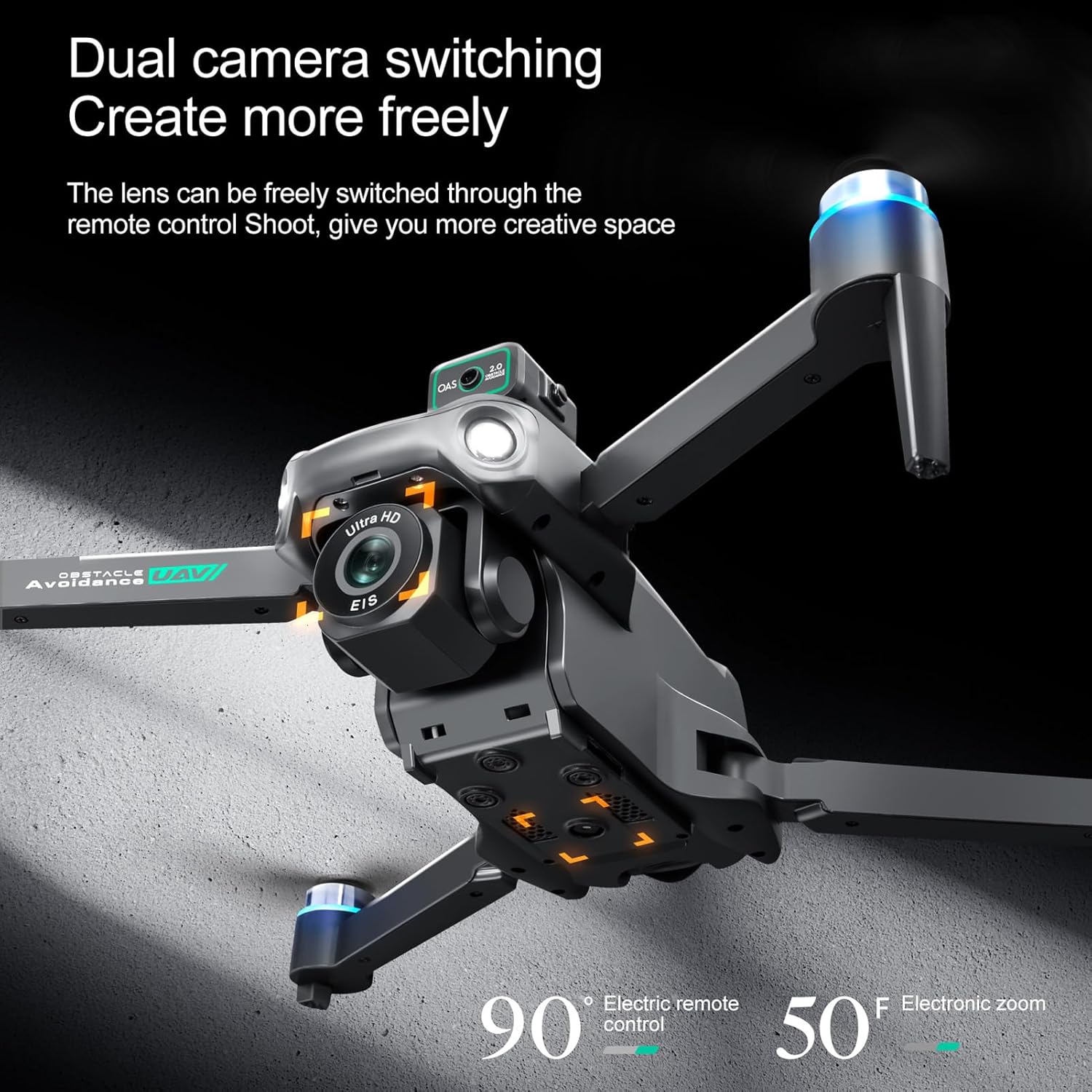
Image 2.2: The remote controller with a smartphone mounted, displaying the live camera feed from the drone.
2.3 Stažení aplikace a připojení
- Stáhnout aplikaci: Scan the QR code in the Quick Start Guide or search for the "HS FLY" app in your smartphone's app store (iOS/Android) and install it.
- Zapnutí dronu: Press and hold the power button on the drone for 2 seconds until the indicator lights flash.
- Dálkové zapnutí: Press and hold the power button on the remote controller for 2 seconds. The remote will automatically pair with the drone.
- Připojení přes aplikaci: Open the "HS FLY" app on your smartphone. Follow the on-screen prompts to connect to the drone's Wi-Fi signal.
2.4 Kalibrace
For the first flight, it is recommended to calibrate the drone for optimal performance.
- Kalibrace kompasu: Place the drone on a flat, level surface. In the app, go to "Control" and tap "Calibrate Compass." Follow the on-screen instructions to perform horizontal and vertical rotations of the drone until calibration is complete.
- Kalibrace gyroskopu: After compass calibration, ensure the drone is still on a flat surface. In the app, tap "Gyroscope Calibration." The drone's indicator lights will flash rapidly and then turn solid, indicating successful calibration.
Video 2.3: Holy Stone Instruction Video. This video demonstrates general drone setup, including unboxing, battery installation, app download, and pairing. Note: The drone model shown in the video may differ slightly from your ASHATA drone.
Video 2.4: Ameta S20 4K GPS Drone First Use Guide. This video provides a step-by-step guide for initial drone setup and calibration. Note: The drone model shown in the video may differ slightly from your ASHATA drone.
3. Návod k obsluze
3.1 Předletové kontroly
- Ensure all drone arms are fully extended.
- Verify the battery is fully charged and securely installed.
- Check that propellers are free from damage and obstructions.
- Confirm the remote controller is powered on and connected to the drone.
- Fly in an open area, away from obstacles, people, and animals.
3.2 Vzlet a přistání
- Vzlet jedním klíčem: Press the One-Key Takeoff button on the remote controller. The drone will automatically ascend and hover at a safe altitude.
- Ruční vzlet: Push both joysticks inward at 45 degrees to unlock the motors. Then, push the left control stick forward to ascend.
- Přistání jedním klíčem: Stiskněte tlačítko One-Key Landing (Přistání jedním tlačítkem). Dron automaticky klesne a přistane.
- Manuální přistání: Pull the left control stick backward to descend and land the drone.
3.3 Řízení letu
The remote controller features two joysticks for precise flight control:
- Levý joystick: Controls altitude (push up/down) and rotation (push left/right).
- Pravý joystick: Controls forward/backward movement (push up/down) and left/right strafing (push left/right).
3.4 Inteligentní letové funkce
The ASHATA drone is equipped with several intelligent features for an enhanced flying experience:
- One Key Return Home: Automatically returns the drone to its takeoff point when activated or when battery is low/signal is lost.
- Inteligentní vyhýbání se překážkám: Utilizes sensors to detect and avoid obstacles.
- Optical Hovering: Maintains stable hovering indoors or in areas with weak GPS.
- Intelligent Follow Modes: Dron může sledovat určený objekt.
- Point of Interest Flying: The drone can circle a specific point.
- Customizable Flight Paths: Draw a path on the app, and the drone will follow it.
- Real-Time Video Transmission: View živé footage on your smartphone via the app.
- Nouzové zastavení: V případě nouze okamžitě zastaví dron.
- One Key Circle Flight: Performs a circular flight path automatically.
- Gestografie: Use hand gestures to trigger photo or video recording.

Image 3.1: Visual representation of Intelligent Follow, Waypoint Flight, and Gesture Photography features.
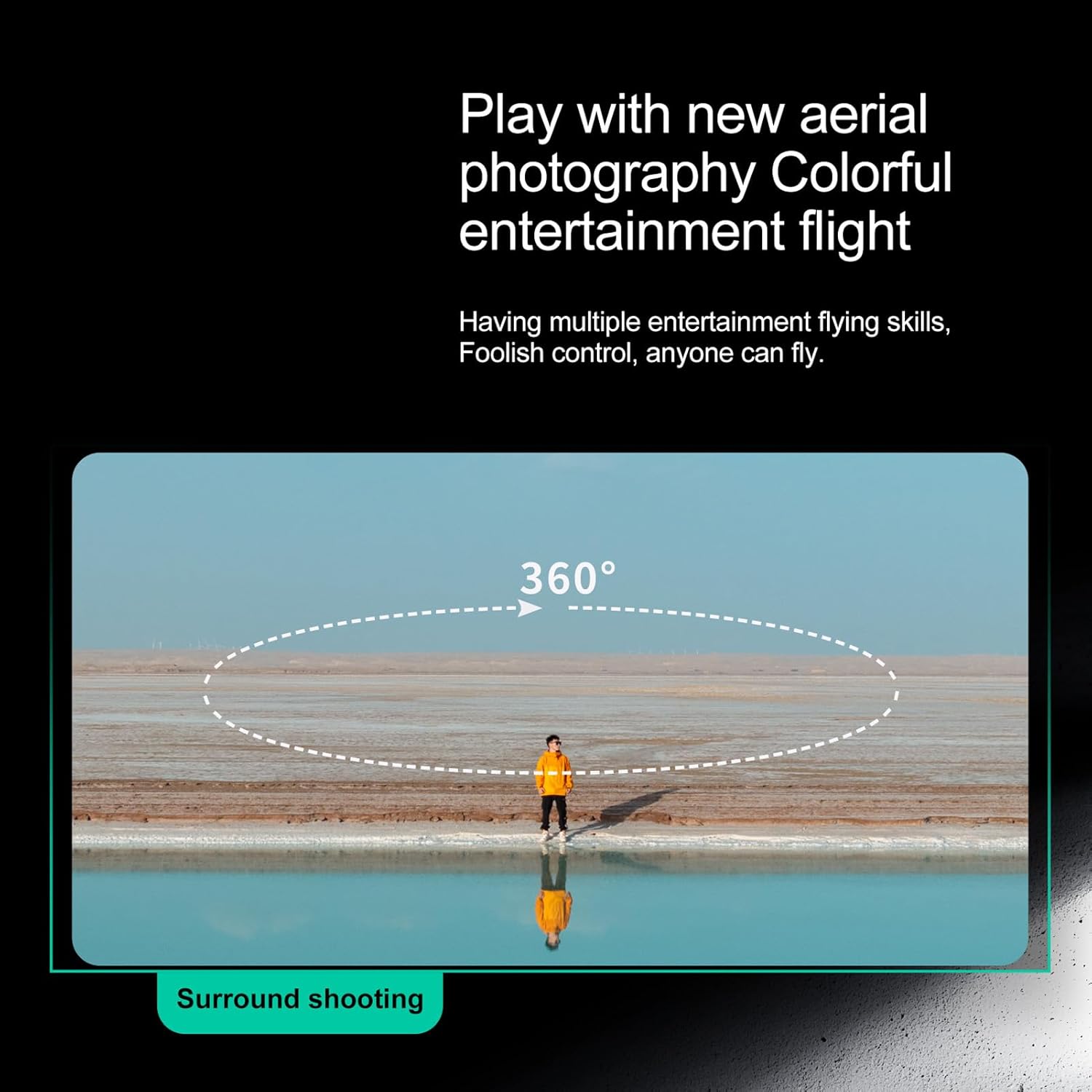
Image 3.2: The drone performing a 360-degree surround shooting maneuver.
3.5 Obsluha kamery
The drone features high-definition dual cameras with EIS electronic stabilization. The front lens can be adjusted via the remote control.
- Fotit: Press the photo button on the remote or tap the photo icon in the app.
- Nahrávat videa: Stiskněte tlačítko videa na dálkovém ovladači nebo klepněte na ikonu videa v aplikaci pro spuštění/zastavení nahrávání.
- Upravit úhel kamery: Use the dedicated buttons on the remote controller to adjust the camera's vertical angle.
- View Footage: Access recorded photos and videos directly through the app's album or by connecting the memory card to a computer.
Image 3.3: The drone's dual camera system, allowing for flexible shooting angles and perspectives.
4. Údržba
4.1 Péče o baterii
- Always fully charge batteries before each flight.
- Baterie nepřebíjejte ani nevybíjejte.
- Baterie skladujte na chladném a suchém místě mimo dosah přímého slunečního záření a extrémních teplot.
- Pokud se baterie delší dobu nepoužívá, nabijte je přibližně na 50 % jejich kapacity.
4.2 Čištění
- Use a soft, dry cloth to clean the drone and remote controller.
- Vyhněte se používání rozpouštědel nebo agresivních chemikálií.
- Keep the camera lens clean for clear footage.
4.3 Výměna vrtule
- Pravidelně kontrolujte vrtule, zda nejsou prasklé, ohnuté nebo poškozené.
- If a propeller is damaged, replace it immediately with a spare propeller using the provided screwdriver. Ensure correct orientation (A/B propellers).
5. Řešení problémů
Pokud narazíte na nějaké problémy, podívejte se na následující běžná řešení:
- Dron se nezapíná: Ujistěte se, že je baterie plně nabitá a správně vložená.
- Remote not connecting to drone: Ensure both devices are powered on and within range. Re-pair the remote and drone as per setup instructions.
- App not displaying live feed: Check your smartphone's Wi-Fi connection to the drone. Restart the app and drone if necessary.
- Nestabilní let: Perform gyroscope and compass calibration in an open, interference-free environment. Check propellers for damage.
- Špatná kvalita videa/fotografií: Ensure the camera lens is clean and the memory card is properly inserted.
6. Specifikace
| Funkce | Detail |
|---|---|
| Značka | ASHATA |
| Číslo modelu | ASHATAn42scyfvbw-12 |
| Typ materiálu | Plast |
| Barva | Černý |
| Rozměry balíku | 30 x 22 x 9 cm; 1.09 kg |
| Věkové rozmezí (popis) | Dospělý |
| Speciální funkce | Professional 4K HD dual cameras, intelligent obstacle avoidance, optical hovering |
| Rozlišení záznamu videa | 2.7 tis |
| Technologie připojení | 5G |
| Kapacita baterie | 2200 miliamp hodiny |
| Formát záznamu videa | MP4 |
| Typ ovládání | Remote Control or App Control |
| Maximální dosah | 2000 metrů |
| Includes Remote? | Ano |
| Včetně dobíjecí baterie | Ano |
| Technologie optických senzorů | CMOS |
7. Záruka a podpora
For warranty information or technical support, please refer to the contact details provided with your purchase documentation or visit the official ASHATA webwebu. Uschovejte si účtenku jako doklad o koupi.