
Zavedení
This manual provides essential information for setting up, operating, maintaining, and troubleshooting your HP 15-DY58 Slim Laptop. Please read this guide thoroughly to ensure proper use and to maximize the performance and longevity of your device.
Co je v krabici
Upon opening your HP 15-DY58 Slim Laptop package, you should find the following items:
- HP 15-DY58 Slim Laptop
- Napájecí adaptér a napájecí kabel
- Stručný průvodce (pokud je součástí dodávky)
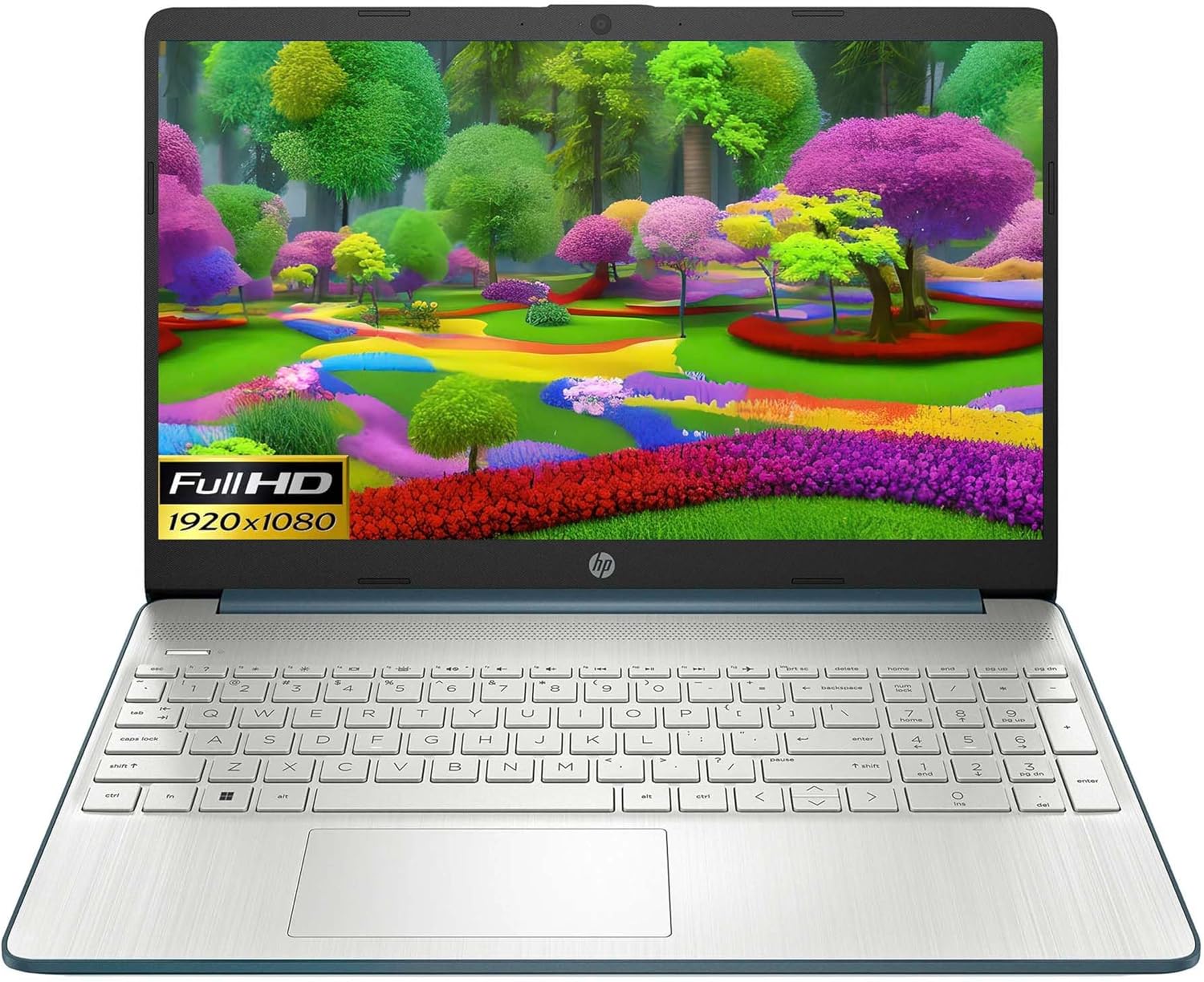
Image: HP 15 Slim Laptop, closed view, showing the blue lid with HP logo.
Nastavení
1. Počáteční zapnutí
- Připojte napájecí adaptér: Plug the AC power adapter into the laptop's AC smart pin port and then into a wall outlet.
- Otevřete notebook: Carefully lift the display lid.
- Zapnutí: Press the power button, usually located on the keyboard deck. The laptop will begin the initial Windows 11 setup process.
- Postupujte podle pokynů na obrazovce: Complete the Windows 11 setup, including language selection, network connection, and user account creation.

Image: HP 15 Slim Laptop open, showcasing the Windows 11 operating system interface during initial setup.
2. Připojení periferií
Your HP 15-DY58 Slim Laptop offers various ports for connecting external devices:
- Porty USB typu A: Connect USB devices such as mice, keyboards, or external storage drives. There are two SuperSpeed USB Type-A 5Gbps ports.
- Port USB Type-C: Connect compatible USB-C devices. This laptop features one SuperSpeed USB Type-C 5Gbps signaling rate port.
- Port HDMI: Connect an external monitor or TV using an HDMI cable for extended display. The laptop has one HDMI 1.4b port.
- Kombinovaný konektor pro sluchátka/mikrofon: Připojte sluchátka, externí reproduktory nebo náhlavní soupravu s mikrofonem.
- Čtečka SD karet: Insert an SD card to transfer photos and files.

Image: Left side ports including SD card reader, headphone jack, USB-C, AC power, and HDMI.

Image: Right side ports featuring two USB Type-A ports.
Ovládání notebooku
Základní funkce
- Vypínač: Located on the keyboard deck, use it to turn the laptop on or off, or to put it to sleep.
- Klávesnice: The full-size island-style keyboard provides comfortable typing. Familiarize yourself with function keys (Fn) for quick access to settings like volume, brightness, and Wi-Fi.
- Touchpad: Use the integrated touchpad for navigation. It supports multi-touch gestures for scrolling, zooming, and more.

Image: HP 15 Slim Laptop open, showcasinjeho displej a klávesnici.
Bezdrátové připojení
- Wi-Fi: Connect to wireless networks using Wi-Fi 5 (802.11ac). Access Wi-Fi settings through the Windows 11 taskbar or Settings app.
- Bluetooth: Pair Bluetooth-enabled devices such as headphones, speakers, or mice using Bluetooth 5. Manage Bluetooth devices in Windows 11 Settings.
Displej a zvuk
- Zobrazit: The 15.6-inch Full HD (1920 x 1080) micro-edge display offers clear visuals. Adjust brightness and display settings via Windows 11.
- Zvuk: The laptop features dual speakers for audio output. The headphone/microphone combo jack allows for private listening or communication.
- Fotoaparát: The HP True Vision 720p HD camera with integrated dual array digital microphones is suitable for video calls and online meetings.
Údržba
Čištění notebooku
- Obrazovka: Lehce používejte měkký hadřík, který nepouští vlákna dampOpláchněte vodou nebo čističem obrazovek. Vyhněte se agresivním chemikáliím.
- Klávesnice a šasi: Use a soft cloth to wipe surfaces. Compressed air can remove dust from between keys.
- Porty: Ujistěte se, že porty jsou bez prachu a nečistot. V případě potřeby použijte stlačený vzduch.
Aktualizace softwaru
Regularly update your Windows operating system and drivers to ensure optimal performance and security. Access Windows Update through the Settings app.
Péče o baterie
- Vyhněte se extrémním teplotám.
- Nevybíjejte baterii často úplně.
- Pro dlouhodobé skladování nabijte baterii na přibližně 50–70 %.
Odstraňování problémů
This section addresses common issues you might encounter with your HP 15-DY58 Slim Laptop.
Notebook se nezapne
- Ujistěte se, že je síťový adaptér bezpečně připojen k notebooku i k funkční zásuvce.
- Zkontrolujte, zda je zásuvka funkční, zapojením jiného zařízení.
- Pokud je baterie zcela vybitá, nechte ji několik minut nabíjet, než se ji pokusíte zapnout.
Problémy se zobrazením
- Bez displeje: If the laptop powers on but the screen remains black, try connecting an external monitor via the HDMI port to check if the issue is with the laptop's internal display.
- Ztlumený displej: Adjust screen brightness using the function keys (usually F2/F3 or similar, look for sun icons) or through Windows 11 display settings.
Problémy s připojením (Wi-Fi/Bluetooth)
- Wi-Fi: Ensure Wi-Fi is enabled in Windows 11 settings. Restart your router and modem. Run the Windows Network Troubleshooter.
- Bluetooth: Ensure Bluetooth is enabled. Try unpairing and re-pairing the device. Update Bluetooth drivers if necessary.
Specifikace
| Funkce | Detail |
|---|---|
| Model | HP 15-DY58 Slim Laptop |
| Procesor | Intel 12th Gen Core i5-1235U (up to 4.2 GHz, 10-core) |
| Grafika | Integrovaná grafika Intel Iris Xe Graphics |
| Operační systém | Windows 11 Home (64bitový) |
| Paměť (RAM) | 8 GB DDR4 |
| Skladování | 256GB PCIe NVMe M.2 SSD |
| Zobrazit | 15.6-inch Full HD (1920 x 1080), Micro-edge, Anti-glare, 250 nits |
| Bezdrátové připojení | Wi-Fi 5 (802.11ac), Bluetooth 5 |
| Porty | 1x SuperSpeed USB Type-C 5Gbps, 2x SuperSpeed USB Type-A 5Gbps, 1x HDMI 1.4b, 1x AC Smart Pin, 1x Headphone/Microphone Combo, 1x Multi-format SD Media Card Reader |
| Fotoaparát | HP True Vision 720p HD Camera with Integrated Dual Array Digital Microphones |
| Zvuk | Duální reproduktory |
| Klávesnice | Full-size Island-style Keyboard |
| Rozměry (DxŠxV) | 14 x 10 x 1 palce |
| Hmotnost | 3.3 libry |

Image: HP 15 Slim Laptop, emphasizing its energy efficiency certifications.
Záruka a podpora
Podrobné informace o záruce naleznete v záruční kartě dodané s produktem nebo navštivte oficiální stránky podpory HP. website. HP provides various support resources, including:
- Online podpora: Access drivers, software updates, and troubleshooting guides.
- Technická podpora: Contact HP customer service for assistance with technical issues.
- Registrace výrobku: Zaregistrujte svůj produkt a získejte aktualizace a podporu.
Návštěva support.hp.com pro více informací.