
DOOGEE V MAX PRO
DOOGEE VMAX Pro 5G Rugged Smartphone User Manual
Model: V MAX PRO | Brand: DOOGEE
Zavedení
This manual provides essential information for the safe and efficient use of your DOOGEE VMAX Pro 5G Rugged Smartphone. Please read this manual thoroughly before operating the device to ensure optimal performance and longevity. The DOOGEE VMAX Pro is designed for durability and high performance, featuring a large battery, advanced camera system, and robust construction.

Obrázek: Přední a zadní strana view of the DOOGEE VMAX Pro 5G Rugged Smartphone, highlighting its robust design and camera module.
Nastavení
1. Počáteční nabíjení
Before first use, fully charge the device using the provided USB Type-C cable and 33W charger. The 22000 mAh battery ensures extended usage time.
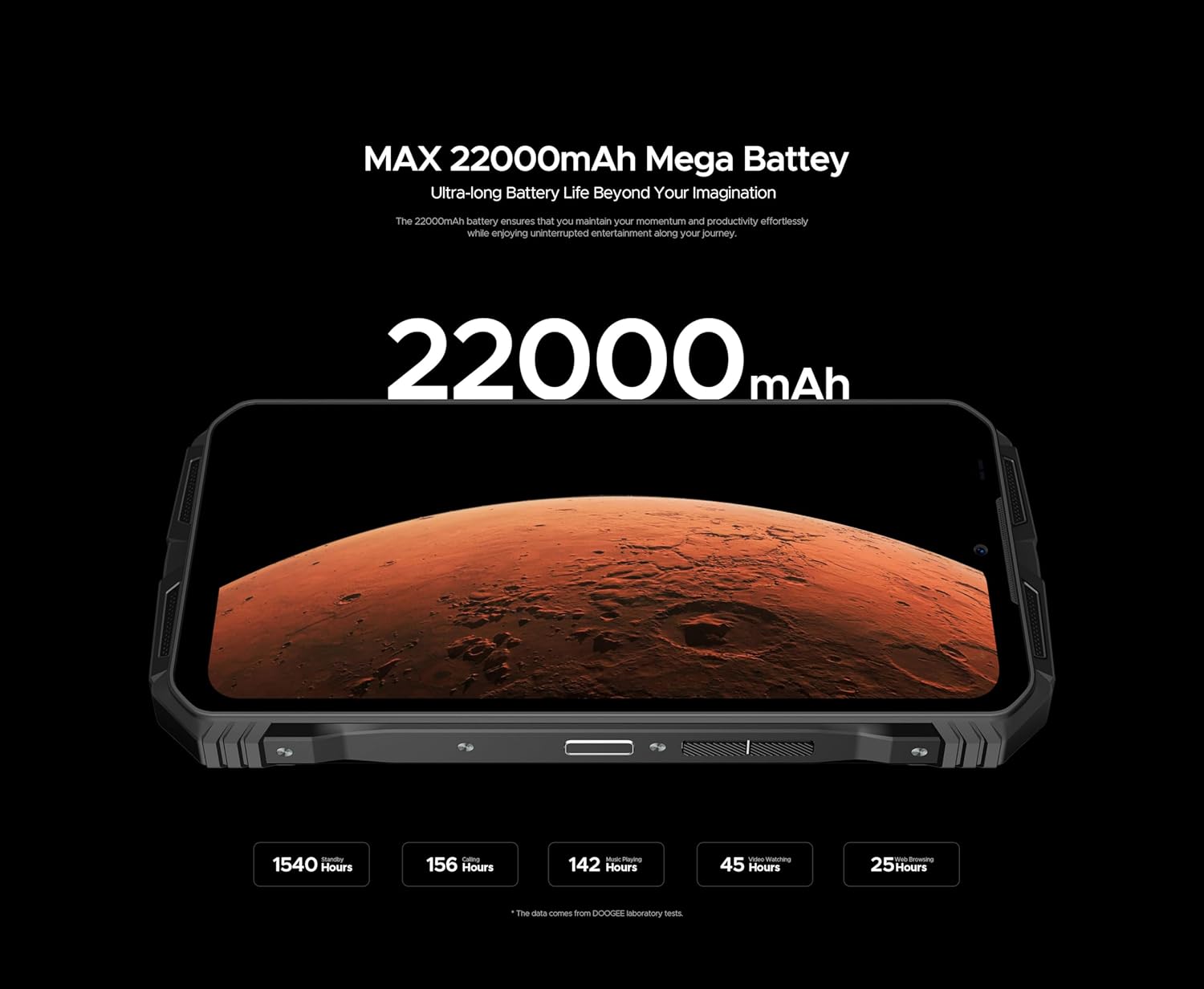
Image: The DOOGEE VMAX Pro 5G Rugged Smartphone displaying its impressive 22000mAh battery capacity, indicating long-lasting power.
2. Instalace SIM karty a úložiště
Locate the SIM card tray on the side of the device. Use the SIM ejector tool to open the tray. Insert your 5G-compatible Nano-SIM cards and/or a microSD card for expanded storage (up to 512GB). Ensure the tray is securely closed to maintain water and dust resistance.
3. Zapnutí/vypnutí
Press and hold the Power button (located on the side) until the DOOGEE logo appears to power on. To power off, press and hold the Power button, then select "Power off" from the options.
4. Počáteční konfigurace
Follow the on-screen prompts to complete the initial setup, including language selection, Wi-Fi connection, Google account setup, and security settings. The device runs on Android 14.
Návod k obsluze
Displej a navigace
The DOOGEE VMAX Pro features a 6.58-inch FHD+ IPS display with a 120Hz refresh rate for smooth visual experience. Navigate using touch gestures or the on-screen navigation bar.

Image: The DOOGEE VMAX Pro 5G Rugged Smartphone showcasing its 120Hz refresh rate, illustrating smooth motion on the display.
Kamerový systém
The device is equipped with a versatile AI Triple Camera system:
- Hlavní fotoaparát s rozlišením 108 MP: Pro fotografie a videa ve vysokém rozlišení.
- 20 MP Night Vision Camera: Captures clear images in low-light or complete darkness.
- 16MP přední fotoaparát: Pro selfie a videohovory.
Open the Camera app to switch between modes (Photo, Video, Night Vision, Portrait, etc.) and adjust settings.

Obrázek: Detail view of the DOOGEE VMAX Pro 5G Rugged Smartphone's AI Triple Camera module, highlighting the 108MP main sensor.
Výkon a úložiště
Powered by the Dimensity 7050 Octa-Core processor, the VMAX Pro offers robust performance. It comes with 32GB RAM (12GB base + 20GB extended) and 512GB internal storage, ensuring smooth multitasking and ampprostor pro aplikace a média.

Image: The DOOGEE VMAX Pro 5G Rugged Smartphone illustrating its 12GB base RAM and 20GB extended RAM, totaling 32GB for enhanced performance.
Robustní vlastnosti
The VMAX Pro is built to withstand harsh environments, certified with IP68, IP69K, and MIL-STD-810H ratings. This means it is highly resistant to water, dust, and drops.
- IP68: Submersible in water up to 1.5 meters for 30 minutes.
- IP69K: Odolné vůči vysokotlakým a teplotním vodním paprskům.
- MIL-STD-810H: Military-grade durability against drops, shocks, and extreme temperatures (-40°C to 80°C).

Image: The DOOGEE VMAX Pro 5G Rugged Smartphone depicted in various scenarios, demonstrating its waterproof, dustproof, and drop-proof features.
The phone's construction includes a plastic-coated back plate for abrasion resistance, Bayer TPU anti-scratch material, imitation metal side protection, and aerospace-grade high-strength titanium alloy for robustness.

Obrázek: Explodoval view of the DOOGEE VMAX Pro 5G Rugged Smartphone, illustrating its internal and external components designed for enhanced durability.
Zvuk a konektivita
Experience high-quality audio with the dual-speaker system. The device supports Dual SIM 5G connectivity, NFC for contactless payments, and various other network bands (2G, 3G, 4G, 5G).

Image: The DOOGEE VMAX Pro 5G Rugged Smartphone emitting sound waves from its dual speakers, indicating high-quality audio performance.
OTG Reverse Charging
The DOOGEE VMAX Pro supports OTG (On-The-Go) reverse charging, allowing you to use your phone as a power bank to charge other devices like smartphones, smartwatches, or USB fans.

Image: The DOOGEE VMAX Pro 5G Rugged Smartphone connected via USB-C to another smartphone, demonstrating its OTG reverse charging capability.
Digital Toolkit
The device includes a suite of useful digital tools, such as a compass, sound meter, pic hanging, gradienter, height measure, magnifier, protractor, plumb bob, and mirror, enhancing its utility for outdoor activities and professional tasks.
Údržba
- Čištění: Otřete zařízení měkkým, damp hadříkem. Vyhněte se agresivním chemikáliím nebo abrazivním materiálům.
- Vystavení vodě: While water-resistant, ensure all ports are dry before charging or connecting accessories. Do not intentionally submerge the device in corrosive liquids.
- Teplota: Nevystavujte zařízení extrémním teplotám mimo jeho provozní rozsah (-40 °C až 80 °C).
- Nabíjení: Use only the original charger and cable to prevent damage to the battery and device.
- Aktualizace softwaru: Pravidelně kontrolujte a instalujte aktualizace systému, abyste zajistili optimální výkon a zabezpečení.
Odstraňování problémů
| Problém | Možné řešení |
|---|---|
| Zařízení se nezapne. | Ujistěte se, že je baterie nabitá. Připojte zařízení k nabíječce alespoň na 10 minut a poté jej zkuste zapnout. |
| Slabý signál sítě. | Zkontrolujte vložení SIM karty. Přesuňte se do oblasti s lepším pokrytím sítě. Kontaktujte svého poskytovatele služeb. |
| Aplikace jsou pomalé nebo padají. | Zavřete aplikace na pozadí. Vymažte mezipaměť aplikací. Restartujte zařízení. Zajistěte dostatek úložného prostoru. |
| Zařízení se nenabíjí. | Check cable and adapter connections. Try a different outlet. Ensure charging port is clean and dry. |
| Water/dust ingress. | Ensure all port covers and the SIM tray are securely closed. If water has entered, power off immediately and seek professional assistance. |
Specifikace
| Funkce | Detail |
|---|---|
| Značka | DOOGEE |
| Název modelu | V MAX PRO |
| Operační systém | Android 14 |
| Velikost displeje | 6.58 palců FHD+ IPS |
| Rozlišení displeje | 1080 x 2400 |
| Procesor | Dimensity 7050 Octa-Core (2.5 GHz CPU Speed) |
| BERAN | 32 GB (12 GB Base + 20 GB Extended) |
| Interní úložiště | 512 GB |
| Hlavní fotoaparát | 108 MP |
| Kamera pro noční vidění | 20 MP |
| Přední kamera | 16 MP |
| Kapacita baterie | 22000 mAh Lithium-Polymer |
| Nabíjení | Rychlé nabíjení 33W typu C |
| Konektivita | 2G, 3G, 4G, 5G, NFC |
| Hodnocení trvanlivosti | IP68, IP69K, MIL-STD-810H |
| Typ SIM | Dual Nano-SIM |
| Barva | Černý |
Záruka a podpora
The DOOGEE VMAX Pro 5G Rugged Smartphone comes with a 12-month manufacturer's warranty. This warranty covers defects in materials and workmanship under normal use.
For technical support, warranty claims, or any questions regarding your device, please contact the seller, MOBILE STORE ON SALES, or visit the official DOOGEE support website. Please have your purchase receipt and product model number (V MAX PRO) ready when contacting support.
Return Policy: A 30-day refund/replacement policy is typically available through the point of purchase, subject to their terms and conditions.
Ask a question about this manual
Ask about setup, troubleshooting, compatibility, parts, safety, or missing instructions. Manuals+ will review the question and use this page’s manual context to help answer it.