
1. Úvod
The PHYSEN WiFi Smoke Detector is an intelligent fire alarm designed to enhance home safety. Equipped with a photoelectric sensor, it efficiently detects slow-burning and smoldering fires. This device features a 10-year battery and sensor life, providing long-term, reliable protection. It connects to your home's 2.4GHz Wi-Fi network, enabling real-time notifications via the Tuya or Smart Life mobile application.
2. Bezpečnostní informace
- This smoke detector complies with EN 14604 standards, ensuring high quality and reliability.
- The device performs an automatic self-test every 56 seconds to check circuits, electronics, and battery level.
- The alarm emits an 85dB sound to alert occupants.
- Důležité: Do not install smoke detectors in the kitchen or areas with high humidity and cooking fumes, as this may lead to false alarms.

The PHYSEN WiFi Smoke Detector is certified according to EN 14604 and TÜV Rheinland standards, ensuring reliable safety performance.

This smoke detector offers a 10-year product lifespan, including a 10-year battery and sensor, providing continuous 24/7 protection for your home.
3. Vlastnosti produktu
- 10-Year Battery & Sensor: Equipped with a long-life battery and photoelectric sensor for extended service.
- Wi-Fi připojení: Connects to 2.4GHz Wi-Fi for smart features.
- Real-Time Push Notifications: Receive immediate alerts on your smartphone via the Tuya/Smart Life app.
- Device Sharing Function: Share access with up to 12 different app accounts for family safety.
- Funkce autotestu: Automatic and manual testing capabilities to ensure proper operation.
- 85dB Alarm: Loud audible alarm to alert occupants in case of smoke detection.
- Krytí: One device covers approximately 40 square meters.
4. Konec produktuview

Key components include ventilation slots for smoke entry, an LED indicator for status, a test/hush button for manual testing and silencing, and a loud buzzer for alarms.
- Ventilační otvory: Allows smoke to enter the detection chamber.
- LED indikátor: Provides visual status of the detector (e.g., normal operation, alarm, fault).
- Test/Hush Button: Press to manually test the alarm or silence a false alarm.
- Bzučák: Vydává zvukový alarm.
5. Nastavení a instalace
The PHYSEN WiFi Smoke Detector offers flexible installation options.

The smoke detector offers flexible installation options: use the provided adhesive pad for quick mounting or secure it with screws for a more permanent fixture. Rotate to activate after installation.
Způsoby instalace:
- Lepicí montáž:
- Ujistěte se, že montážní povrch je čistý, suchý a hladký.
- Sloupněte ochrannou fólii z lepicí podložky.
- Attach the adhesive pad to the back of the detector.
- Press the detector firmly onto the desired ceiling location.
- Šroubová montáž:
- Use the provided mounting bracket as a template to mark screw holes on the ceiling.
- Vyvrtejte pilotní otvory a v případě potřeby vložte do nich nástěnné hmoždinky.
- Upevněte montážní držák ke stropu pomocí šroubů.
- Attach the smoke detector to the mounting bracket by twisting it clockwise until it clicks into place.
Aktivace:
After installation, rotate the detector clockwise onto its base or mounting bracket to activate the internal battery. The LED indicator will flash to confirm activation.
Doporučené umístění:
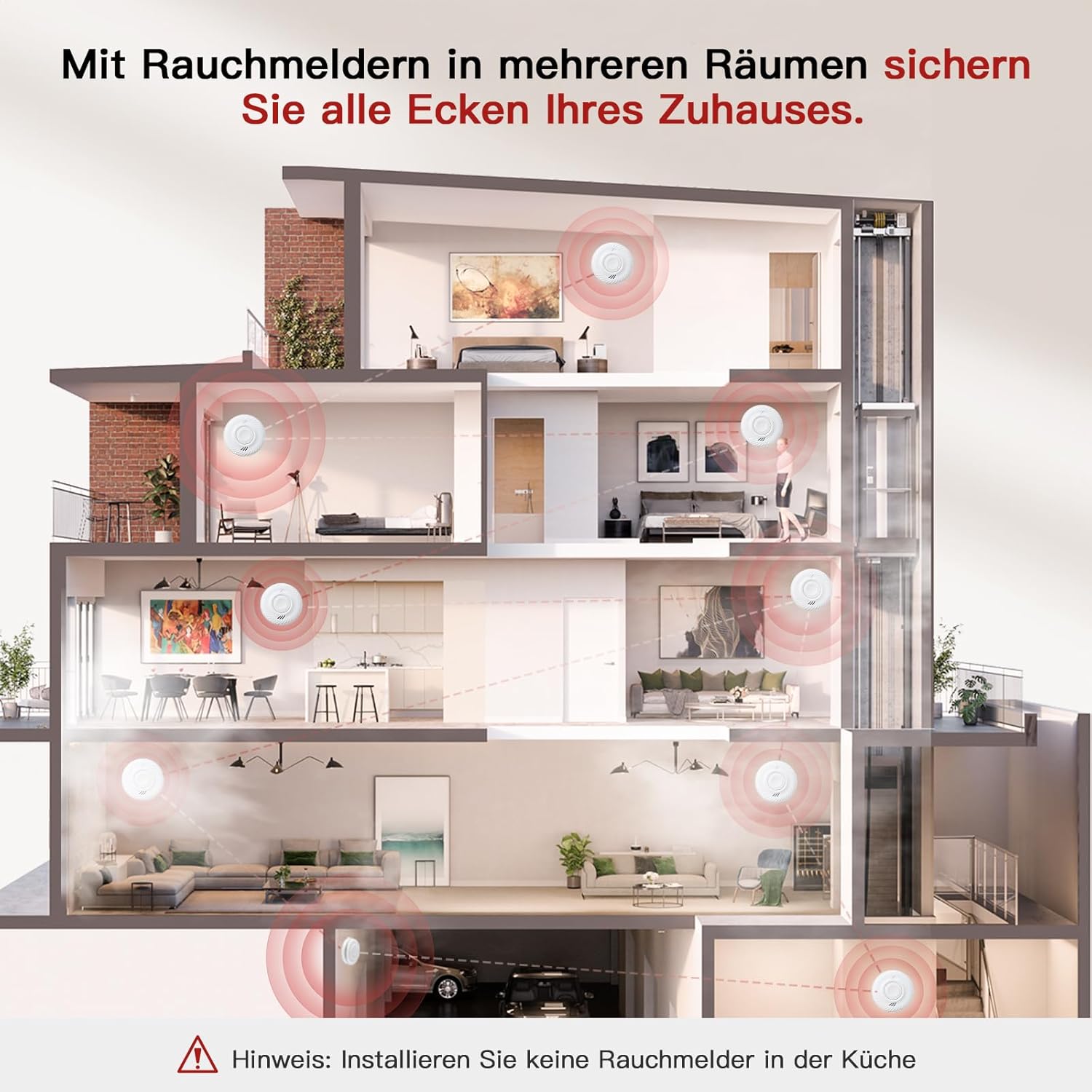
Install smoke detectors in multiple rooms to secure all areas of your home. Important: Do not install smoke detectors in the kitchen due to potential false alarms from cooking fumes.
- Install at least one smoke detector on every level of your home, including basements and attics.
- Place detectors inside and outside sleeping areas.
- Avoid placing detectors near windows, doors, or air vents where drafts might interfere with smoke detection.
- Maintain a distance of at least 1 meter (3 feet) from cooking appliances.
6. Návod k obsluze
Normální provoz:
Once activated, the detector will perform a self-test and enter normal monitoring mode. The LED indicator will flash periodically (e.g., every 56 seconds) to indicate proper functioning.
Testování detektoru:
It is recommended to test your smoke detector weekly to ensure it is working correctly.
- Press and hold the Test/Hush button on the detector for a few seconds.
- The alarm will sound loudly, and the LED indicator will flash rapidly.
- Uvolněte tlačítko. Budík se vypne.

Perform convenient self-tests of the smoke detector directly from your smartphone using the app, eliminating the need to physically reach the device. The alarm sounds at 85dB during a test or actual event.
Hush/Silence Function:
In case of a nuisance alarm (e.g., from cooking fumes), you can temporarily silence the alarm:
- Press the Test/Hush button on the detector.
- The alarm will silence for a short period (e.g., 10 minutes) before automatically resetting.
- If the smoke is still present after the hush period, the alarm will sound again.
7. Propojení s aplikací (Tuya/Smart Life)
Connect your PHYSEN WiFi Smoke Detector to the Tuya or Smart Life app for remote monitoring and notifications.

Connect the detector to the Tuya/Smart Life app via 2.4GHz Wi-Fi to receive real-time notifications on your smartphone when smoke is detected or in case of malfunction. Ensure your phone has cellular or Wi-Fi network access.
- Stáhněte si aplikaci: Download and install the "Tuya Smart" or "Smart Life" app from your smartphone's app store (iOS or Android).
- Registrace/Přihlášení: Vytvořte si účet nebo se přihlaste ke svému stávajícímu účtu.
- Přidat zařízení:
- Ensure your smartphone is connected to a 2.4GHz Wi-Fi network. The smoke detector only supports 2.4GHz Wi-Fi.
- Open the app and tap "+" or "Add Device."
- Select "Security & Video Surveillance" > "Smoke Detector (Wi-Fi)" or similar category.
- On the smoke detector, press and hold the Test/Hush button until the LED indicator starts blinking rapidly (usually blue). This puts the device into pairing mode.
- Follow the on-screen instructions in the app to connect the detector to your Wi-Fi network. You may need to enter your Wi-Fi password.
- Once connected, the LED indicator on the detector will stop blinking rapidly and remain off or flash slowly, indicating a successful connection.
- Sdílení zařízení:

The device can be shared with up to 12 different app accounts, allowing all shared users to receive real-time push notifications for enhanced family safety.
- In the app, navigate to the device settings for your smoke detector.
- Look for a "Share Device" or "Device Sharing" option.
- Enter the email or phone number associated with the Tuya/Smart Life account of the person you wish to share access with.
- Shared users will receive real-time push notifications.
8. Údržba
Pravidelný úklid:
Clean your smoke detector at least once a month to prevent dust and debris buildup, which can affect performance.
- Gently vacuum the ventilation slots using a soft brush attachment.
- Vnější povrch otřete čistým, damp cloth. Do not use cleaning solvents or sprays.
Baterie:
The detector is equipped with a sealed 10-year battery. It is not user-replaceable. When the battery is low, the detector will emit a low battery warning (a chirp and/or app notification). Replace the entire unit when the low battery warning persists or after 10 years of operation.
9. Řešení problémů
- Alarm zní přerušovaně nebo pípá: This usually indicates a low battery. Since the battery is sealed, the unit needs to be replaced.
- Falešné poplachy:
- Check for sources of smoke or steam (e.g., cooking, hot showers, fireplaces).
- Clean the detector to remove dust or insects.
- Relocate the detector if it is too close to kitchens or bathrooms.
- Detector does not connect to Wi-Fi:
- Ensure your Wi-Fi network is 2.4GHz. The detector does not support 5GHz Wi-Fi.
- Zkontrolujte správnost hesla k Wi-Fi.
- Move the detector closer to your Wi-Fi router.
- Restartujte router a zkuste spárování znovu.
- Ensure the detector is in pairing mode (rapidly blinking LED).
- Žádná oznámení aplikací:
- Ensure your phone has a stable internet connection (cellular or Wi-Fi).
- Check app notification settings on your phone and within the Tuya/Smart Life app.
- Verify that the detector is still connected to Wi-Fi (check its status in the app).
- Test button does not work: Ensure the detector is properly activated and the battery is not depleted. If issues persist, the unit may be faulty and require replacement.
10. Specifikace
| Značka | FYZÉN |
| Číslo modelu | SDWIFI-1006 |
| Zdroj napájení | Napájení z baterie (10letá uzavřená baterie) |
| Typ snímače | Fotoelektrické |
| Konektivita | 2.4 GHz Wi-Fi |
| Hlasitost alarmu | 85 dB |
| Materiál | Samozhášecí ABS |
| Rozměry produktu | 3H x 9Š x 9.5V centimetrů |
| Hmotnost položky | 0.96 kilogramů (pro 6 jednotky) |
| Certifikace | EN 14604, TÜV Rheinland |
11. Záruka a podpora
For warranty information and technical support, please refer to the documentation included with your purchase or contact PHYSEN customer service through their official webnebo prodejce, u kterého byl produkt zakoupen. Uschovejte si doklad o koupi pro případ reklamace.