
1. Úvod
Thank you for choosing the MOUNTUP Dual Monitor Arm MU8012-W-07. This instruction manual provides essential information for the safe and correct installation, operation, and maintenance of your new monitor arm. Please read this manual thoroughly before installation and keep it for future reference.
Bezpečnostní opatření
- Před montáží se ujistěte, že jsou všechny součásti přítomny a nepoškozené. Nepoužívejte, pokud některé součásti chybí nebo jsou vadné.
- Verify that your desk surface is strong enough to support the combined weight of the monitor arm and your monitors.
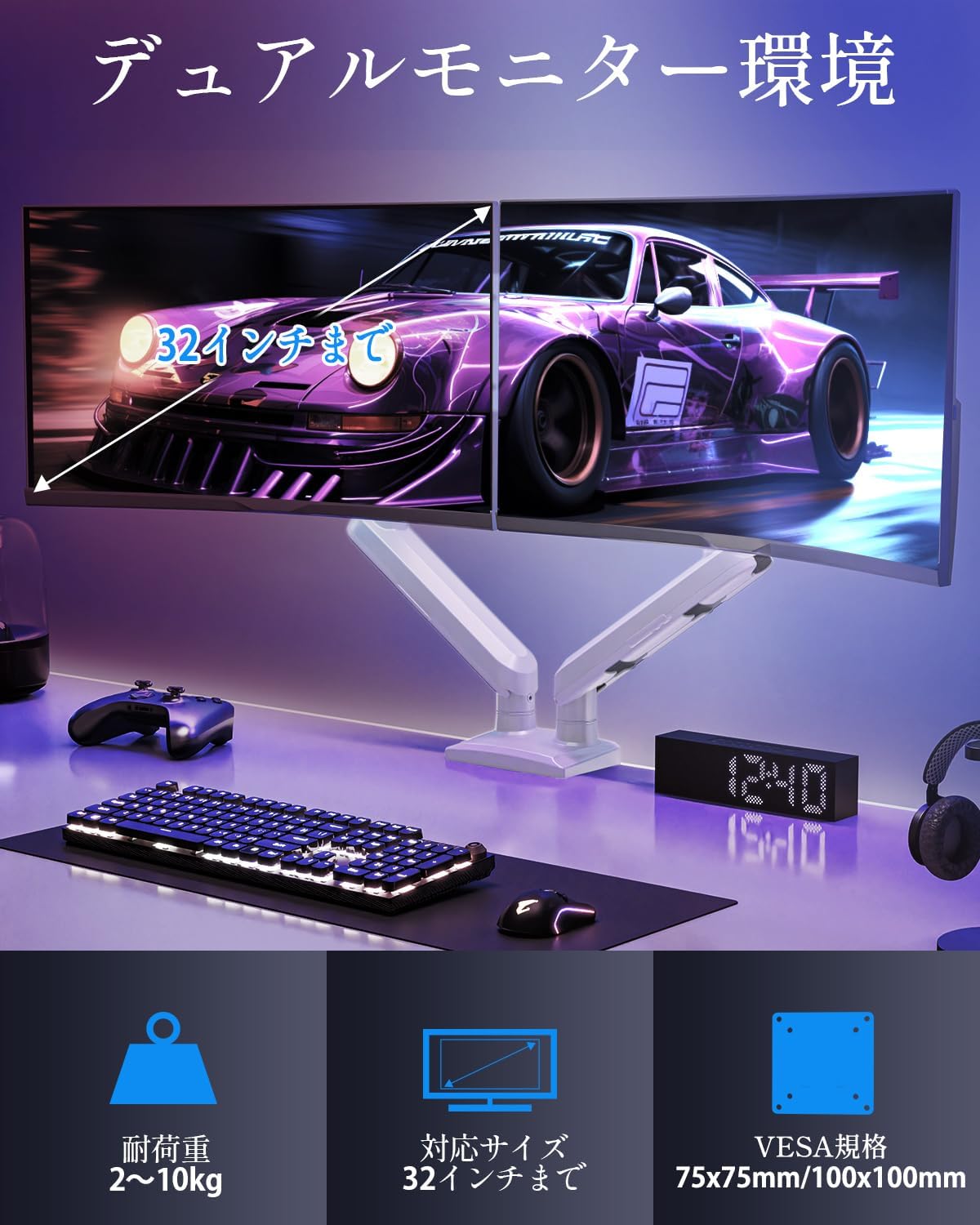
- Do not exceed the maximum weight capacity of 10kg (22 lbs) per arm.
- Always follow the installation steps carefully. Improper installation may result in product damage or personal injury.
- Keep children away from the product during assembly. Small parts may be a choking hazard.
2. Obsah balení
Zkontrolujte prosím, zda jsou v balení obsaženy všechny následující komponenty:
- Monitor Arm Assembly (x1)
- Deska VESA (x2)
- Stůl Clamp Základna (x1)
- Grommet Base (x1)
- Sada montážního hardwaru (šrouby, podložky, distanční podložky)
- Hex Wrenches (various sizes)
- Návod k použití (x1)
3. Specifikace
| Funkce | Specifikace |
|---|---|
| Model | MU8012-W-07 |
| Materiál | Legovaná ocel |
| Barva | Bílý |
| Kompatibilita velikosti obrazovky | 13 - 32 palce |
| Nosnost (na rameno) | 2 - 10 kg (4.4 - 22 liber) |
| Kompatibilita VESA | 75x75mm, 100x100mm |
| Možnosti montáže | Clamp, Průchodka |
| Rozsah náklonu | +85° až -45° |
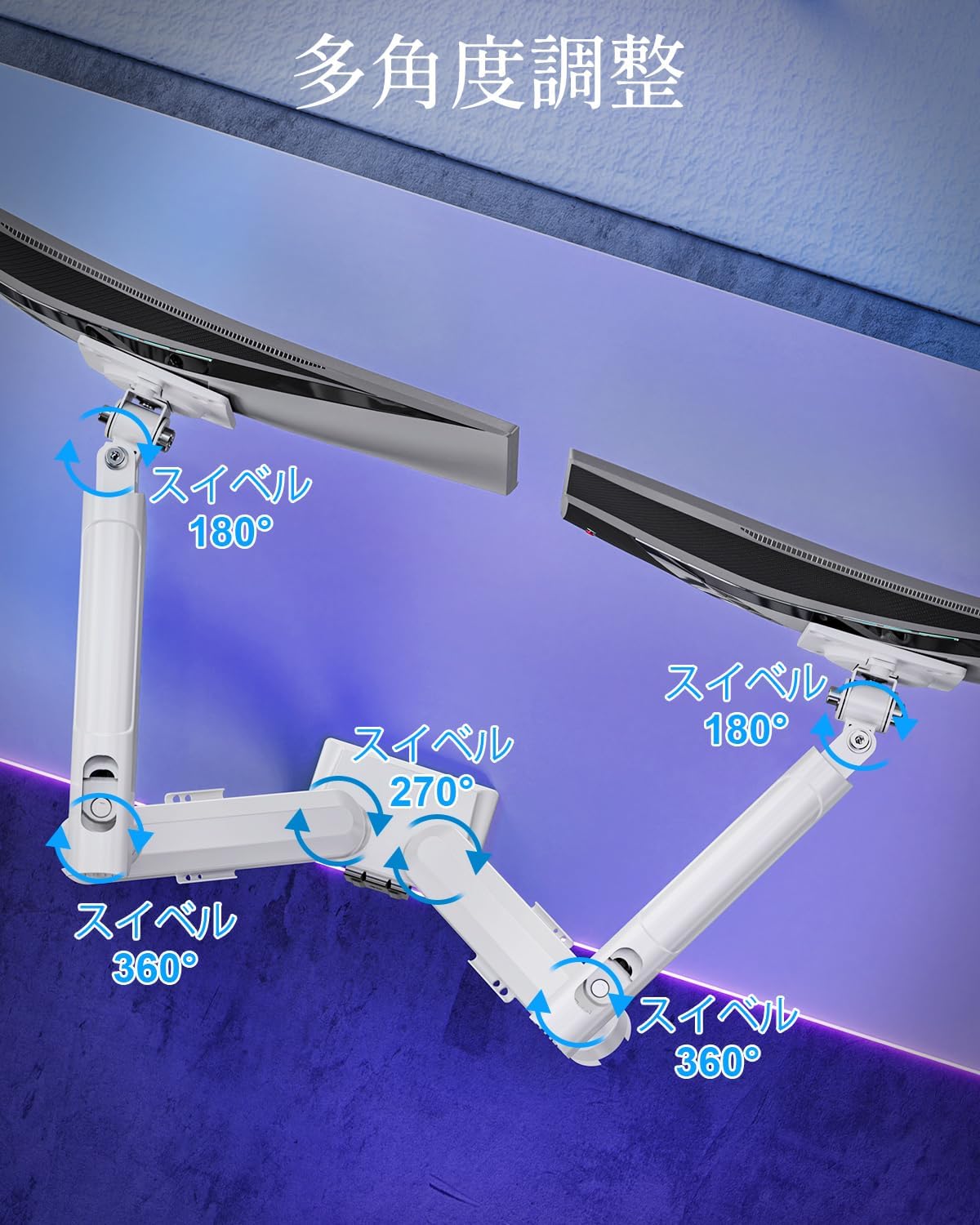
| Otočný rozsah | 180° (monitor plate), 270° (middle joint), 360° (base) |
| Rotation (Pivot) | 360° |
| Nastavení maximální výšky | 44 cm (17.3 palců) |
| Maximální prodloužení paže | 50 cm (19.7 palců) |
| Hmotnost produktu | 3.1 kg (6.8 lb) |

4. Nastavení a instalace
Krok 1: Vyberte způsob montáže
The MOUNTUP Dual Monitor Arm supports two installation methods: Clamp Mount and Grommet Mount. Choose the method that best suits your desk.

Clamp Montáž Montáž
- Připojte třamp base to the main pole of the monitor arm.
- Umístěte třamp onto the edge of your desk. Ensure the desk thickness is between 10-70mm (0.4-2.7 inches).
- Utáhněte třamp šroubujte, dokud rameno nebude bezpečně upevněno ke stolu. Ujistěte se, že je stabilní a neviklá.

Montáž držáku průchodky
- If your desk has a grommet hole, ensure its diameter is between 10-60mm (0.4-2.4 inches) and the desk thickness is between 10-70mm (0.4-2.7 inches).
- Attach the grommet base to the main pole.
- Insert the grommet bolt through the desk hole and secure it from underneath with the provided plate and nut.
- Tighten the nut until the arm is firmly attached to the desk.
Krok 2: Připojte desky VESA k monitorům
- Carefully lay your monitor face down on a soft, clean surface.
- Zarovnejte desku VESA s montážními otvory na zadní straně monitoru.
- Use the appropriate screws (M4 or M5) and washers from the hardware kit to secure the VESA plate to the monitor. Do not overtighten.
Krok 3: Montáž monitorů na ramena
- Slide the monitor (with the attached VESA plate) onto the VESA head of the monitor arm.
- Ensure the monitor clicks into place or is securely fastened by the quick-release mechanism.
- Opakujte pro druhý monitor.

Krok 4: Správa kabelů
Route your monitor cables through the integrated cable management clips on the underside of the arms. This helps maintain a tidy workspace.

5. Obsluha a seřízení
The MOUNTUP Dual Monitor Arm offers flexible adjustments to optimize your viewzkušenosti.

Adjusting Arm Tension (Gas Spring)
The gas spring mechanism allows for smooth height adjustments. If your monitor sags or is difficult to move, you may need to adjust the tension.

- To increase tension (if monitor sags): Use the provided hex wrench to turn the adjustment screw clockwise.
- To decrease tension (if arm is too stiff): Turn the adjustment screw counter-clockwise.
- Always adjust tension with the arm held horizontally. Test the movement after each small adjustment until the monitor holds its position freely.
Nastavení monitoru
- Nastavení výšky: Gently push or pull the monitor up or down to your desired height. The gas spring will assist in holding the position. Max height is 44cm (17.3 inches).
- Nastavení sklonu: Tilt the monitor screen up to +85° or down to -45° to reduce glare and optimize viewing angles. Loosen the tilt bolt, adjust, then re-tighten.
- Nastavení otáčení: The arm allows for 180° swivel at the monitor plate, 270° at the middle joint, and 360° at the base, providing wide range of motion.
- Rotation (Pivot): Otočte monitor o 360° pro přepínání mezi orientací na šířku a na výšku.

6. Údržba
- Čištění: Otřete rameno monitoru měkkým hadříkemamp hadříkem. Nepoužívejte abrazivní čisticí prostředky ani rozpouštědla, která by mohla poškodit povrchovou úpravu.
- Pravidelné kontroly: Pravidelně kontrolujte všechny šrouby a spoje, zda jsou pevně utažené a bezpečné. V případě potřeby je dotáhněte.
- Gas Spring Longevity: The high-quality gas spring is tested for over 20,000 cycles. Proper tension adjustment will help maintain its performance over time.

7. Řešení problémů
- Monitor se prohýbá nebo nezůstává vzhůru: The gas spring tension is too low. Refer to the "Adjusting Arm Tension" section and turn the adjustment screw clockwise to increase tension.
- Arm is Too Stiff or Difficult to Move: The gas spring tension is too high. Refer to the "Adjusting Arm Tension" section and turn the adjustment screw counter-clockwise to decrease tension.
- Vibrace monitoru: Ensure all mounting screws (VESA plate to monitor, arm to desk) are securely tightened. Check that the desk clamp or grommet mount is firm.
- Monitor Tilt Angle Won't Hold: The tilt bolt may be loose. Tighten the tilt bolt on the VESA head.
8. Záruka a podpora
MOUNTUP provides a 2letá záruka kvality od data zakoupení tohoto produktu. Tato záruka se vztahuje na výrobní vady a problémy vzniklé běžným používáním.
If you encounter any problems with your MOUNTUP Dual Monitor Arm, or if you have questions regarding installation or operation, please contact our customer support. You can typically find seller contact information through your purchase history on the platform where you bought the product (e.g., Amazon order details).
Please have your model number (MU8012-W-07) and purchase date ready when contacting support to ensure a swift resolution.