
SONICAKE QKP-10
Sonicake QKP-10 Digital Electronic Piano Keyboard User Manual
Model: QKP-10
1. Úvod
Welcome to the user manual for your new SONICAKE QKP-10 Portable Digital Electronic Piano Keyboard. This manual provides essential information for setting up, operating, and maintaining your instrument. Please read it thoroughly to ensure proper use and to maximize your musical experience.
2. Konec produktuview
The SONICAKE QKP-10 is a versatile 61-key digital keyboard designed for beginners and aspiring musicians. It offers a wide array of features to enhance learning and creativity.
- Vast Range of Tones and Features: Includes 300 tones, 300 rhythms, and 80 demo songs, providing diverse sound options.
- Stereo Experience: Equipped with two built-in speakers and Bluetooth connectivity.
- Připojení sluchátek: Allows for private practice without disturbing others.
- Nahrávání a přehrávání: Built-in function to record and review vaše výkony.
- Praktické funkce: Features vibrato, sustain, transpose, Dual-tone mode, 2 chord modes, and Split function.
- Přenosnost: Can be powered by six AA batteries (not included) or a 5V 1A USB connection for use anywhere.

Obrázek 2.1: Přesview of the SONICAKE QKP-10 Digital Electronic Piano Keyboard with music rest.
3. Nastavení
3.1 Napájení klávesnice
The QKP-10 keyboard can be powered in two ways:
- AC adaptér: Connect the included 5V 1A USB power adapter to the USB-C port on the back of the keyboard and plug it into a standard wall outlet.
- Baterie: For portable use, insert six AA batteries (not included) into the battery compartment located on the underside of the keyboard. Ensure correct polarity.

Figure 3.1: Keyboard dimensions and included power adapter and USB cable.
3.2 Připojení příslušenství
- Sluchátka: Connect standard 3.5mm headphones to the "PHONES" jack on the rear panel for private listening.
- Sustain pedál: Connect an optional sustain pedal (not included) to the "SUSTAIN" jack for extended note decay.

Figure 3.2: Rear panel showing Sustain, Phones, and USB-C ports.
4. Návod k obsluze
4.1 Základní obsluha
- Zapnutí/vypnutí: Stiskněte tlačítko MOC tlačítko pro zapnutí nebo vypnutí klávesnice.
- Ovládání hlasitosti: Použijte MAIN VOL + / - buttons to adjust the overall volume.

Figure 4.1: User interacting with the keyboard and its control panel.
4.2 Tóny a rytmy
The QKP-10 features 300 tones and 300 rhythms.
- Výběr tónů: Stiskněte tlačítko TÓN button, then use the number pad (0-9) to enter the desired tone number.
- Výběr rytmů: Stiskněte tlačítko RYTMUS button, then use the number pad (0-9) to enter the desired rhythm number.
- Hlasitost rytmu: Adjust rhythm volume using RHYTHM VOL + / - tlačítka.
- Tempo: Adjust the tempo of rhythms and demo songs using TEMPO + / - tlačítka.
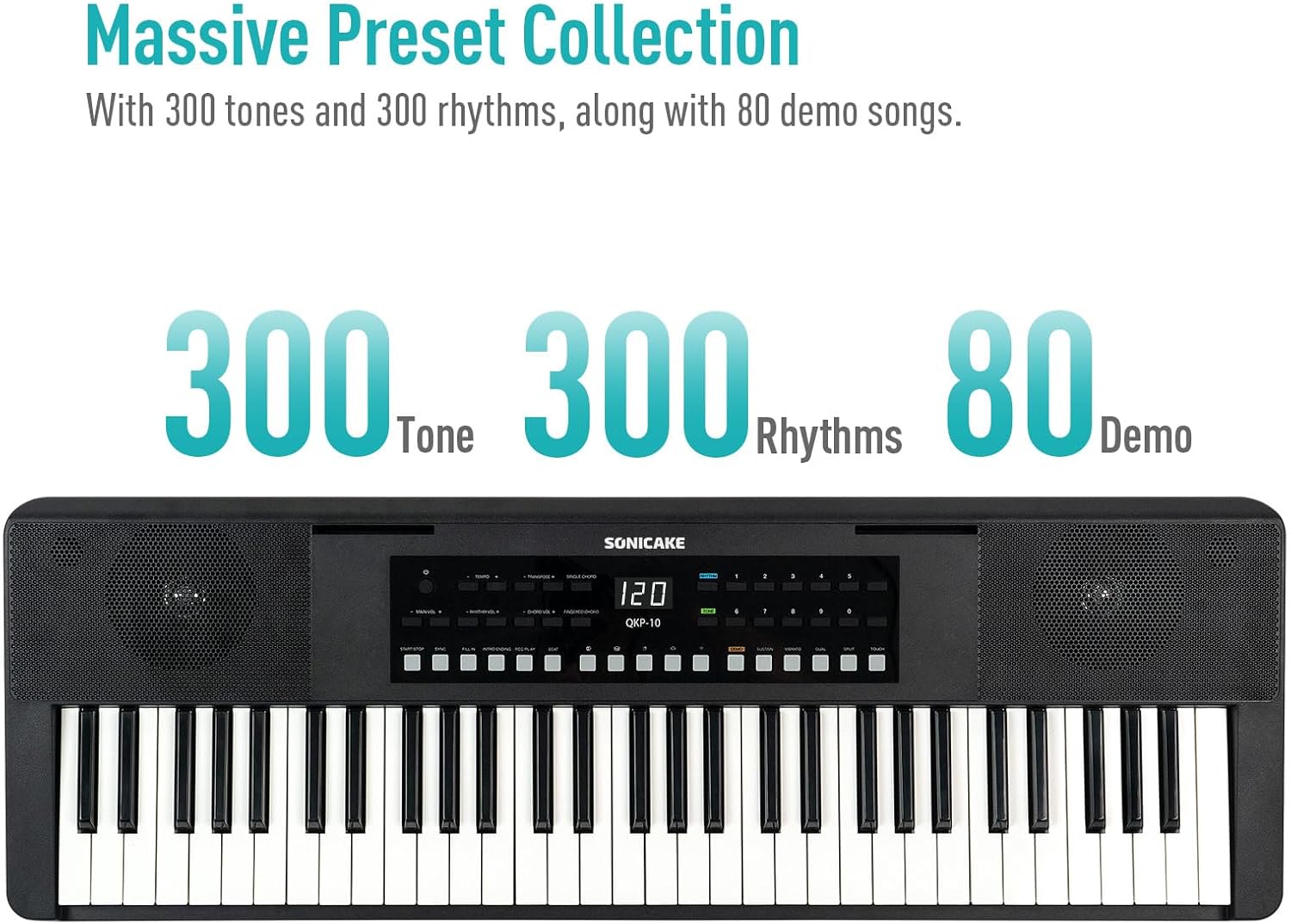
Figure 4.2: Control panel highlighting the 300 Tones, 300 Rhythms, and 80 Demo songs available.
4.3 demo skladeb
The keyboard includes 80 demo songs for listening and learning.
- Playing Demos: Stiskněte tlačítko DEMO button to cycle through the demo songs.
4.4 Nahrávání a přehrávání
Record your performances and play them back to review váš pokrok.
- Záznam: Stiskněte tlačítko REC button to start recording. Play your desired melody.
- Zastavit nahrávání: Stiskněte HRÁT or ZASTÁVKA pro ukončení nahrávání.
- Přehrávání: Stiskněte tlačítko HRÁT tlačítko pro poslech nahraného vystoupení.
4.5 Připojení Bluetooth
Connect your smartphone or tablet via Bluetooth to play along with your favorite songs or accompaniment audio.
- Aktivujte Bluetooth: Ujistěte se, že je na vašem externím zařízení povoleno rozhraní Bluetooth.
- Párování: The keyboard will appear as "SONICAKE QKP-10" (or similar) in your device's Bluetooth settings. Select it to pair.
- Přehrávání: Once paired, audio from your device will play through the keyboard's speakers.

Figure 4.3: Illustrates Bluetooth playback support, showing a smartphone wirelessly connected to the keyboard.
4.6 Pokročilé funkce
Explore these functions to expand your musical expression:
- Vibrato: Adds a slight pitch variation to notes. Press VIBRATO.
- Udržet: Extends the decay of notes. Press UDRŽTE.
- Přemístit: Shifts the pitch of the entire keyboard up or down. Use TRANSPOZE + / -.
- Dual-tone Mode: Layers two different tones simultaneously. Press DVOJÍ.
- Funkce rozdělení: Divides the keyboard into two sections, each with a different tone. Press Split.
- Akordové režimy: Includes Single Chord and Fingered Chord modes.

Obrázek 4.4: Detailní view of the control panel, showing buttons for various functions like Tempo, Transpose, Chord modes, Demo, Sustain, Vibrato, Dual, Split, and Touch.
5. Údržba
Proper care will ensure the longevity and performance of your keyboard.
- Čištění: K otření povrchu klávesnice použijte měkký, suchý hadřík. V případě odolné nečistoty lehceampOtřete hadřík vodou s jemným čisticím prostředkem a poté ihned otřete dosucha. Nepoužívejte abrazivní čisticí prostředky ani rozpouštědla.
- Skladování: Klávesnici skladujte na chladném a suchém místě mimo dosah přímého slunečního záření, extrémních teplot a vysoké vlhkosti.
- Zacházení: Zabraňte pádu klávesnice ani jejímu vystavení silným nárazům. Nepokládejte na ni těžké předměty.
- Péče o baterie: If not using the keyboard for an extended period, remove the batteries to prevent leakage.
6. Řešení problémů
If you encounter any issues with your keyboard, please refer to the following common problems and solutions:
| Problém | Možná příčina | Řešení |
|---|---|---|
| Z reproduktorů/sluchátek není slyšet žádný zvuk. | Volume too low; power issue; headphones not fully inserted. | Increase MAIN VOL. Check power connection/batteries. Ensure headphones are fully plugged in. |
| Klávesnice se nezapíná. | No power supply; dead batteries; faulty adapter. | Check power adapter connection. Replace batteries. Try a different USB power source. |
| Problémy s připojením Bluetooth. | Keyboard not in pairing mode; device too far; interference. | Ensure Bluetooth is enabled on both devices. Move devices closer. Restart both devices. |
| Klávesy nereagují. | Keyboard frozen; internal issue. | Turn the keyboard off and on again. If problem persists, contact customer support. |
7. Specifikace
| Funkce | Detail |
|---|---|
| Název modelu | QKP-10 |
| Počet klíčů | 61 |
| Tóny | 300 |
| Rytmy | 300 |
| Demo písně | 80 |
| Konektivita | Bluetooth, USB |
| Typ konektoru | USB Type A, 3.5mm Jack |
| Jack pro sluchátka | 3.5mm Jack |
| Zdroj napájení | Battery Powered (6x AA), 5V 1A USB |
| Hmotnost položky | 10.47 libry (přibližně 4.75 kg) |
| Rozměry balení | 38.19 x 14.37 x 5.91 palců (přibližně 97 x 36.5 x 15 cm) |
| Barva | Černý |
| Výrobce | SONICAKE |
8. Záruka a podpora
For warranty information and customer support, please refer to the documentation included with your purchase or visit the official SONICAKE webUschovejte si doklad o koupi pro případné reklamace.
If you require further assistance or have questions not covered in this manual, please contact SONICAKE customer service.
Ask a question about this manual
Ask about setup, troubleshooting, compatibility, parts, safety, or missing instructions. Manuals+ will review the question and use this page’s manual context to help answer it.