
Loocam LC8P8B-6W42S-186D
Loocam 5MP PoE Security Camera System User Manual
Model: LC8P8B-6W42S-186D
Značka: Loocam
1. Úvod
This manual provides detailed instructions for the installation, operation, and maintenance of your Loocam 5MP PoE Security Camera System. This system is designed for reliable 24/7 surveillance with advanced features such as full-color night vision, AI human and vehicle detection, and two-way audio communication.
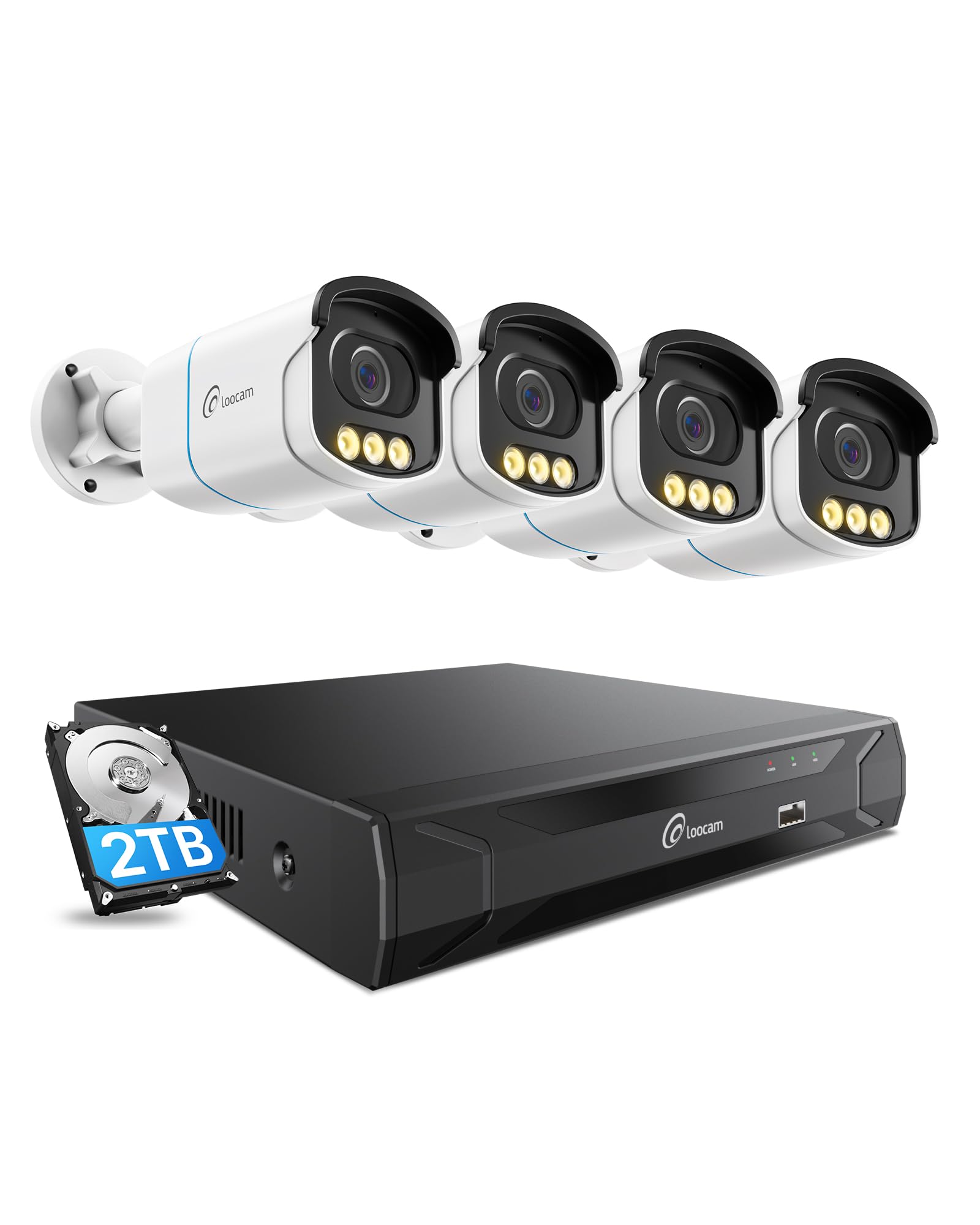
Figure 1: Loocam 5MP PoE Security Camera System components.
2. Obsah balení
Ověřte, zda jsou v balení obsaženy všechny níže uvedené položky:
- 1x 8-Channel 8MP NVR with 2TB Hard Drive Pre-installed
- 4x 5MP PoE IP Cameras
- 4x 60ft Ethernet Cables
- 1x 1m ethernetový kabel
- 1x NVR Power Supply
- 1x USB myš
- 1x HDMI kabel
- 4x montážní šrouby
- 4x montážní šablony
- Příručka rychlého spuštění 1x
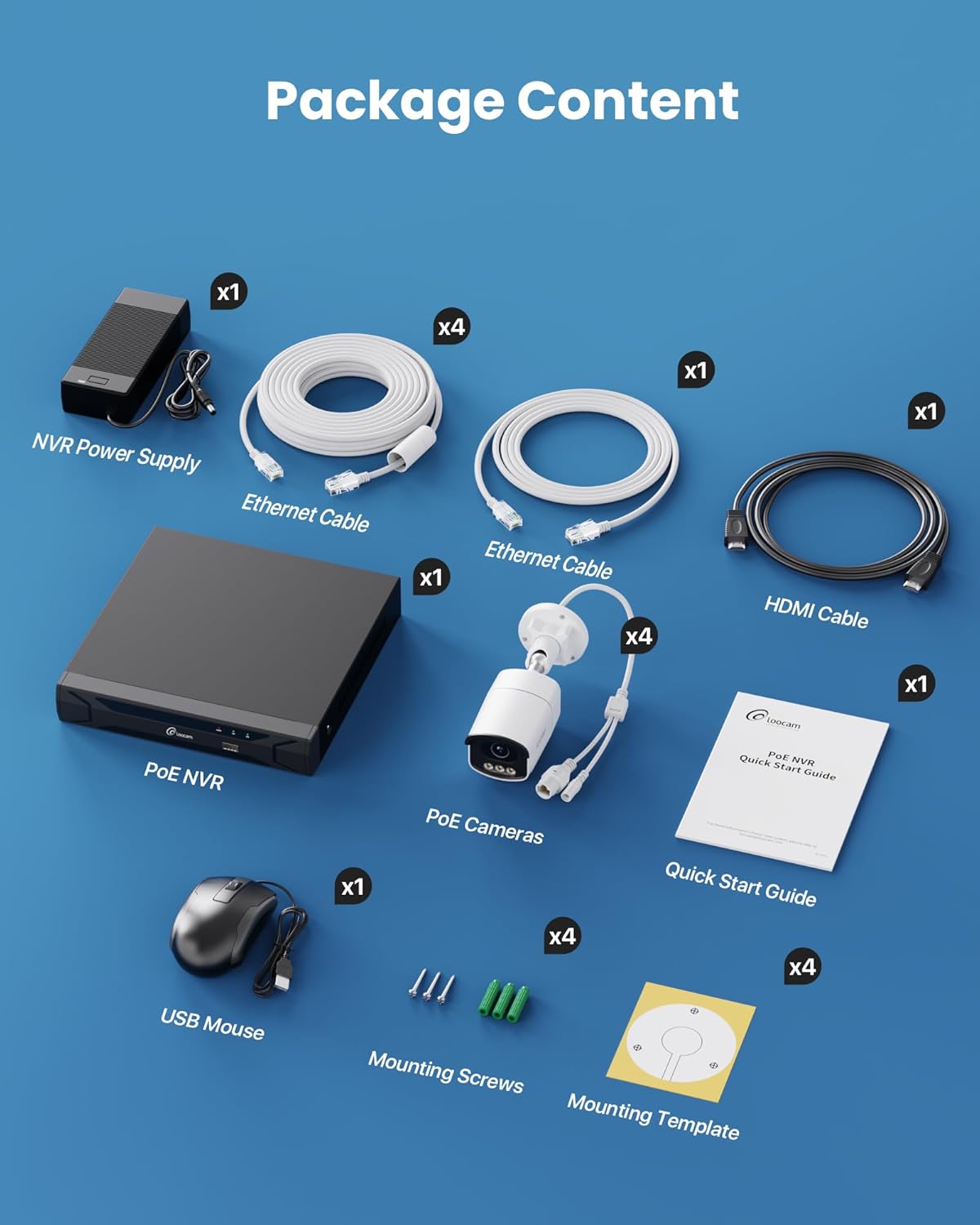
Figure 2: Contents included in the Loocam 5MP PoE Security Camera System package.
3. Nastavení systému
Follow these steps to set up your Loocam PoE Security Camera System:
- Připravte si vybavení: Ensure you have a monitor, a router with network connection, and a power strip available.
- Připojení NVR: Connect the NVR to your monitor using the HDMI cable. Connect the USB mouse to the NVR. Connect the NVR to your router using an Ethernet cable. Finally, connect the NVR power supply and turn on the NVR.
- Připojení kamer: Connect each 5MP PoE IP camera to an available PoE port on the NVR using the provided Ethernet cables. The NVR will power the cameras and transmit video data.
- Počáteční spuštění: Wait for the NVR to boot up and display video feeds from the connected cameras on your monitor.
Video 1: Unboxing and Installation Guide for Loocam PoE Security Camera System. This video demonstrates the physical setup process.
4. Návod k obsluze
4.1 Kvalita videa a noční vidění
The system provides sharp 5MP HD video (2880x1620 resolution) for clear monitoring. It features advanced full-color night vision, ensuring vivid and detailed images even in low-light conditions, providing 24/7 surveillance.

Figure 3: Visual comparison illustrating the enhanced detail of 5MP HD resolution over 1080p.

Figure 4: Demonstration of true full-color night vision providing clearer, more vibrant images at night compared to standard night vision.
Video 2: Loocam 5MP PoE Camera System showcasing True Full Color Night Vision capabilities.
4.2 Smart AI Detection and Alerts
The system utilizes AI to accurately identify people and vehicles, reducing false alarms. When an event is detected, you will receive instant app notifications.
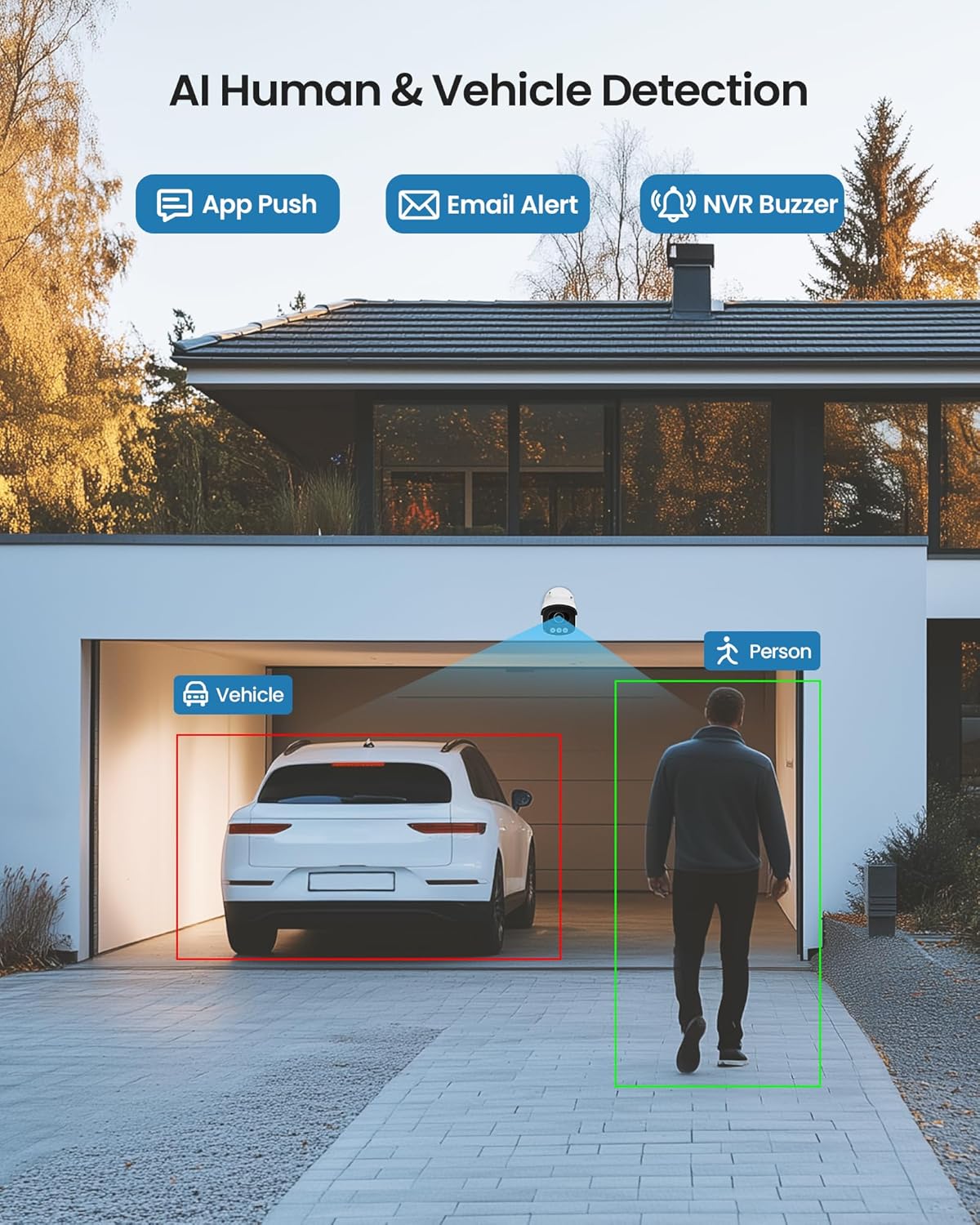
Figure 5: Illustrates the AI system detecting and outlining a person and a vehicle.
4.3 Bodové světlo a siréna
The cameras are equipped with a spotlight and siren alarm feature. These can be activated automatically upon detection or manually to deter intruders.
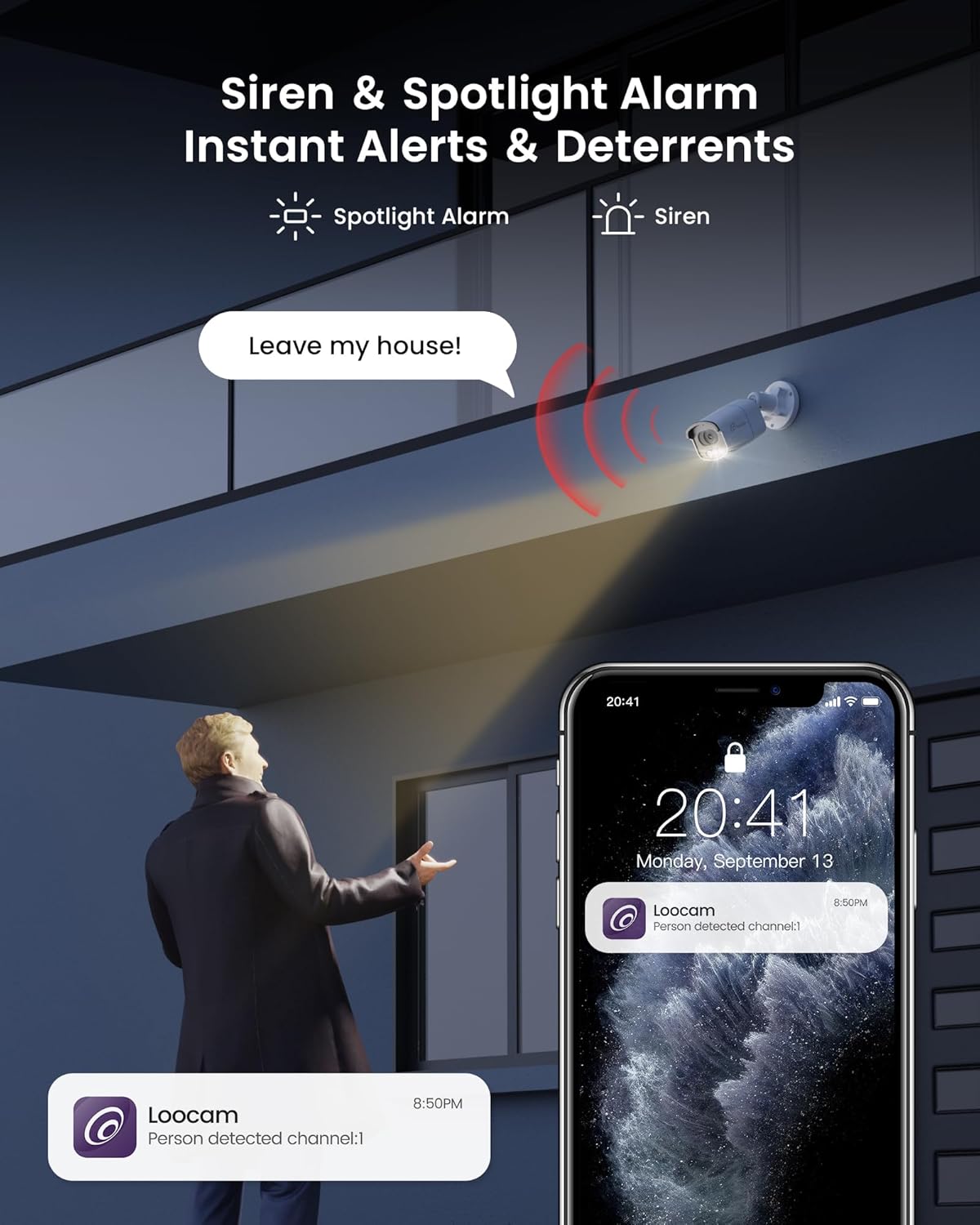
Figure 6: A security camera activating its spotlight and siren, with a corresponding notification on a smartphone.
4.4 Obousměrný zvuk
Communicate directly through the camera using the built-in two-way audio feature. This allows you to speak to visitors or warn off unwanted individuals from your smartphone.

Figure 7: A user interacting via two-way audio through the Loocam app on a smartphone.
4.5 Dálkové ovládání Viewa přehrávání
Access live feeds and recorded video anytime, anywhere, using the Loocam app on your smartphone, tablet, or computer. The system supports 24/7 recording to the pre-installed 2TB HDD, which is expandable up to 8TB.

Figure 8: The Loocam app interface displaying continuous recording and smart playback options.
Video 3: Instructions on how to view your Loocam PoE Security Camera System via the mobile application.
4.6 Commercial Features: Zone Monitoring & Traffic Analysis
For business applications, the system offers advanced features such as setting up virtual boundaries for zone alerts and utilizing people counting functionality to analyze foot traffic patterns.

Obrázek 9: Přample of AI-driven passenger flow statistics, including a graph of statistical data.
5. Údržba
- Pravidelný úklid: Pravidelně čistěte objektivy fotoaparátu měkkým hadříkemamp hadříkem, abyste zajistili ostrý a kvalitní obraz. Nepoužívejte abrazivní čisticí prostředky.
- Aktualizace firmwaru: Check the Loocam official webVyhledejte dostupné aktualizace firmwaru na webu nebo v aplikaci, abyste zajistili optimální výkon a zabezpečení.
- Kontrola kabelů: Pravidelně kontrolujte všechny kabely, zda nevykazují známky opotřebení nebo poškození, zejména u venkovních instalací.
- Správa pevných disků: 2TB pevný disk poskytuje ample storage. The system supports automatic overwrite when the disk is full. Consider backing up important footage pravidelně.
6. Řešení problémů
- Bez zobrazení videa:
- Ensure the NVR is powered on and connected to the monitor.
- Zkontrolujte připojení kabelu HDMI/VGA.
- Verify cameras are properly connected to PoE ports and NVR is powered.
- Problémy s připojením k síti:
- Confirm the NVR is connected to the router via Ethernet.
- Check router status and internet connectivity.
- Restart the NVR and router.
- Vzdálený ViewNefunguje:
- Ujistěte se, že má NVR aktivní připojení k internetu.
- Verify the Loocam app is updated to the latest version.
- Check app settings for correct device addition and network configuration.
- Falešné poplachy:
- Adjust AI detection sensitivity settings in the NVR or app.
- Definujte specifické detekční zóny pro vyloučení irelevantních oblastí.
7. Specifikace
| Funkce | Detail |
|---|---|
| Značka | Loocam |
| Číslo modelu | LC8P8B-6W42S-186D |
| Technologie připojení | Kabelové (PoE) |
| Rozlišení záznamu videa | 5MP (1944p) |
| Speciální funkce | App Control, Full-Color Night Vision, Siren Alarm, Two-Way Audio, Weatherproof (IP66), AI Human/Vehicle Detection |
| Počet kanálů | 8 |
| Kapacita paměti | 2 TB HDD (Pre-installed), Expandable up to 8 TB |
| Barva | Bílý |
| Zdroj napájení | Elektrický kabel |
| Rozměry položky (D x Š x V) | 17.2 x 12 x 7.8 palce |
| Doporučená použití | Outdoor, Indoor, Home, Business, Human Detection, Automatic Overwrite, Audio Recording, IP66 Weatherproof, Smart Playback, Video Recording |
| Kompatibilní zařízení | Notebooky, osobní počítače, chytré telefony, televize, tablety |
| Snímková frekvence | 15, 24, 30 FPS |
| Režim nahrávání | Událost, program |
| Hardwarové rozhraní | Ethernet |
| Typ objektivu | Opraveno |
| Video vstup | BNC, RJ45 |
| Kompatibilita Smart Home | Smart Home Compatible |
8. Záruka a podpora
Loocam products come with a standard manufacturer's warranty. For detailed warranty information, technical support, or service inquiries, please refer to the contact information provided in your Quick Start Guide or visit the official Loocam webmísto. Uschovejte si doklad o koupi pro případ záručních reklamací.
Ask a question about this manual
Ask about setup, troubleshooting, compatibility, parts, safety, or missing instructions. Manuals+ will review the question and use this page’s manual context to help answer it.