
Zavedení
This manual provides detailed instructions for the GOBOULT Mirage Smart Watch. Please read this guide thoroughly to ensure proper setup, operation, and maintenance of your device. This smartwatch features a 1.39-inch HD display, Bluetooth calling, comprehensive health monitoring, and various sports modes.
Co je v krabici
- GOBOULT Mirage Smart Watch
- Nabíjecí kabel
- Uživatelská příručka
- Záruční list
Nastavení
1. Nabíjení zařízení
Before initial use, fully charge your GOBOULT Mirage Smart Watch. Connect the provided charging cable to the charging port on the back of the watch and to a standard USB power adapter (not included). The watch typically charges within 120 minutes.

Image: GOBOULT Mirage Smart Watch displaying its features, including charging capability.
2. Párování s vaším smartphonem
- Download the official GOBOULT companion app from your smartphone's app store (available for iOS and Android).
- Ujistěte se, že je na vašem smartphonu povoleno Bluetooth.
- Open the app and follow the on-screen instructions to search for and connect to your GOBOULT Mirage Smart Watch.
- Potvrďte požadavek na párování na hodinkách i smartphonu.
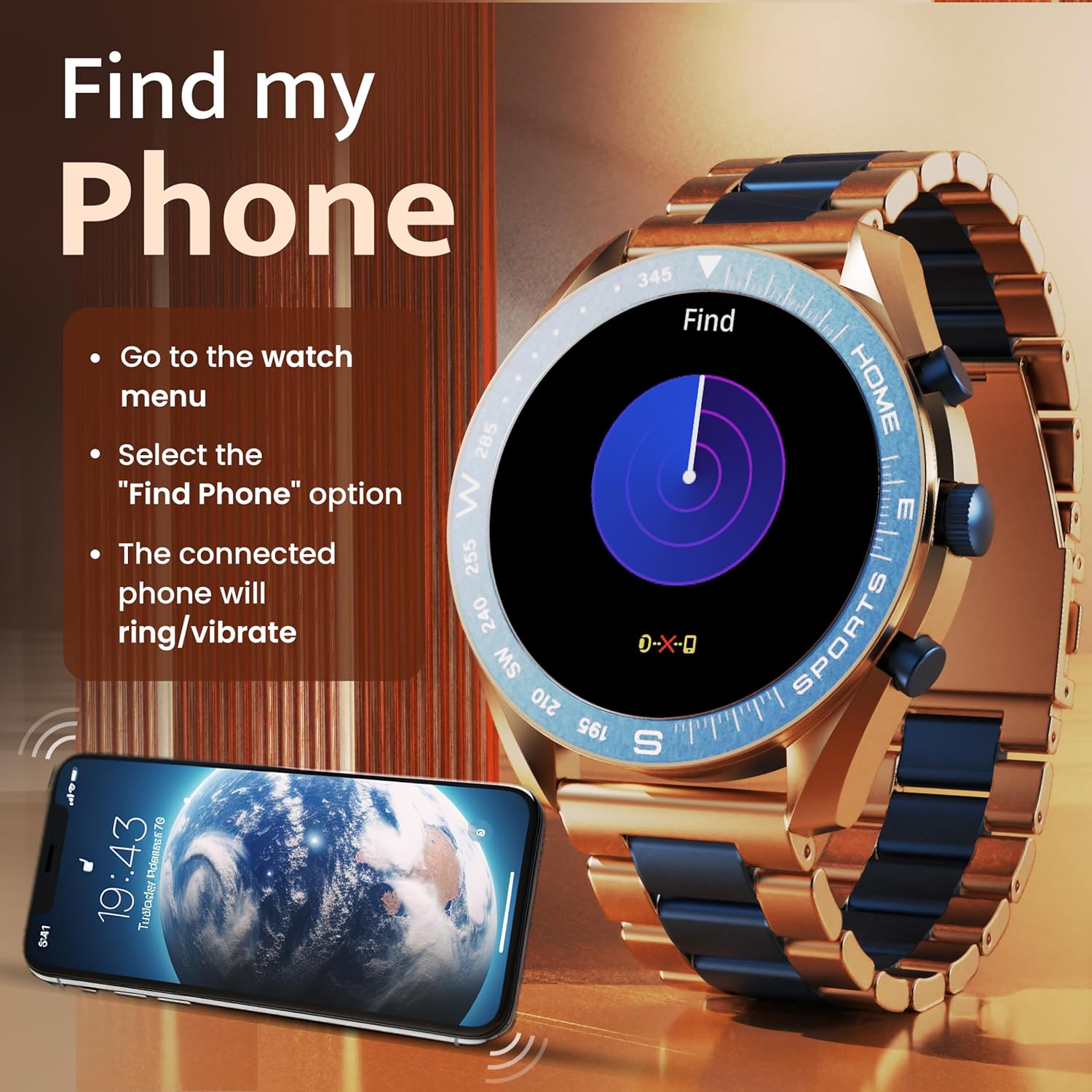
Image: The GOBOULT Mirage Smart Watch connected to a smartphone, illustrating connectivity.
Návod k obsluze
1. Zobrazení a navigace
The GOBOULT Mirage features a 1.39-inch HD display with 360x360 pixels resolution and 500 nits peak brightness for clear visibility. Navigate the watch interface using touch gestures and the digital crown.
- Digitální koruna: Press to power on/off, switch UIs, and navigate menus. Rotate to scroll through options.
- Boční tlačítka: Use for quick access to specific functions, such as launching sports modes.

Image: GOBOULT Mirage Smart Watch highlighting the digital crown and its various functions.
2. Volání přes Bluetooth
With the built-in speaker and microphone, you can make and receive calls directly from your wrist once paired with your smartphone via Bluetooth 5.3.
- To answer a call, tap the green icon on the watch screen.
- To reject a call, tap the red icon.
- To make a call, access the dial pad or contacts through the watch menu.
Image: GOBOULT Mirage Smart Watch showing an incoming call notification.
3. Monitorování zdraví
The GOBOULT Mirage provides comprehensive health tracking features:
- SpO2 Blood Oxygen Monitor: Měří hladinu kyslíku v krvi.
- Monitor srdečního tepu: Sledování tepové frekvence 24/7.
- Monitor spánku: Sleduje spánkové vzorce a kvalitu spánku.
- Breath Training Mode: Provede vás dechovými cvičeními.
- Připomenutí pít vodu: Nabádá vás k tomu, abyste zůstali hydratovaní.
- Sedavé připomenutí: Alerts you after periods of inactivity.
- Sledování aktivity: Zaznamenává kroky, vzdálenost a spálené kalorie.
- Sledování menstruačního cyklu: Helps monitor menstrual cycles.

Image: GOBOULT Mirage Smart Watch showcasing its complete health suite on the display.
4. Sportovní režimy
Track your performance across over 120 sports modes. Access these modes quickly using the shortcut buttons.
- Examples include Running, Cycling, Yoga, Cricket, Badminton, and Basketball.

Image: GOBOULT Mirage Smart Watch showing the selection of over 120 sports modes.
5. Watch Faces
Personalize your watch with over 300 cloud-based watch faces. You can also customize the dial to match your style.

Image: GOBOULT Mirage Smart Watch illustrating the variety of 300+ cloud watch faces.
6. Chytrá oznámení
Receive SMS and other smart notifications directly on your watch. Ensure your watch is connected to your phone via Bluetooth for this feature to function.

Image: GOBOULT Mirage Smart Watch showing a push notification from a messaging app.
7. Hlasový asistent s umělou inteligencí
Access an intelligent AI voice assistant for hands-free control. Long press the designated button or use the voice assistant icon on the screen to activate.
8. Najít můj telefon
If you misplace your connected smartphone, use the 'Find My Phone' feature on your watch:
- Go to the watch menu.
- Select the "Find Phone" option.
- The connected phone will ring or vibrate, helping you locate it.
Image: GOBOULT Mirage Smart Watch showing the 'Find My Phone' interface.
9. Voděodolnost
The GOBOULT Mirage Smart Watch is IP67 water-resistant, offering protection against dust and temporary immersion in water. It is suitable for daily wear and activities like hand washing or light rain.

Image: GOBOULT Mirage Smart Watch demonstrating its IP67 water resistance.
10. Mini Games
The watch includes several mini-games for entertainment during leisure time.
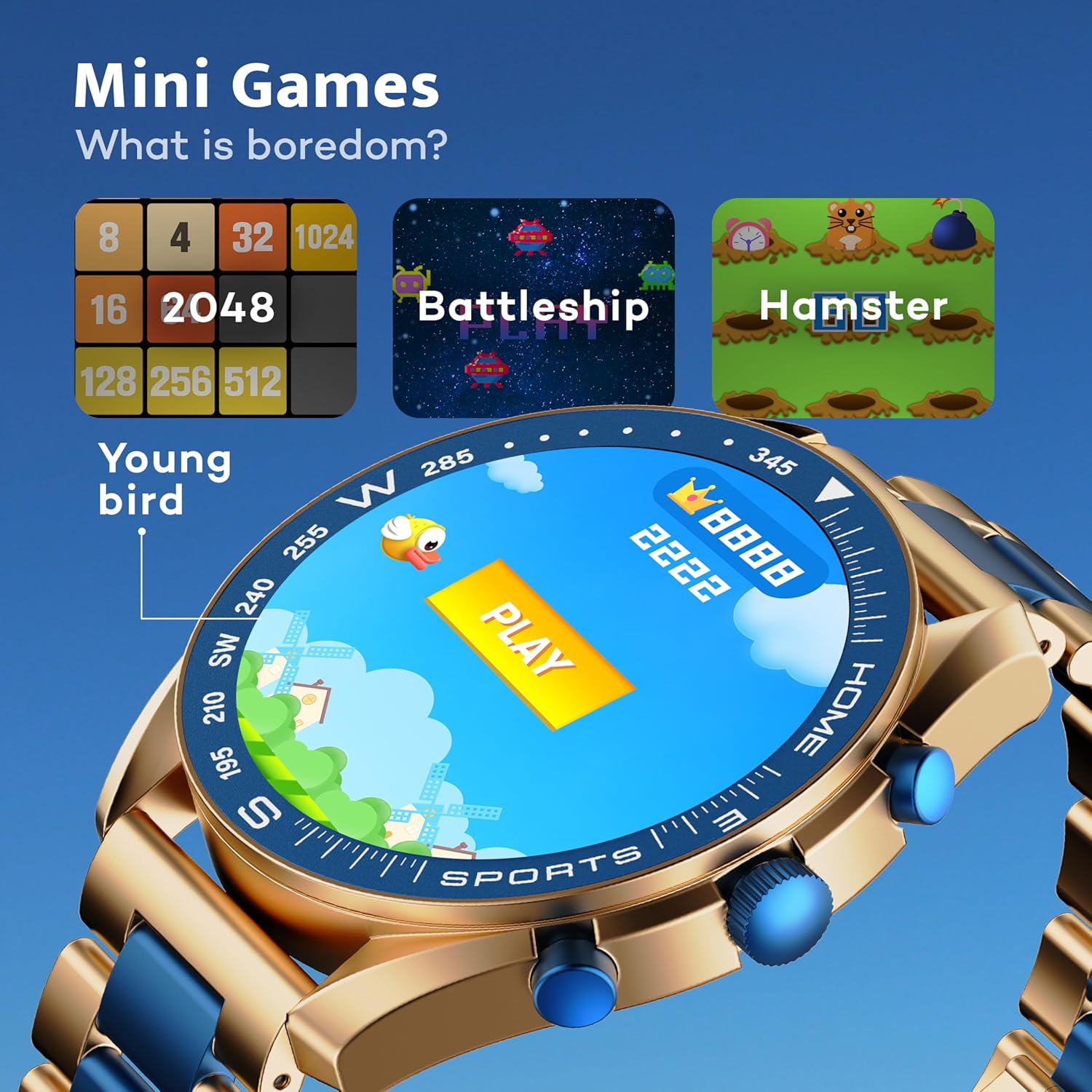
Image: GOBOULT Mirage Smart Watch showing the selection of mini-games.
Údržba
1. Čištění
- Otřete obrazovku a tělo hodinek měkkým, suchým hadříkem.
- Na odolné nečistoty použijte mírně damp cloth and immediately dry the watch.
- Nepoužívejte agresivní chemikálie nebo abrazivní materiály, protože by mohly poškodit povrchovou úpravu.
2. Pokyny pro odolnost vůči vodě
- The IP67 rating means the watch is protected from dust and can withstand immersion in water up to 1 meter for 30 minutes.
- Do not use the watch for swimming, showering with hot water, or diving.
- Nevystavujte hodinky tlaku vody nebo páry.
- If the watch gets wet, dry it thoroughly before charging or using any buttons.
Odstraňování problémů
- Hodinky se nezapínají: Ujistěte se, že jsou hodinky plně nabité. Připojte je k nabíječce alespoň na 30 minut.
- Nelze spárovat s telefonem: Make sure Bluetooth is enabled on your phone and the watch is within range. Restart both devices and try pairing again.
- Nepřesné zdravotní údaje: Ujistěte se, že máte hodinky pevně na zápěstí, ne příliš těsně ani příliš volně. Pravidelně čistěte senzory.
- Krátká výdrž baterie: Snižte jas obrazovky, vypněte nepotřebná oznámení a omezte nepřetržité sledování tepové frekvence, pokud není potřeba.
- Problémy se zobrazením: Restartujte hodinky. Pokud problém přetrvává, kontaktujte zákaznickou podporu.
Specifikace
| Funkce | Detail |
|---|---|
| Značka | GOBOULT |
| Číslo modelu | 8906133853464 |
| Velikost displeje | 1.39 palce |
| Jas | 500 nitů |
| Materiál rámu | Slitina zinku |
| Bezdrátový typ | Bluetooth 5.3 |
| Operační systém | iOS, Android |
| Voděodolnost | IP67 |
| Doba nabíjení baterie | 120 minut |
| Typ baterie | Lithium Polymer |
| Hmotnost položky | 106 g |
Záruka a podpora
Your GOBOULT Mirage Smart Watch comes with a warranty card included in the box. Please refer to this card for details regarding warranty coverage and terms.
For technical support, troubleshooting assistance, or warranty claims, please contact GOBOULT customer service through their official webstránky nebo kontaktní informace uvedené na vaší záruční kartě.