
1. Úvod
The MiBOXER K3S Rotating Wheel Remote provides intuitive control over LED lighting systems, allowing for precise adjustment of both color temperature and brightness. Utilizing 2.4GHz wireless technology, this remote ensures stable and responsive operation. Its ergonomic design facilitates easy handling and accurate adjustments, making it suitable for various lighting applications.
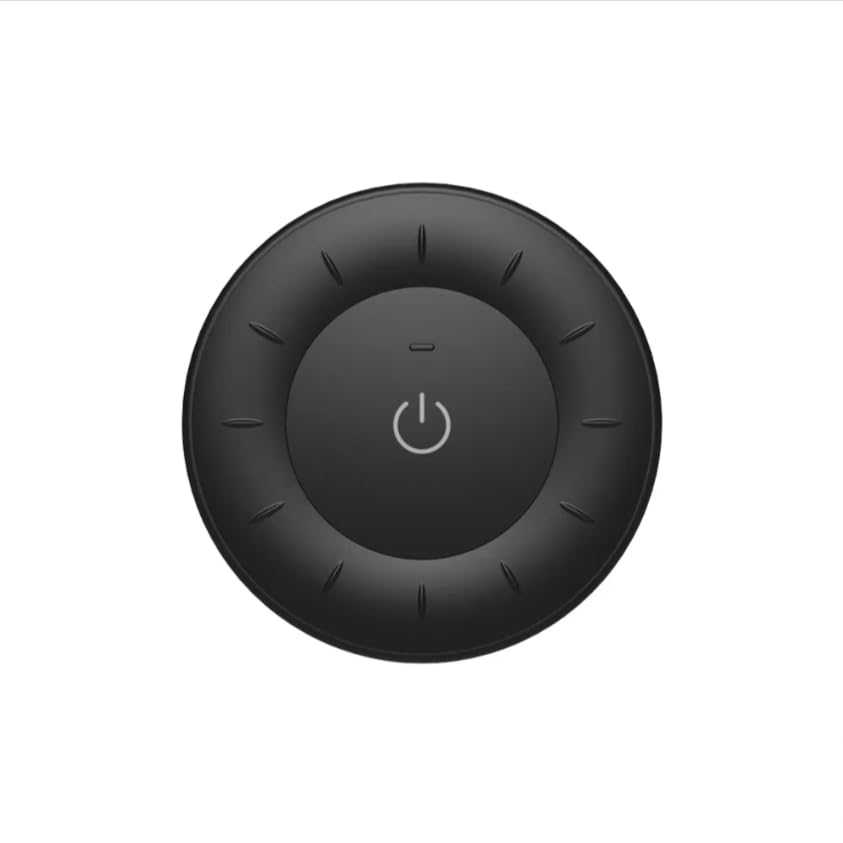
Image 1.1: MiBOXER K3S Rotating Wheel Remote (Black)
This image displays the MiBOXER K3S remote control in black, highlighting its circular design and central power button.
2. Vlastnosti produktu
- Adjustable Brightness & Color Temperature: Allows fine-tuning of lighting intensity and warmth.
- Rotating Wheel Design: Provides smooth and intuitive control for easy adjustments.
- Bezdrátová technologie 2.4 GHz: Ensures stable, interference-free connectivity with compatible devices.
- Ergonomický design: Pohodlné držení a ovládání.
- Multi-Environment Compatibility: Suitable for various settings including homes, offices, and commercial spaces.
3. Obsah balení
Po otevření balení zkontrolujte, zda jsou přítomny všechny komponenty:
- Dálkové ovládání s otočným kolem MiBOXER K3S
- Uživatelská příručka
Note: CR2032 battery is purchased separately and is not included in the package.
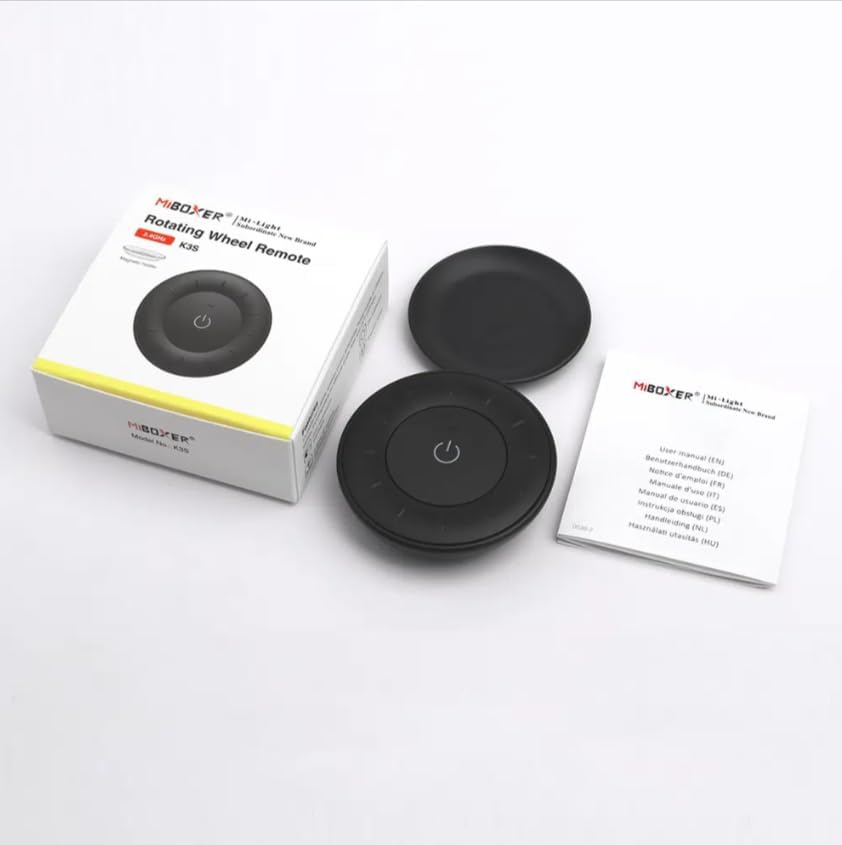
Obrázek 3.1: Obsah balení (viz výše)view
This image shows the MiBOXER K3S remote, its packaging box, and the included user manual, laid out on a surface.
4. Schéma produktu

Image 4.1: Remote Control Components
This diagram illustrates the main components of the MiBOXER K3S remote, including the ON/OFF button, brightness/color temperature rotating wheel, and the battery compartment with Link/Unlink button.
- Tlačítko ON/OFF: Central button to power the connected light on or off.
- Brightness / Color Temperature Rotating Wheel: The outer ring used to adjust brightness by default. Long press the ON/OFF button for 3 seconds to switch to color temperature adjustment mode.
- Link / Unlink Button: Located inside the battery compartment, used for pairing the remote with compatible lighting devices.
5. Nastavení
5.1 Instalace baterie
- Najděte přihrádku na baterie na zadní straně dálkového ovladače.
- Otevřete kryt bateriového prostoru.
- Insert one CR2032 battery, ensuring the correct polarity (+/-).
- Bezpečně zavřete kryt bateriového prostoru.
Image 5.1: Battery Installation Area
This image shows the underside of the remote, indicating the location for the CR2032 battery and the Link/Unlink button.
5.2 Linking / Unlinking the Remote
The K3S remote uses 2.4GHz RF wireless technology to communicate with compatible MiBOXER lighting devices.
Linking Procedure:
- Ensure the light fixture you wish to control is powered off.
- Power on the light fixture.
- Within 3 seconds of powering on the light, press the "Link/Unlink" button (located inside the battery compartment) on the K3S remote třikrát.
- The light should flash three times slowly, indicating successful linking.
Unlinking Procedure:
- Ensure the light fixture you wish to unlink is powered off.
- Power on the light fixture.
- Within 3 seconds of powering on the light, press the "Link/Unlink" button (located inside the battery compartment) on the K3S remote pětkrát.
- The light should flash ten times quickly, indicating successful unlinking.
6. Návod k obsluze
6.1 Zapnutí/vypnutí napájení
- Press the central ⏻ (ON/OFF) button once to turn the connected light on or off.
6.2 Nastavení jasu
- By default, rotating the outer wheel adjusts the brightness of the light.
- Otočením po směru hodinových ručiček zvýšíte jas.
- Rotate counter-clockwise to decrease brightness.
6.3 Nastavení teploty barev
- To switch to color temperature adjustment mode, dlouhý stisk the central ⏻ (ON/OFF) button for 3 seconds.
- Once in color temperature mode, rotate the outer wheel to adjust the color temperature.
- Rotate clockwise for cooler (bluer) light.
- Rotate counter-clockwise for warmer (yellower) light.
- To switch back to brightness adjustment, long press the ⏻ (ON/OFF) button for another 3 seconds.
7. Specifikace
| Název modelu | K3S |
| Značka | MiBOXER |
| Technologie připojení | 2.4G RF Wireless |
| Typ ovládání | Jas, Teplota barev |
| Maximální dosah | 30 metrů |
| Typ baterie | CR2032 (purchased separately) |
| Rozměry (průměr x výška) | Ø60mm x 15mm (approx.) |
| Weight (Gross Weight per box) | 0.05 KGS (approx.) |

Image 7.1: Remote Control Dimensions
This diagram provides the physical dimensions of the MiBOXER K3S remote, showing a diameter of 60mm and a thickness of 15mm (or 19.5mm with the base).
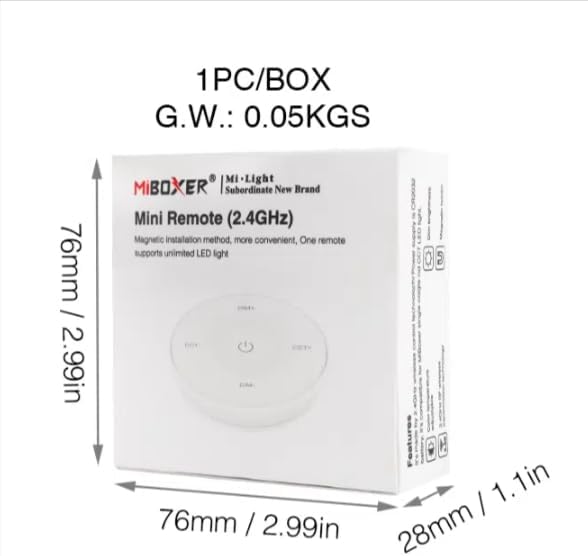
Image 7.2: Packaging Dimensions
This image displays the dimensions of the product packaging, indicating it is 76mm x 76mm x 28mm with a gross weight of 0.05 KGS.
8. Údržba
- Dálkový ovladač udržujte v čistotě otíráním měkkým, suchým hadříkem.
- Avoid exposing the remote to moisture, extreme temperatures, or direct sunlight.
- Pokud dálkový ovladač delší dobu nepoužíváte, vyjměte baterii, abyste zabránili jejímu vytečení.
- Replace the battery when the remote's performance degrades or it stops responding.
9. Řešení problémů
| Problém | Možná příčina | Řešení |
|---|---|---|
| Dálkový ovladač nereaguje | Vybitá nebo vybitá baterie | Vyměňte baterii CR2032. |
| Light not linking | Incorrect linking procedure or light not compatible | Ensure the light is powered on within 3 seconds of pressing the link button. Verify light compatibility with MiBOXER 2.4G RF remotes. |
| Omezený rozsah | Překážky nebo rušení | Reduce distance between remote and light. Remove obstructions. Avoid areas with strong 2.4GHz interference. |
| Brightness/Color Temp adjustment not working | Dálkový ovladač v nesprávném režimu | Long press the ON/OFF button for 3 seconds to switch between brightness and color temperature adjustment modes. |
10. Záruka a podpora
The product comes with a manufacturer's warranty. For specific warranty details and duration, please refer to the documentation included with your purchase or contact MiBOXER customer support.
For technical support or inquiries, please visit the official MiBOXER webnebo kontaktujte jejich oddělení zákaznických služeb.
Výrobce: Miboxer