
Zavedení
The Mars Gaming MPB650SI is a 650W ATX power supply designed for desktop computers. It features an advanced cooling system with an SI fan, FDB bearings, and AI2-RPM smart control for optimal balance between silence and cooling efficiency. This power supply also incorporates DC-DC and SMD technologies for enhanced durability and energy efficiency, holding an 80 Plus Bronze 230V EU certification. This manual provides essential information for the proper installation, operation, maintenance, and troubleshooting of your MPB650SI power supply.
Bezpečnostní informace
Please read all safety instructions before installing or operating the power supply. Failure to do so may result in damage to the unit, other components, or personal injury.
- Před instalací nebo údržbou se ujistěte, že je zdroj napájení odpojen od zásuvky střídavého proudu.
- Neotevírejte napájecí zdroj casing. Vysoký objemtagUvnitř se nacházejí žádné části a neobsahují žádné součásti, které by mohl uživatel opravit.
- Nainstalujte napájecí zdroj v dobře větraném prostoru, mimo dosah zdrojů tepla a vlhkosti.
- Používejte pouze kabely dodané se zdrojem napájení.
- Ensure all connectors are securely attached to prevent electrical shorts or damage.
Obsah balení
Ověřte, zda jsou v balení přítomny všechny položky:
- Mars Gaming MPB650SI 650W ATX Power Supply
- AC napájecí kabel
- Montážní šrouby
- Uživatelská příručka (tento dokument)
Nastavení a instalace
Follow these steps to install your Mars Gaming MPB650SI power supply:
- Připravte si systém: Ujistěte se, že je počítač zcela vypnutý a odpojený od zásuvky. Otevřete kryt počítače.
- Demontáž starého napájecího zdroje (pokud je k dispozici): Disconnect all cables from your old power supply to the motherboard, graphics card, drives, and other components. Unscrew and remove the old power supply from the case.
- Instalace nového napájecího zdroje: Carefully place the MPB650SI power supply into the designated power supply bay in your computer case. Ensure the fan is oriented correctly for optimal airflow (typically facing downwards if there's a bottom vent, or upwards if not). Secure the power supply with the provided mounting screws.

Obrázek 1: The SI fan with copper core, designed for extreme silence and efficient cooling. Ensure proper fan orientation during installation.
- Připojení hlavních napájecích kabelů:
- Connect the 24-pin ATX motherboard power cable to the corresponding port on your motherboard.
- Connect the 4+4-pin EPS +12V CPU power cable to the CPU power port on your motherboard.

Obrázek 2: Nadview of available connectors: 1x ATX MB 24 PIN, 1x EPS +12V 4+4 PIN, 2x PCIe 6+2 PIN, 5x SATA, 3x Molex 4 PIN.
- Připojení napájení grafické karty: If your graphics card requires external power, connect the 6+2-pin PCIe power cables from the power supply to your graphics card. The MPB650SI provides two 6+2-pin PCIe connectors.
- Připojení periferního napájení: Connect SATA power cables to your SSDs, HDDs, and optical drives. Use Molex connectors for any other peripherals that require them.
- Správa kabelů: Kabely veďte úhledně pro zlepšení proudění vzduchu a estetiky uvnitř skříně.
- Zavřete pouzdro a připojte napájení: Close your computer case. Connect the AC power cord to the power supply's AC inlet and then plug it into a wall outlet. Ensure the power switch on the power supply is in the OFF position before plugging it in.
Návod k obsluze
Operating the Mars Gaming MPB650SI power supply is straightforward:
- Zapnutí: After all connections are secure and the AC power cord is plugged in, flip the power switch on the back of the power supply to the ON (I) position.
- Spuštění systému: Press the power button on your computer case to start your system. The power supply will provide stable power to all connected components.
- AI2-RPM Smart Control: The integrated AI2-RPM technology will automatically adjust the fan speed based on the system's load and temperature. This ensures optimal cooling while maintaining low noise levels.

Obrázek 3: The MPB650SI incorporates AI2-RPM for intelligent fan control, alongside DC-DC and SMD technologies for efficiency and durability.
- Vypnout: To shut down your system, use the operating system's shutdown procedure. Once the system is off, you can flip the power switch on the power supply to the OFF (O) position for complete power disconnection.
Údržba
Správná údržba zajišťuje dlouhou životnost a optimální výkon vašeho zdroje napájení:
- Čištění prachu: Periodically (every 3-6 months, depending on environment) disconnect the power supply from the AC outlet and use compressed air to clean dust from the fan and ventilation grilles. Dust accumulation can hinder cooling and reduce efficiency.
- Zajistěte správné proudění vzduchu: Make sure there are no obstructions blocking the air intake or exhaust vents of the power supply. Good airflow is crucial for heat dissipation.
- Kontrola kabelů: Občas zkontrolujte všechny napájecí kabely, zda jsou bezpečně připojeny a nejsou poškozené.
Odstraňování problémů
If you encounter issues with your MPB650SI power supply, refer to the following common problems and solutions:
| Problém | Možná příčina | Řešení |
|---|---|---|
| Systém se nezapne. |
|
|
| Systém se zapne, ale okamžitě se vypne. |
|
|
| Fan is noisy or not spinning. |
|
|
If the problem persists after attempting these solutions, please contact Mars Gaming customer support.
Specifikace
Key technical specifications for the Mars Gaming MPB650SI power supply:
| Funkce | Detail |
|---|---|
| Název modelu | MPB650SI |
| Značka | Mars Gaming |
| Výstupní Wattage | 650W |
| Form Factor | ATX |
| Certifikace účinnosti | 80 Plus Bronze 230V EU (90% efficiency) |
| Způsob chlazení | Air (SI Extreme Silence Fan with Copper Core, FDB bearings, AI2-RPM) |
| Technologie | DC-DC, SMD |
| Ochranné systémy | OPP, OVP, UVP, SCP, OCP |
| Vstupní objemtage | 230 voltů (AC) |
| Rozměry (D x Š x V) | 5.91 x 5.71 x 3.35 palce (150 x 145 x 85 mm) |
| Hmotnost | 1.5 kg |
| Konektory |
|

Obrázek 4: Power supply label detailing 650W total power and DC output voltages.
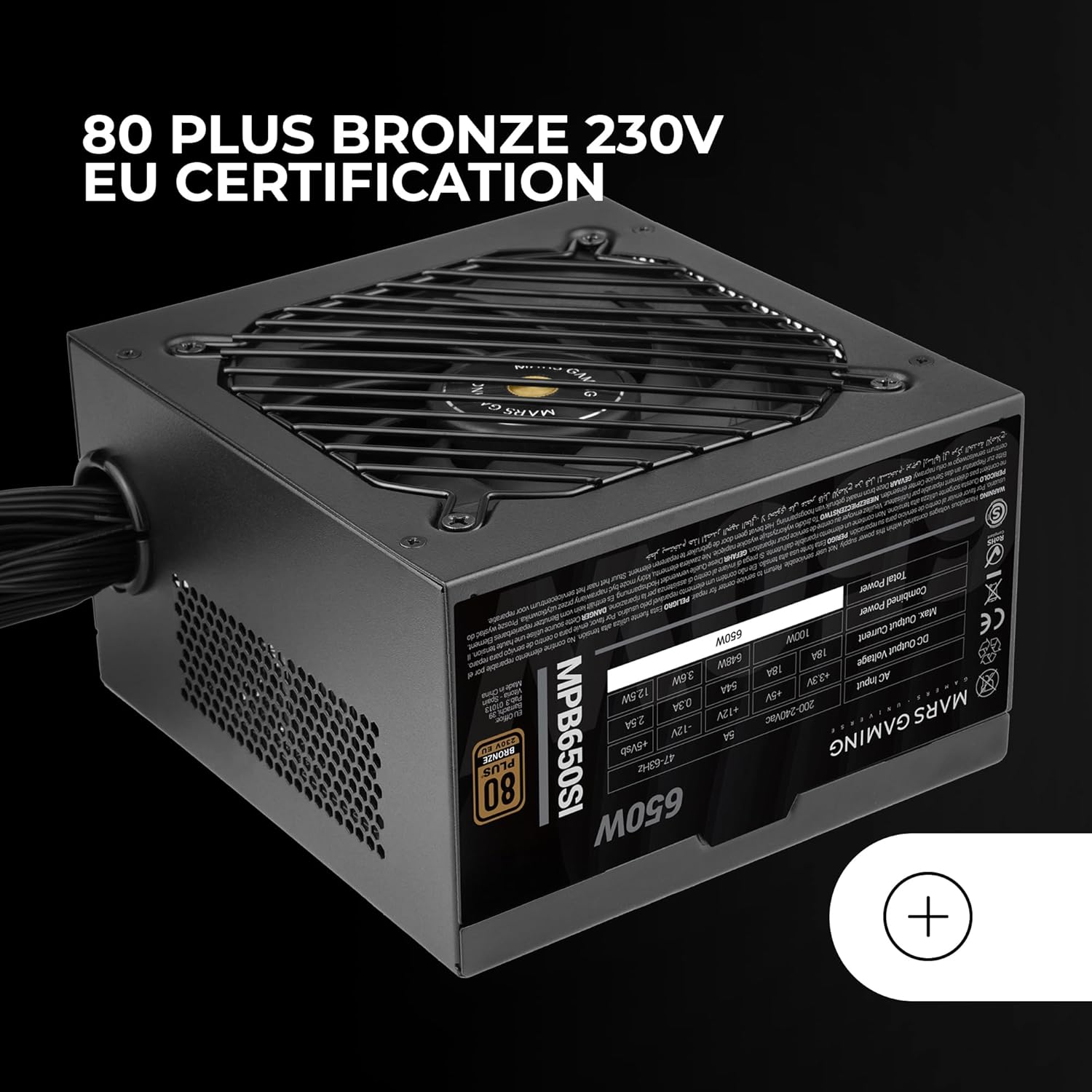
Obrázek 5: The 80 Plus Bronze 230V EU certification logo, indicating high energy efficiency.
Záruka a podpora
Informace o záruce
The Mars Gaming MPB650SI power supply comes with an extended 7-letá záruka from the date of purchase. This warranty covers defects in materials and workmanship under normal use. It does not cover damage caused by improper installation, accident, abuse, misuse, natural disaster, or unauthorized modification.
For warranty claims, please retain your proof of purchase. The warranty is subject to the terms and conditions specified by Mars Gaming.
Zákaznická podpora
If you have any questions, require technical assistance, or need to initiate a warranty claim, please contact Mars Gaming customer support through their official website or the retailer where you purchased the product. Please have your product model (MPB650SI) and proof of purchase ready when contacting support.
For the most up-to-date support information, visit the official Mars Gaming webmísto: www.marsgaming.eu