
Rraycom C366
Rraycom C366 Solar Security Camera System User Manual
Model: C366 | Brand: Rraycom
Zavedení
This manual provides comprehensive instructions for the Rraycom C366 Solar Security Camera System. This wireless outdoor camera system features 2.5K resolution, solar/battery power, PIR motion detection, two-way audio, color night vision, and IP66 waterproofing. It supports both 2.4GHz and 5GHz WiFi bands for stable connectivity and offers flexible local and cloud storage options.
Co je v krabici
- 4x Wireless Solar Security Camera Outdoor
- 4x Adjustable 2W Solar Panels (with Screw Pack)
- 4x 3M Type-C USB Charge Cable for Solar Panel

Image: Rraycom C366 Solar Security Camera with its solar panel, illustrating the main components. The camera is white with a black front, and the solar panel is black with a white frame.
Video: An unboxing video for the C366 security camera, showing all included components such as the camera, solar panel, power cable, pin, and screw package.
Nastavení a instalace
The Rraycom C366 camera is designed for easy, 100% wire-free installation. No complex wiring or professional technicians are required. Simply drill three holes and mount the camera and solar panel in your desired location.
Montáž kamery a solárního panelu
- Vyberte umístění: Select an outdoor area with good WiFi coverage and sufficient direct sunlight for the solar panel. Ensure the camera has a clear view oblasti, kterou chcete monitorovat.
- Vrtací otvory: Use the provided screw package to mark and drill three holes for mounting the camera bracket and solar panel bracket.
- Bezpečná montáž: Attach the camera and solar panel brackets securely to the wall using the provided screws.
- Připojte solární panel: Connect the 3M Type-C USB charge cable from the solar panel to the camera's charging port.
- Upravit úhel: Adjust the angle of both the camera and the solar panel to optimize sunlight absorption and camera viewúhel.

Image: A man in work attire installing the Rraycom C366 camera on an exterior wall, demonstrating the ease of DIY quick installation.
Počáteční nastavení a připojení aplikace
Download the free "Tuya" app to your smartphone (iOS or Android) to connect and configure your camera. The camera supports both 2.4GHz and 5GHz WiFi bands for flexible and stable connectivity.
- Stáhnout aplikaci: Hledat "Tuya" in your device's app store and install it.
- Vytvořit účet: Open the app and follow the prompts to create a new account or log in.
- Přidat zařízení: Tap the "+" icon to add a new device. Select "Security Camera" or similar option.
- Zapnutí kamery: Ujistěte se, že je kamera zapnutá.
- Připojení k WiFi: Follow the in-app instructions to connect the camera to your home WiFi network. This typically involves scanning a QR code displayed on your phone with the camera.
- Kompletní nastavení: Once connected, name your camera and complete the initial setup process within the app.

Image: A smartphone displaying the Tuya app interface, showing a live feed from the Rraycom camera, demonstrating remote access and monitoring capabilities.
Návod k obsluze
Žít View a Nahrávání
Přístup k živému footage from your camera anytime, anywhere through the Tuya app. The camera records automatically when motion is detected.
- Žít View: Open the Tuya app and select your camera to view živé vysílání.
- Přehrávání: Review recorded events from the app's playback section. Recordings are stored on the inserted TF card (up to 128GB, not included) or in optional cloud storage.
- 2.5K Clarity & 6x Zoom: The camera provides 2.5K FHD resolution. Use the digital zoom feature in the app to magnify distant objects and view podrobnosti.

Image: A side-by-side comparison showing the superior clarity of 2K QHD resolution versus 1080P, highlighting the detailed image quality of the Rraycom C366 camera.
Detekce pohybu a upozornění
The camera features advanced AI motion detection to distinguish between people and animals, reducing false alarms. When motion is detected, you receive instant alerts.
- Okamžitá upozornění: Receive email and push notifications on your smartphone when motion is detected.
- Reflektor a siréna: The powerful spotlight and siren can be activated automatically upon detection to deter intruders.
- Přizpůsobitelné detekční zóny: Definujte specifické oblasti v záběru kamery view to focus motion detection, minimizing alerts from non-critical zones.

Image: An illustration of the camera's smart AI detection capabilities, showing it can differentiate between persons, pets, vehicles, and packages to reduce false alarms.
Obousměrný zvuk
Komunikujte přímo přes kameru pomocí vestavěného mikrofonu a reproduktoru.
- Mluvit: Use the microphone icon in the app to speak through the camera.
- Poslouchat: The camera's speaker allows you to hear audio from the monitored area.
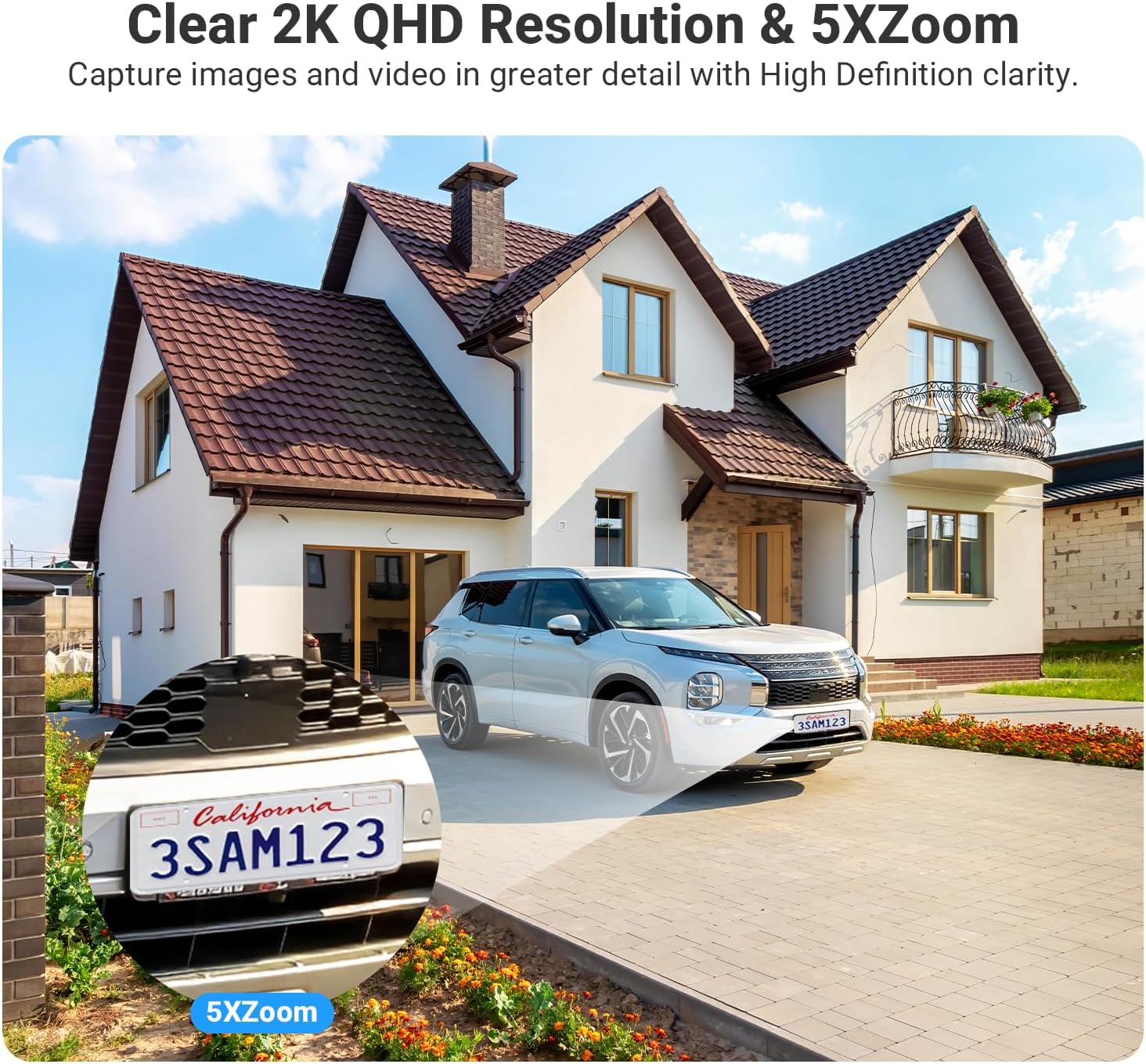
Image: A visual representation of the two-way audio feature, showing a delivery person speaking to a homeowner through the camera, and the homeowner responding via their smartphone app.
Smart Home Integration (Alexa)
The Rraycom C366 camera is compatible with Amazon Alexa, allowing for voice control.
- Připojte se k Alexa: Follow the instructions in the Tuya app or Alexa app to link your Rraycom account.
- Hlasové příkazy: Use commands like "Alexa, show me the backyard" to view živé footage on compatible devices such as Echo Show.

Image: An image showing the "Works with Google Assistant" and "Works with Alexa" logos, indicating compatibility. Below, an Echo Show device displays a live camera feed, demonstrating hands-free control.
Údržba
Solární nabíjení
The integrated solar panel provides continuous power to the built-in 9600mAh lithium battery. For optimal performance, ensure the solar panel receives adequate direct sunlight daily.
- Umístění panelu: Position the solar panel in an area that receives at least 1.5 hours of direct sunlight per day.
- Čistota: Periodically clean the surface of the solar panel to remove dust, dirt, or debris that may obstruct sunlight absorption.

Image: The Rraycom C366 camera and its solar panel mounted on an outdoor wall, illustrating the 100% wire-free and continuous power supply feature with a 9000mAh battery.
Odolnost vůči povětrnostním vlivům
The camera has an IP66 waterproof rating, designed to withstand various outdoor weather conditions.
- Ochrana: The IP66 rating ensures protection against heavy rain, snow, dust, and splashes.
- Provozní teplota: The camera is designed to operate in temperatures ranging from -20°C (-4°F) to 50°C (122°F).

Image: The Rraycom C366 camera with its solar panel shown in two different weather conditions: heavy rain with lightning and a snowy winter landscape, demonstrating its IP66 waterproof and all-weather readiness.
Odstraňování problémů
| Problém | Možná příčina | Řešení |
|---|---|---|
| Kamera se nezapíná | Low battery; Solar panel not charging; Power cable issue. | Ensure solar panel is in direct sunlight. Check cable connection. Fully charge the camera using the USB cable if needed. |
| Nelze se připojit k WiFi | Incorrect WiFi password; Camera too far from router; Router band incompatibility. | Verify WiFi password. Move camera closer to router. Ensure your router supports 2.4GHz or 5GHz and select the appropriate band in the app. |
| Časté falešné poplachy | Motion detection sensitivity too high; Unoptimized detection zones. | Adjust motion detection sensitivity in the app. Configure custom detection zones to exclude busy areas. |
| Špatná kvalita videa v noci | Nedostatečné okolní světlo pro barevné noční vidění. | Ensure the camera's spotlight is enabled for color night vision. Clear any obstructions blocking the camera's view. |
| Nefunguje obousměrný zvuk | Mikrofon/reproduktor je v aplikaci ztlumen; Problémy se sítí. | Check audio settings in the Tuya app. Ensure stable network connection. |
Specifikace
| Funkce | Detail |
|---|---|
| Název modelu | C366-SP |
| Vnitřní/venkovní použití | Venkovní, Vnitřní |
| Zdroj napájení | Solar Powered, Battery Powered (9600mAh Lithium Ion) |
| Technologie připojení | Bezdrátové připojení (2.4 GHz a 5 GHz Wi-Fi) |
| Rozlišení záznamu videa | 2.5K HD (1920p) |
| Noční vidění | Barevné noční vidění, dosah 100 metru |
| Typ zoomu | Digitální zoom (6x) |
| Detekce pohybu | AI Motion Detection (People, Animals, Vehicles, Packages), Instant Alerts, Spotlight, Siren |
| Zvuk | Obousměrný zvuk |
| Skladování | Micro SD (up to 128GB, not included), Optional Cloud Storage |
| Úroveň odolnosti proti vodě | IP66 Vodotěsný |
| Provozní teplota | -20 °C (-4 °F) až 50 °C (122 °F) |
| Kompatibilní zařízení | Smartphone (iOS, Android), Desktop, Tablet, Amazon Alexa, Google Assistant |
| Viewúhel | 130 stupňů |
| Materiál | Akrylonitrilbutadienstyren (ABS) |
| Rozměry produktu | 10.35 x 3.35 x 12.4 palce |
| Hmotnost položky | 1.35 libry |
| Počet položek | 4 |
| Doporučená použití | Vnitřní zabezpečení, venkovní zabezpečení |
| Speciální funkce | 2.4/5 Ghz WiFi, 2.5K HD Resolution, Micro SD Local Recording(Optional), Cloud Storage(Optional), 100% Wireless, Solar/Battery Powered, Remote Access, 2 Way Audio, Motion Sensor, Zone Detection, Motion Triggered Recording, IP66 Waterproof, Work with Alexa, Color Night Vision |
Záruka a podpora
Rraycom is committed to providing high-quality security camera products and excellent customer service. Every camera undergoes rigorous testing and inspection before shipment.
For any product inquiries, technical support, or warranty claims, please contact our customer service team:
- E-mail: aftersale@rraycom.com
- Výrobce: Rraycom

Image: An illustration depicting a customer service representative at a desk with a computer and phone, symbolizing available customer support for the product.
Ask a question about this manual
Ask about setup, troubleshooting, compatibility, parts, safety, or missing instructions. Manuals+ will review the question and use this page’s manual context to help answer it.