
Zavedení
Thank you for choosing the HP 14-inch Laptop. This manual provides essential information for setting up, operating, maintaining, and troubleshooting your new device. Please read this guide thoroughly to ensure optimal performance and longevity of your laptop.
The HP 14-inch Laptop is designed for everyday computing tasks, offering a balance of portability and functionality. It features an Intel Celeron N4120 processor, 8GB of RAM, and 256GB of storage, running on Windows 11 Home in S Mode.
Co je v krabici
Ověřte, zda jsou v balení přítomny všechny položky:
- 14palcový notebook HP
- Napájecí adaptér
- 128GB paměťová karta
- Podložka pod myš
- HDMI kabel
- USB kabel
- Bezdrátová sluchátka
- Bezdrátová myš

Image: The HP 14-inch Laptop shown with its 5-in-1 value pack bundle, including wireless earbuds, mouse pad, HDMI cable, USB cable, and wireless mouse.
Nastavení
1. Počáteční zapnutí
- Rozbalení notebooku: Opatrně vyjměte notebook a veškeré příslušenství z obalu.
- Připojte napájení: Plug the AC power adapter into the laptop's AC smart pin port and then into a wall outlet. It is recommended to fully charge the battery before first use.
- Zapnutí: Otevřete víko notebooku a stiskněte tlačítko napájení, které se obvykle nachází na klávesnici.
2. Windows 11 S Mode Setup
Follow the on-screen prompts to complete the initial Windows 11 Home S Mode setup. This includes selecting your region, keyboard layout, connecting to a Wi-Fi network, and setting up your Microsoft account.
3. Připojení příslušenství
- Bezdrátová myš: Vložte USB přijímač bezdrátové myši do volného portu USB typu A na notebooku. Myš by se měla připojit automaticky.
- Bezdrátová sluchátka: Refer to the earphones' specific instructions for pairing via Bluetooth. On your laptop, go to Nastavení > Bluetooth a zařízení spárovat.
- 128GB Storage Card: Insert the storage card into the multi-format media card reader slot.
- Kabel HDMI: Connect one end of the HDMI cable to the laptop's HDMI port and the other end to an external display (monitor or TV).
4. Activating Microsoft Office 365
Váš notebook obsahuje roční předplatné Microsoft Office 365. Aktivace:
- Open any Office application (e.g., Word, Excel) from the Start Menu.
- Follow the on-screen prompts to sign in with your Microsoft account and activate your subscription.
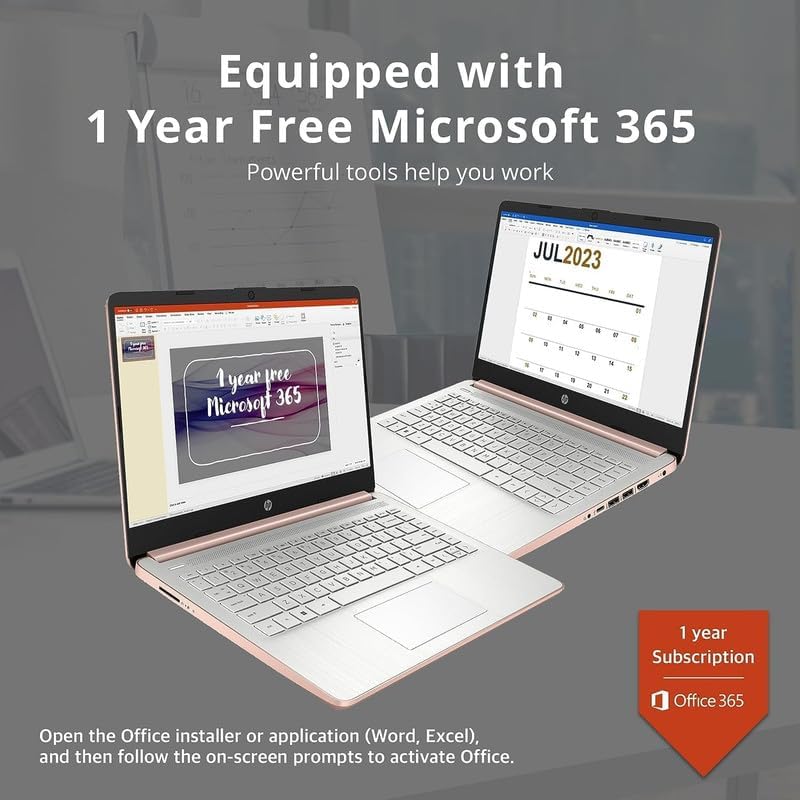
Image: Two HP laptops illustrating the activation process for the included 1-year Microsoft 365 subscription.
Ovládání notebooku
1. Windows 11 Home v režimu S
Windows 11 Home in S Mode is a streamlined version of Windows configured for security and performance. It exclusively uses apps from the Microsoft Store and requires Microsoft Edge for safe browsing. You can switch out of S Mode if you need to install apps from outside the Microsoft Store, but this action is irreversible.
2. Použití portů a připojení
Your HP 14-inch Laptop is equipped with various ports for connectivity:
- USB Type-C (1): Pro přenos dat a připojení kompatibilních zařízení.
- USB Type-A (2): For connecting standard USB devices like external drives, keyboards, or mice.
- HDMI 1.4b (1): Pro připojení k externím displejům.
- Headphone/Microphone Combo Jack (1): For audio output to headphones or input from a microphone.
- Multi-format Media Card Reader (1): For reading SD cards and other compatible memory cards.
- AC Smart Pin (1): Pro připojení napájecího adaptéru.

Image: A detailed diagram highlighting the multi-port configuration on the HP 14-inch laptop, including SD Card Reader, Headphone Jack, USB Type-A, USB Type-C, HDMI, and AC Smart Pin.
3. Wi-Fi a Bluetooth
Připojení k zařízením Wi-Fi nebo Bluetooth:
- Klikněte na Síť icon on the taskbar (bottom right).
- Select the desired Wi-Fi network and enter the password, or turn on Bluetooth and pair with your device.
4. Pomocí Webvačka
The HP True Vision 720p HD camera is integrated for video calls and conferencing. Access it through applications like Camera, Microsoft Teams, or Zoom.

Image: The HP 14-inch laptop demonstrating its remote work capabilities, featuring HP Fast Charge, HP True Vision 720p HD camera, and HD audio with stereo speakers.
5. Správa baterií
Notebook nabízí až 11.5 hodin výdrže baterie. Pro optimalizaci výkonu baterie:
- Upravte jas obrazovky.
- Zavřete nepoužívané aplikace.
- Používejte úsporné režimy systému Windows.
- The laptop supports HP Fast Charge, allowing it to charge from 0% to 50% in approximately 45 minutes.
Údržba
1. Čištění notebooku
- Obrazovka: Lehce používejte měkký hadřík, který nepouští vlákna dampvodou nebo čističem obrazovek. Nestříkejte tekutinu přímo na obrazovku.
- Klávesnice a šasi: Použijte měkký, suchý hadřík. Na odolnou špínu použijte lehceamp Lze použít hadřík a ujistit se, že se do otvorů nedostane žádná kapalina.
- Porty: K jemnému odstranění prachu z portů použijte stlačený vzduch.
2. Aktualizace softwaru
Pravidelně kontrolujte a instalujte aktualizace systému Windows, abyste zajistili, že váš systém má nejnovější bezpečnostní záplaty a vylepšení výkonu. Přejděte na Nastavení > Aktualizace systému Windows.
3. Správa úložiště
Pravidelně znovuview a smažte nepotřebné files to free up storage space on your 256GB drive (128GB eMMC + 128GB Storage Card). Utilize the included 128GB storage card for additional file skladování.
4. Péče o baterie
- Vyhněte se extrémním teplotám.
- Do not leave the laptop plugged in constantly after it is fully charged for extended periods.
- Pro dlouhodobé skladování nabijte baterii přibližně na 50 % a notebook skladujte na chladném a suchém místě.
Odstraňování problémů
This section addresses common issues you might encounter with your HP 14-inch Laptop.
| Problém | Možné řešení |
|---|---|
| Notebook se nezapne | Ujistěte se, že je síťový adaptér bezpečně připojen k notebooku i k funkční zásuvce. Zkuste jinou zásuvku. Pokud je baterie zcela vybitá, může po zapojení trvat několik minut, než se zařízení znovu zapne. |
| Obrazovka je prázdná nebo černá | Check if the laptop is powered on. Adjust screen brightness. If an external monitor is connected, ensure it is properly configured (press Klávesa Windows + P to cycle display modes). |
| Problémy s připojením Wi-Fi | Ensure Wi-Fi is enabled in Windows settings. Restart your router and modem. Forget the network and reconnect. Update Wi-Fi drivers if necessary. |
| Zařízení Bluetooth se nespáruje | Ujistěte se, že je Bluetooth povoleno na notebooku i zařízení. Umístěte zařízení blízko sebe. Odeberte a znovu přidejte zařízení v nastavení Bluetooth. |
| Laptop performance is slow/lagging | Close unnecessary applications. Check for background processes in Task Manager. Ensure Windows is up to date. Consider running a disk cleanup. If running in S Mode, ensure all apps are from the Microsoft Store. |
| Zvuk nefunguje | Check volume levels. Ensure correct playback device is selected. Update audio drivers. Test with headphones. |
Specifikace
Detailed technical specifications for the HP 14-inch Laptop:
| Funkce | Detail |
|---|---|
| Značka | HP |
| Název modelu | Newest HP 14 Inch Laptop |
| Procesor | Intel Celeron N4120 (Quad-Core, 1.1 GHz base, up to 2.6 GHz burst) |
| Grafika | Grafická karta Intel UHD 600 (integrovaná) |
| Operační systém | Windows 11 Home v režimu S |
| Paměť (RAM) | 8 GB DDR4 SDRAM |
| Skladování | 256 GB (128GB eMMC + 128GB Storage Card) |
| Zobrazit | 14.0palcová úhlopříčka, HD (1366 x 768), tenký okraj, jasnýView, 220 nitů, 45 % NTSC |
| Konektivita | Realtek 802.11b/g/n/ac (2x2) Wi-Fi, Bluetooth |
| Porty | 1x SuperSpeed USB Type-C (5Gbps), 2x SuperSpeed USB Type-A (5Gbps), 1x HDMI 1.4b, 1x Headphone/microphone combo, 1x AC smart pin, Multi-format media card reader |
| Webvačka | Kamera HP True Vision 720p HD s integrovanými duálními digitálními mikrofony |
| Zvuk | Duální reproduktory |
| Klávesnice | US English, Non-Backlit |
| Baterie | 3-cell, 41 Wh Lithium-Ion Prismatic Battery |
| Životnost baterie | Až 11.5 hodin (přehrávání videa) |
| Rozměry (D x Š x V) | 12.76 x 8.86 x 0.71 palce |
| Hmotnost | 3.24 liber |
| Barva | Růžové zlato |

Image: The sleek design of the HP 14-inch laptop, highlighting its thin profile and overall dimensions.

Image: A visual representation of the Intel Celeron N4120 processor, detailing its 4 cores, 4 threads, 2.6GHz Max Turbo Frequency, Intel UHD Graphics 600, and 4MB Smart Cache.

Image: The HP 14-inch laptop displayed in a scenic outdoor setting, emphasizing its core components: Intel Celeron N4020 processor, Intel UHD Graphics 600, and Windows 11 Home in S mode.
Informace o záruce
Your HP 14-inch Laptop comes with a limited manufacturer's warranty. For specific terms and conditions, please refer to the warranty documentation included with your product or visit the official HP support webUschovejte si doklad o koupi pro případ reklamace.
Podpora
For further assistance, technical support, or to download updated drivers and manuals, please visit the official HP support webmísto:
Kontaktní informace na zákaznický servis HP naleznete také na jejich webmísto.