
Zavedení
This manual provides essential instructions for the safe and efficient use of your UGREEN Nexode 20000mAh Power Bank and 65W USB C Charger Block. Please read this manual thoroughly before using the product and retain it for future reference.
Co je v krabici
- UGREEN Nexode 20000mAh Power Bank
- UGREEN 65W USB C Charger Block (4-Port)
- USB-C to USB-C Charging Cable (x2)

Image: The UGREEN Nexode 20000mAh Power Bank, 65W USB C Charger, and two USB-C cables.
Konec produktuview
UGREEN Nexode 20000mAh Power Bank
The UGREEN Nexode Power Bank features a compact, columnar design for portability and a TFT Smart Display to monitor charging status. It offers multiple output ports for simultaneous device charging.
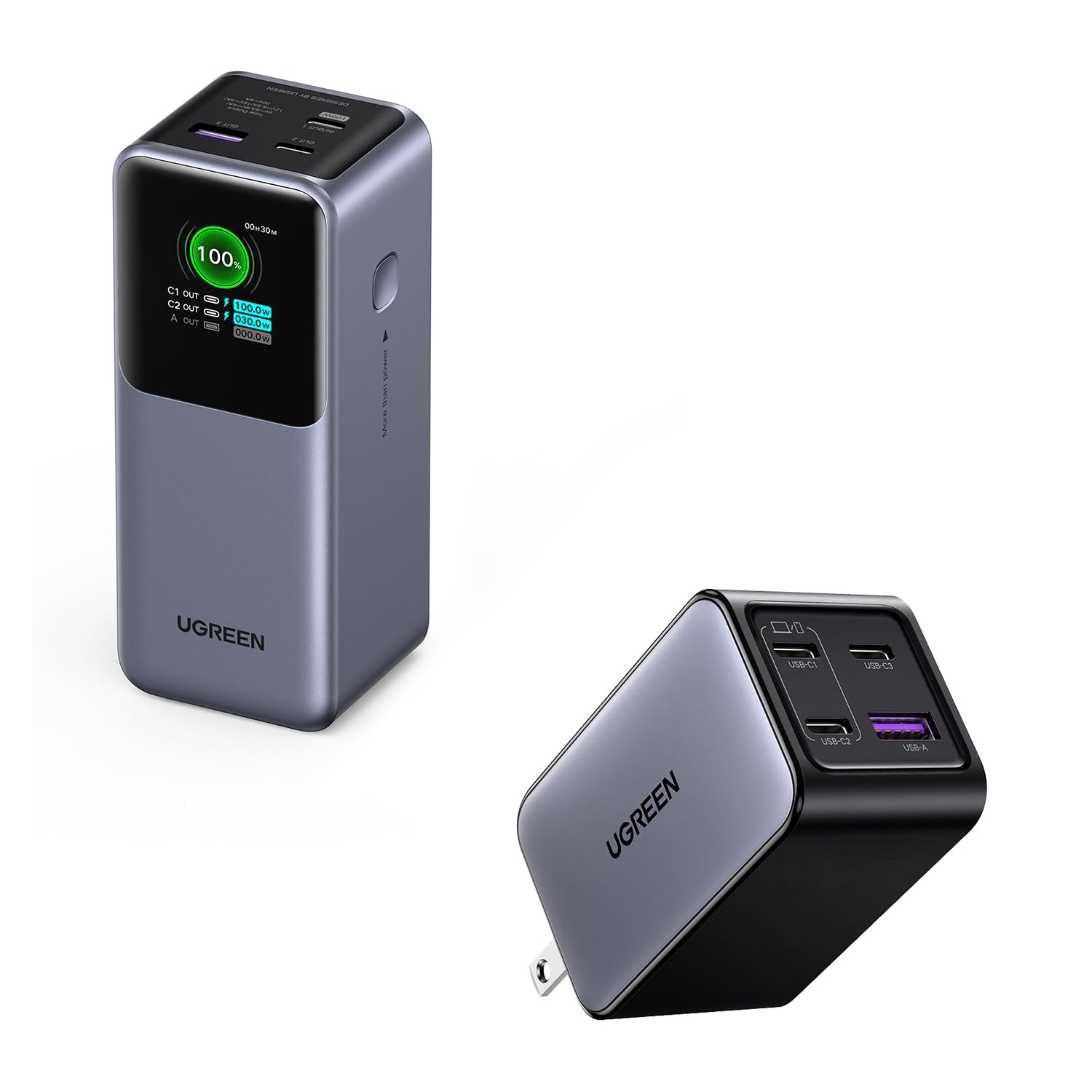
Obrázek: Přední strana view of the UGREEN Nexode 20000mAh Power Bank, highlighting its display and compact form factor.
- Kapacita: 20000 XNUMX mAh
- Max Output (OUT1): 100W
- Porty: Multiple USB-C and USB-A output ports
- Zobrazit: TFT Smart Display for real-time charging information
- Vlastnosti: Light & Compact design, 100W Fast Charging, Durable & Safe automotive-grade batteries with multiple protection.

Image: Close-up of the power bank's TFT Smart Display, showing battery percentage, input/output power, and real-time voltage/aktuální.
UGREEN 65W USB C Charger Block
The UGREEN 65W USB C Charger is a compact GaN charger with a foldable plug, designed for efficient multi-device charging.

Image: The UGREEN 65W USB C Charger Block, showing its four ports (3 USB-C, 1 USB-A).
- Maximální výstup: 65 W (jeden port)
- Porty: 3 USB-C ports, 1 USB-A port
- Vlastnosti: GaN technology, Foldable plug, 4-Port Versatility for simultaneous charging.

Image: The UGREEN 65W USB C Charger demonstrating its compact size and foldable plug for easy travel.
Nastavení
Initial Charging of Power Bank
- Connect the UGREEN 65W USB C Charger Block to a wall outlet.
- Use one of the provided USB-C to USB-C cables to connect the charger block to an input port (e.g., C1 IN) on the UGREEN Nexode Power Bank.
- The power bank's TFT Smart Display will show the charging status and remaining battery percentage. Fully charge the power bank before first use.
Connecting Devices to Charger Block
The 65W USB C Charger Block features 3 USB-C ports and 1 USB-A port. Connect your devices using appropriate charging cables.

Image: The UGREEN 65W GaN Charger simultaneously charging a laptop, phone, tablet, and earbuds, demonstrating its 4-in-1 capability.
Provozní
Charging Devices with Power Bank
- Connect your device (e.g., laptop, smartphone, tablet) to an output port (OUT1, OUT2, A OUT) on the power bank using a compatible USB-C or USB-A cable.
- The power bank will automatically begin charging your device. The TFT Smart Display will show the output power for each port.
- For optimal fast charging, use the OUT1 port for devices requiring up to 100W.

Image: The UGREEN Nexode Power Bank connected to a MacBook Pro 16", illustrating its 100W super fast charging capability.
Understanding the TFT Smart Display
Displej poskytuje informace v reálném čase:
- Zbývající baterie: Procenttage of charge left.
- Vstupní/výstupní výkon: Aktuální watttage for each connected port (C1 IN, C2 OUT, A OUT).
- Trickle Charging Mode: Indicated when charging low-power devices.
- Real-time Voltage/Aktuální: Detailed electrical readings.
Charging Devices with 65W Charger Block
- Zapojte nabíječku do standardní zásuvky.
- Connect your devices to any of the available USB-C or USB-A ports using compatible cables.
- The charger will automatically detect and deliver the optimal charging power for each connected device.
- For single-port use, USB C1/C2 ports support up to 65W max output.

Image: The UGREEN 65W USB C Charger connected to a MacBook Air M2, demonstrating its 65W full-speed charging capability.
Údržba
- Keep the power bank and charger clean and dry. Avoid exposure to liquids, high humidity, or extreme temperatures.
- Do not drop, disassemble, or attempt to repair the devices yourself.
- Pokud se nepoužívá, skladujte na chladném a suchém místě.
- For optimal battery health, fully charge the power bank at least once every three months if stored for extended periods.
Odstraňování problémů
- Zařízení se nenabíjí: Ensure cables are securely connected. Verify the power bank has sufficient charge or the charger block is plugged into a live outlet. Try a different cable or port.
- Pomalé nabíjení: Ensure your device and cable support fast charging. Some devices may limit charging speed if they are too hot or cold. Check if multiple devices are connected, as power output may be distributed.
- Power bank display not working: Ensure the power bank is charged. If the issue persists, contact customer support.
- Přehřívání: It is normal for charging devices to become slightly warm. If either the power bank or charger becomes excessively hot, disconnect it immediately and contact customer support.
Specifikace
UGREEN Nexode 20000mAh Power Bank
- Kapacita: 20000 XNUMX mAh
- Max Output (OUT1): 100W
- Porty: USB typu C, USB typu A
- Speciální funkce: Fast Charging, TFT Smart Display
UGREEN 65W USB C Charger Block
- Maximální výstup: 65 W (jeden port)
- Porty: 3x USB-C, 1x USB-A
- Speciální funkce: GaN Technology, Foldable Plug, Fast Charging
Bezpečnostní informace
- Nevystavujte ohni nebo extrémnímu teplu.
- Avoid using in environments with high humidity or near water.
- Uchovávejte mimo dosah dětí.
- Používejte pouze originální nebo certifikované kompatibilní kabely.
- Nezkratujte zařízení.
Záruka a podpora
Produkty UGREEN se dodávají se standardní zárukou. Podrobné informace o záruce, produktovou podporu nebo technickou pomoc naleznete na oficiálních stránkách UGREEN. website or contact their customer service directly. Please have your product model and purchase information ready when contacting support.